Train vision AI models in clicks, not days
Train Ultralytics YOLO models on 26 cloud GPUs. Monitor every metric in real time, compare experiments, or use AutoTrain with Ask AI to start a baseline and propose the next run.
Powered by the world's leading YOLO ecosystem
Train with the open-source foundation trusted by millions of developers, backed by broad adoption across downloads, usage, and community validation.
Native support for the world's most adopted YOLO models
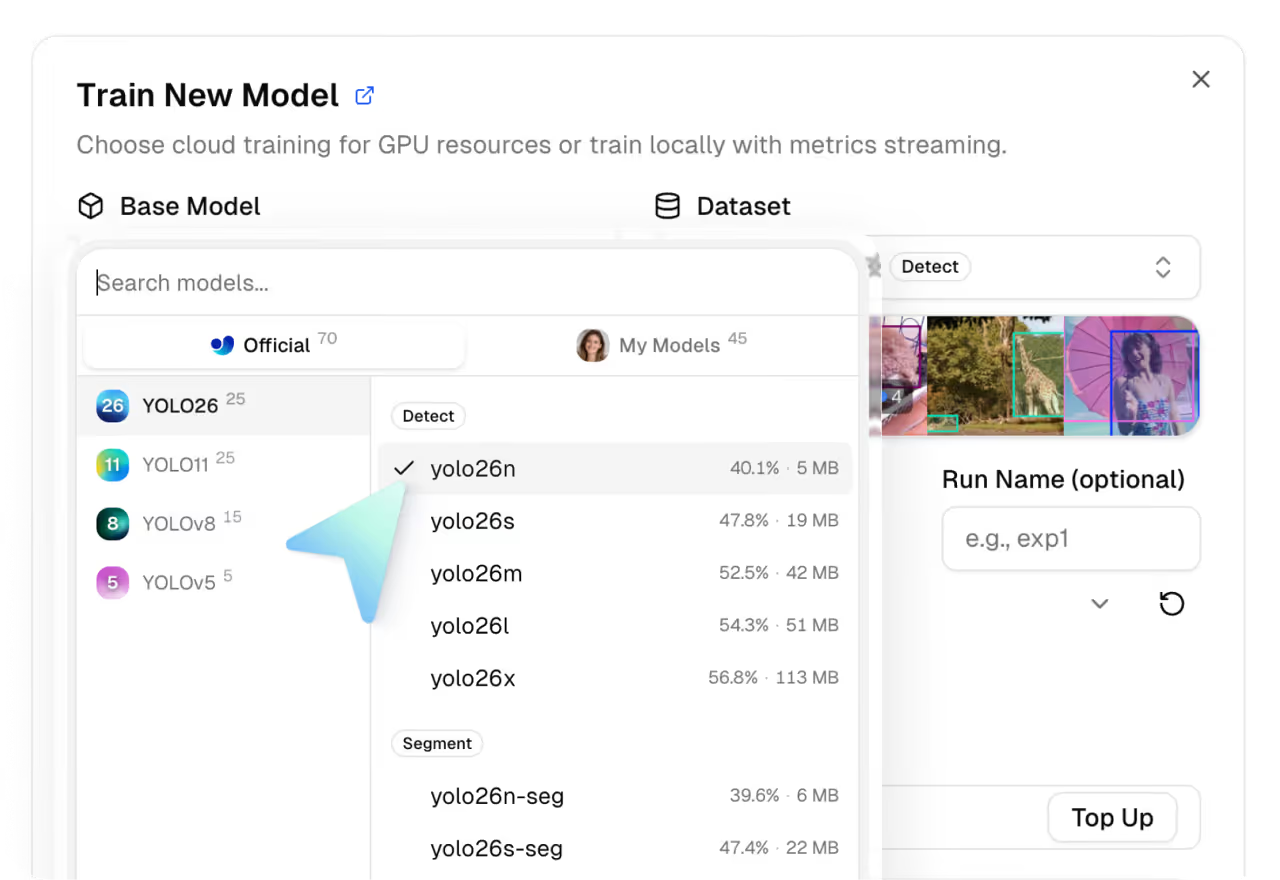
Leverage Ultralytics YOLO11, YOLOv8, and YOLOv5 families, in every size from nano to large, and train Ultralytics YOLO26 across all 7 vision tasks.
- Start with an Ultralytics YOLO model: Select pre-trained models by the original authors and ready to fine-tune.
- Bring your own computer vision model: Upload a .pt file and train it on cloud GPUs.
- Your dataset or ours: Use your own training data or browse the Ultralytics and community datasets.
Every experiment, organized
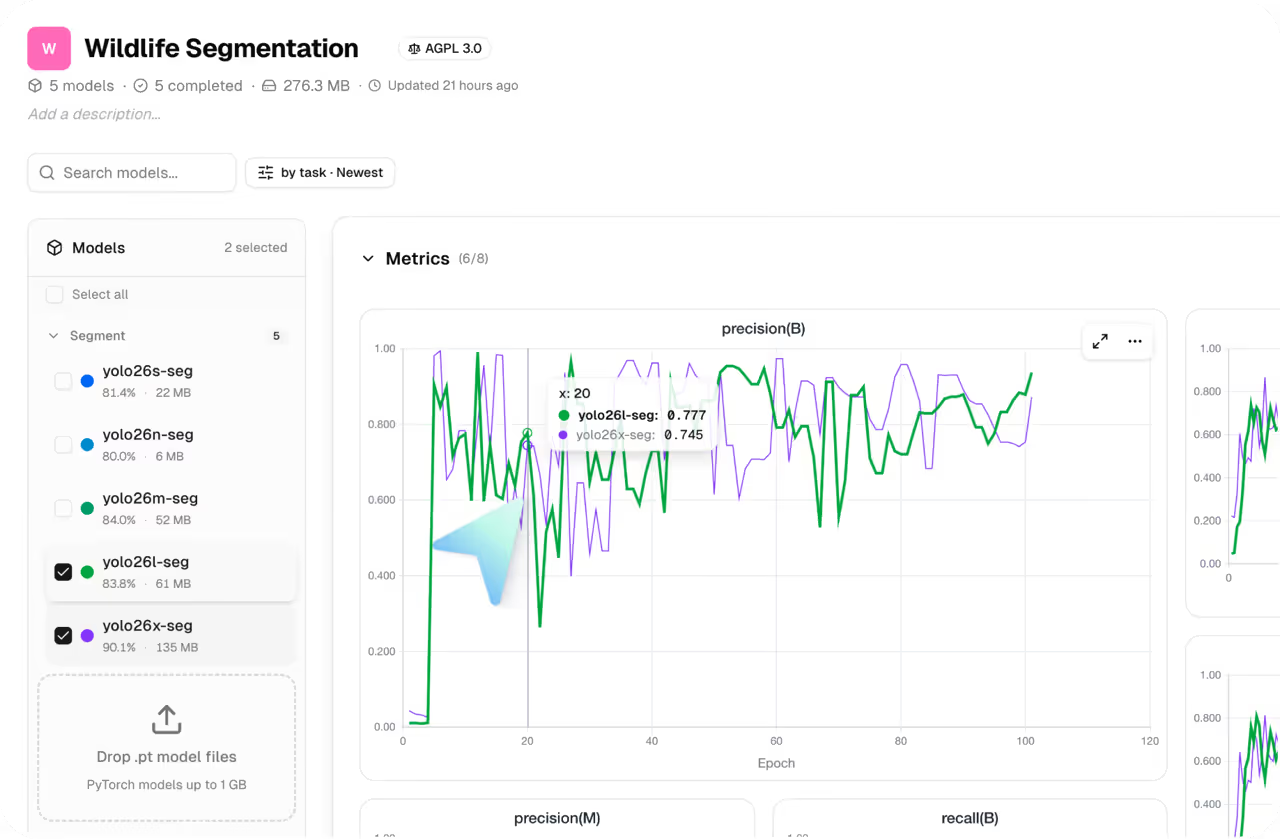
Organize training runs into projects. Compare datasets, hyperparameters, and model sizes, or ask AutoTrain for the next experiment.
GPUs on demand, or local training
Train on up to 26 cloud GPUs with one click, or run on your own hardware.
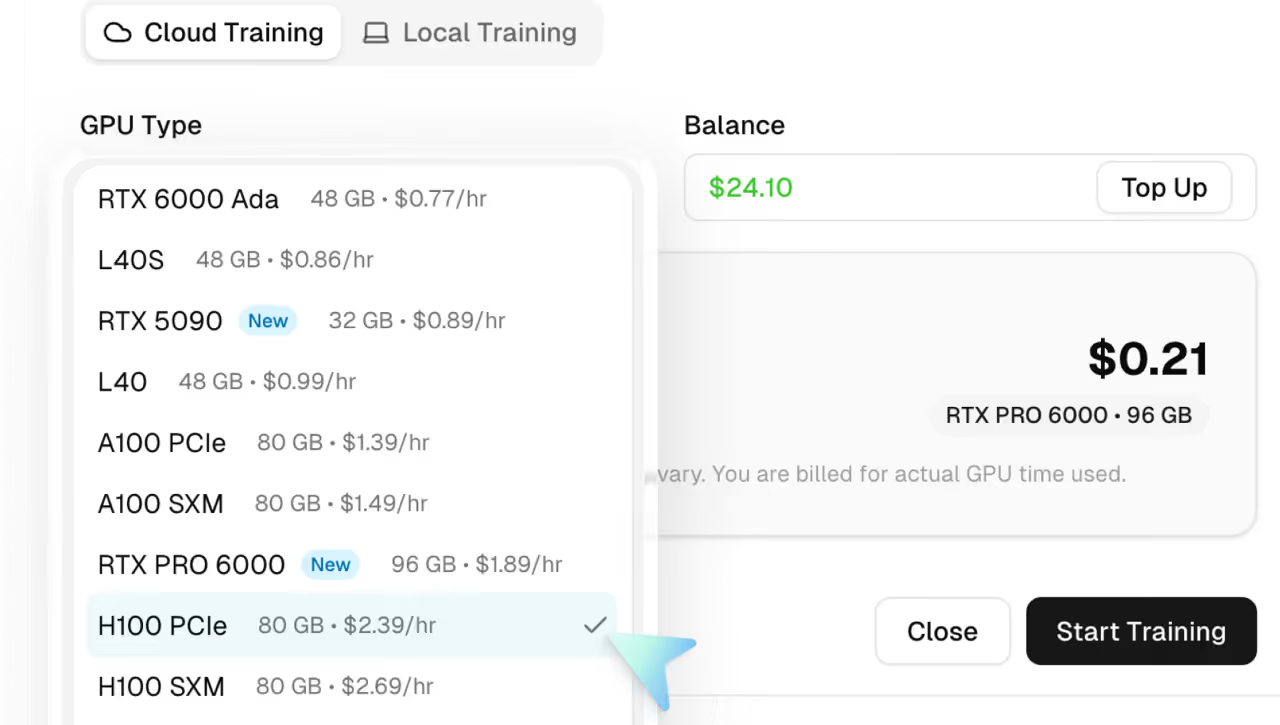
Train on cloud GPUs
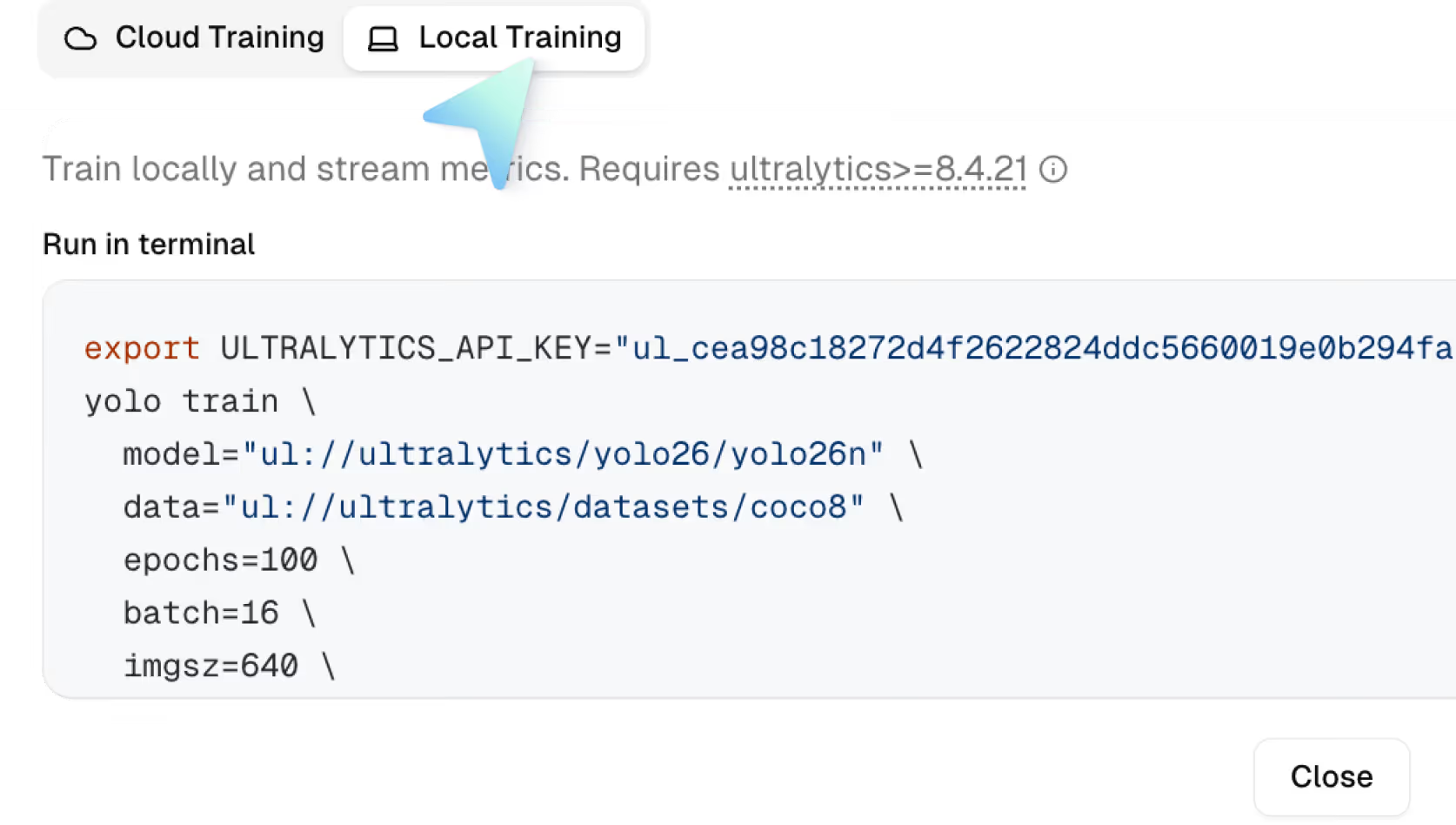
Train locally on your own infrastructure
Train on the Best GPUs for Less
26 NVIDIA GPUs starting at $0.24/hr — from Ampere to Blackwell. No markup, no minimums, no commitment.
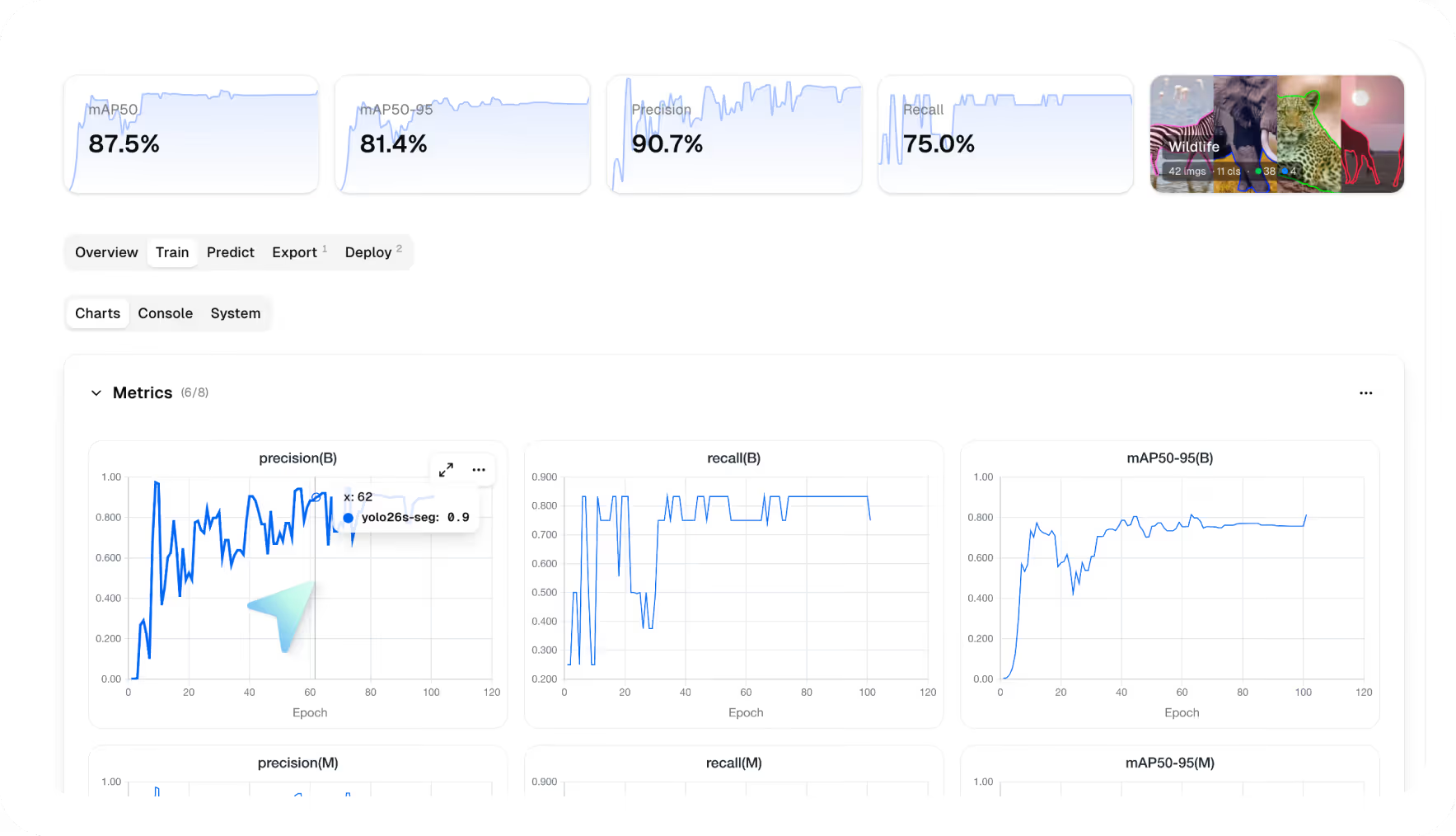
Monitor your training in real time
Catch diverging runs early, optimize model performance, and track progress as it happens.
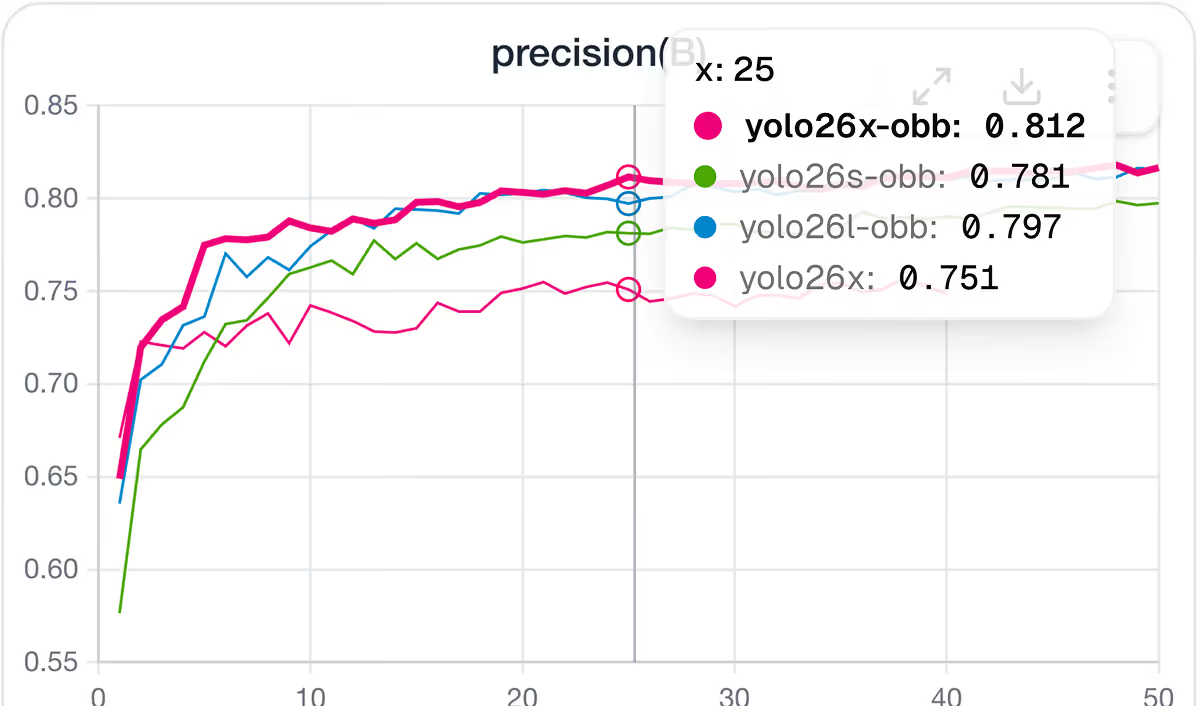
Live metric charts
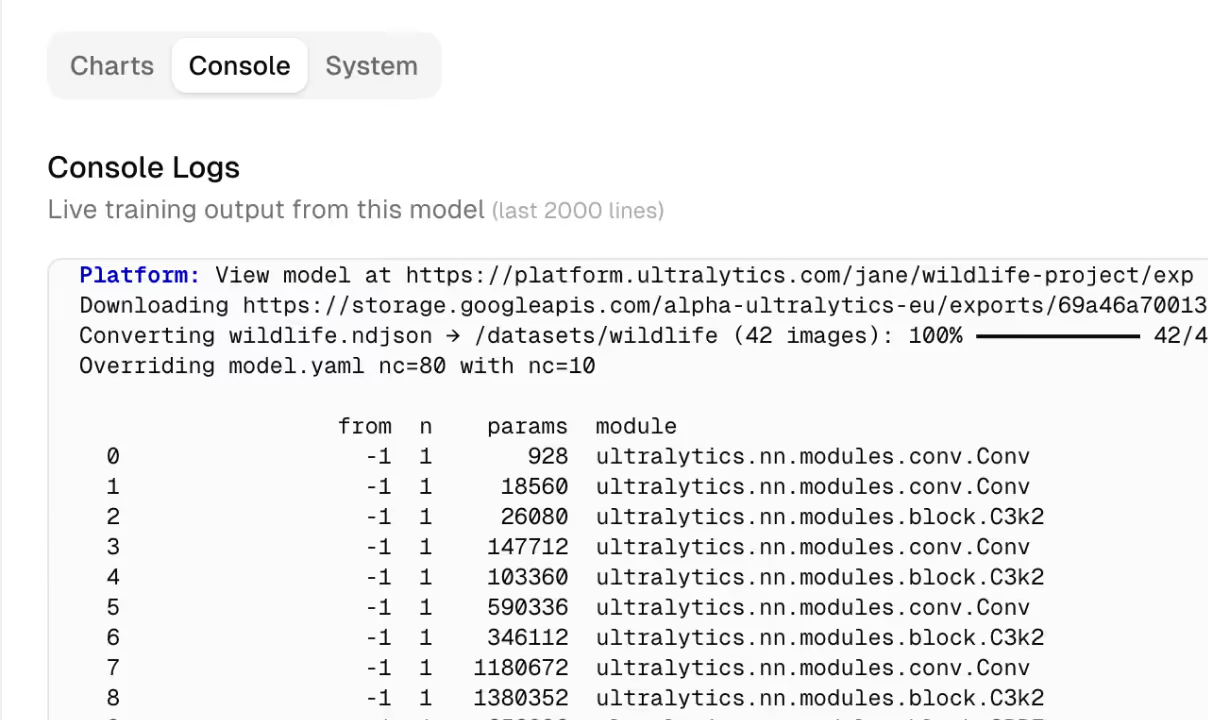
Training logs made easy
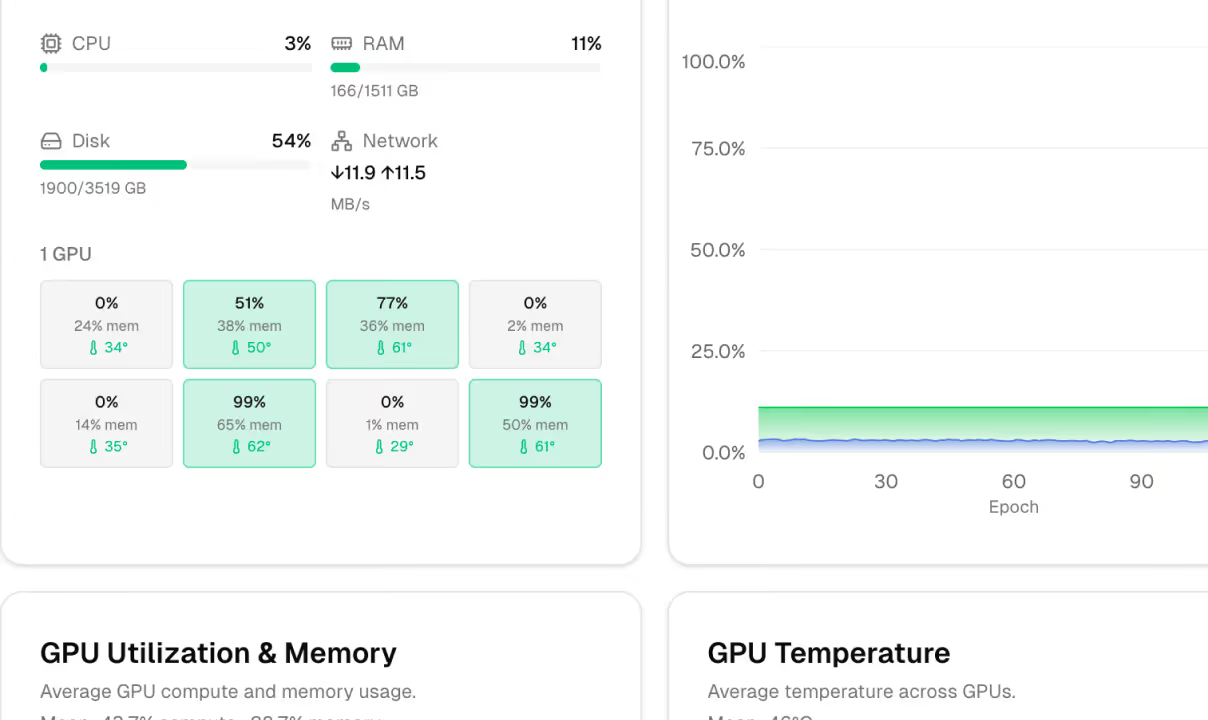
Hardware monitoring
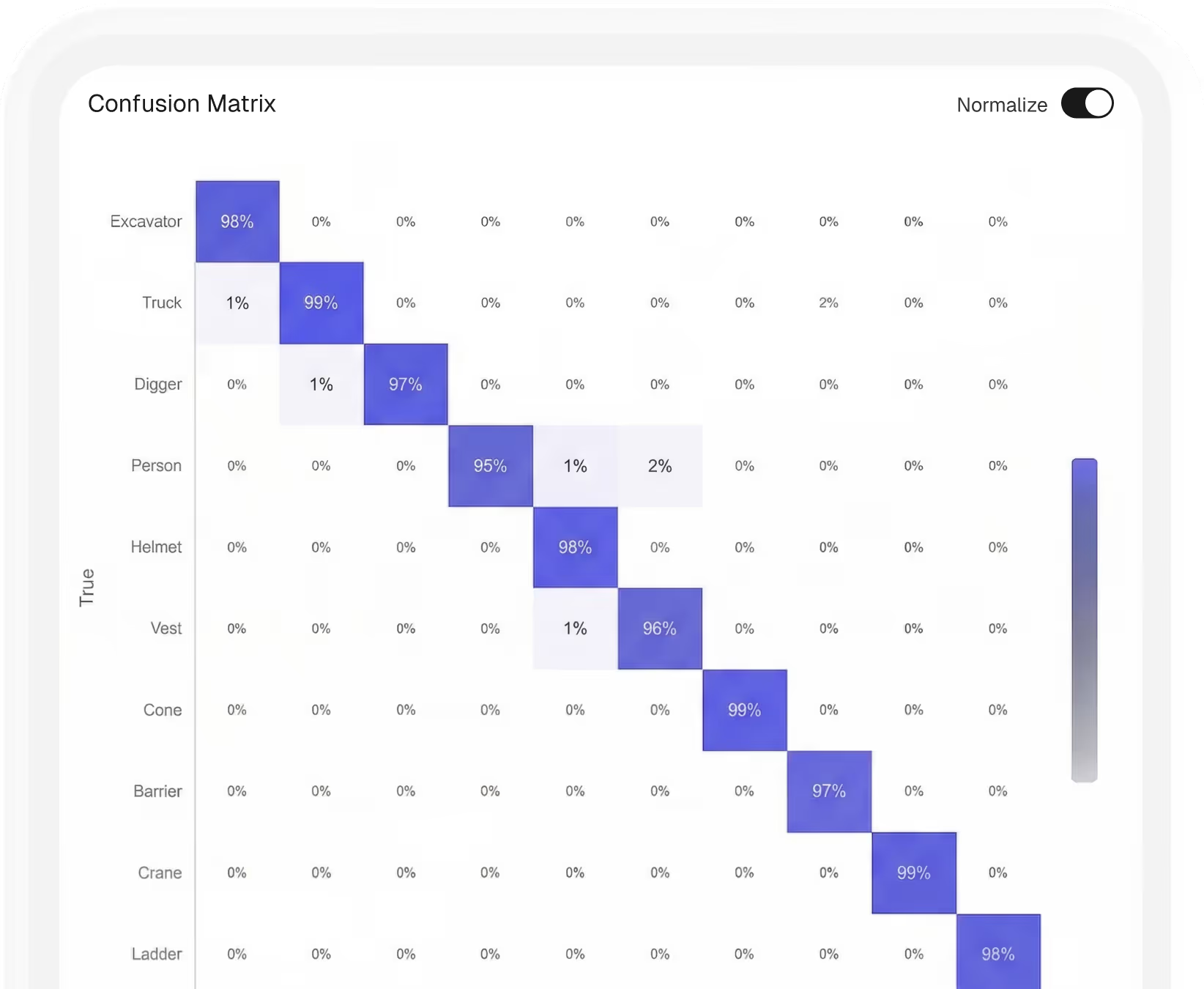
Understand your model before you ship it
Review the validation metrics for your computer vision models: confusion matrix, PR curve, and per-class results, then export to 20 formats.
See how training works
From selecting a model to monitoring your first training run, watch how Ultralytics Platform takes you from dataset to trained model — or ask AutoTrain to run the next experiment.
Model trained. Ready to deploy?
Deploy to dedicated endpoints across 42 global regions, or export to 19 formats to run your model on your own infrastructure.
Explore industry solutions
See how teams apply Ultralytics computer vision across production environments.

Computer vision for aerial imagery

Computer vision in aerospace

Computer vision in security

Computer vision in robotics

Computer vision in logistics

Computer vision in retail

Computer vision in healthcare

Computer vision in manufacturing

Computer vision in automotive

Computer vision in agriculture
Computer vision for aerial imagery
Computer vision in aerospace
Computer vision in security
Computer vision in robotics
Computer vision in logistics
Computer vision in retail
Computer vision in healthcare
Computer vision in manufacturing
Computer vision in automotive
Computer vision in agriculture
Computer vision for aerial imagery
Computer vision in aerospace
Computer vision in security
Computer vision in robotics
Computer vision in logistics
Computer vision in retail
Computer vision in healthcare
Computer vision in manufacturing
Computer vision in automotive
Computer vision in agriculture
Enterprise-grade security, certified
Independently certified and audited, so your data stays protected in transit and at rest.
SOC 2 Type I

ISO 27001:2022

GDPR & CCPA
Frequently asked questions
Yes. Ultralytics Platform supports local training on your own GPUs or CPUs. Install the Ultralytics Python package, set your API key, and start training. Real-time metrics stream directly to the platform dashboard alongside your cloud training runs. This gives you the flexibility to use your own hardware while keeping all experiments organized in one place.
Ultralytics Platform offers 22 GPU options ranging from $0.24 to $4.99 per hour. For most workloads, the RTX PRO 6000 (96 GB, $1.89/hr) is a strong default. For time-sensitive training, the H100 and H200 deliver maximum performance. For testing and small datasets, budget options like the RTX 2000 Ada ($0.24/hr) work well. The platform shows an estimated cost and duration before you start, so you can choose the right balance of speed and budget for your project.
If a training run fails, you won't be charged. You're only billed for actual GPU time on completed or manually canceled runs. Checkpoints are saved throughout training, so if a run is interrupted or canceled, your progress up to that point is preserved. You can review console logs to diagnose issues and restart training with adjusted settings.
Yes. Ultralytics Platform supports concurrent training runs. Free plan users can run up to 3 simultaneous training jobs, Pro users can run up to 10, and Enterprise users can run unlimited concurrent jobs. Each run gets its own dedicated GPU instance.
Training time depends on your dataset size, model size, number of epochs, and GPU selection. As a reference, training YOLO26n on 1,000 images for 100 epochs takes approximately 2 to 3 hours on an RTX PRO 6000. Larger models like YOLO26x will take longer for the same configuration. The platform estimates cost and duration before training starts, so you always know what to expect.
Model training is the process of teaching a computer vision model to recognize patterns in visual data. During training, the model processes thousands of labeled images, adjusts its parameters, and progressively improves its ability to detect, segment, or classify objects. On Ultralytics Platform, training is integrated directly into the annotation and deployment workflow. Once your dataset is labeled, you can select a YOLO model, choose a cloud GPU, and start training without leaving the platform.
Start training today!
Build production-ready vision AI models on cloud GPUs, or ask AutoTrain for the next experiment — starting at $0.24 per hour.