What is thresholding in image processing?
Explore thresholding in image processing with this guide. Learn what is thresholding, different image thresholding techniques, including Otsu's thresholding.
For a visual walkthrough of the concepts covered in this article, watch the video below.
As humans, we see images as coherent, meaningful pictures, while computers view them as grids of tiny pixels, the smallest components of a digital image. In a process called image processing, these pixels can be adjusted or analyzed to improve the image and extract useful information.
A common image processing technique is called image thresholding. This method converts grayscale images (where each pixel represents a shade of gray) into black-and-white ones by comparing each pixel to a set value. It creates a clear separation between important regions and the background.
Thresholding is often used in image segmentation, a technique that splits an image into meaningful regions to make it easier to analyze. It’s typically one of the first steps in helping machines interpret visual data. In this article, we’ll look at what thresholding is, how it works, and where it’s applied in real-world scenarios. Let's get started!
Basic terminology in image thresholding#
Before we dive into how thresholding works, let’s first take a closer look at the basic ideas behind it and how it’s used in image processing.
Binary image threshold#
Let’s say you’re working with an image and you want to separate the objects in it from the background. One way to do this is by thresholding. It simplifies the image so that every pixel is either completely black or completely white. The result is a binary image, where each pixel has a value of 0 (black) or 255 (white). This step is often useful in image processing because it makes the important parts of the image stand out clearly.
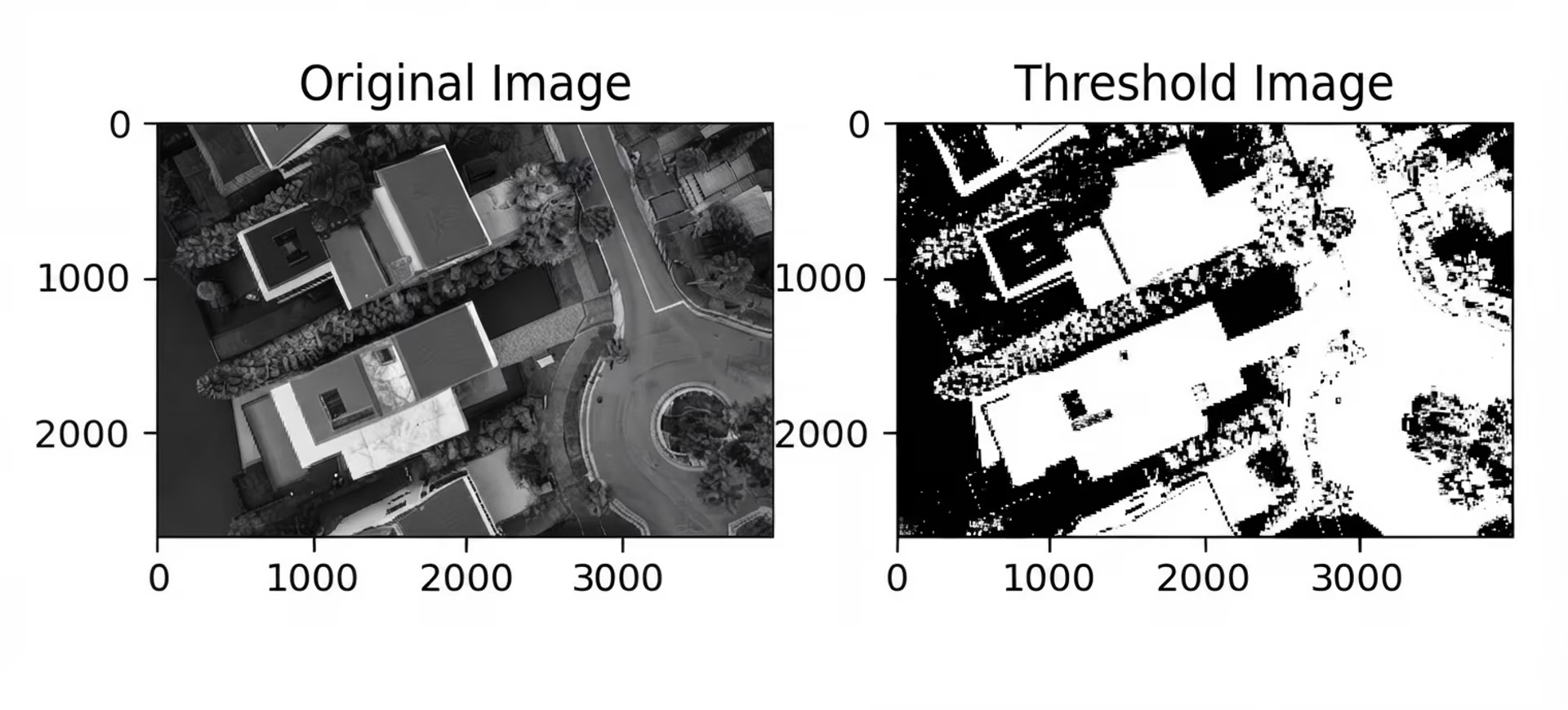
Fig 1. A grayscale image and its binary output after thresholding. (Source: blog.devops.dev)
Histogram#
Similarly, if you want to understand how the brightness values are distributed across an image, a histogram can help. It’s a graph that shows how often each pixel intensity appears, from black (0) to white (255).
By looking at the histogram, you can see if the image is dark, bright, or somewhere in between. This makes it easier to choose a good threshold value when turning the image into black and white, since you can spot patterns and contrast levels at a glance.
Foreground and background#
Once an image has been thresholded, it gets divided into two parts: the foreground and the background. The foreground, typically shown in white, highlights the important elements, like text, shapes, or objects you want to detect. The background, shown in black, is everything else. This separation helps machines focus on what matters in the image.
Segmentation#
As mentioned earlier, segmentation divides an image into meaningful regions based on features like brightness or texture. Thresholding is a simple way to do this and is often one of the first steps in a computer vision pipeline.
Computer vision is a branch of AI that enables machines to process and interpret visual data, much like humans do. By using thresholding early in the process, computer vision systems can separate objects from their background, making it easier for later steps, such as detection or recognition, to work accurately.
Global thresholding#
Now that we’ve a better understanding of what thresholding is, let’s walk through how to threshold an image and the different types of thresholding in image processing.
For instance, global thresholding is one of the easiest ways to create a binary image. It applies a single intensity value across the entire image. Pixels brighter than this threshold become white, while darker ones turn black. This helps separate the object from the background.
It works best when the image has even lighting and strong contrast. But in uneven lighting or low-contrast areas, a single threshold can miss details or blur edges.
To handle this, methods like Otsu’s thresholding are used. Instead of setting a value manually, Otsu’s method for thresholding analyzes the image’s histogram and chooses a threshold that best separates pixel intensities into foreground and background.
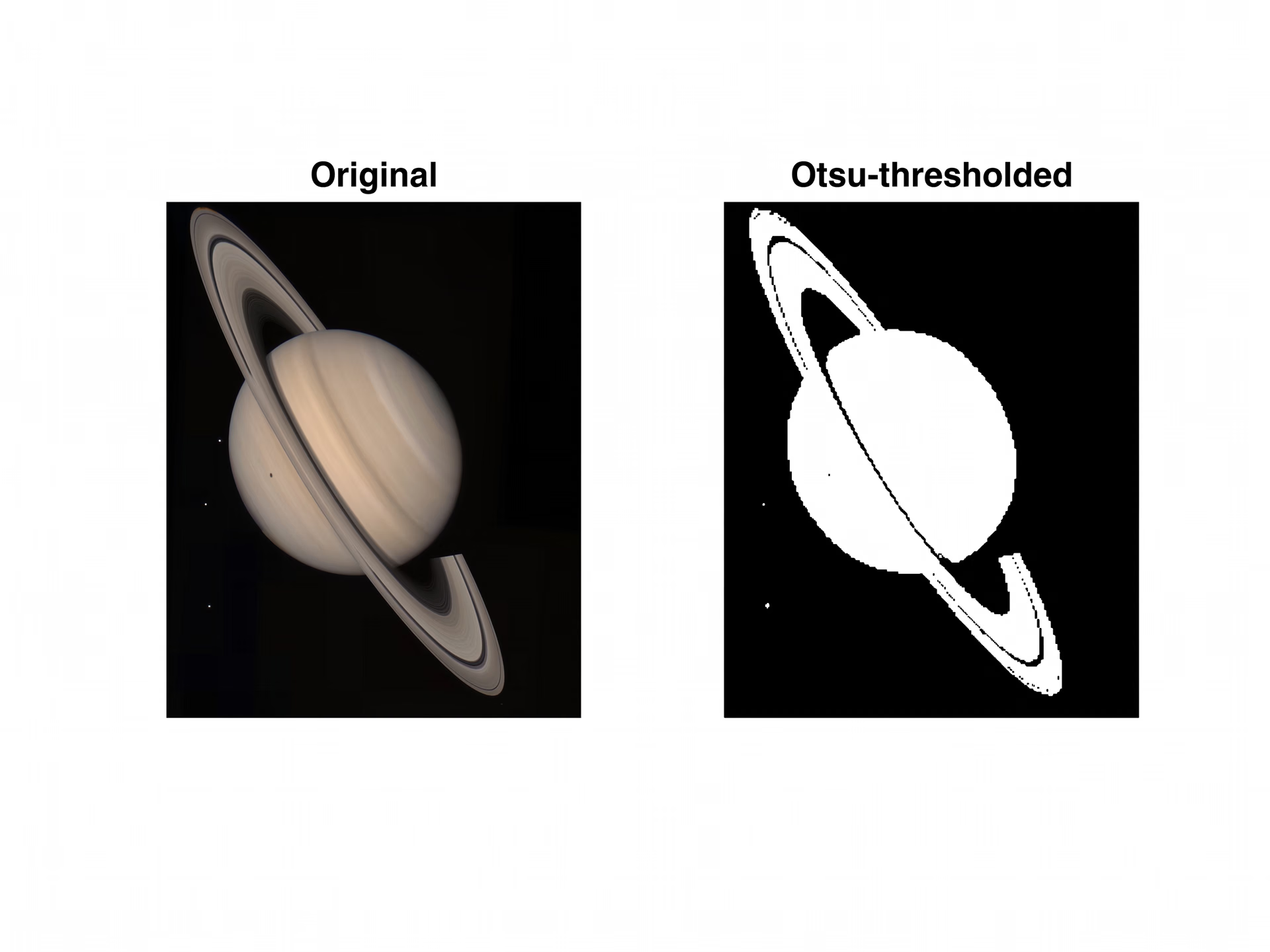
Fig 2. An image of Saturn before and after applying Otsu’s thresholding. (Source)
Local (adaptive) thresholding#
Unlike global thresholding, adaptive or local thresholding calculates the threshold value separately for different parts of the image. This makes it more effective for images with uneven lighting, such as scanned documents with shadows or textured surfaces.
It works by dividing the image into small regions and computing a local threshold for each block, which helps maintain contrast between the foreground and background. This approach is widely used in tasks like text recognition, medical imaging, and surface inspection, where lighting varies across the image.
Some common approaches to adaptive thresholding in image processing include adaptive mean thresholding and adaptive Gaussian thresholding. In adaptive mean thresholding, the average pixel intensity in a local neighborhood is used as the threshold for the center pixel. Adaptive Gaussian thresholding, on the other hand, uses a weighted average with a Gaussian window, giving more importance to pixels closer to the center.
Real-world applications of thresholding in image processing#
Next, let’s explore where image thresholding is used in real-world applications.
Image thresholding for document binarization and OCR#
Old books and handwritten letters are often scanned to preserve them or convert them into digital text using OCR (Optical Character Recognition), a technology that reads printed or handwritten characters. Before the text can be extracted, the document usually needs cleaning or preprocessing. Scanned images often have shadows, faded ink, or uneven lighting, which can make character recognition difficult.
To improve clarity, thresholding is used to convert grayscale images into binary format, helping isolate the text from the background. Darker areas, like the letters, become black, while the lighter background turns white - making it much easier for OCR systems to read the text.
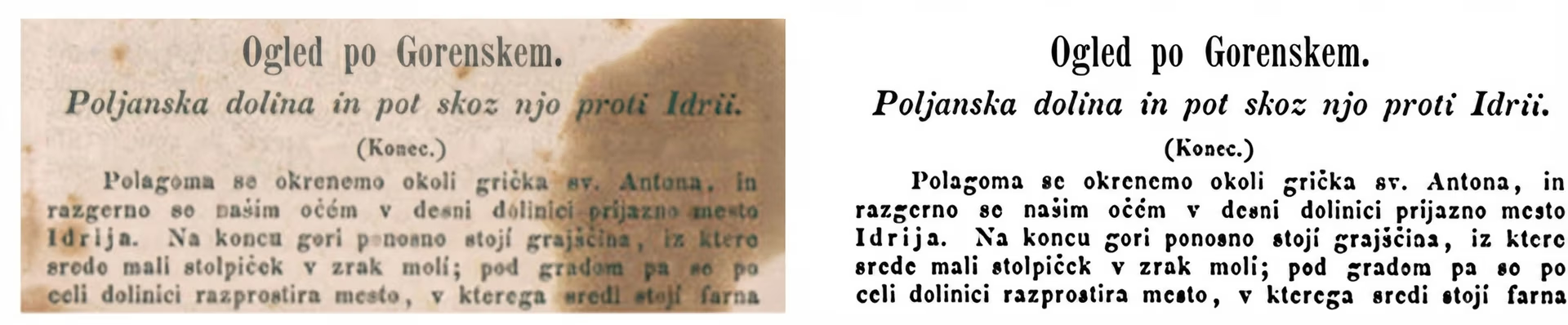
Fig 3. An example of a historical document and its thresholded image. (Source)
Using thresholding in medical image processing#
Similarly, in medical imaging, thresholding is commonly used to isolate specific structures in scans, such as bones or lungs in X-ray images. By converting grayscale images into binary format, it becomes easier to separate regions of interest from surrounding tissue and prepare the image for further analysis. In more complex cases, multi-level thresholding can be applied to divide the image into several distinct regions, allowing different types of tissue or structures to be identified at the same time.
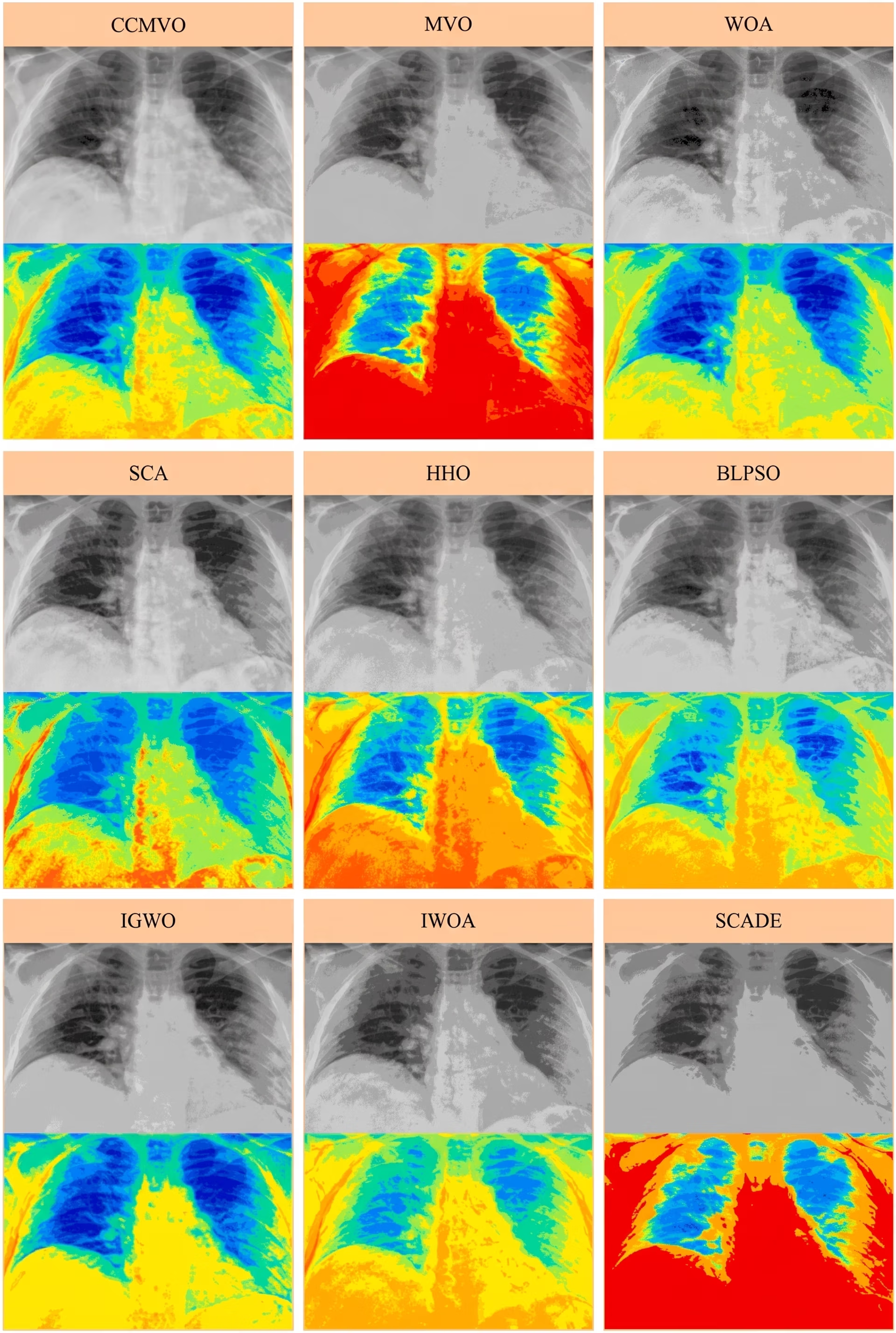
Fig 4. Using multi-level thresholding methods on chest X-rays. (Source: sciencedirect.com)
Pros and cons of thresholding in image processing#
Here are some of the key benefits of using thresholding in image processing:
- Light on resources: Thresholding works well on low-power devices and doesn’t need cloud access or high-end hardware, making it suitable for embedded systems and offline setups.
- Easy to interpret: Its simple logic makes thresholding outputs easy to understand and debug, which is crucial in fields like healthcare or document processing where transparency matters.
- Quick testing: Thresholding enables teams to quickly explore segmentation ideas in early-stage projects before moving on to more complex models.
While image thresholding is useful in many scenarios, it also comes with certain limitations. Here are some challenges related to thresholding to consider:
- Lacks adaptability: Thresholding follows fixed rules, and it doesn’t adjust to new lighting conditions or variations in the data without manual tweaking.
- Sensitive to noise: Small changes in brightness from shadows or reflections can throw off the results, especially when working with detailed or textured images.
- Static and rule-based: Unlike AI models, thresholding doesn’t learn from data or improve over time. It only works within the narrow conditions it was designed for.
Beyond image thresholding: When computer vision is the right tool#
Thresholding works well for simple segmentation tasks in controlled settings. However, it often struggles when handling complex images that have multiple objects or background noise. Since it relies on fixed rules, thresholding lacks the flexibility needed for most real-world applications.
To go beyond these limits, many cutting-edge systems now use computer vision. In contrast to thresholding, vision AI models are trained to detect complex patterns and features, making them far more accurate and adaptable.
For example, computer vision models like Ultralytics YOLO11 can detect objects and segment images in real time. This makes them ideal for tasks like spotting traffic signals in autonomous vehicles or identifying crop issues in agriculture.
In particular, Ultralytics YOLO11 supports a range of computer vision tasks, such as instance segmentation, where each object in an image is segmented separately. It can also perform other vision-based tasks, including pose estimation (determining the position or posture of an object) and object tracking (following an object as it moves across video frames).
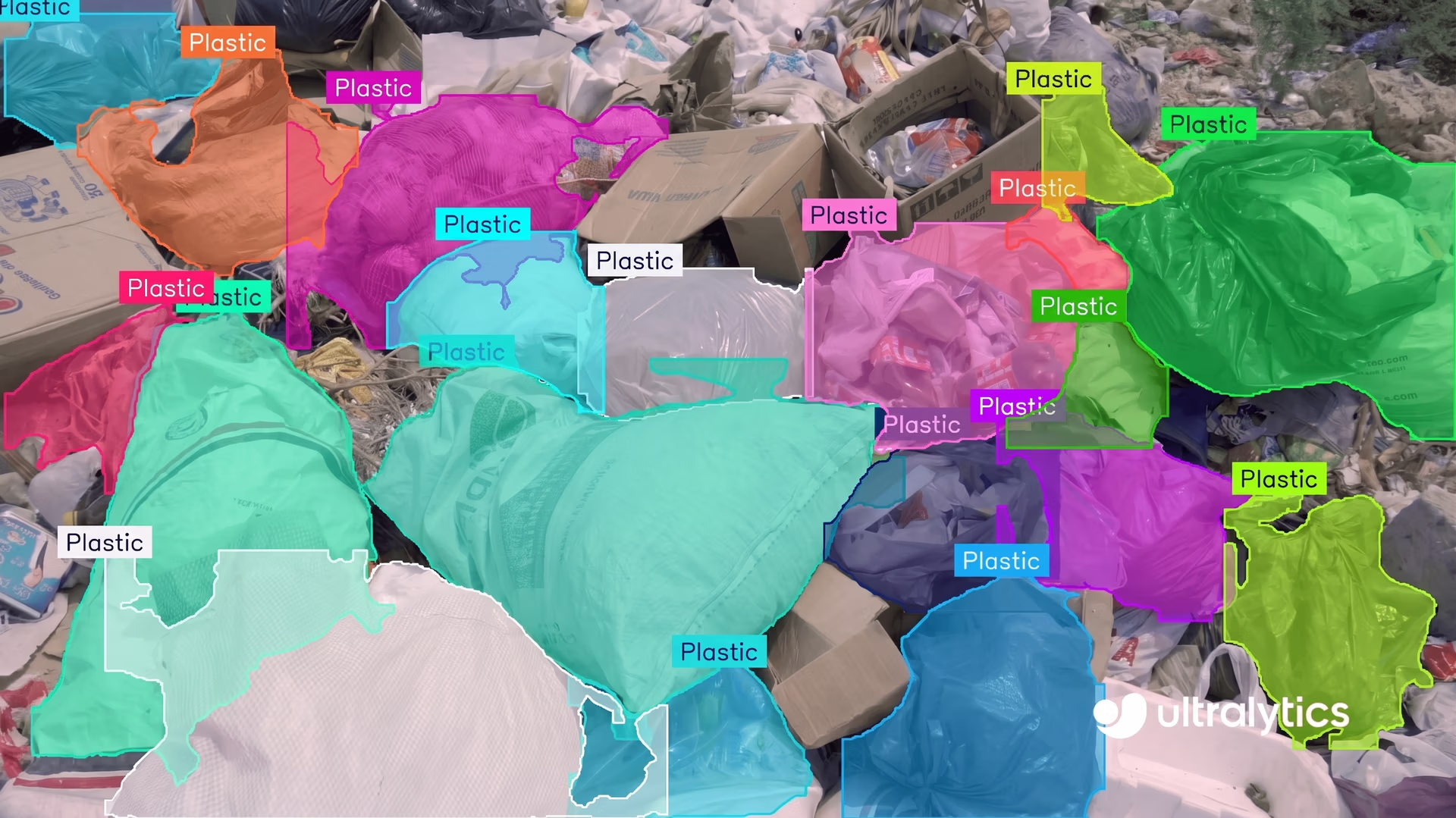
Fig 5. YOLO11 makes detecting and segmenting objects easy. (Source)
While thresholding works well for simple tasks or testing early ideas, applications that need speed, accuracy, and flexibility are usually better handled with computer vision.
Key takeaways#
Thresholding is a crucial tool in image processing because it’s quick and easy to use for separating objects from the background. It works well with scanned documents, medical images, and checking product defects in factories.
However, as images and videos get more complex, basic image processing methods like image thresholding can struggle. That’s where advanced computer vision models can step in. Models like Ultralytics YOLO11 can understand and perform more tasks, spot many objects at once, and work in real time, making them useful for many use cases.
Want to know more about AI? Check out our community and GitHub repository. Explore our solution pages to learn about AI in robotics and computer vision in agriculture. Discover our licensing options and start building with computer vision today!








