Exploring real-time medical imaging with Ultralytics YOLO11
Learn how Ultralytics YOLO11 supports brain tumor detection in MRI and CT scans with real-time detection and segmentation, and how to train it on medical data.
 Abdelrahman Elgendy9 min read
Listen to this article
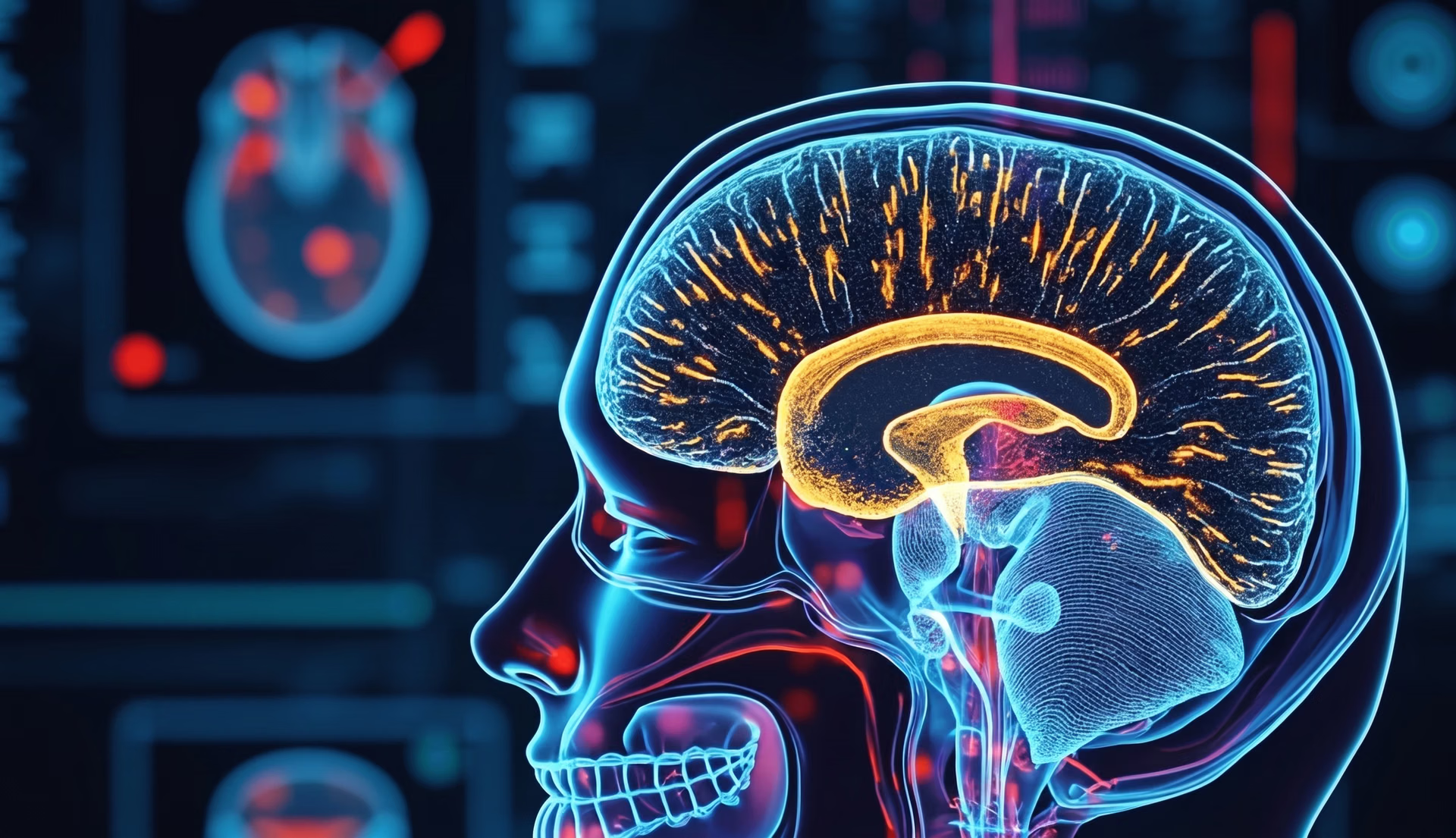
Medical imaging is undergoing a significant transformation as a larger role is taken by AI in diagnostics. For years, radiologists have relied on traditional imaging techniques like MRI and CT scans to identify and analyze brain tumors. While these methods are essential, they often require time-intensive, manual interpretation, which can delay critical diagnoses and introduce variability in results.
With AI's advancements, particularly in machine learning and computer vision, healthcare providers are seeing a shift toward faster, more consistent, and automated image analysis.
AI-based solutions can assist radiologists by detecting abnormalities in real time and minimizing human error. Models like Ultralytics YOLO11 are pushing these advancements further, offering real-time object detection capabilities that can be a valuable asset in identifying tumors with precision and speed.
As AI continues to integrate into the healthcare landscape, models like Ultralytics YOLO11 show promising potential for improving diagnostic accuracy, streamlining radiology workflows, and ultimately providing patients with faster, more reliable results.
In the following sections, we’ll explore how Ultralytics YOLO11’s features align with the specific needs of medical imaging and how it can support healthcare providers in brain tumor detection while streamlining processes on the way.
Understanding computer vision in medical imaging#
Before diving into the potential of computer vision models like Ultralytics YOLO11 for brain tumor detection, let’s look at how computer vision models function and what makes them valuable in the medical field. Computer vision is a branch of artificial intelligence (AI) which focuses on enabling machines to interpret and make decisions based on visual data, like images.
In the healthcare industry, this can mean analyzing medical scans, identifying patterns, and detecting abnormalities with a level of consistency and speed that supports the clinical decision-making process. Computer vision models learn from large datasets during training by analyzing thousands of labeled examples. Through training and testing, these models ‘learn’ to distinguish between various structures within an image. For instance, models trained on MRI or CT scans can identify distinct visual patterns, like healthy tissue versus tumors.
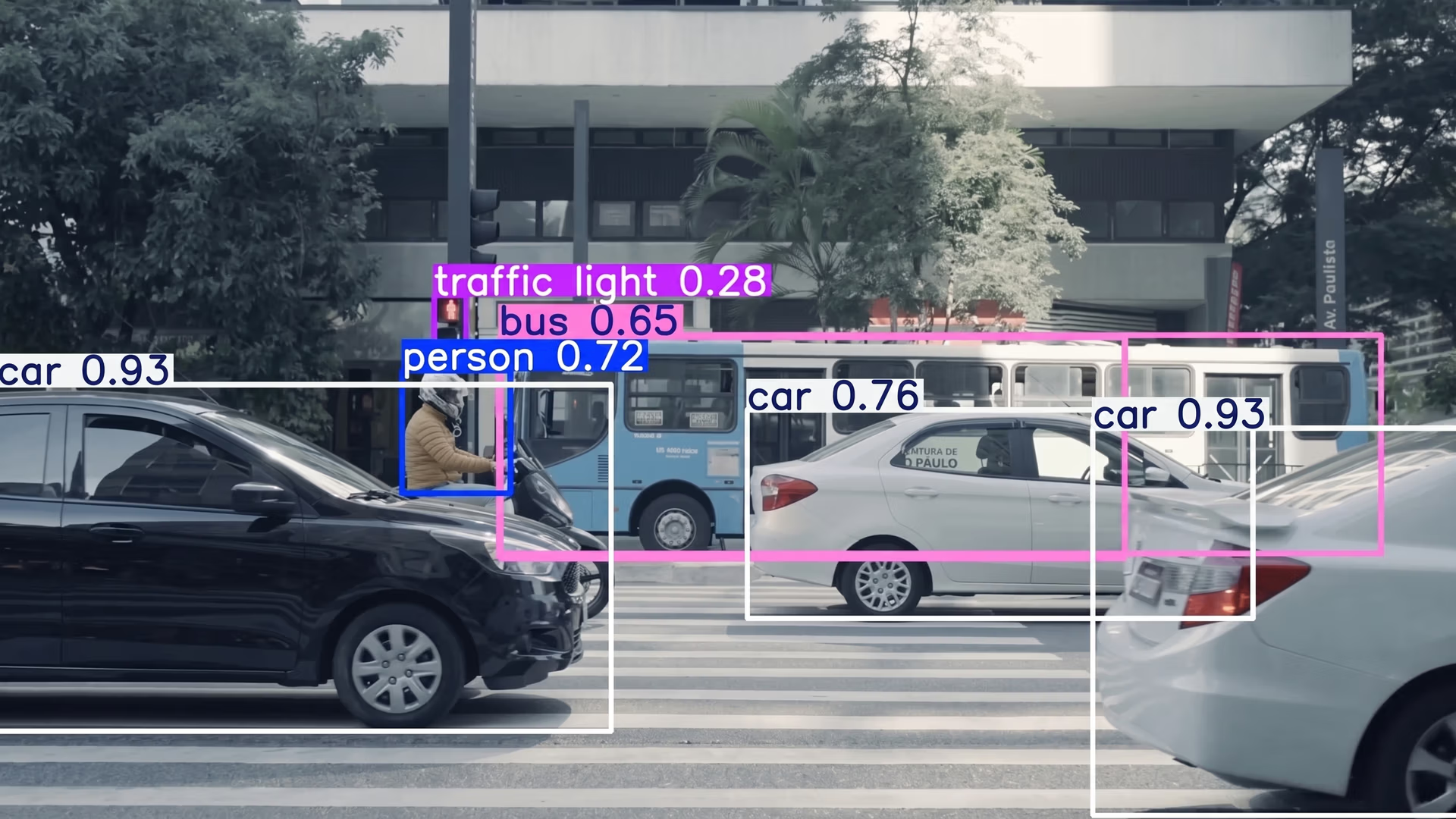
Ultralytics models like YOLO11 are built to deliver real-time object detection with high accuracy using computer vision. This ability to quickly process and interpret complex imagery makes computer vision a valuable tool in modern diagnostics. Now, let’s explore how YOLO11 can be used to help with tumor detection and other medical imaging applications.
How can Ultralytics YOLO11 help with tumor detection#
Ultralytics YOLO11 brings a range of high-performance features to medical imaging that make it particularly effective for AI-based tumor detection:
- Real-time analysis: Ultralytics YOLO11 processes images as they’re captured, allowing radiologists to detect and act on potential abnormalities promptly. This capability is crucial in real-time medical imaging, where timely insights can be lifesaving. For patients, this can mean quicker access to treatment and improved positive outcome rates.
- High-precision segmentation: Ultralytics YOLO11’s instance segmentation capabilities precisely outline tumor boundaries, which, in turn, can help radiologists gauge a tumor’s size, shape, and spread. This level of detail can result in more accurate diagnosis and better treatment planning.
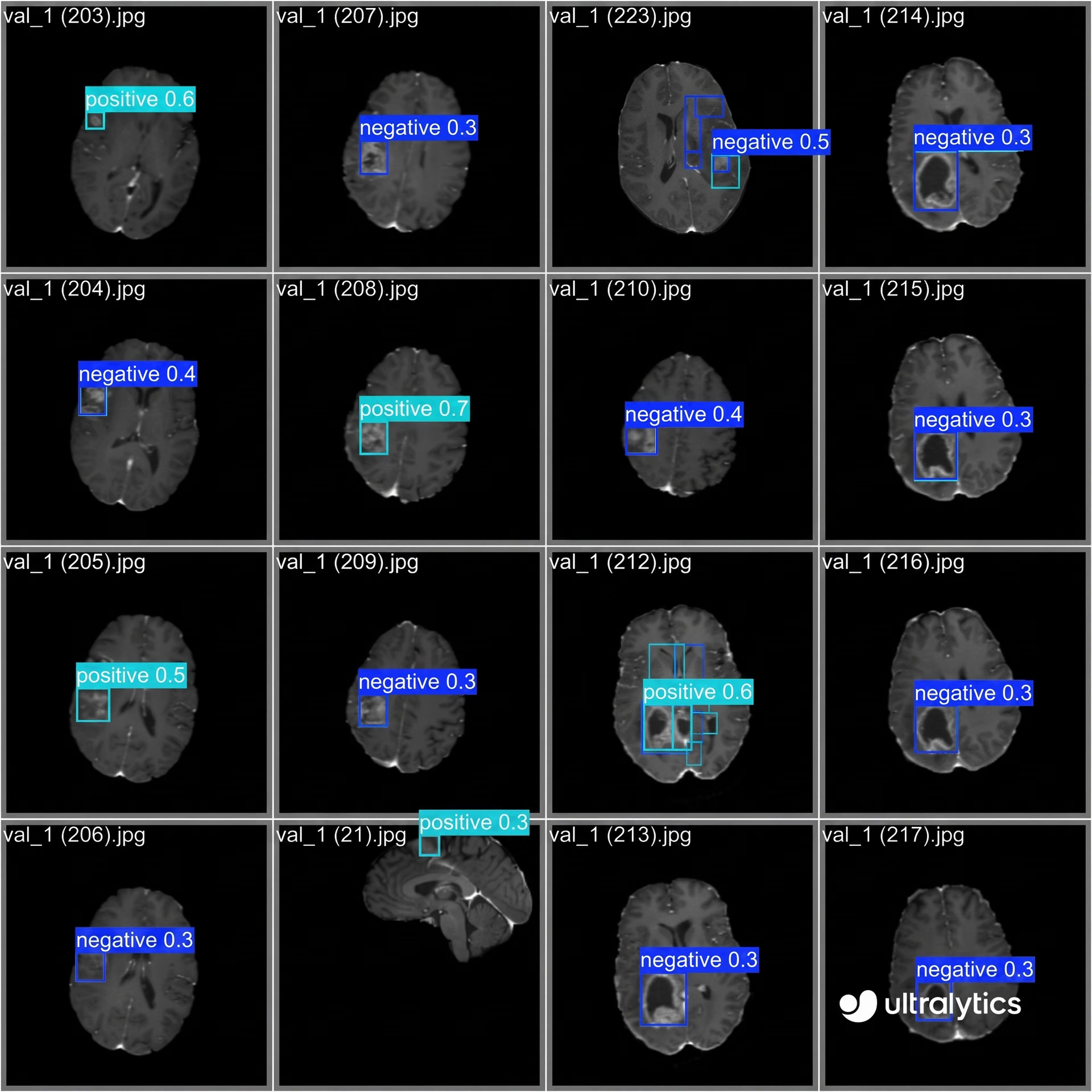
Fig 1. Tumor detection with Ultralytics YOLO11 in a brain MRI.
Ultralytics YOLO11 enables radiologists to manage higher case volumes with consistent quality. This automation is a clear example of how AI streamlines medical imaging workflows, freeing healthcare teams to focus on more complex aspects of patient care.
Key advancements in Ultralytics YOLO11 compared to previous versions#
Ultralytics YOLO11 introduces a series of enhancements that set it apart from earlier models. Here are some standout improvements:
- Capturing finer details: Ultralytics YOLO11 incorporates an upgraded architecture, allowing it to capture finer details for even more accurate object detection.
- Increased efficiency and speed: Ultralytics YOLO11's design and optimized training pipelines enable it to process data faster, striking a balance between speed and accuracy.
- Flexible deployment across platforms: Ultralytics YOLO11 is versatile and can be deployed on a range of environments, from edge devices to cloud-based platforms and NVIDIA GPU-compatible systems.
- Expanded support for diverse tasks: Ultralytics YOLO11 supports multiple computer vision functions, including object detection, instance segmentation, image classification, pose estimation, and oriented object detection (OBB), making it adaptable to varied application needs.
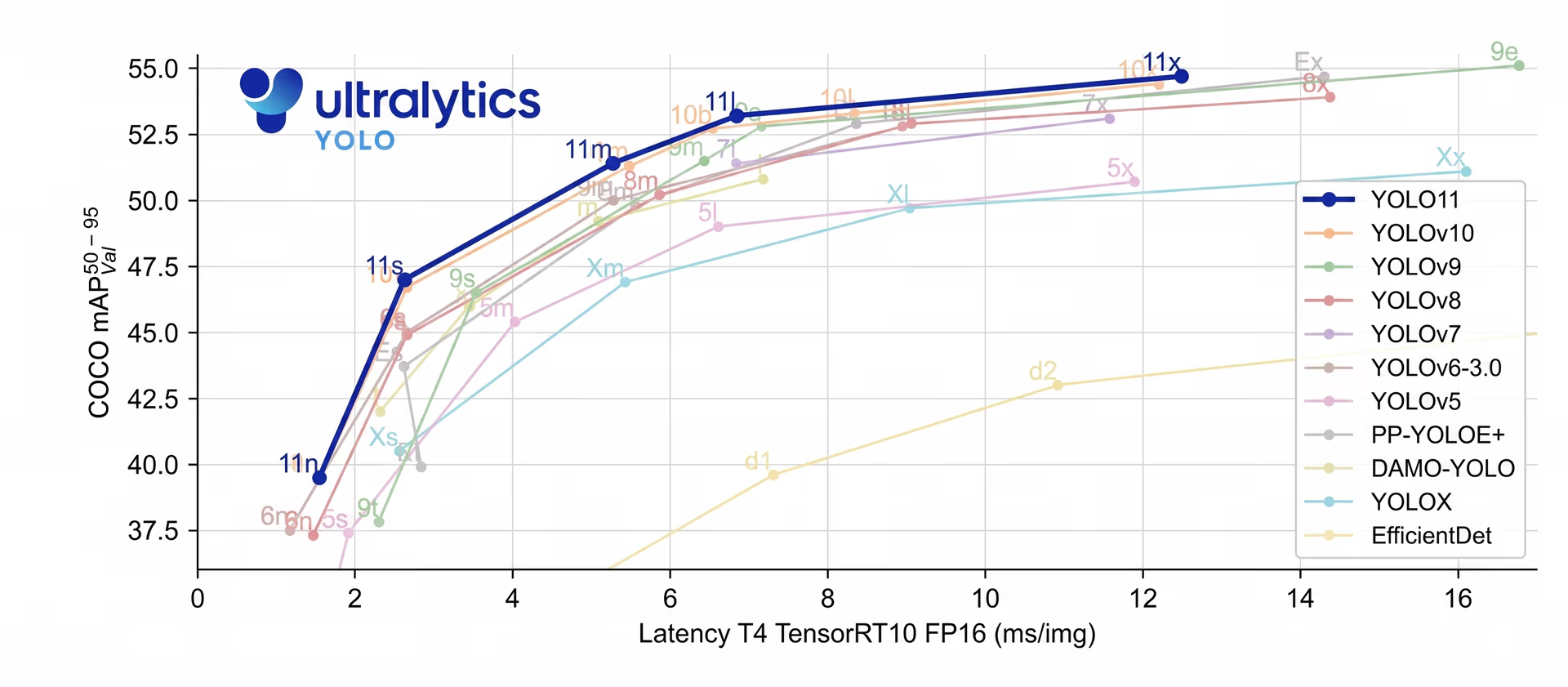
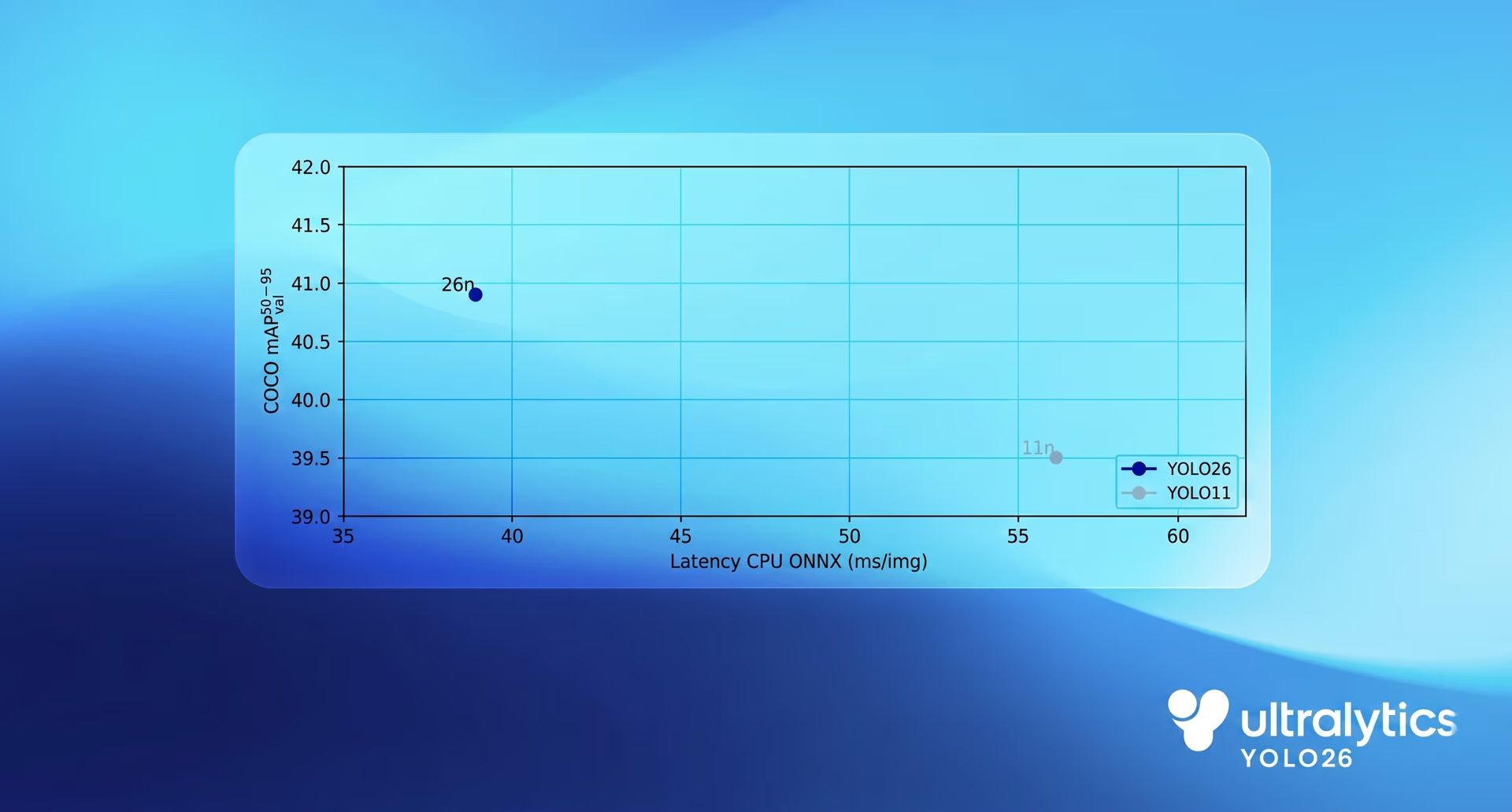
Fig 2. Performance comparison: Ultralytics YOLO11 vs. previous YOLO Models.
With these features, Ultralytics YOLO11 can provide a solid foundation for healthcare providers looking to adopt computer vision solutions in healthcare, enabling them to make informed, timely decisions and enhance patient care.
Ultralytics YOLO training options#
To achieve high accuracy, Ultralytics YOLO11 models require training on well-prepared datasets that reflect the medical scenarios they will encounter. Effective training helps the model learn the nuances of medical images, leading to more accurate and dependable diagnostic support.
Models like Ultralytics YOLO11 can be trained on both pre-existing datasets, such as the Brain Tumor dataset of labeled MRI and CT scans, and custom data, allowing users to provide domain-specific examples that fine-tune the model’s performance for their unique applications.
Training YOLO11 on Ultralytics HUB#
One tool that can be used to customize YOLO11 is Ultralytics HUB, since succeeded by Ultralytics Platform. This intuitive platform enables healthcare providers to train YOLO11 models specifically tailored to their imaging needs without requiring technical coding knowledge.
Through Ultralytics HUB, medical teams can efficiently train and deploy YOLO11 models for specialized diagnostic tasks, such as brain tumor detection. Ultralytics Platform now also hosts a ready-made brain tumor detection model fine-tuned from YOLO26s.
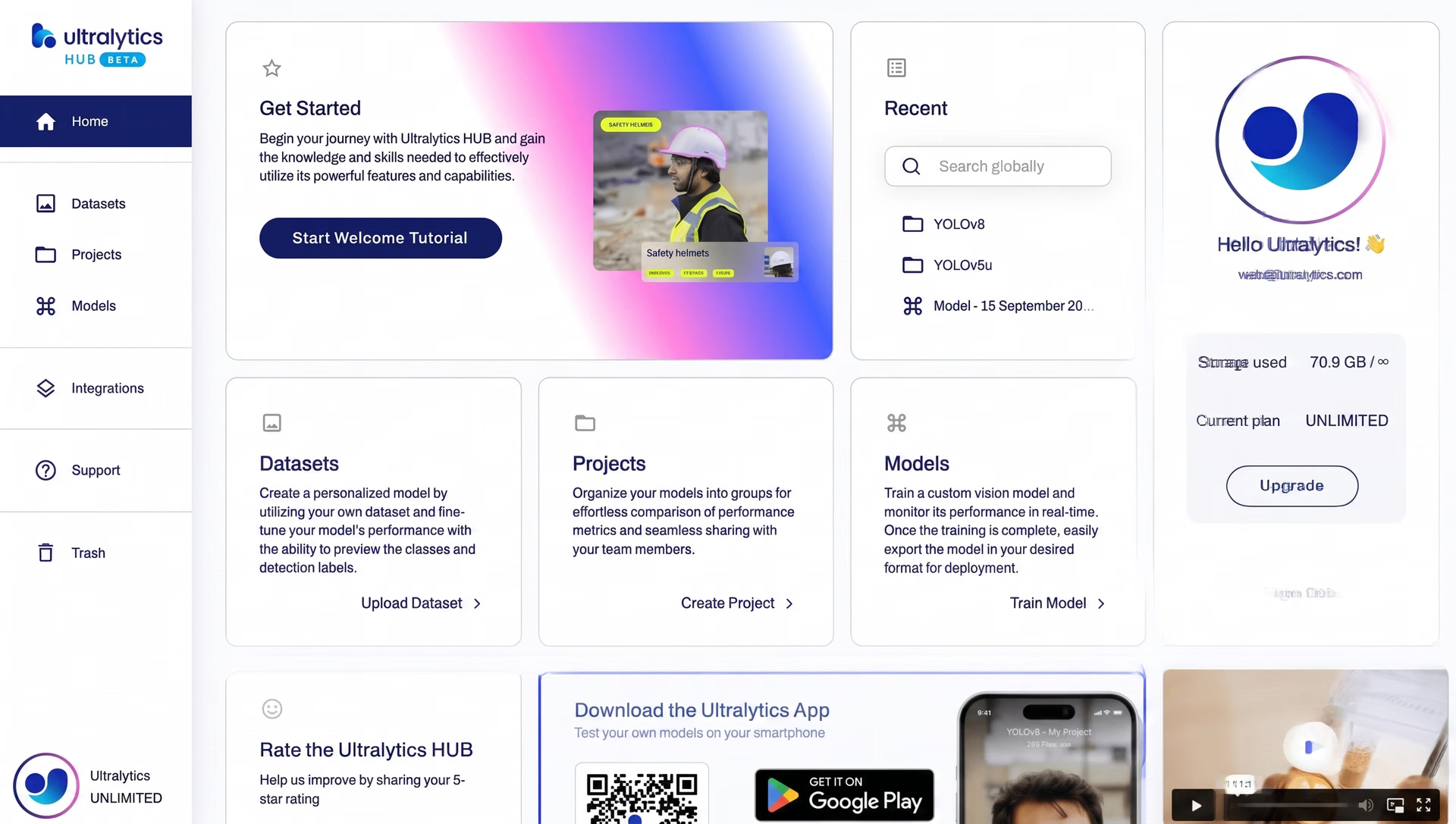
Fig 3. Ultralytics HUB Showcase: Training Custom YOLO11 Models.
Here’s how Ultralytics HUB simplifies the model training process:
- Custom Model Training: YOLO11 can be optimized specifically for medical imaging applications. By training the model with labeled data, healthcare teams can fine-tune YOLO11 to detect and segment tumors with high accuracy.
- Performance Monitoring and Refinement: Ultralytics HUB offers performance metrics that allow users to monitor YOLO11’s accuracy and make adjustments as needed, ensuring the model continues to perform optimally in the healthcare setting.
With Ultralytics HUB, healthcare providers can gain a streamlined, accessible approach to building AI-powered medical imaging solutions tailored to their unique diagnostic requirements.
This setup simplifies adoption and makes it easier for radiologists to apply Ultralytics YOLO11’s capabilities in real-world medical applications.
Training Ultralytics YOLO11 on custom environments#
For those who prefer full control over the training process, YOLO11 can also be trained in external environments using the Ultralytics Python package or Docker setups. This allows users to configure their training pipelines, optimize hyperparameters, and utilize powerful hardware configurations, such as multi-GPU setups.
Choosing the right Ultralytics YOLO11 model for your needs#
YOLO11 has a range of models tailored to different diagnostic needs and settings. Lightweight models like YOLO11n and YOLO11s deliver fast, efficient results on devices with limited computing power, while high-performance options like YOLO11m, YOLO11l, and YOLO11x are optimized for precision on powerful hardware, such as GPUs or cloud platforms. Additionally, YOLO11 models can be customized to focus on specific tasks, making them adaptable for a variety of clinical applications and environments. You can check the YOLO11 training documentation for a more in-depth guide to configuring training, and use benchmark mode to compare YOLO11 variants on your hardware.
How computer vision elevates traditional medical imaging#
While traditional imaging methods have long been the standard, they can be time-consuming and reliant on manual interpretation.
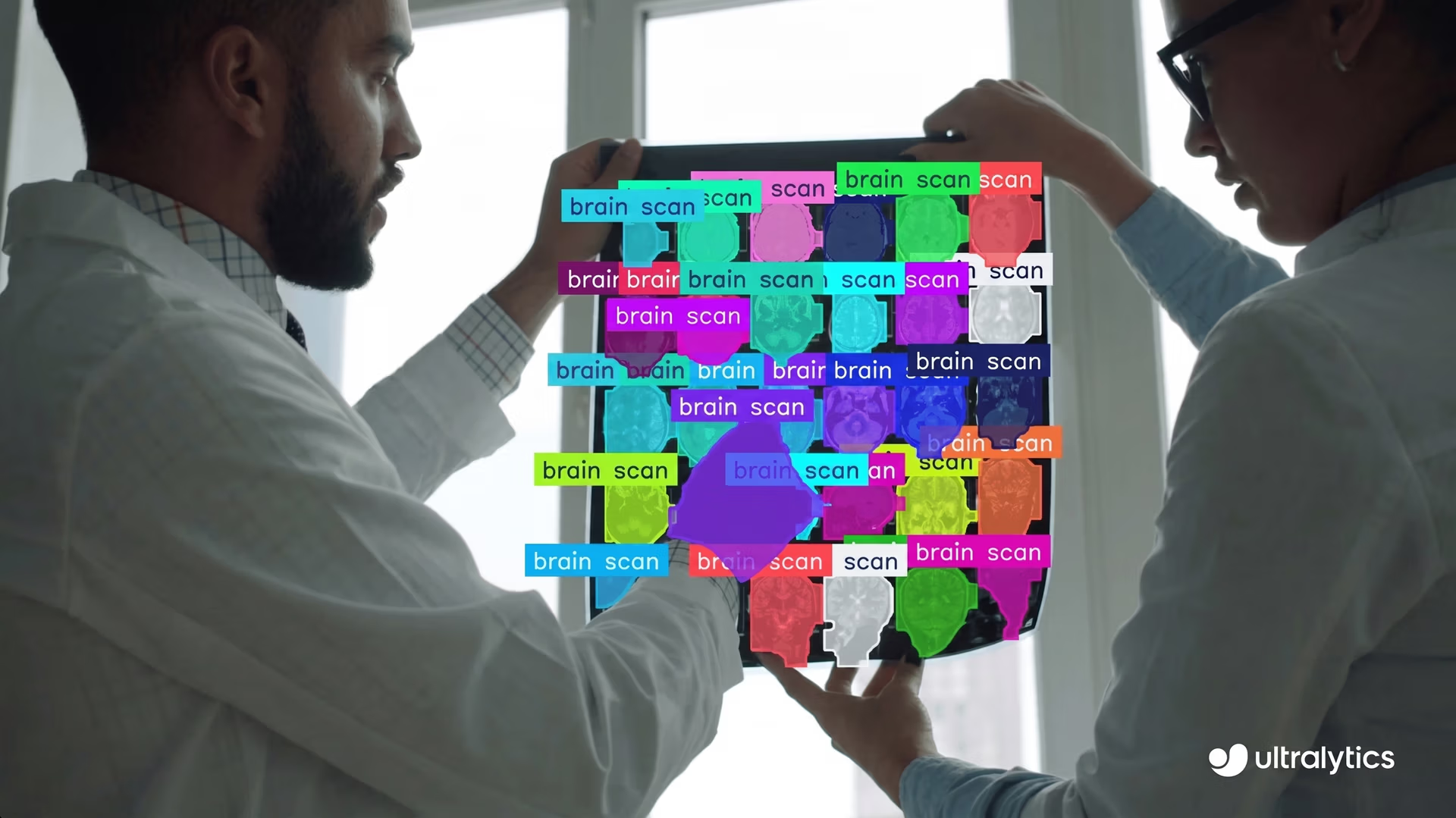
Fig 4. AI-powered brain scan analysis using Ultralytics YOLO11.
Here’s how computer vision models like Ultralytics YOLO11 can improve traditional medical imaging in efficiency and accuracy:
- Speed and efficiency: Computer vision models provide real-time analysis, removing the need for extensive manual processing and accelerating the diagnostic timeline.
- Consistency and reliability: An automated approach can deliver consistent, reliable results, reducing variability often seen with manual interpretation.
- Scalability: With the capability to process high volumes of data quickly, it’s ideal for busy diagnostic centers and large healthcare facilities, improving workflow scalability.
These benefits make Ultralytics YOLO11 a valuable tool in medical imaging and deep learning, helping healthcare providers achieve faster, more consistent diagnostic outcomes.
The challenges#
- Initial Setup and Training: Adopting AI-based medical imaging tools requires significant integration with existing healthcare infrastructure. Compatibility between new AI systems and legacy systems can be challenging, often requiring tailored software solutions and updates to ensure seamless operation.
- Ongoing Training and Skill Development: Healthcare staff need continuous training to work effectively with AI-driven tools. This includes familiarizing themselves with new interfaces, understanding AI’s diagnostic capabilities, and learning to interpret AI-driven insights alongside traditional methods.
- Data Security and Patient Privacy: With AI in healthcare, large amounts of sensitive patient data are processed and stored. Maintaining strict data security measures is essential to comply with privacy regulations like HIPAA, especially as patient data is transferred between devices and platforms in cloud-based systems.
These considerations underscore the importance of a proper setup to maximize Ultralytics YOLO11’s benefits in using AI and computer vision for healthcare.
The future of computer vision in medical imaging#
Computer vision is opening new doors in healthcare, streamlining the diagnosis process, treatment planning, and patient monitoring. As computer vision applications grow, vision AI offers the potential to reshape and improve many aspects of the traditional healthcare system. Here’s a look at how computer vision is impacting key areas in healthcare and what advancements lie ahead:
Broader applications in healthcare#
Computer vision is also being used in drug administration and adherence tracking. By verifying correct dosage and monitoring patient responses, computer vision can reduce medication errors and ensure effective treatment plans. AI in healthcare can also assist in real-time feedback during surgeries where visual analysis can help guide precise procedures and adjust treatments instantly, enhancing patient safety and supporting more successful outcomes.
As computer vision and AI models evolve, new capabilities like 3D segmentation and predictive diagnostics are on the horizon. These advancements will provide medical staff with more comprehensive views, supporting diagnosis and enabling better-informed treatment plans. Through these advancements, computer vision is likely to play a growing role in medicine, helping improve outcomes in medical imaging and diagnostics.
A final look#
Ultralytics YOLO11, with its advanced object detection and real-time processing, can be a valuable tool in AI-based tumor detection. Whether for brain tumor identification or other diagnostic tasks, YOLO11’s precision and speed make it well suited to medical imaging.
Join our community and explore the Ultralytics GitHub repository to see our contributions to AI. Discover how we are applying AI in industries like manufacturing and healthcare.
Written by
Author · Ultralytics
Comments
Ask a question, share your results, or help someone else.