Vision AI enables touch-free gesture recognition technology
Explore how computer vision powers gesture recognition technology to detect, track, and understand hand gestures across various applications.
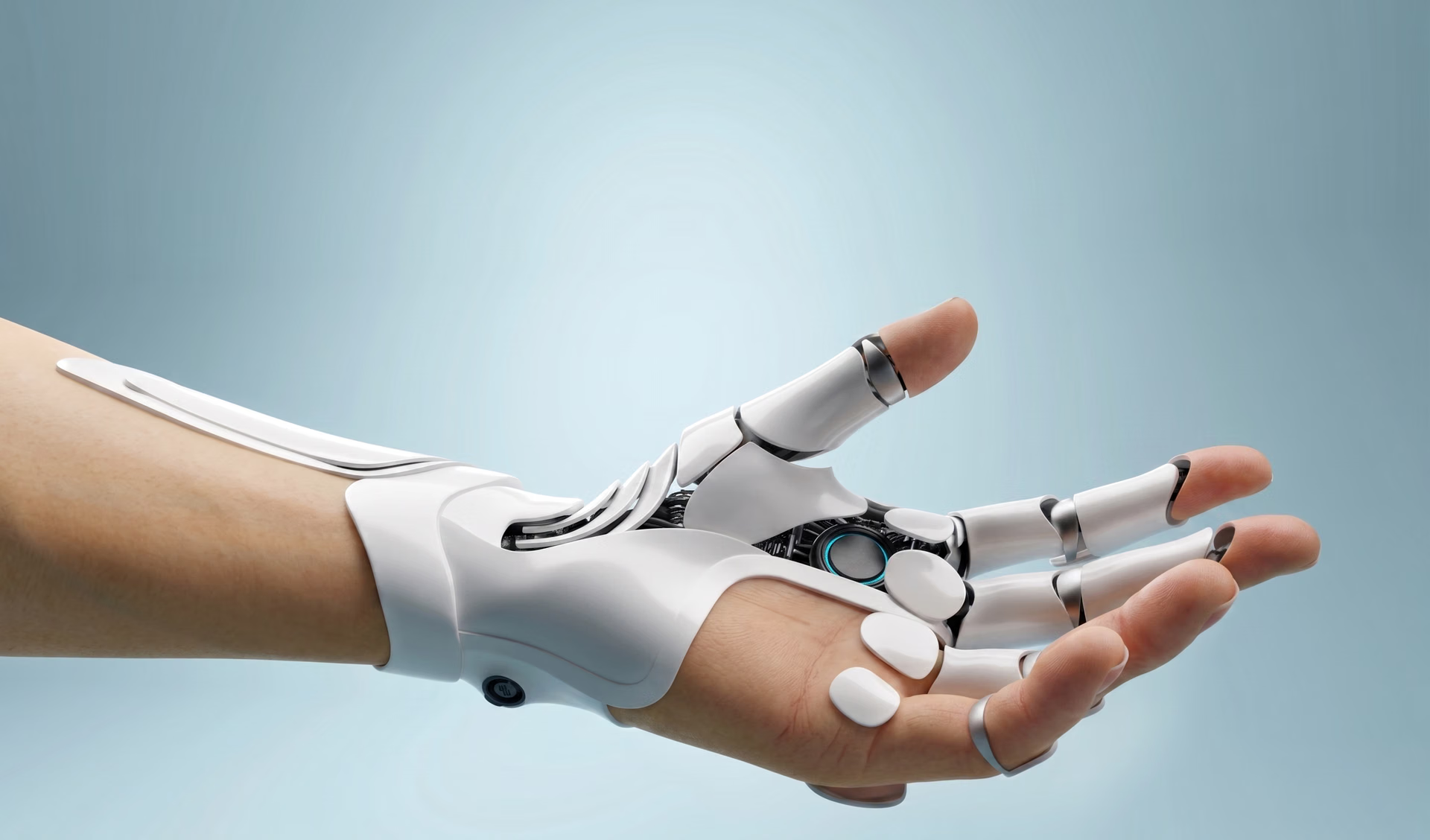
As technology evolves, the way we interact with it evolves too. Early machines depended on physical effort and mechanical controls, while modern computer science introduced touchscreens and voice input.
Now, gesture recognition is a part of the next step, using natural movements as a user interface. A simple wave, a pinch, or a quick hand sign can already control apps, screens, and machines.
This touch-free interaction can be powered by computer vision, a branch of AI that helps machines see and interpret what a camera captures. Vision AI systems can be built into smartphones, virtual reality (VR) and augmented reality (AR) headsets, cars, and smart home devices, where gestures can replace taps, clicks, and buttons for a smoother user experience.
Touchless control is becoming more common in everyday life. In workplaces and shared spaces, avoiding physical contact can improve hygiene and safety. Many digital products are also shifting toward hands-free interaction, and gestures provide an easy, intuitive way to control devices without touching them.
In this article, we’ll explore what gesture recognition is, how computer vision makes it more accurate, and where it is used in real-world applications. Let’s get started!
What is gesture recognition?#
Gesture recognition is a sensing technology that lets machines understand human gestures, such as hand signs or body movements, and convert them into digital actions. Instead of tapping a screen or pressing buttons, users can control devices through simple, natural movements.
This makes interactions feel more intuitive and is why gesture-based input is being adopted across many machine learning and AI-driven control systems. In particular, hand gesture recognition is one of the most widely used forms of gesture recognition, and it often relies on computer vision.
Simply put, a vision AI solution can spot hands in a camera feed, track how they move or change shape, and match those patterns to a known gesture to trigger an action on screen.
A key part of these solutions is a computer vision model, which is trained on datasets of labeled images or videos showing different hand gestures. With diverse training data and careful evaluation, the model can generalize better across different users, lighting conditions, and backgrounds, helping it recognize gestures more reliably in real-world settings.
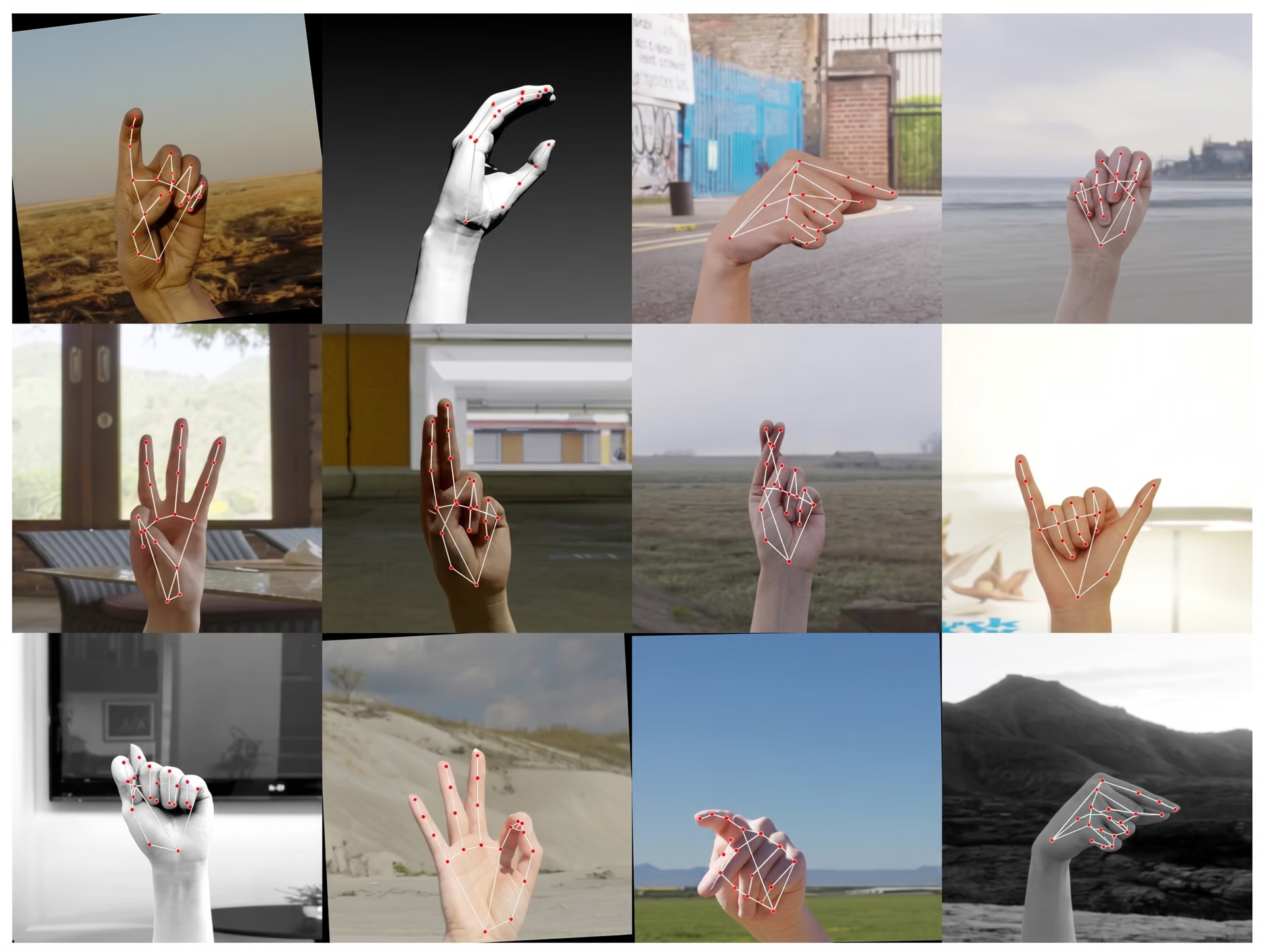
Fig 1. Data used to train a computer vision model to detect gesture keypoints (Source)
Exploring different types of gestures and human-computer interaction#
Before we take a closer look at the role computer vision plays in gesture recognition, let’s take a step back and look at the types of gestures these systems typically recognize.
In most cases, gestures fall into two categories: static and dynamic. Static gestures are fixed hand poses, such as a thumbs-up, a stop sign, or a peace sign. Since they don't involve movement, they can often be recognized from a single image frame.
Meanwhile, dynamic gestures involve motion over time, like waving or swiping in the air. To recognize them, a vision AI system needs to analyze multiple frames so it can track how the hand moves and understand the direction and timing of the gesture.
The role of computer vision algorithms in gesture recognition#
Gesture recognition systems can be built in different ways. Some input method systems use wearable sensors, such as gloves or wrist-mounted trackers, to capture hand motion.
These setups can be accurate, but they aren't always practical. Wearables need to be worn, set up, charged, and maintained, and they can feel limiting in shared spaces or when used every day.
That’s why many cutting-edge systems rely on computer vision instead. With standard RGB cameras and depth or time-of-flight sensors, devices can capture hand and body movements in real time without users needing to wear additional devices. This makes vision-based gesture recognition a great fit for smartphones, cars, smart TVs, and AR and VR headsets.
For instance, computer vision models like Ultralytics YOLO11 and the upcoming Ultralytics YOLO26 support tasks such as object detection, object tracking, and pose estimation. These capabilities can be used to detect hands in each frame, track their movement over time, and map keypoints like fingertips and joints. This makes it possible to recognize gestures such as a raised palm to pause, a pinch to zoom, a swipe to navigate menus, or a pointing gesture to select an item in AR and VR.
Computer vision tasks used for human-machine interaction recognition#
Here’s an overview of some of the key computer vision tasks used in gesture recognition:
- Object detection: This task is used to locate hands in an image or video frame, usually by drawing bounding boxes around them. It helps the system focus on the gesture area and ignore unnecessary background details.
- Object tracking: Building on object detection, this task tracks detected hands across multiple frames and maintains their identity over time. It is especially useful for dynamic gestures, where movement and direction are crucial.
- Pose estimation: Instead of focusing on bounding boxes, pose estimation identifies keypoints on the hand, such as fingertips, knuckles, and the wrist. These landmarks create a simple hand skeleton that captures finger positions and subtle motion, enabling more detailed gesture classification.
- Instance segmentation: This task aims to separate each hand from the background at the pixel level by generating a mask for every visible hand. It is helpful in cluttered scenes, when hands overlap, or when multiple hands appear in the frame.
Many vision AI solutions use these tasks together as part of a single pipeline. For example, a system might start with object detection to find the hands, then use tracking to follow them across frames for dynamic gestures.
If the gesture depends on finger placement, pose estimation can add keypoints for finer detail, while instance segmentation can help isolate each hand more precisely in cluttered scenes or when multiple hands overlap. Working together, these steps provide both location and motion information, making gesture recognition more accurate and reliable.
How vision-based gesture recognition works#
Now that we have a better understanding of the computer vision tasks behind gesture recognition, let’s take a step-by-step look at how a vision-based system works.
A typical system starts by capturing video from a camera, sometimes along with depth data if the device supports it. The frames are then preprocessed using image processing to make them easier for the model to handle consistently, such as resizing, stabilizing, or reducing noise and motion blur.
Next, the system identifies hands in the frame using detection or segmentation and follows them over time using tracking. If the application needs finer detail, it may also run pose estimation to extract keypoints like fingertips and joints. Using this information, the model classifies the gesture, whether it is a single frame pose like thumbs up or a motion pattern like a swipe.
Finally, the recognized gesture is mapped to an action in the interface, such as scrolling, zooming, selecting an item, adjusting volume, or controlling AR and VR interactions. The exact pipeline can vary, with simpler applications using fewer steps and more complex ones combining detection, tracking, and pose estimation for better accuracy.
Applications of vision-based gesture recognition#
Next, let’s walk through how gesture recognition is being used in real-world applications to understand hand positions.
Gesture-based interaction with car infotainment systems#
Gesture recognition is starting to appear in smart vehicle interfaces, especially in infotainment systems. It is a convenient way to control certain features with simple hand movements, which can reduce how often drivers need to reach for touchscreens or physical buttons. For example, a quick gesture can be used to adjust volume, manage calls, or navigate through on-screen menus.
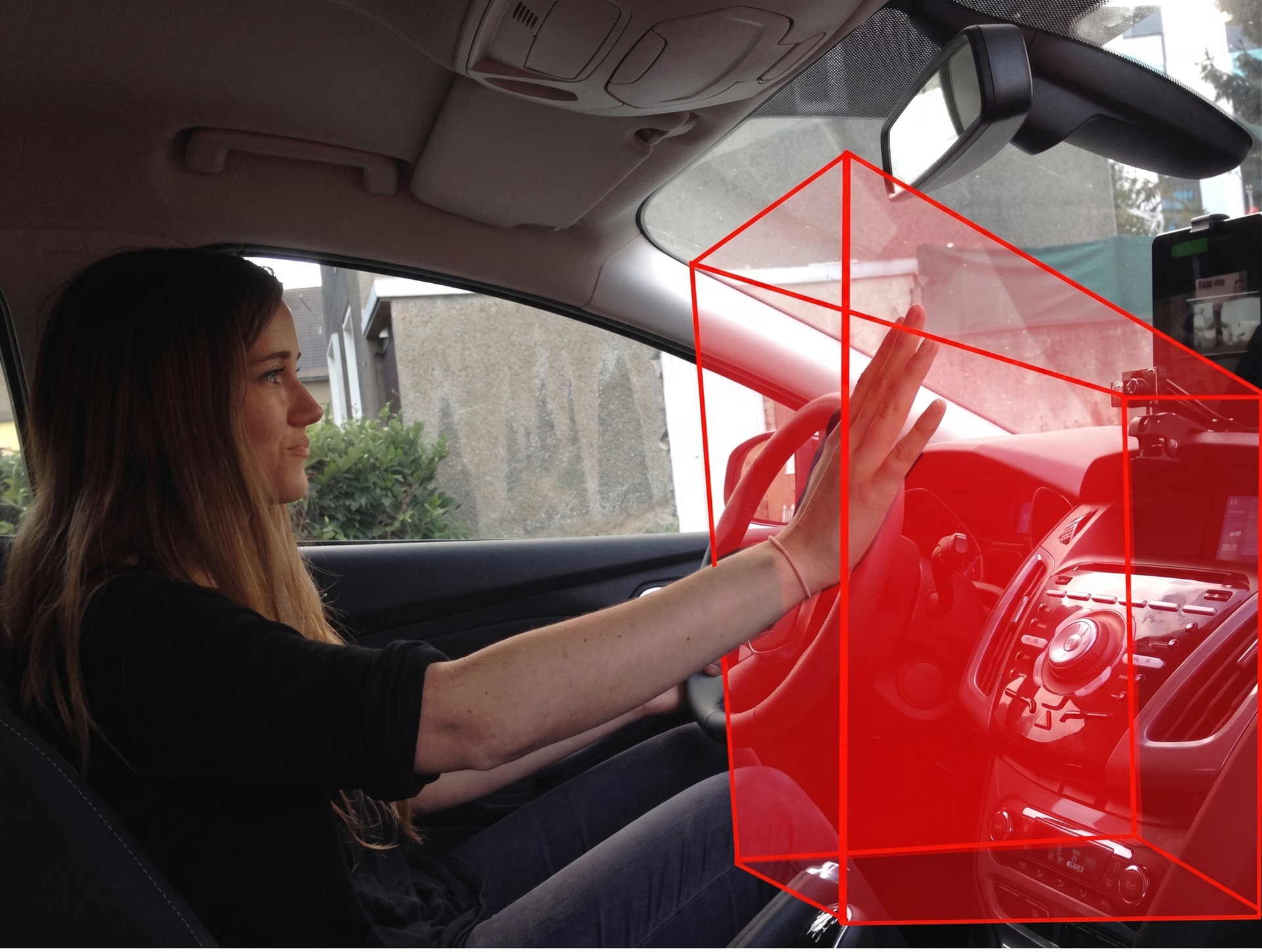
Fig 2. A driver performing hand gestures in the detection range of an infotainment system (Source)
Gesture-driven interactions in gaming#
In gaming and immersive experiences, gesture-based control is changing how people interact with virtual worlds. Instead of relying only on controllers or joysticks, players can use natural hand movements to navigate menus, pick up virtual objects, control characters, or trigger actions in a game.
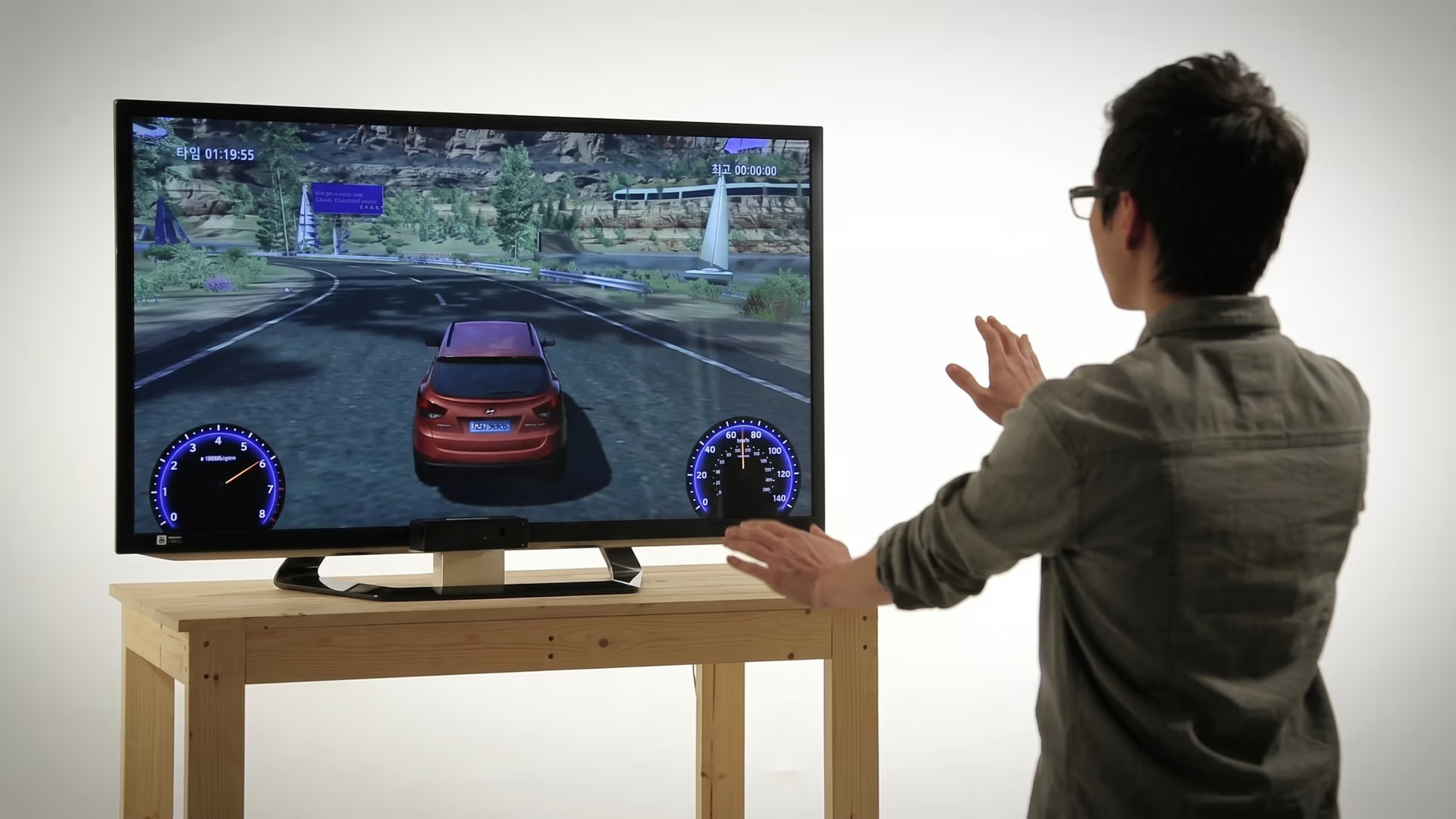
Fig 3. Playing games using hand gestures (Source).
This kind of touch-free interaction can feel more fluid, especially in AR and VR. As a result, hand tracking and gesture control are becoming common features in VR and mixed reality headsets.
Seamless gesture control for smart home devices#
Smart home devices like smart TVs, speakers, and connected lights are starting to support gesture-based control for quick, touch-free actions. With a simple hand movement, users can turn on lights, adjust volume, or trigger basic commands without reaching for switches or remotes.
For example, in home entertainment setups, depth cameras that are built in or connected can recognize gestures such as swiping, pointing, or raising a hand. This can make it easier to browse menus, change settings, or confirm selections from across the room. Behind the scenes, computer vision models process the camera feed in real time to detect and interpret these gestures.
Artificial intelligence-enabled gesture control in robotics#
Consider a situation in a factory where a worker needs to guide a robot while carrying parts, wearing gloves, or standing at a safe distance from moving equipment. In these settings, reaching for buttons or a control panel can be slow or even unsafe.
In contrast, gesture-based control systems can be a more practical, hands-free way to interact with these machines. This is especially useful for collaborative robots, or cobots, which are designed to work alongside people.
Instead of walking up to a control panel, operators can use simple hand signals to start, stop, or guide a robot from a distance. It reduces reliance on physical controls and can support safer workflows on the shop floor.
Advanced vision-based control systems enabled by deep learning models or learning algorithms can also go beyond basic commands. They can interpret finer hand motion and respond smoothly to small direction changes and more precise guidance and automation.
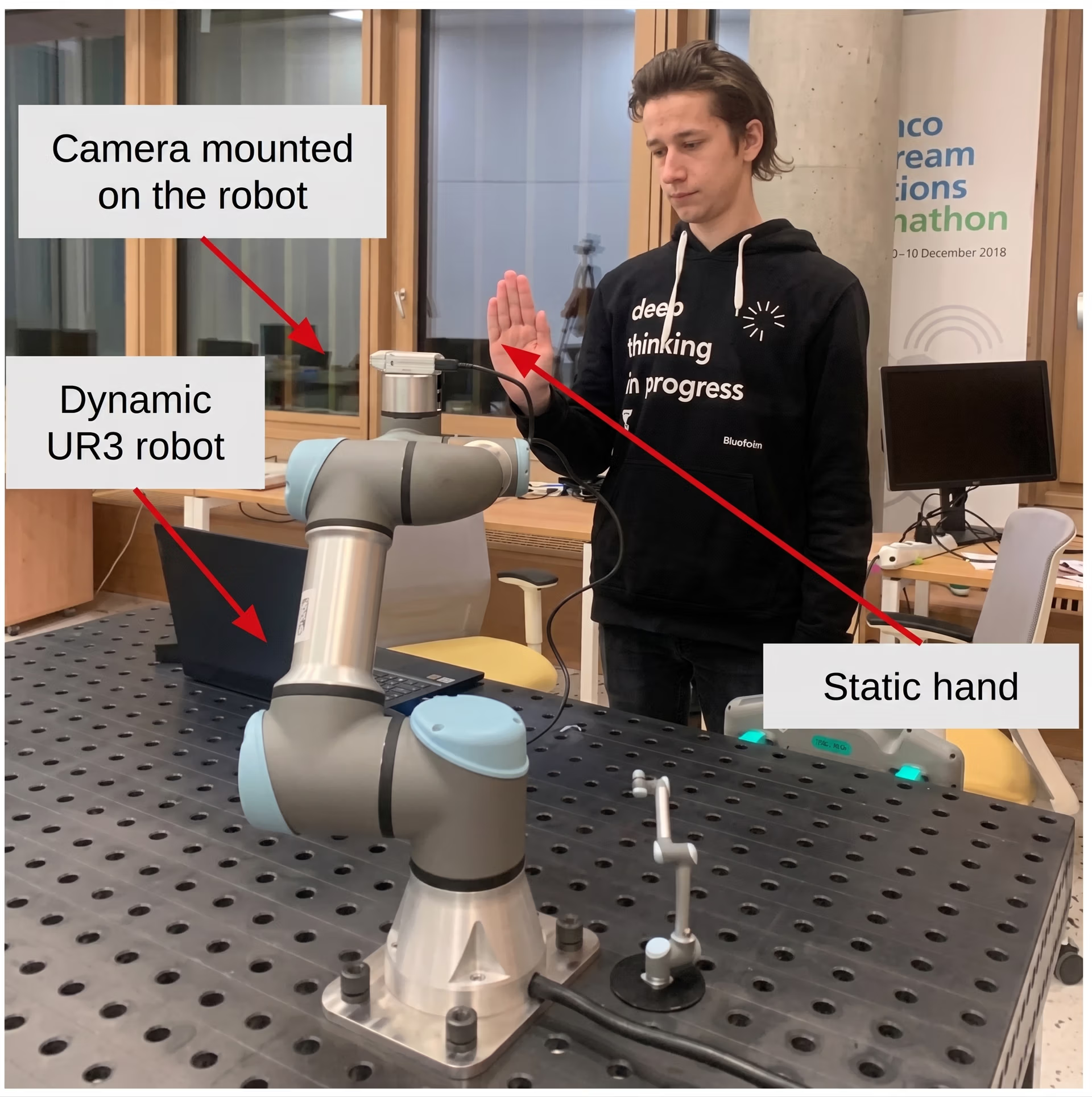
Fig 4. A robotic hand analyzing a user’s gesture (Source)
Pros and cons of gesture recognition technology#
Here are some key benefits of using gesture recognition technology:
- Improved accessibility: Gestures can offer an alternative for users who find keyboards, touchscreens, or controllers difficult to use.
- Works at a distance: Gestures can be recognized from across a room, which is helpful for smart TVs, kiosks, and home devices.
- Flexible across devices: Similar gesture sets can work across phones, cars, smart displays, and AR or VR headsets, making the interaction consistent.
At the same time, there are a few real-world challenges that can affect accuracy and consistency. Here are some factors to consider:
- Lighting and camera quality issues: Low light, glare, shadows, or low-resolution cameras can reduce recognition performance. This, in turn, can impact motion control.
- Variation across users: People naturally perform gestures differently, and differences in hand size, finger flexibility, or accessories can affect accuracy.
- Fast motion limitations: Quick gestures can introduce motion blur or cause the model to miss key frames, especially on lower frame rate cameras.
Key takeaways#
Gesture recognition technology has moved beyond research labs and is now part of everyday devices and innovations. Specifically, computer vision enables touch-free control in gaming, robotics, smart homes, and automotive systems. As vision models improve, these touch-free interfaces will likely become easier to build and more widely used.
Discover our community and GitHub repository to learn more about computer vision models. Explore our solutions pages to read about applications like AI in agriculture and computer vision in logistics. Check our licensing options and get started with building your own vision AI model.








