Data Annotation
Data annotation adds ground truth such as classes, boxes, masks, and keypoints to raw data. Annotation types by task, file formats, and auto-annotation.
Data annotation is the process of adding ground-truth information to raw data, such as a class name for an image, a box or polygon around each object, keypoints on a body, or a tag on a span of text, so that supervised learning models can learn from it. It is a synonym of data labeling, and computer vision teams tend to say annotation for drawn geometry such as boxes and masks. An annotation has two parts: the geometry or tag that a person or model draws, and the file format that stores it for training.
Annotation Types by Task#
The output a model must produce decides what annotators draw. Detail costs time, so teams choose the simplest annotation type that carries the information the model needs.
- Bounding boxes: One box and class per object for object detection. The YOLO format writes one text file per image with a
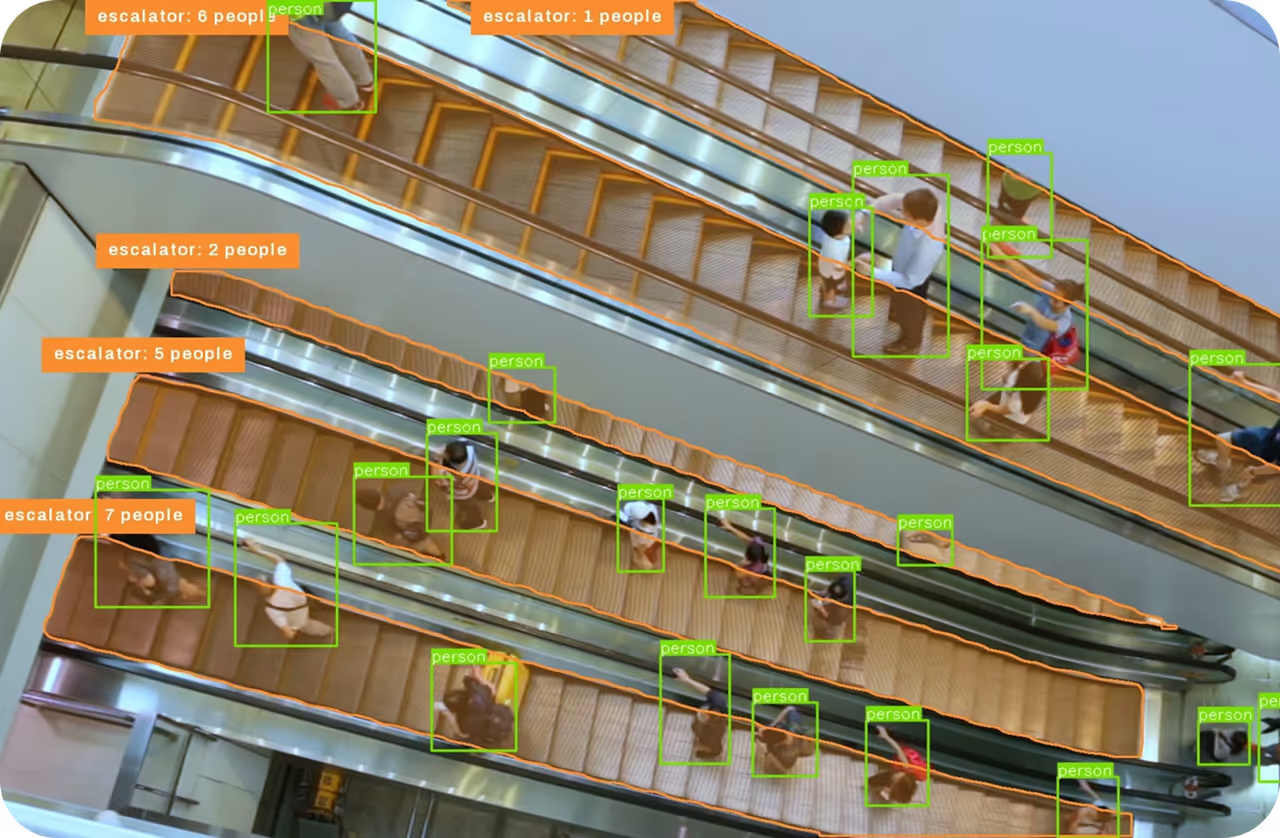
class x_center y_center width heightrow per object, normalized to 0–1 by the image size. COCO JSON stores[x_min, y_min, width, height]in pixels, and Pascal VOC XML stores the pixel coordinates of two corners. - Polygons and masks: Outlines for instance segmentation, or a class for every pixel in semantic segmentation. YOLO and COCO store polygons as lists of vertices, and COCO also stores masks as run-length encoding (RLE) for crowd regions.
- Class labels: One class per image for image classification, often stored as the name of the folder that holds the image, the folder layout of ImageNet-style classification datasets.
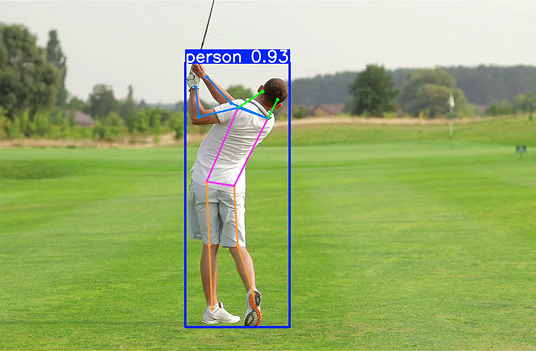
- Keypoints: An x, y position and a visibility flag for each landmark in pose estimation. COCO person annotations mark 17 keypoints, each flagged as not labeled, labeled but hidden, or visible.
- Oriented boxes: Four corner points that fit rotated objects such as ships and vehicles in aerial images, used for oriented bounding box detection.
Annotation precision matters most for small objects. Shifting a 20 × 20 pixel box by 3 pixels horizontally and 3 pixels vertically drops its intersection over union (IoU) with the original box to 0.57, so a prediction that matches the true object would count as a miss at 8 of the 10 IoU thresholds, 0.60 through 0.95, averaged in COCO mean average precision (mAP). Written guidelines that define every class and settle edge cases, such as how tightly to box partly hidden objects, keep thousands of annotations consistent.
Annotation Beyond Images#
- Video: Boxes or masks on every frame, linked by track IDs that follow each object over time for multi-object tracking.
- Lidar and 3D: Cuboids in point clouds, each with a center, size, and heading angle, for 3D object detection in driving and robotics.
- Text: Spans marked by character offsets and an entity type for named entity recognition (NER), or one label per document for tasks such as sentiment analysis.
- Audio: Time-stamped segments with transcripts or speaker identities for speech recognition.
- Model preferences: Annotators choose the better of two model responses, producing the comparison data used in reinforcement learning from human feedback (RLHF).
Auto-Annotation#
Model-assisted annotation starts from model proposals that people review and correct. A detector proposes boxes for classes it already knows, and a promptable segmentation model such as Meta's Segment Anything turns a box or a click into a mask, replacing vertex-by-vertex polygon tracing. The auto_annotate function in the Ultralytics package chains the two: a YOLO26 detector finds and classifies objects, and SAM 2.1, which runs in the Ultralytics package, converts each box into a polygon saved in YOLO segmentation format.
from pathlib import Path

from ultralytics.data.annotator import auto_annotate
from ultralytics.utils import ASSETS

# Detect objects in the bundled sample images, then turn each box into a SAM 2.1 polygon
auto_annotate(data=ASSETS, det_model="yolo26n.pt", sam_model="sam2.1_b.pt", output_dir="auto_labels")

# Read the annotation file written for the bus image
rows = Path("auto_labels/bus.txt").read_text().splitlines()
print(f"{len(rows)} objects annotated")
print(rows[0][:80])
Each row of bus.txt is a COCO class index followed by the polygon's x, y vertex pairs normalized to 0–1, ready for an annotator to review and correct before training. Detections below the default confidence threshold of 0.25 get no annotation, so missed objects still need to be drawn by hand. Ultralytics Platform can also auto-annotate detection datasets with vision language models and open-vocabulary detectors that need only the class names, and VLM benchmark results show how accurately each one labels real-world images.
Data Annotation vs. Related Terms#
- Data labeling: A synonym, more common for class tags on whole items, such as marking an email as spam.
- Data augmentation: Transforms annotated images and their annotations together, such as mirroring box coordinates on a horizontal flip, to multiply the variety of existing ground truth.
- Semi-supervised learning: A model annotates unlabeled data itself and trains on its own confident predictions, called pseudo-labels, without human review.
- Synthetic data: Rendered or generated images whose annotations come from the generator, which knows every object's exact position and outline.