A quick overview of vision AI and how it works
Explore how vision AI transforms images and video into real-time insights using cutting-edge models, datasets, and end-to-end workflows across industries.
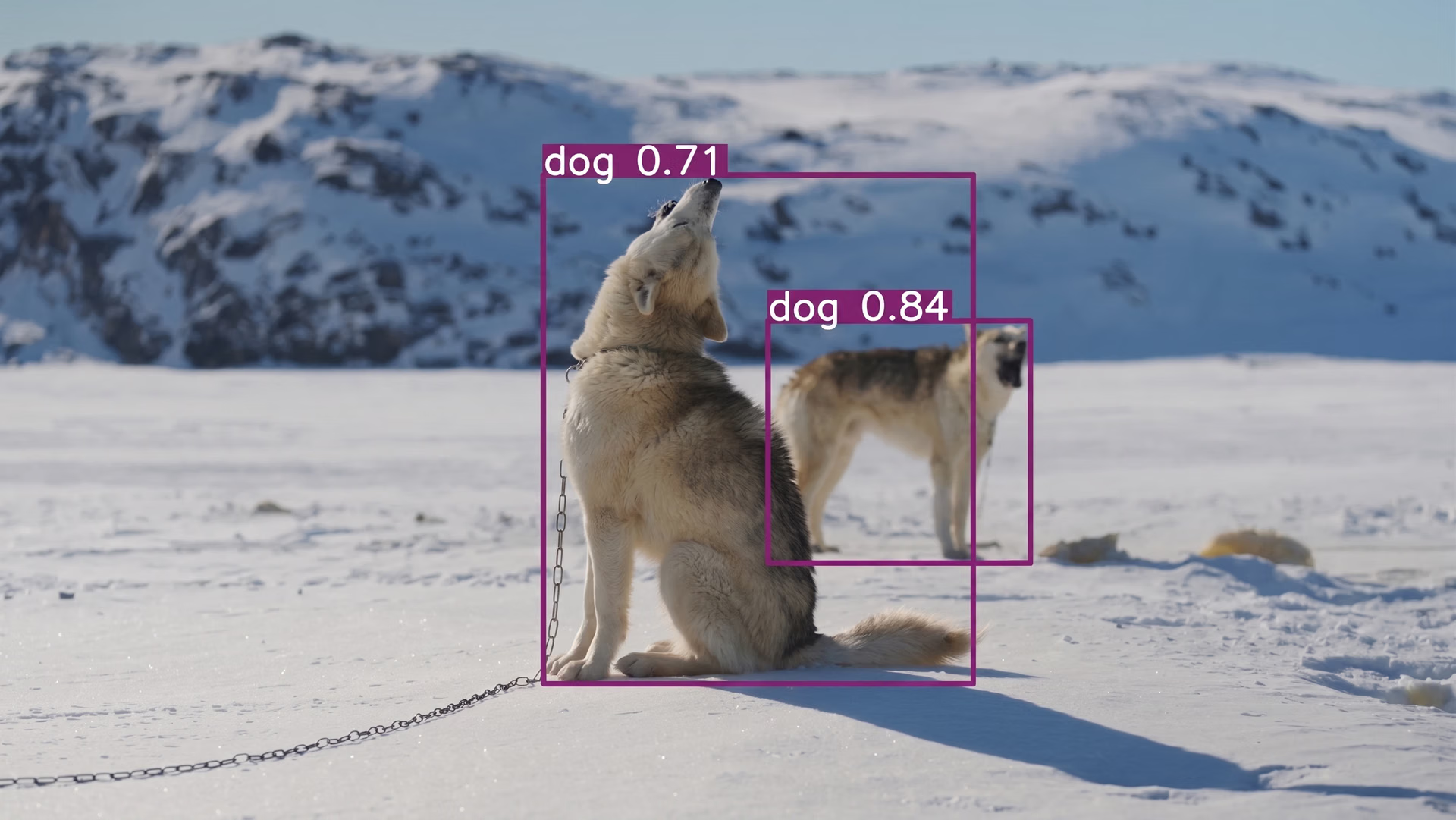
Every day, cameras in factories, hospitals, cities, vehicles, and consumer devices capture massive amounts of images and video. This constant stream of visual data creates new possibilities, but it also makes it difficult to understand what is happening and take action quickly.
For example, busy intersections or crowded public spaces can change from one moment to the next. Monitoring these environments manually is slow and often inaccurate, especially when quick and reliable decisions are needed.
To handle situations like these, systems need a way to understand visual information as it appears and respond in real time. Computer vision makes this possible by allowing machines to analyze images and video, recognize patterns, and extract useful information.
Earlier computer vision systems depended on fixed rules, which worked in controlled settings but often failed when conditions such as lighting or camera angles changed. Modern vision AI improves on this approach by using artificial intelligence and machine learning.
Instead of just capturing or storing visuals, these systems analyze visual data in real time, learn from examples, and adapt to changing environments. This makes vision AI more effective in real-world situations and lets it improve over time as it is used in more applications.
In this article, we’ll take a closer look at what vision AI is and how it can be used to build end-to-end intelligent workflows. Let’s get started!
What is vision AI?#
Vision AI is a branch of artificial intelligence that enables machines to understand and interpret images and video. In other words, vision AI systems analyze what they see and use that information to support actions, optimize predictions, or make decisions as part of a larger workflow. Unlike generative AI, which creates new content, vision AI focuses on understanding and extracting information from existing visual data.
For instance, monitoring activity on a factory floor or in a public space over long periods requires speed and consistency that can be difficult to maintain manually. Vision AI systems can handle this challenge by applying machine learning and deep learning techniques to recognize patterns, identify relevant details, and respond as new visual information appears.
Fig 1. An example of using vision AI to detect objects in an image (Source)
Since images and video are often generated in large volumes and at high speed, vision AI systems can process visual data continuously and apply the same rules to every frame. This makes results more consistent and helps teams improve operations while staying accurate as conditions change.
In real-world use, vision AI is usually part of an end-to-end AI system. It connects vision AI models with decision logic and other tools that act on the results. By turning visual input into useful insights, vision AI can automate routine tasks and support faster, more confident decision-making across many computer vision applications.
How vision AI works: Going from visual data to actionable insights#
So, how does a system or machine go from seeing an image or video to understanding what is happening and deciding what to do next?
The process begins with visual input from the real world, such as photos, video clips, live camera feeds, or sensor streams. Because this data can vary widely in quality, lighting, and camera angle, it usually needs to be prepared before analysis.
This preparation may include resizing images, adjusting lighting, and organizing video frames into a consistent format. Additional context, such as timestamps or camera location, is often included to support more accurate analysis.
The prepared data is then used within a learning framework that allows the system to recognize visual patterns. By training on labeled images and video, a vision AI model learns how objects, patterns, and events appear under different conditions.
This learned understanding forms the basis for many common computer vision tasks like object detection (identifying and locating objects within an image) and instance segmentation (separating and labeling individual objects at the pixel level). State-of-the-art vision AI models, such as Ultralytics YOLO26, are designed to support these tasks while remaining fast and accurate in real-world environments.
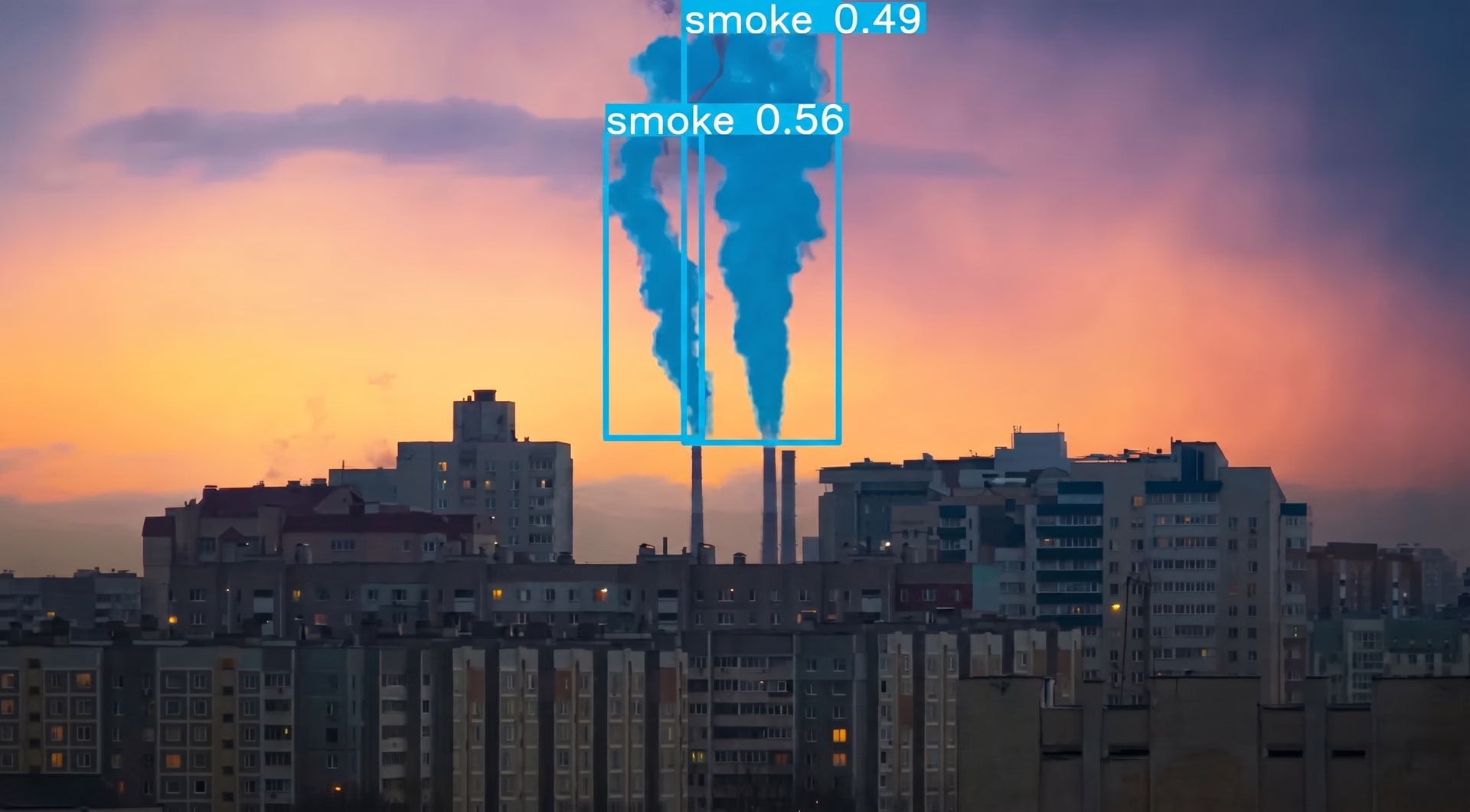
Fig 2. A look at using YOLO for instance segmentation (Source)
Once the system is deployed, visual inputs are continuously processed as part of an end-to-end workflow. The model analyzes images and video and sends its outputs to dashboards, automation tools, or other AI systems. In some cases, vision AI agents use these results to trigger actions or support decision making, turning visual understanding into practical, actionable insights.
The evolution of vision models and architectures#
As you learn more about vision AI, you may wonder why models and architectures matter and how they affect system performance. Vision AI models are crucial to today’s computer vision innovations.
Most vision AI systems are built around a model that determines how images and videos are analyzed. The model defines what the system can recognize in a scene and how well it performs under different conditions.
As vision AI applications have grown more varied and complex, vision AI models and their underlying architectures have continued to evolve to keep up and be user-friendly. Early computer vision systems required engineers to manually define what the system should look for, such as specific edges, colors, or shapes.
These rule-based approaches worked well in controlled environments, but they often failed when lighting changed, camera quality varied, or scenes became more complex. Modern vision AI models take a different approach.
Many open-source models learn visual patterns directly from data, which makes them more flexible and better suited for real-world environments where conditions are unpredictable. Advances in model architecture have also simplified how images and video are processed, making these systems easier to deploy and integrate into practical vision AI platforms.
Ultralytics YOLO models are a good example of this shift. Models such as YOLO26 are widely used for object detection tasks that require speed and consistency, especially in live video applications.
Exploring core vision AI tasks#
Here are some of the core computer vision tasks that AI-driven vision systems rely on to understand visual information and streamline real-world environments:
- Object detection: This task enables a system to identify which objects are present in an image or video and determine where they are located, typically by drawing bounding boxes around each object.
- Image classification: With this approach, an entire image is analyzed and assigned one or more labels based on its overall content, helping organize visuals and inform decisions.
- Instance segmentation: For tasks that require greater precision, this task breaks an image down at the pixel level to separate objects or regions within a scene.
- Object tracking: In video-based applications, this capability makes it possible to follow objects across frames while preserving their identity and movement over time.
- Pose estimation: It identifies key points on people or objects, such as joints or reference points, to determine their position, posture, and motion in dynamic environments.
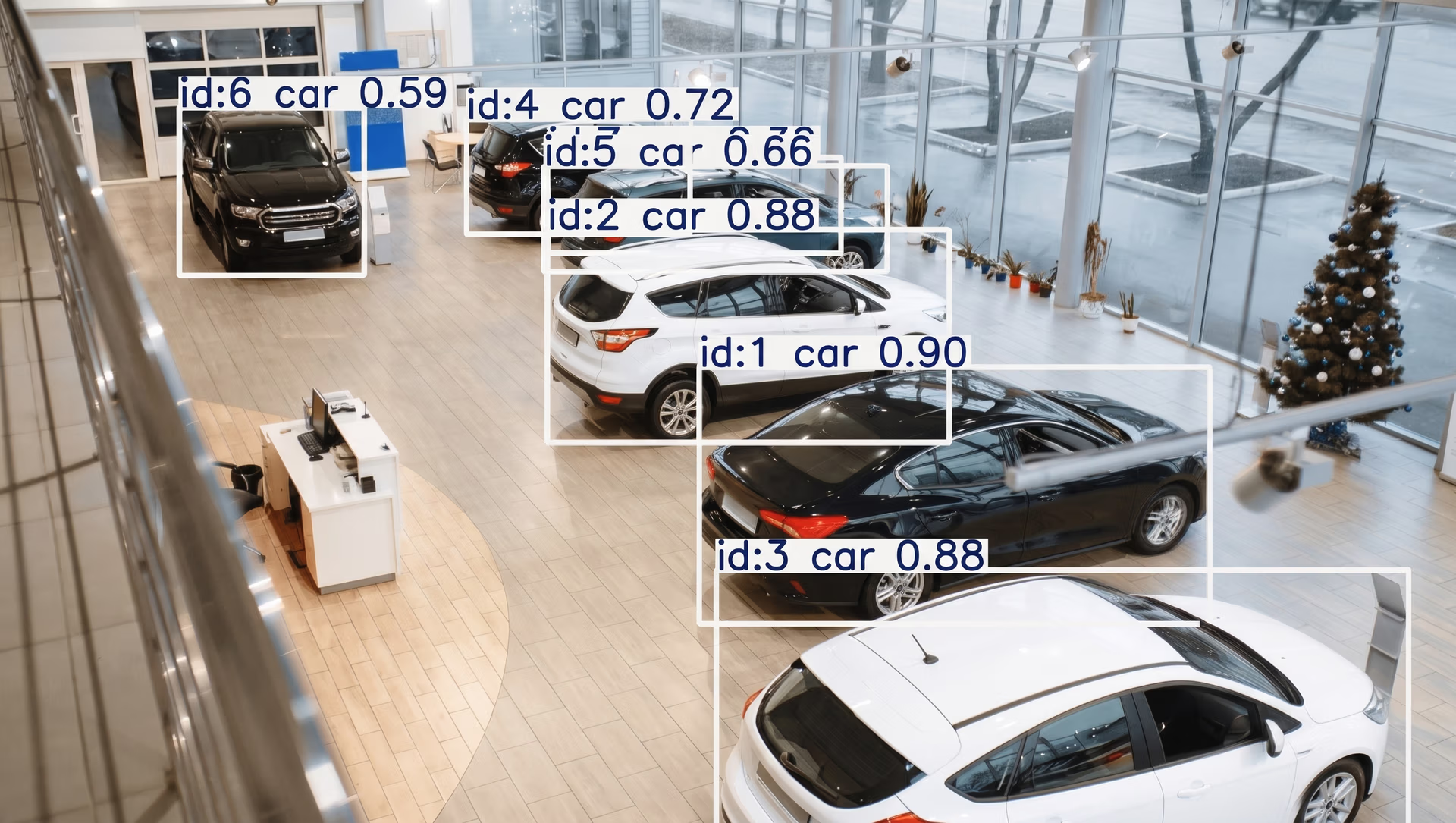
Fig 3. Detecting and tracking vehicles using YOLO (Source)
The role of datasets in vision AI#
Behind every effective vision AI system is a well-curated dataset. These vision AI datasets provide the images and videos that vision AI models learn from, helping them recognize objects, patterns, and scenes in real-world environments.
The quality of the data directly affects how accurate and reliable the system will be. To make visual data impactful, datasets are annotated. This means important details are added to each image or video, such as labeling objects, highlighting specific areas, or assigning categories.
Along with labels, extra metadata like time, location, or scene type can be included to help organize the data and improve understanding. Datasets are also commonly divided into training, validation, and test sets so systems can be evaluated on visuals they haven’t seen before.
Popular datasets such as ImageNet, COCO, and Open Images have played a major role in advancing vision AI by providing large, diverse collections of labeled images. Even so, collecting real-world data is still difficult.
Bias, gaps in coverage, and constantly changing environments make it hard to create datasets that truly reflect real conditions. Getting the right balance of data at scale is key to building reliable vision AI systems.
A look at various vision AI use cases#
Now that we’ve got a better understanding of how vision AI works, let’s walk through how it is used in real-world applications. Across many industries, vision AI helps teams handle visual tasks at scale, leading to faster responses and more efficient operations.
Here are some common ways vision AI is used across different sectors:
- Manufacturing: On the factory floor, vision AI can be used to monitor products as they move through each stage of production. It can spot defects, missing parts, or inconsistencies early, helping teams reduce rework, maintain quality, and avoid unexpected downtime.
- Retail: In retail spaces, vision AI solutions can keep track of inventory, check shelf conditions, and reduce loss. By analyzing in-store visuals, these systems can make it easier for staff to understand what’s happening on the floor and make quicker adjustments to keep operations running smoothly.
- Healthcare: Vision AI can support healthcare professionals by assisting with the review of medical images, such as scans or test results. It can flag areas that may need closer attention, letting clinicians work more efficiently while keeping final decisions in human hands.
- Transportation and smart cities: On roads and in public spaces, vision AI helps cities monitor traffic flow, detect incidents, and improve safety to the next level. Real-time analysis of camera feeds enables faster responses to changing conditions and supports better management of urban infrastructure.
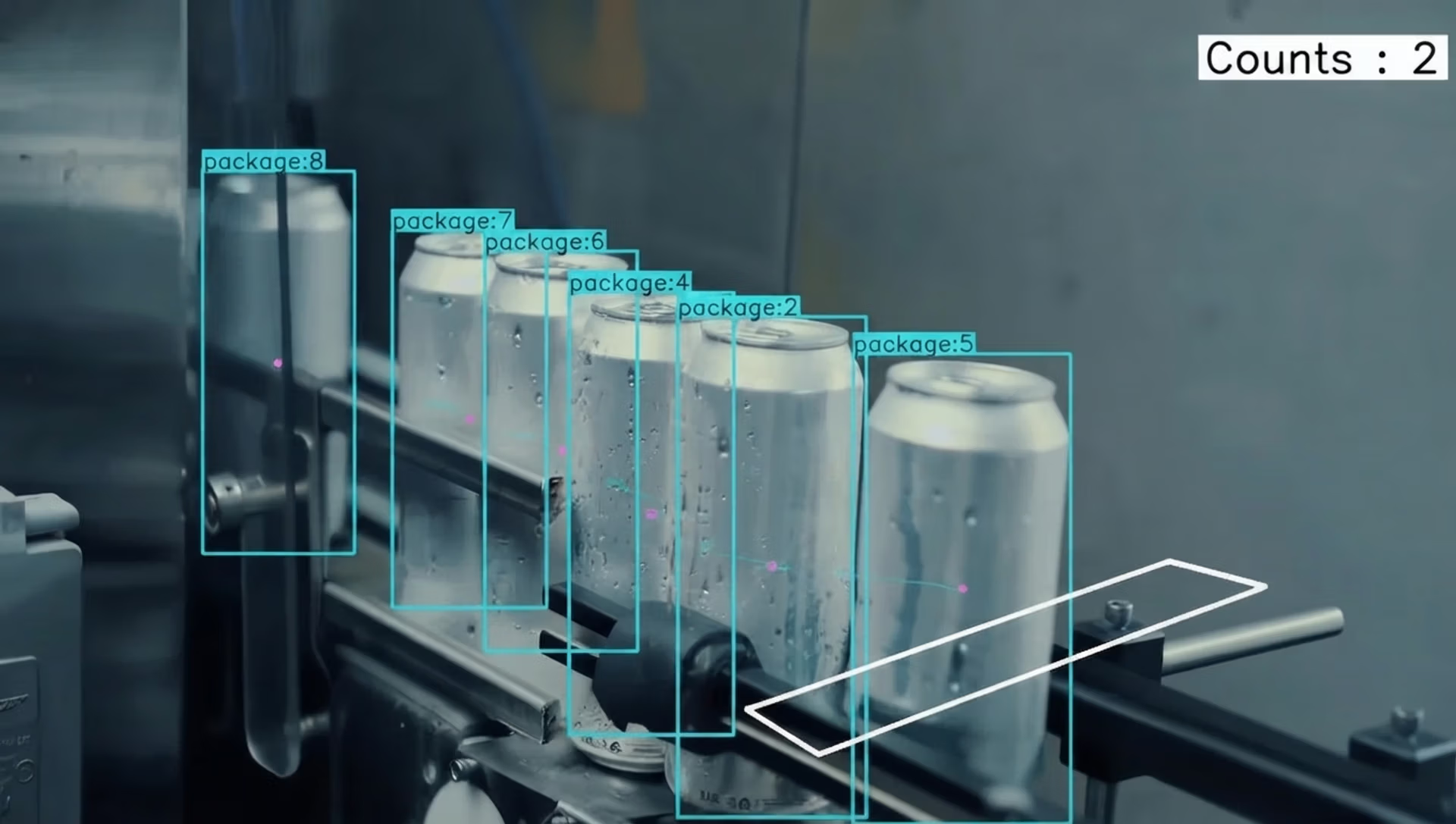
Fig 4. Automated product monitoring using vision AI in manufacturing (Source)
Pros and cons of vision AI tools#
Here are some of the key benefits of using vision AI in real-world applications:
- Scales across use cases: Once trained, vision AI systems can be deployed across multiple locations or applications with minimal changes.
- Faster AI assistance: By analyzing images and video as they are captured, vision AI-powered systems can deliver real-time insights that support quicker responses and better decision-making.
- Integrates easily into existing workflows: Vision AI outputs can be connected to downstream systems, dashboards, or automation pipelines.
Despite these advantages, there are limitations that can affect how vision AI systems perform. Here are some factors to keep in mind:
- Dependence on data quality and availability: Vision AI systems rely heavily on large, well-prepared datasets. Collecting and maintaining high-quality visual data can be time-consuming and costly.
- Sensitivity to environmental changes: Performance can drop when cameras move, lighting shifts, or scenes change significantly without retraining or adjustment.
- Compute and infrastructure requirements: Running vision AI models, especially in real time or at scale, can require significant compute resources and specialized hardware.
Key takeaways#
Vision AI turns images and video into meaningful information that systems can understand and use. This helps automate visual tasks and supports faster, more reliable decision-making. Its effectiveness depends on the combination of capable models, high-quality datasets, and well-designed workflows working together.
Interested in Vision AI? Join our community and learn about computer vision in agriculture and vision AI in the automotive industry. Check out our licensing options to get started with computer vision. Visit our GitHub repository to keep exploring AI.








