10 easy computer vision projects for hands-on learning
Discover 10 easy computer vision projects for hands-on learning and start building real-world vision AI applications you can create and experiment with today.
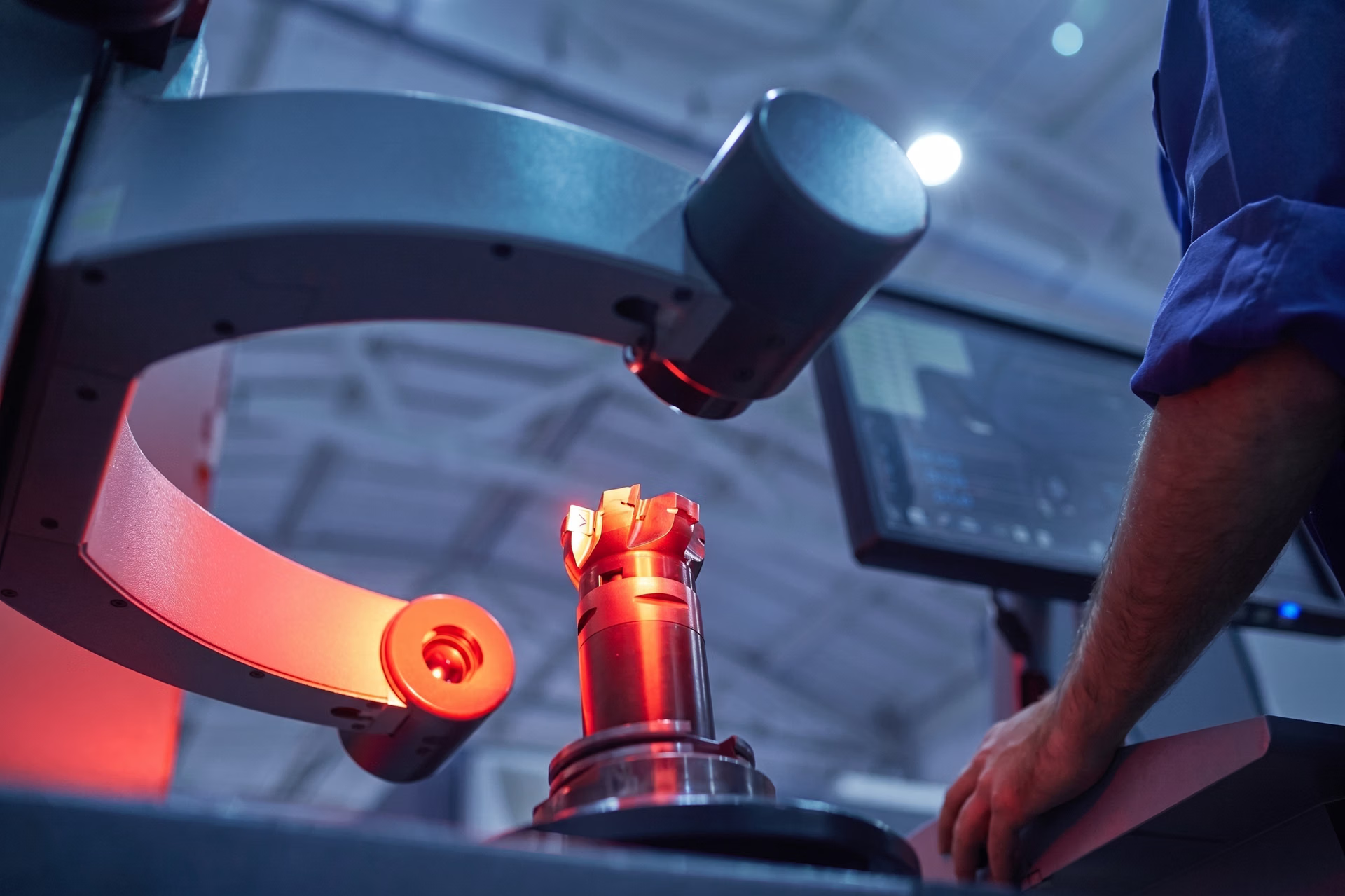
Have you ever noticed how traffic cameras automatically detect vehicles, how stores use surveillance cameras to track products on shelves, or how fitness apps use your phone's camera to understand your movements in real time? All of these technologies rely on computer vision.
Computer vision is a branch of artificial intelligence that helps machines see and make sense of images and videos. Instead of just recording visuals, these systems can recognize objects, identify patterns, and turn what they see into useful information.
State-of-the-art open-source computer vision models, such as Ultralytics YOLO26, support a variety of vision tasks, including object detection, image classification, instance segmentation, pose estimation, and object tracking. These models are designed to work efficiently in real time, making it easier for developers to build practical applications across different sectors.
10 easy computer vision projects at a glance#
| # | Project | Technique |
|---|---|---|
| 1 | Security alarm system | Object detection |
| 2 | Workout rep counter | Pose estimation |
| 3 | Parking management | Object detection |
| 4 | Plant species classifier | Image classification |
| 5 | Queue management | Detection + tracking |
| 6 | Crowd monitoring | Region counting |
| 7 | Manufacturing defect detection | Object detection |
| 8 | Traffic monitoring | Instance segmentation |
| 9 | Vehicle speed estimation | Tracking |
| 10 | Worker safety monitoring | Pose estimation |
10 easy computer vision projects for beginners#
1. A vision-driven security alarm system#
Security systems are used in homes, offices, and warehouses to keep spaces safe. Traditional sensor-based systems aren't always reliable, especially in changing environments.
For instance, basic motion sensors often trigger false alarms due to shadows, lighting changes, or small movements. In contrast, a camera-based system powered by computer vision can identify specific objects of interest, significantly improving accuracy and reducing false alerts.
A real-time security monitoring system can be built using Ultralytics YOLO26, which processes each camera frame and detects predefined objects such as people or vehicles within the scene. When an object of interest is identified, the system draws bounding boxes around it and assigns a confidence score to the prediction.
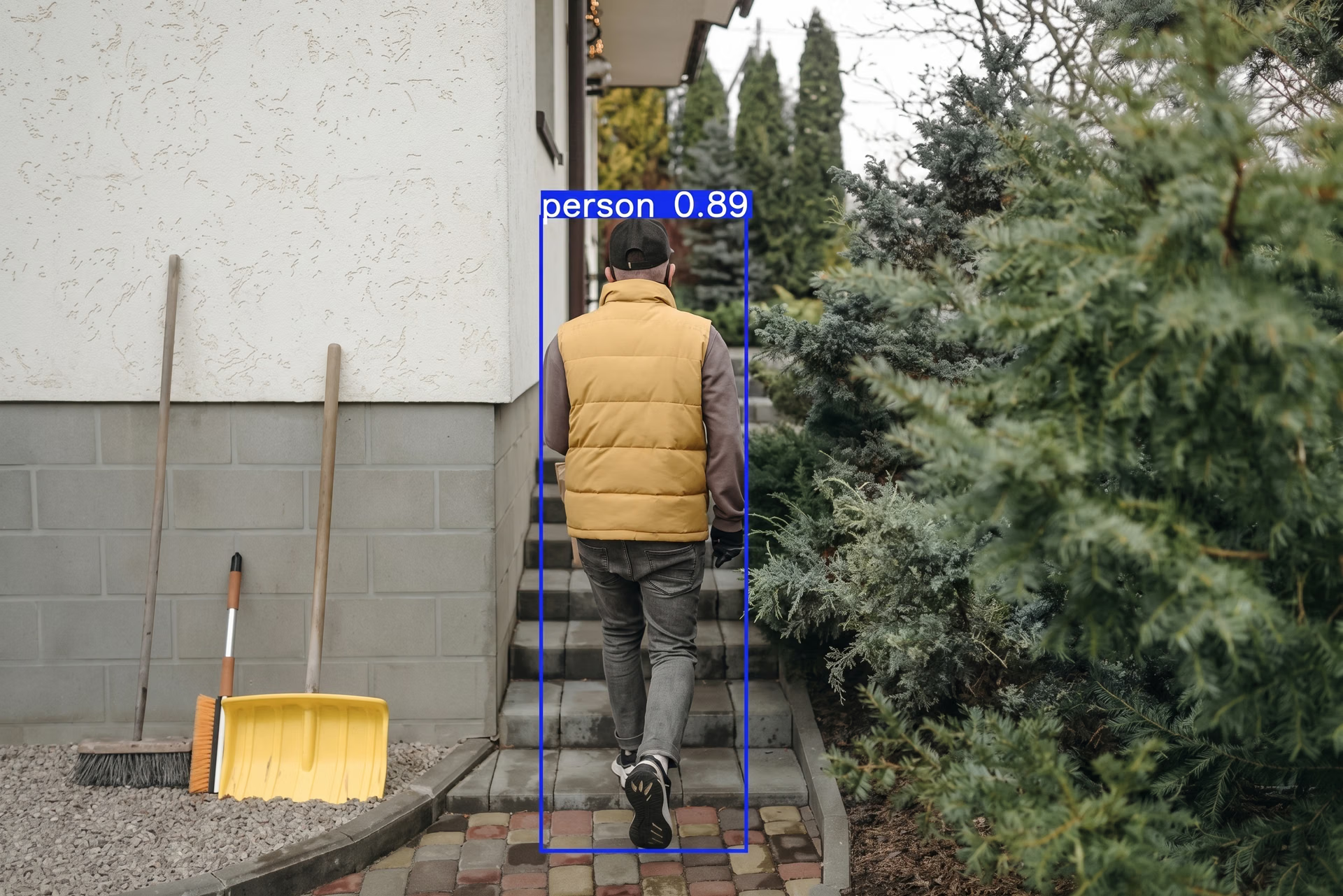
Fig 2. Detecting someone in a backyard using an Ultralytics YOLO model (Source)
A region of interest (ROI), such as a doorway or restricted area, can also be defined so that alerts are triggered only when objects enter that designated zone. This type of project can help you get familiar with how real-time object detection works and how model outputs can be integrated with automated actions, such as notifications or alarms.
2. Workout monitoring using computer vision#
Many fitness applications use a camera to count repetitions and track movement. While the camera captures the video, computer vision analyzes body movement in real time.
Such a workout monitoring system can be developed using Ultralytics YOLO26 and its pose estimation capabilities. The model processes each frame and detects key body points such as the shoulders, elbows, hips, and knees. These points form a digital skeleton that represents the person's posture and movement.
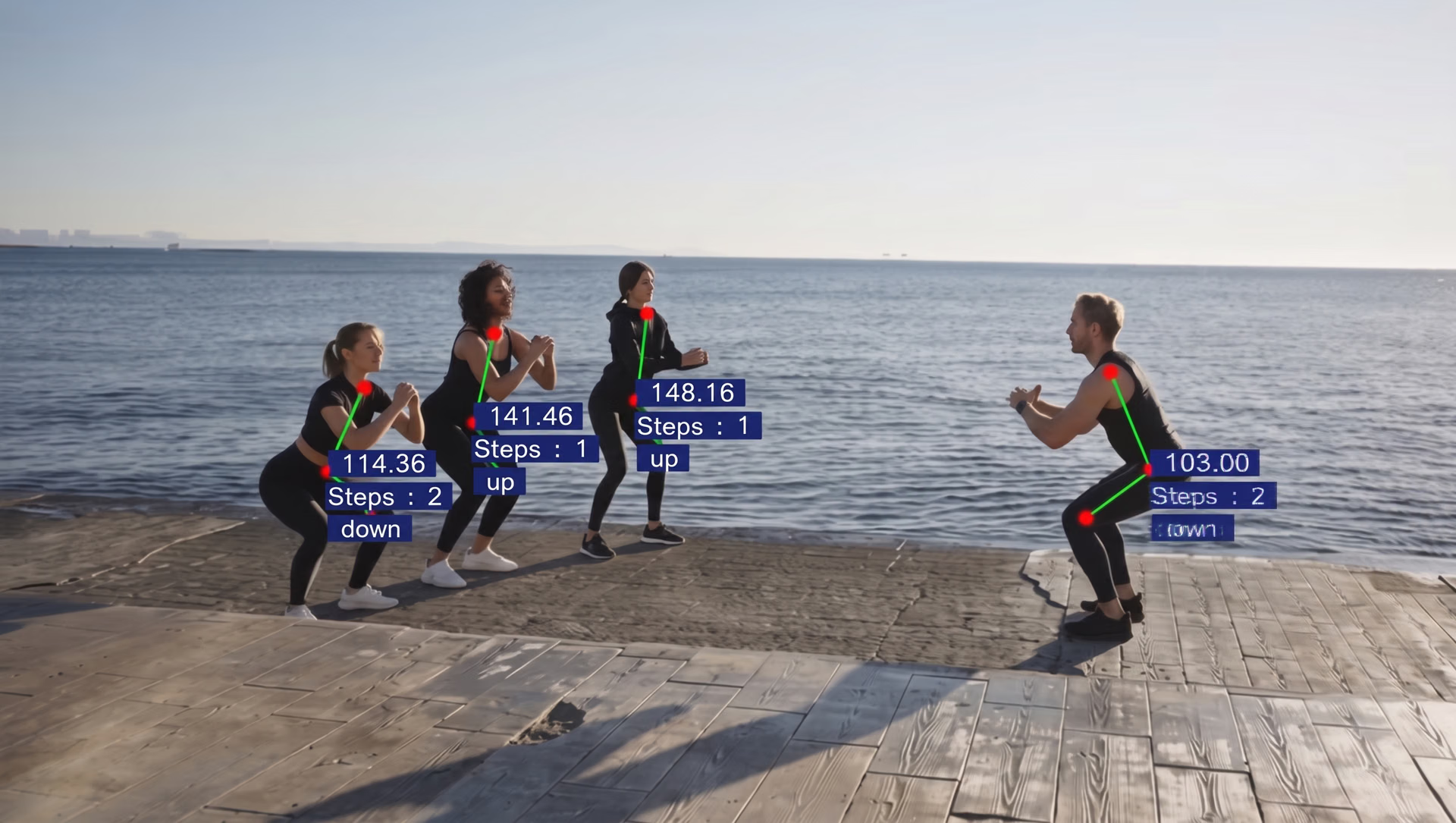
Fig 3. Real-time tracking and automated counting of exercise repetitions (Source)
As exercises like squats or push-ups are performed, changes in joint angles can be measured to estimate repetitions. For example, by tracking how the knee bends and straightens during a squat, the system can count each completed repetition.
3. Vision-enabled vehicle parking management#
Parking can be frustrating in places like malls, offices, airports, and apartment complexes. Manual space checks take time, and basic sensors only show whether a single spot is filled. A camera-based system can monitor the entire parking area at once and show which spaces are free in real time.
You can build a parking management system using Ultralytics YOLO26 to detect vehicles from a live camera feed. The system analyzes each frame and identifies cars in the scene.
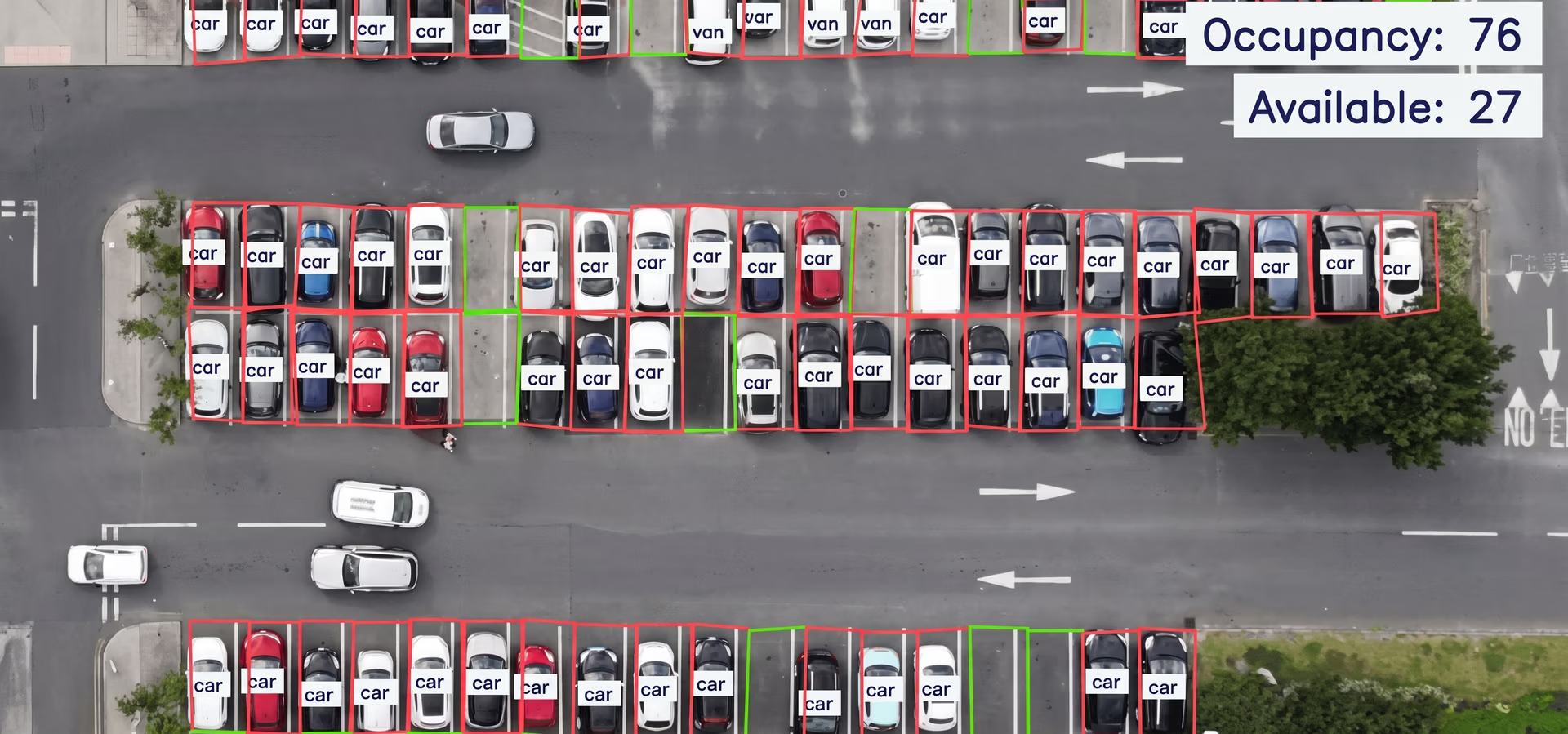
Fig 4. Smart parking management enabled by computer vision (Source)
You can draw parking zones on the screen and check whether a detected car overlaps with any of those zones. If it does, that spot is marked as occupied. If not, it remains available.
To extend the system, you could add license plate detection and apply optical character recognition (OCR) to read plate numbers for logging or access control.
4. Identifying plant species with image classification#
Plant identification is important in agriculture, environmental monitoring, and education. Farmers use it to detect crop health, researchers use it to study biodiversity, and students use it to learn about different species.
Traditional plant identification often requires expert knowledge and manual comparison, which can be time-consuming and inconsistent. Computer vision speeds up and scales this process by automatically analyzing images.
For this type of solution, you can build an image classification model that predicts the species of a plant from a photo. You can start with a pre-trained model like Ultralytics YOLO26 and fine-tune it on a labeled plant dataset using transfer learning.
During training, the model learns patterns such as leaf shape, texture, and color differences to tell species apart. To get started, you can explore publicly available plant datasets or curated community datasets on platforms like Roboflow Universe to access labeled images quickly.
5. Queue management using vision AI#
Queue management systems are used in places like banks, airports, hospitals, and retail stores to monitor crowd flow and reduce waiting time. Specifically, with computer vision, you can count and monitor people in a line using a live camera feed.
A queue-monitoring system integrated with a computer vision model, such as Ultralytics YOLO26 for person detection and tracking, can streamline managing queues. The system can process each video frame, detect individuals, and count how many people are inside a predefined queue area.
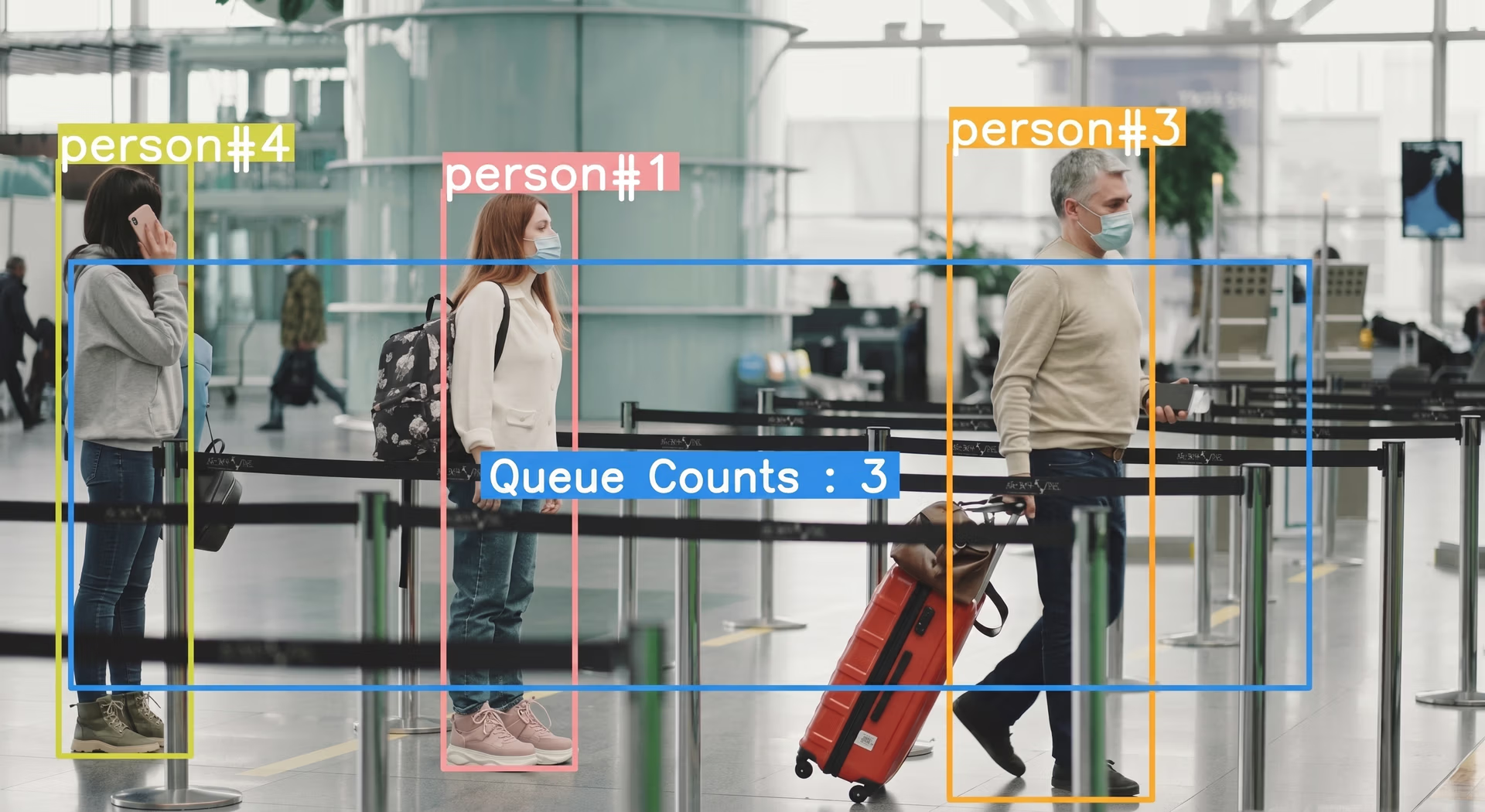
Fig 5. Queue management at an airport powered by vision AI
By combining object detection with simple tracking logic, you can estimate the length of the queue and even get an idea of waiting time based on how quickly the line moves.
6. Region-based crowd detection and monitoring#
Counting people in a specific area is important for events, public spaces, and safety management. Rather than counting everyone in the frame, you can focus only on a selected region such as an entrance, waiting area, or restricted zone.
Using Ultralytics YOLO26, you can detect people in each video frame and define a custom region on the screen. This solution can be designed to count only the individuals inside that boundary.
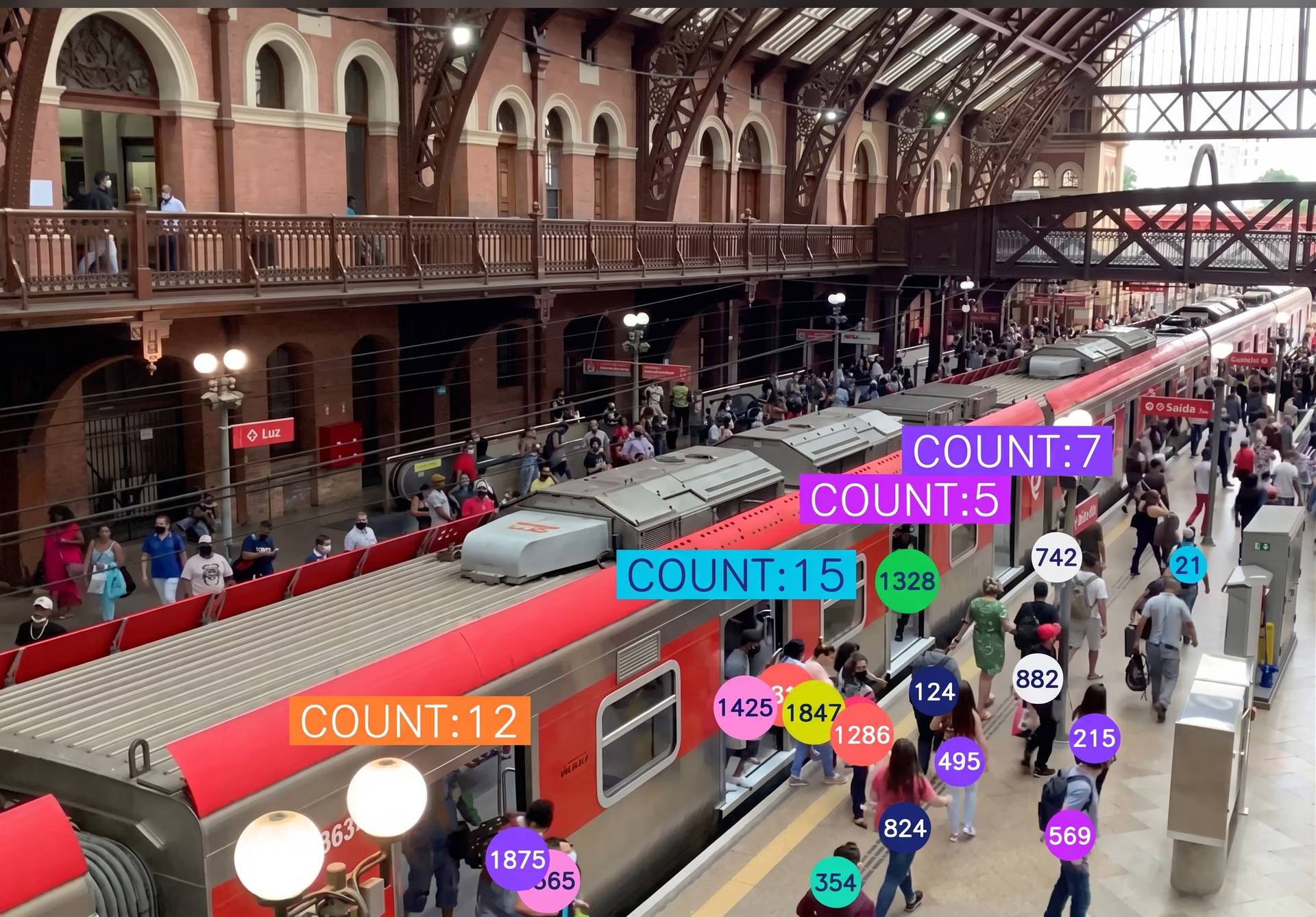
Fig 6. Crowd monitoring using region-based counting (Source)
This approach helps you monitor crowd density in targeted areas and understand how occupancy changes over time.
7. Quality inspection in manufacturing#
In manufacturing, small mistakes like missing components or incorrect placement can affect product quality and lead to returns. To reduce these issues, many production lines use vision systems for defect detection before products move to the next stage.
You can simulate a simple assembly line where a camera captures products as they move along a conveyor belt. Using Ultralytics YOLO26, such a system can check whether all required components are present and properly placed.
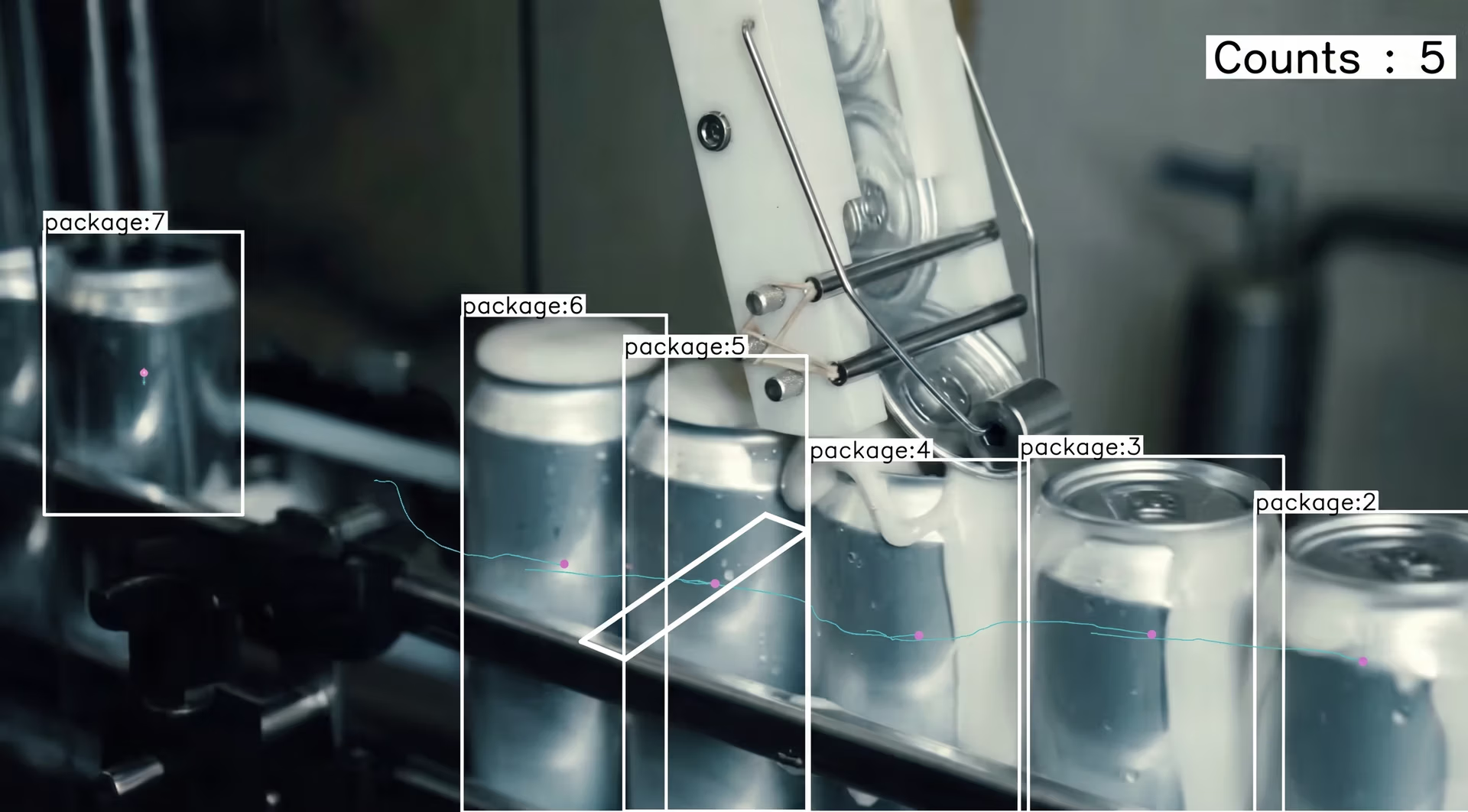
Fig 7. Detecting and counting packages in an assembly line using YOLO
This type of system can also be developed to count items, confirm that packaging is sealed, and check whether products are arranged correctly before leaving the line.
8. Traffic monitoring with image segmentation#
Traffic monitoring often involves more than just counting vehicles. In busy intersections, it helps to understand how vehicles are positioned within lanes and how much road space they occupy.
For a traffic monitoring system, you can build a solution using Ultralytics YOLO26's instance segmentation support. Unlike basic object detection, instance segmentation generates pixel-level masks for each detected vehicle, outlining its exact shape rather than just drawing a bounding box.
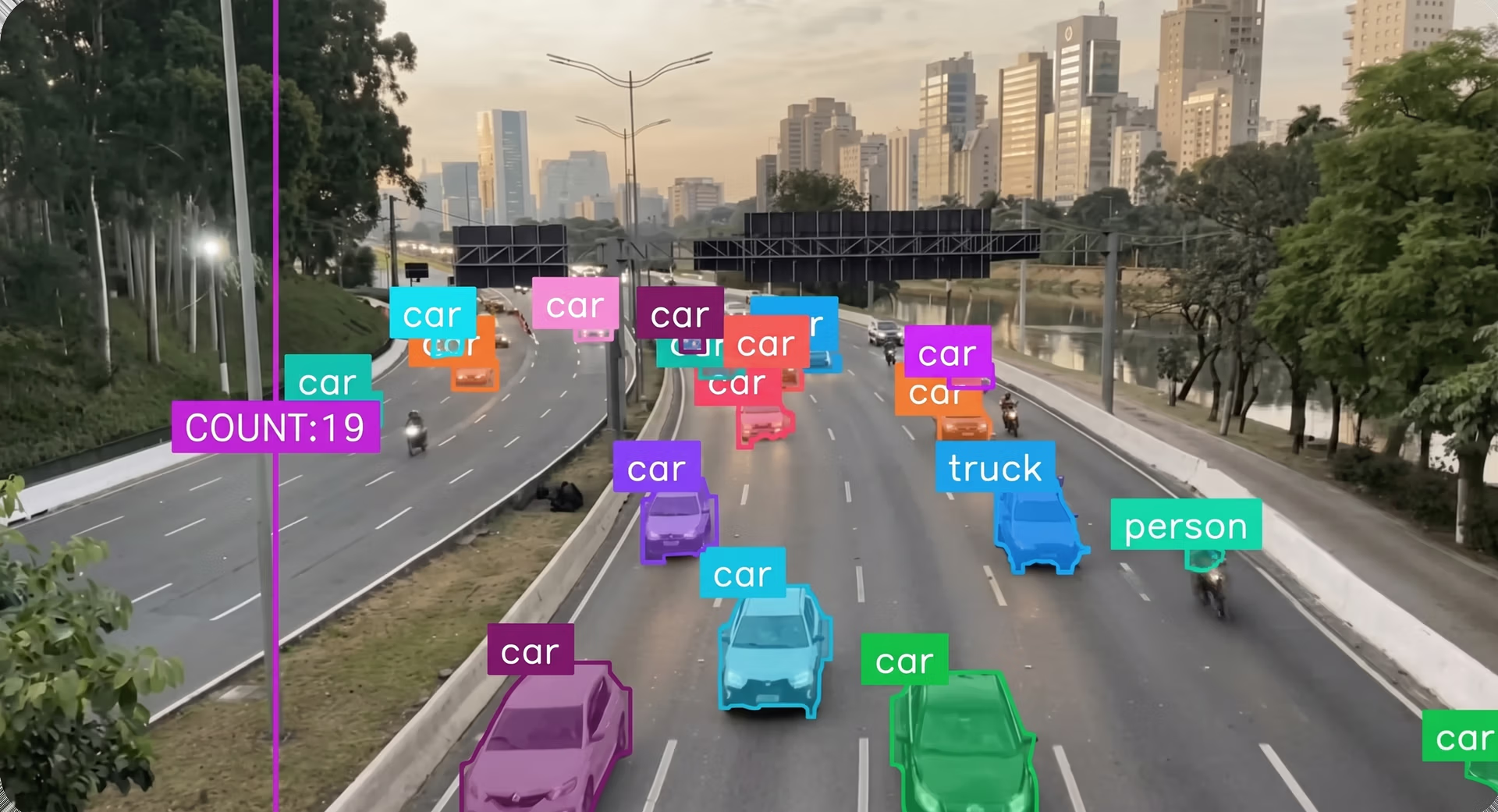
Fig 8. Real-time vehicle segmentation, counting, and tracking (Source)
By analyzing these segmentation masks, the system can provide more detailed insights into lane usage, vehicle density, and congestion patterns.
9. Using computer vision for speed estimation#
Speed estimation is commonly used in traffic monitoring, logistics, and smart transportation systems. With computer vision, you can estimate a vehicle's speed directly from video footage without using physical sensors or radar.
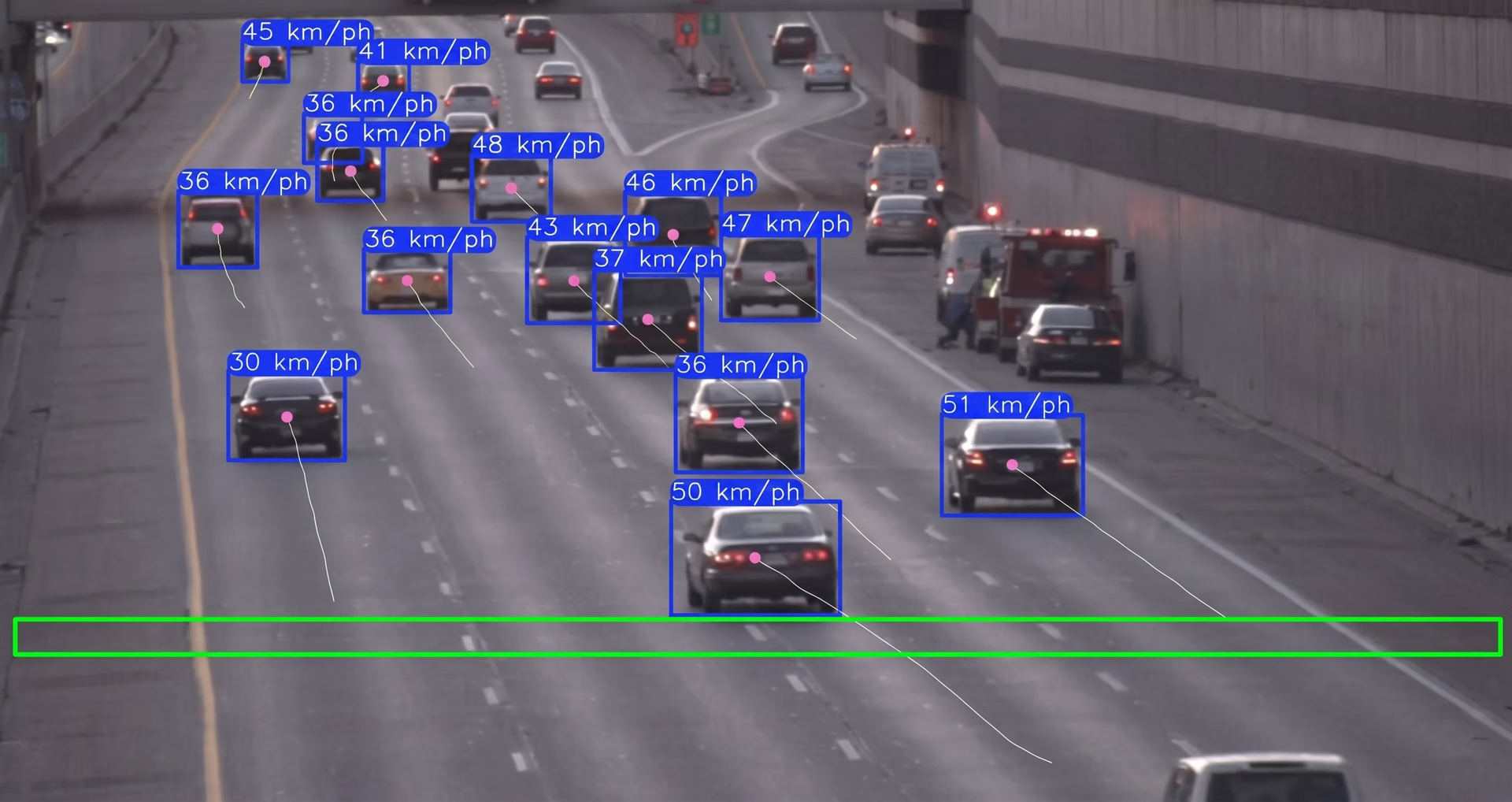
Fig 9. Tracking vehicles using YOLO (Source)
You can use Ultralytics YOLO26 to detect and track objects in a video stream. By measuring how far a vehicle moves between frames and using the video frame rate along with a real-world distance reference, you can estimate its speed.
10. Worker safety monitoring with pose estimation#
Worker safety is critical in environments such as construction sites, factories, and warehouses. Unsafe posture, improper lifting techniques, or sudden falls can significantly increase the risk of injury.
One example is using Ultralytics YOLO26 with pose estimation to analyze workers' posture in real time. The model detects key body points such as the shoulders, hips, knees, and elbows. By evaluating joint angles and movement patterns, the system can identify unsafe bending, poor lifting posture, or sudden movements that may indicate a fall.
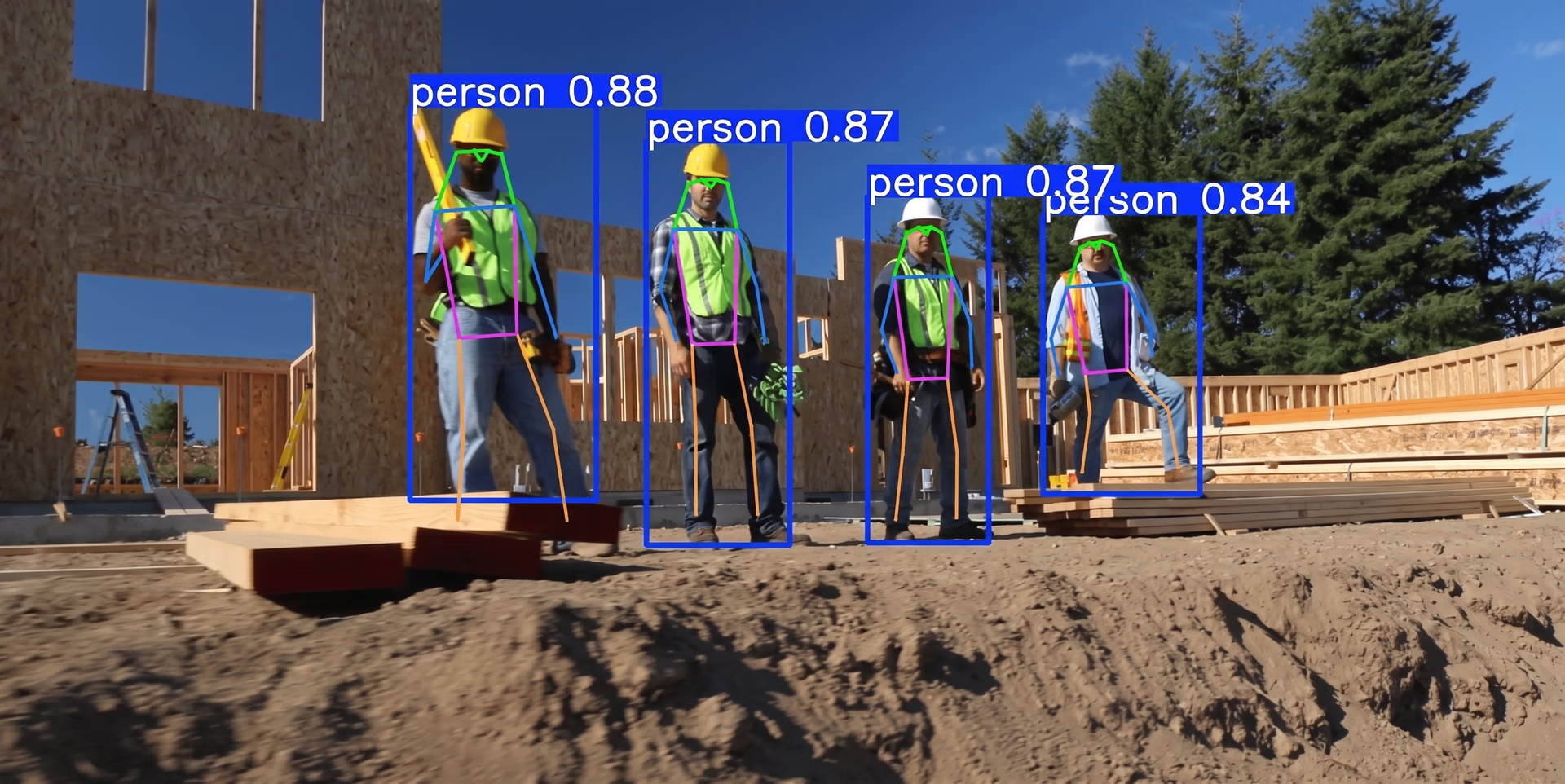
Fig 10. Using human pose estimation to analyze construction workers' posture (Source)
It can also measure how long a worker remains in a strained position and trigger alerts if predefined posture thresholds are exceeded.
Understanding how computer vision works#
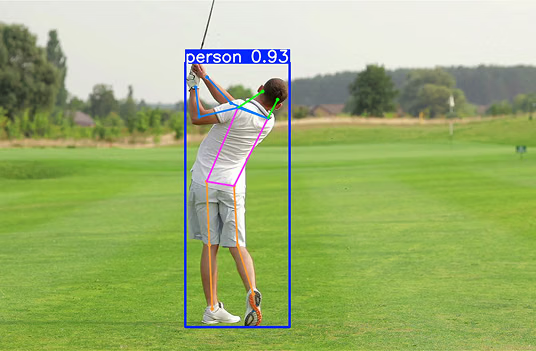
Computer vision is a field of AI that uses deep learning, machine learning, and other techniques to help machines understand images and videos. It lets systems analyze visual data and recognize patterns.
The process often begins with image processing or data preprocessing, where visual data is cleaned, resized, or enhanced before being analyzed. A neural network is then trained on large datasets so it can learn patterns such as shapes, edges, textures, and object features. In general, the more high-quality data a model is trained on, the better it performs across different real-world scenarios.
Many modern computer vision systems rely on convolutional neural networks (CNNs), which are designed specifically for image-related tasks. CNNs automatically extract important visual features and use them to make predictions.
Most beginner projects are built around a few core vision tasks. Here are the main ones you'll come across:
- Image classification: This task assigns a single label to an entire image, such as determining whether a picture shows a cat or a dog.
- Object detection: Objects within an image are located and highlighted using bounding boxes, for example, identifying cars, people, or bicycles in a street scene.
- Instance segmentation: Each object in an image is separated at the pixel level so its exact shape can be outlined, which is useful when precise boundaries are required.
- Pose estimation: Key points on the human body, such as shoulders, elbows, and knees, are identified in images to understand posture and movement.
- Object tracking: Objects are followed across video frames to monitor how they move over time.
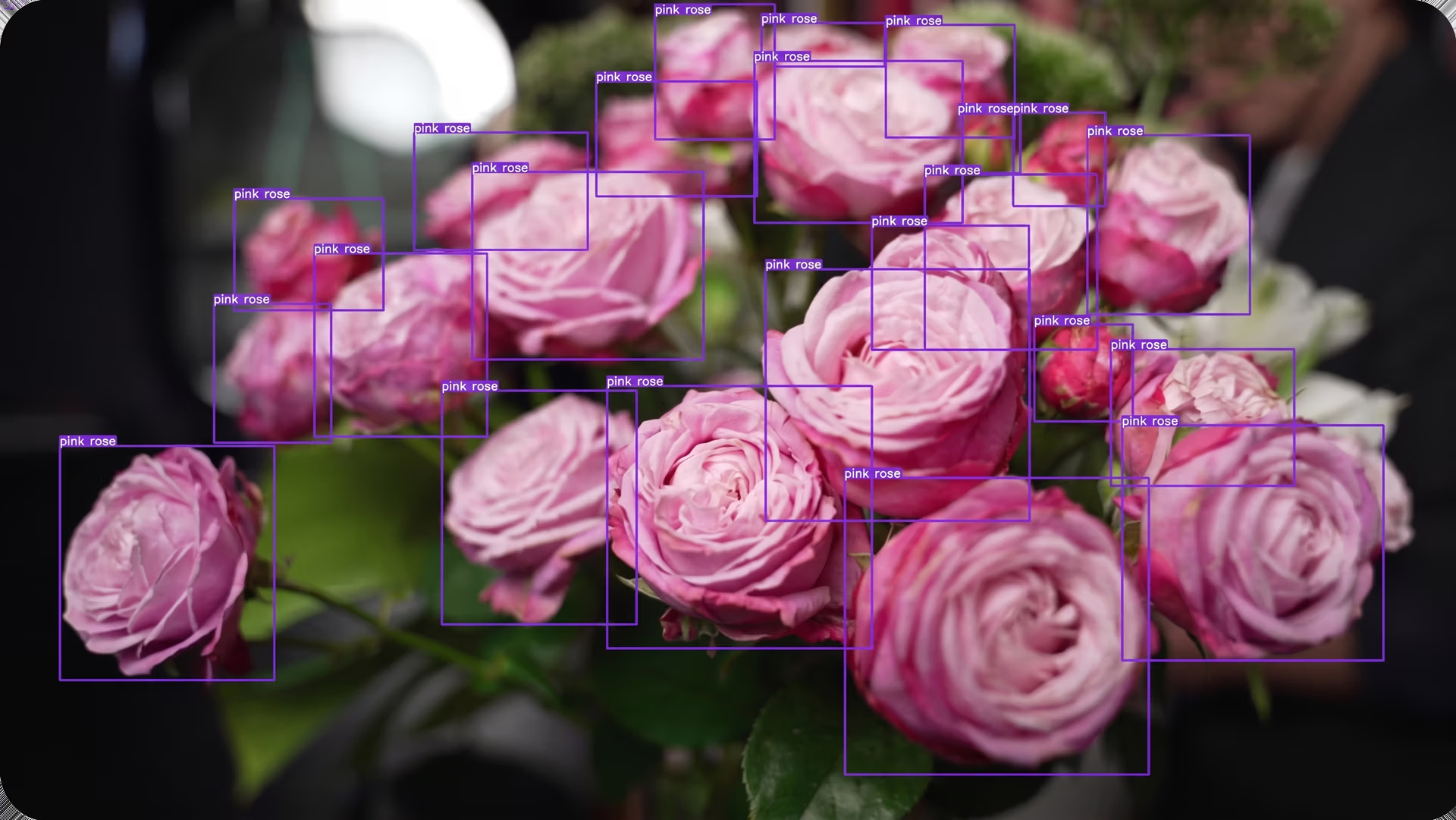
Fig 1. An example of detecting objects using computer vision
The growing impact of computer vision#
Nowadays, vision AI is being adopted across many industries. In fact, the global computer vision market is expected to reach $58 billion by 2030, growing at nearly 20% annually as more organizations integrate visual intelligence into their systems.
For example, transportation is one major area of growth. With respect to self-driving cars, computer vision allows vehicles to detect lanes, vehicles, pedestrians, and traffic signals in real time.
Retail is another interesting example. Automated retail stores use computer vision and sensor fusion to detect the products customers pick up, enabling checkout-free shopping.
Meanwhile, in healthcare, computer vision is widely used in medical imaging to analyze scans such as X-rays, MRIs, and CT images, helping clinicians detect abnormalities and support diagnosis.
Things to consider before starting a vision AI project#
Planning ahead for your vision AI project can help you avoid common mistakes and build a more reliable system. Here are a few practical factors to consider before starting a computer vision project:
- Define the objective clearly: Be specific about what you want the system to do, whether that's detecting objects, tracking movement, estimating pose, or classifying images. A clear goal can better guide your technical decisions throughout the project.
- Prioritize dataset quality: Well-labeled, diverse, and representative data and annotations are essential. Poor-quality data often leads to unreliable model performance.
- Choose the right tools: Select tools that are well-supported and easy to work with. Python is a common choice for beginners because it offers a large ecosystem of computer vision libraries and learning resources. Models from the Ultralytics YOLO family are also popular for various vision tasks like object detection and tracking, making them a practical and accessible starting point.
- Optimization for real-world conditions: Lighting changes, camera angles, motion blur, and background clutter can affect performance. Test your system in conditions similar to where it will actually be used.
- Think about privacy and ethics: If you're working with images or videos of people, consider data privacy regulations and responsible AI practices. Make sure data is collected and used appropriately.
Key takeaways#
Computer vision is changing how systems understand visual data. By exploring practical project ideas and real-world applications, beginners can quickly gain hands-on experience.
Models like Ultralytics YOLO26 make it easier to get started and see results faster. With clear goals and quality data, you can build a solid foundation for more advanced computer vision systems.
Join our growing community and explore our GitHub repository for AI resources. To build with vision AI today, check out our licensing options. Learn how AI in agriculture is transforming farming and how vision AI in robotics is shaping the future by visiting our solutions pages.