Bringing Ultralytics YOLO models to Axelera AI hardware for edge AI
Find out about the new export integration supported by the Ultralytics Python package in collaboration with Axelera AI for efficient high-performance edge AI.
At Ultralytics, we are seeing a growing shift toward running computer vision models directly on edge devices as AI becomes more widely adopted. In our conversations with the computer vision community, both online and in person at recent tech conferences, our team has seen increasing interest in deploying vision AI closer to where data is generated.
From smart retail environments and industrial automation to robotics, real-time insights are becoming essential, and relying solely on the cloud isn't enough anymore.
Simply put, edge AI involves running AI models locally on devices instead of sending data to centralized servers for processing. This makes it possible to reduce latency, improve reliability, and respond to real-world events in real time.
However, deploying high-performance models in these environments comes with its own challenges, as limited compute resources and power constraints require models to be both efficient and optimized for the hardware they run on.
Ultralytics YOLO models like Ultralytics YOLO26 are designed for real-time computer vision, but unlocking their full potential at the edge requires the right combination of software and hardware. That’s why we’re excited to announce our collaboration with Axelera AI.
We’ve partnered with Axelera AI to introduce an updated export integration, enabling efficient, high-performance deployment of Ultralytics YOLO models on Metis® AI Processing Units (AIPUs).
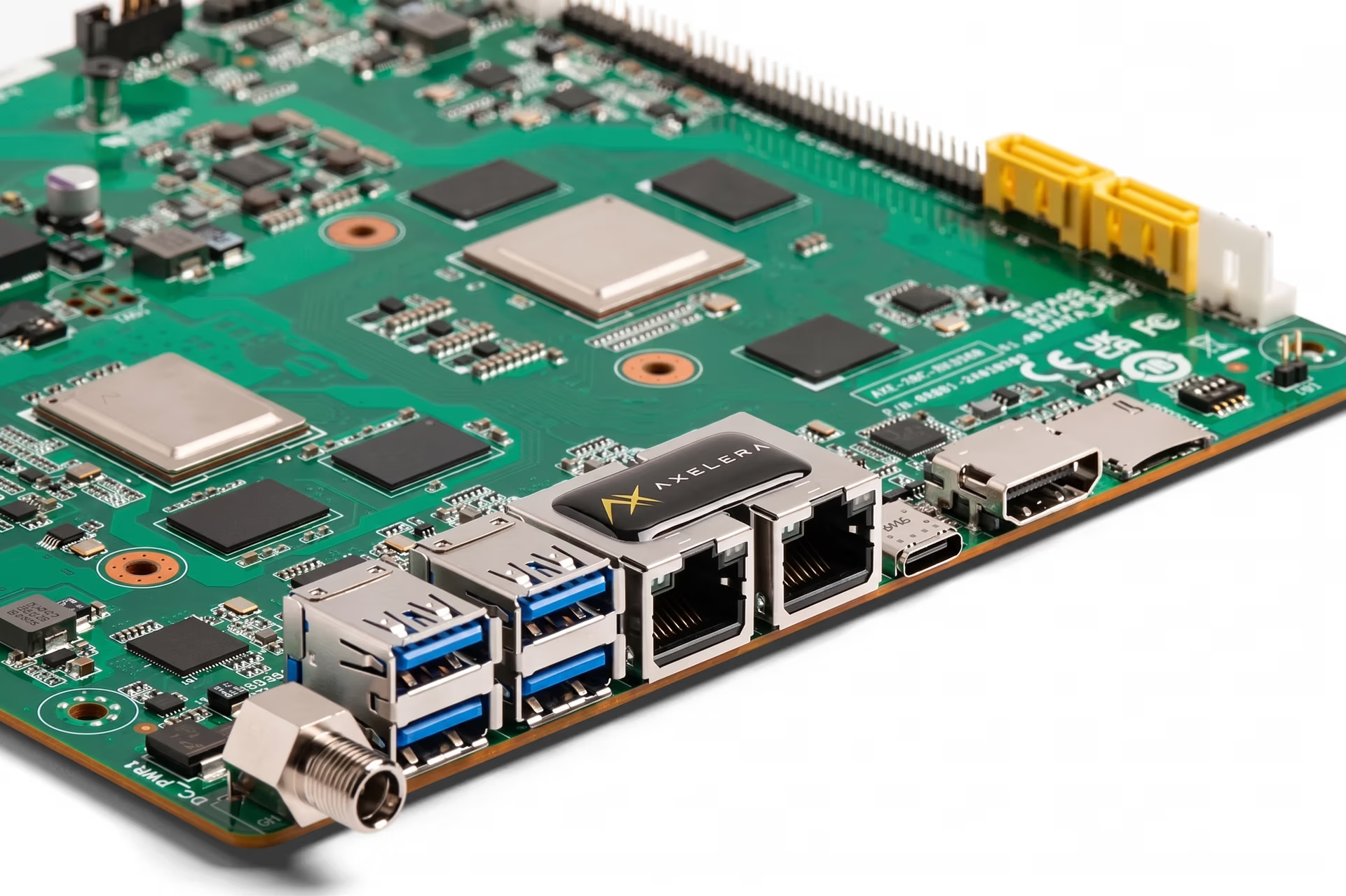
Fig 1. A look at a Metis AI Processing Unit (Source)
In this article, we’ll explore how Ultralytics YOLO models can be easily compiled for Metis deployment. Let's get started!
Edge AI is the future of computer vision#
As computer vision applications continue to evolve, the need for faster and more efficient processing is becoming increasingly crucial. Traditional cloud-based approaches can introduce latency, depend on stable connectivity, and may not meet the real-time demands of many intelligent vision use cases.
Edge AI addresses these challenges by enabling models to run directly on local devices, allowing data to be processed closer to its source. For example, consider vision-powered drones used in search and rescue operations.
These systems need to analyze video feeds in real time to detect people, obstacles, or hazards, often in remote areas with limited or no internet connectivity. By running computer vision models directly on the drone, edge AI enables faster decision-making and more reliable performance without relying on cloud infrastructure.
This shift is unlocking new possibilities across industries. Applications such as real-time object detection in retail, automated quality inspection in manufacturing, and perception in robotics all benefit from faster response times and greater reliability.
Edge AI is quickly becoming a key enabler for deploying scalable and responsive computer vision systems in real-world environments.
Exploring Axelera AI’s Metis AI Processing Units#
Before diving into the new export integration, let’s take a step back and learn more about Axelera AI’s Metis AI Processing Units and the role they play in enabling efficient edge AI.
Axelera AI develops purpose-built hardware designed specifically for accelerating AI inference at the edge. A key part of this is the Metis AIPU, or AI Processing Unit, a specialized processor built to run neural networks efficiently on edge devices.
Unlike general-purpose central processing units (CPUs) or even graphics processing units (GPUs), AIPUs are designed to handle the specific computational patterns of AI workloads. This lets them deliver high performance while maintaining low power consumption, which is critical for edge environments where resources are often limited.
What makes Axelera AI’s approach particularly innovative is its full-stack design. Metis is built with digital in-memory compute (D-IMC) and RISC-V for high performance with the energy efficiency edge computing demands. Metis’ four cores are independently programmable, meaning you can run four models per chip in parallel. In addition to the hardware, the Voyager SDK includes a compiler and runtime which work together to optimize models for deployment.
This enables developers to move from trained models to production-ready inference more efficiently. Specifically, Metis AIPUs make it possible to run advanced computer vision models, like Ultralytics YOLO models, directly on edge devices from enterprise, retail, healthcare, and manufacturing environments to farming and industrial equipment and satellites.
Exporting Ultralytics YOLO models for Metis deployment#
The Ultralytics Python package provides a unified interface for training, evaluating, and deploying YOLO models across a range of computer vision tasks. YOLO models are typically developed and trained using PyTorch, which is well-suited for experimentation and model development.
However, when deploying these models on specialized edge hardware, they need to be converted into a format that is optimized for the target device. This is where export integrations supported by the Ultralytics Python package come in.
Ultralytics provides a range of export options that allow YOLO models to be converted into different formats depending on the deployment target, such as ONNX, TensorRT, and other hardware-specific backends. These integrations simplify the process of preparing models for real-world applications by handling the necessary optimization and conversion steps.
Building on this, Ultralytics has introduced an updated export integration with Axelera AI, enabling YOLO models to be exported for deployment on Metis AIPUs.
During export, the model is compiled and quantized into an optimized representation designed specifically for Axelera hardware. This process produces a compiled model in ".axm" format, along with metadata required for deployment and inference.
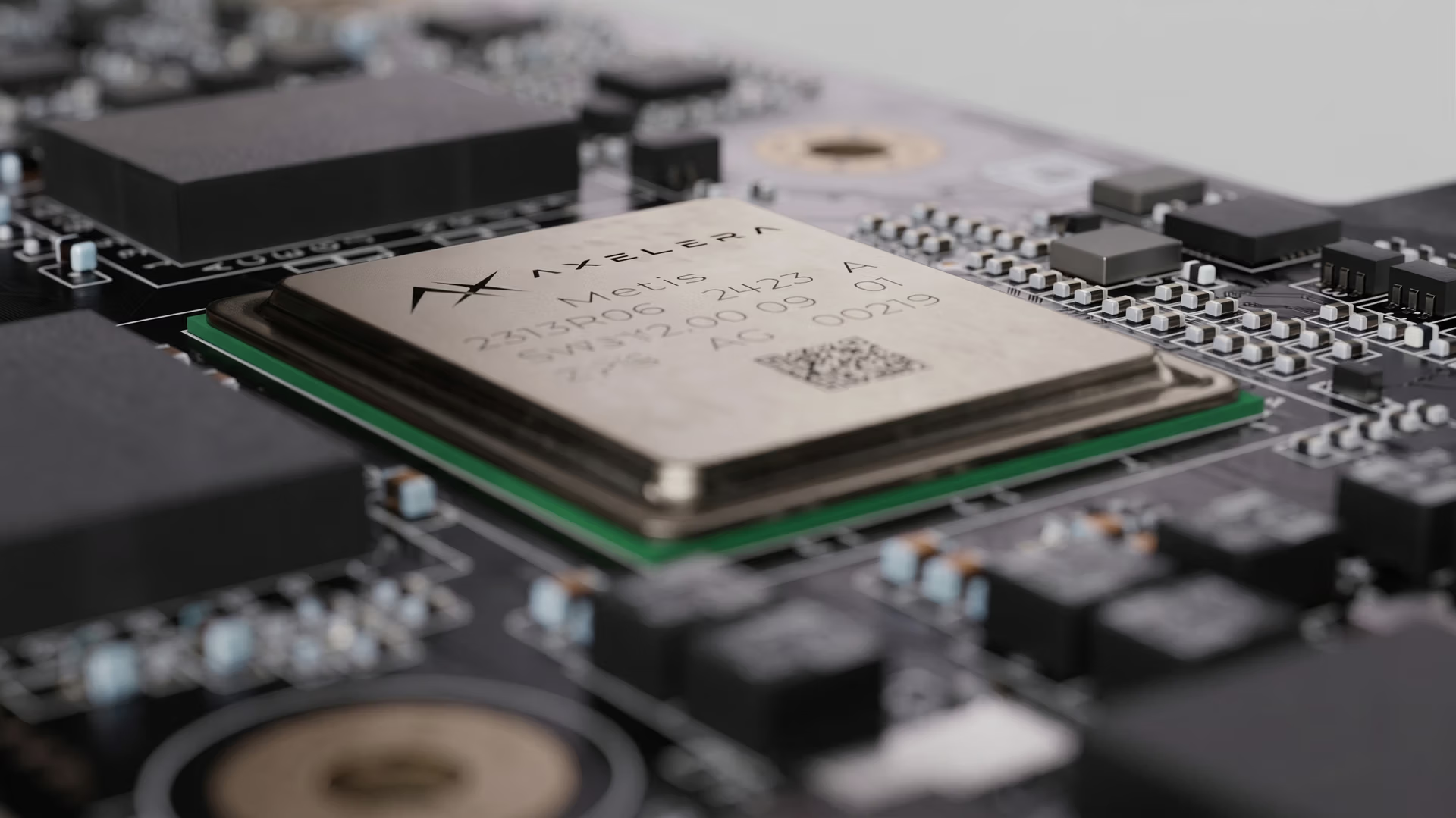
Fig 2. Ultralytics YOLO models can be run on Metis AIPUs. (Source)
The integration supports a wide range of computer vision tasks across Ultralytics YOLOv8, Ultralytics YOLO11, and Ultralytics YOLO26 models, including object detection, pose estimation, instance segmentation, oriented bounding box (OBB) detection, and image classification. While most tasks are supported directly through the export workflow, YOLO26 segmentation can be used through the model zoo with the Voyager SDK.
This expanded support gives developers the flexibility to deploy different types of vision models depending on their application, from detecting objects in real time to understanding scenes, tracking movement, and analyzing complex visual data.
Once exported, models can be deployed and run without relying on PyTorch at inference time. Instead, they are executed using the Voyager SDK runtime, which supports building end-to-end pipelines for tasks such as video processing, real-time detection, and tracking directly on edge devices.
Getting started with exporting Ultralytics YOLO models#
Now that we have a better understanding of the new export integration, let’s walk through how to export Ultralytics YOLO models to this custom format and run them on Metis hardware at the edge.
Step 1: Install the Ultralytics Python package#
To get started, you’ll first need to install the Ultralytics Python package. It provides a simple and consistent interface for training, evaluating, and exporting YOLO models.
You can install it using pip by running the following command in your terminal or command prompt:
pip install ultralyticsIf you encounter any issues during installation or export, the official Ultralytics documentation and Common Issues guide are great resources for troubleshooting.
Step 2: Install the Axelera drivers and Voyager SDK#
To export and run models on Axelera hardware, you’ll also need to install the Axelera drivers and Voyager SDK. This step enables communication with the Metis AIPU and provides the required runtime and compiler tools.
The steps below have to be performed in a Linux environment with access to Axelera AI Metis hardware. Open a terminal on your system, or use a notebook cell if you are running Jupyter Notebook on a compatible local setup, and execute the commands below.
Start by adding the Axelera repository key as follows:
sudo sh -c "curl -fsSL https://software.axelera.ai/artifactory/api/security/keypair/axelera/public | gpg --dearmor -o /etc/apt/keyrings/axelera.gpg"Next, as shown below, add the Axelera repository to your system:
sudo sh -c "echo 'deb [signed-by=/etc/apt/keyrings/axelera.gpg] https://software.axelera.ai/artifactory/axelera-apt-source/ ubuntu22 main' > /etc/apt/sources.list.d/axelera.list"Then install the Voyager SDK and load the Metis driver as follows:
sudo apt update
sudo apt install -y metis-dkms=1.4.16
sudo modprobe metis
Once these steps are complete, your system will be ready to export and run Ultralytics YOLO models on Axelera AI Metis devices.
Step 3: Exporting Ultralytics YOLO models#
Once the Ultralytics package is installed, you can load your YOLO model and export it as a compiled package for Metis. This process converts the model into a format optimized for deployment on Axelera AI Metis hardware.
In the example below, we use a pretrained YOLO26 nano model and export it for Metis. The exported model will be saved in a directory named "/yolo26n_axelera_model".
from ultralytics import YOLO

model = YOLO("yolo26n.pt")

model.export(format="axelera")
Step 4: Run inference with the exported model#
After exporting the model, you can load it and run inference on unseen images or video streams. This enables real-time computer vision tasks directly on Axelera AI Metis devices.
For example, the code snippet below shows how to load the exported model and run inference on a publicly available URL.
axelera_model = YOLO("yolo26n_axelera_model")

results = axelera_model("https://ultralytics.com/images/bus.jpg", save=True)
In this case, the model analyzes the input image and detects objects, saving the results to the "runs/detect/predict" directory.
Where Ultralytics YOLO and Axelera AI hardware can make an impact#
Next, let’s discuss some common edge AI applications where Ultralytics YOLO models can be deployed on Axelera AI hardware in real-world scenarios.
Axelera AI’s Metis AIPUs are designed for a range of deployment environments, from embedded systems and industrial PCs to robotics and edge servers. With high-performance, energy-efficient inference, they enable computer vision applications to run directly on-device across industries. The Voyager SDK also includes a pipeline builder for ML and APP engineers to productize models for the edge.
Smart vision systems in retail operating at the edge#
In retail environments, understanding customer behavior in real time can make a significant difference.
Using Ultralytics YOLO models running on Axelera AI hardware, stores can monitor foot traffic, count people, and analyze in-store movement patterns as they happen. Since everything runs on-device, insights can be generated instantly without relying on cloud connectivity, helping teams respond faster while maintaining data privacy.
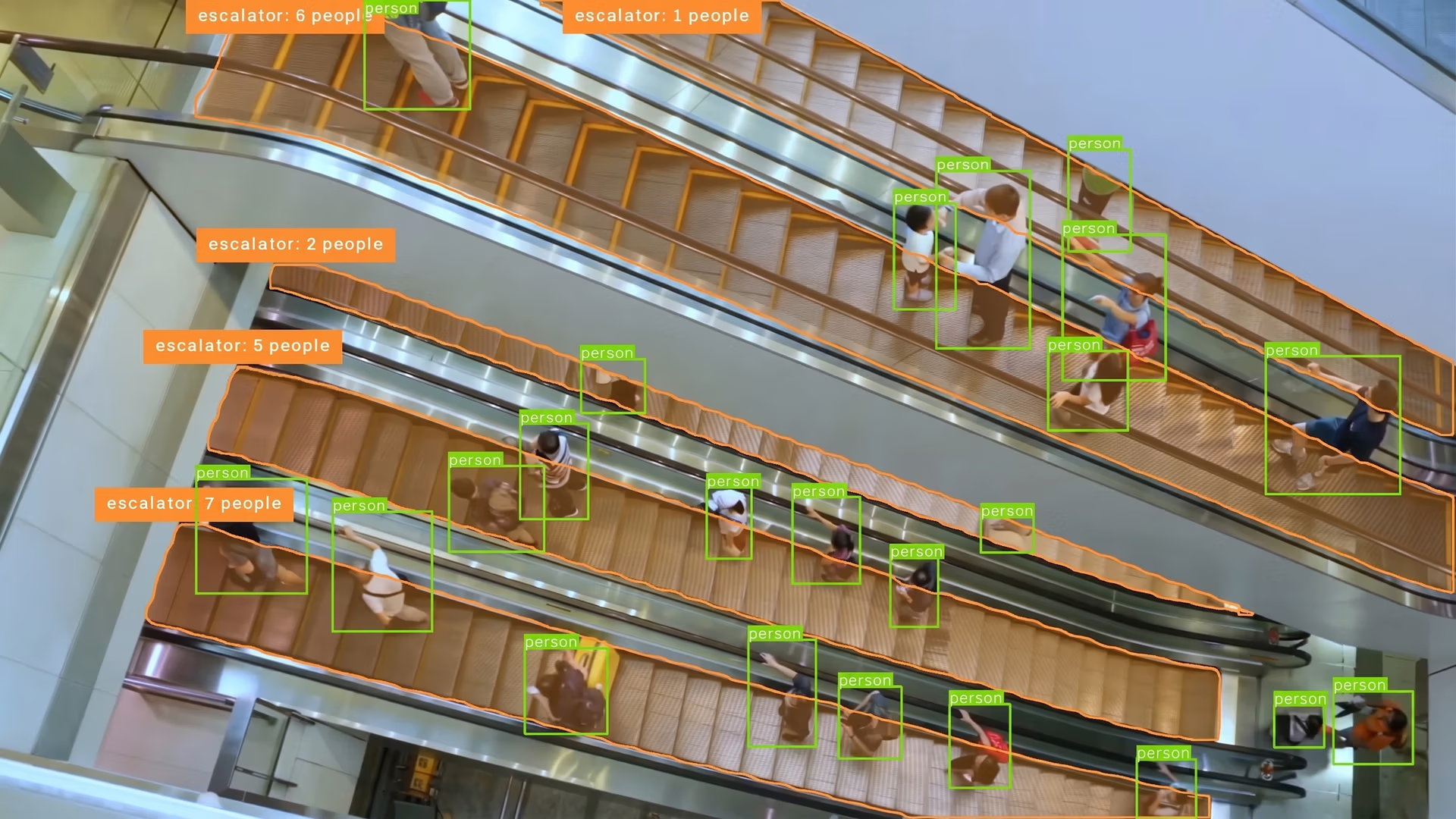
Fig 3. Detecting and counting people at a mall using Ultralytics YOLO26
Using edge AI for utility and infrastructure inspection#
Maintaining large-scale infrastructure such as power lines is complex and resource-intensive. These networks often span vast distances, making inspections time-consuming, costly, and potentially hazardous. When faults or early signs of wear go undetected, they can escalate into outages, equipment damage, or safety risks.
Drones are increasingly being used to improve inspection efficiency. They can cover long distances, access hard-to-reach areas, and capture high-resolution imagery of critical assets.
Combining drones with edge AI further enhances these workflows. Ultralytics YOLO models running on Axelera AI hardware enable real-time analysis during inspections, identifying faults, classifying components, and detecting anomalies on-site. This reduces the need for manual review and supports faster, more reliable infrastructure monitoring.
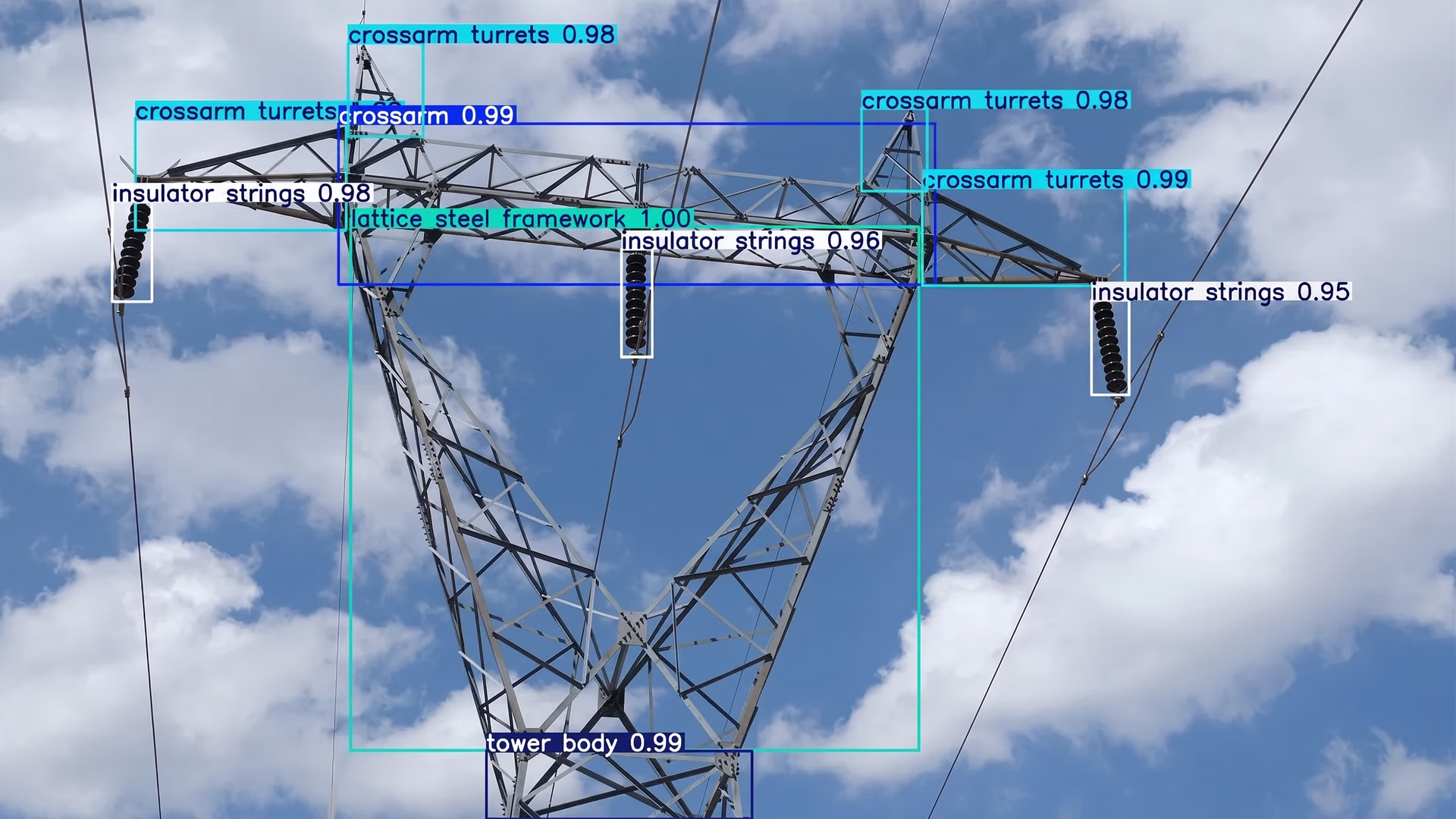
Fig 4. Detecting various parts of a power line with Ultralytics YOLO26
Powering robotics with real-time vision AI insights#
For robotics, speed and responsiveness are critical. Whether navigating a warehouse or operating in dynamic industrial environments, robots need to interpret their surroundings instantly.
Ultralytics YOLO models running on Axelera AI hardware enable robots to interpret their surroundings in real time, from detecting obstacles to tracking people and identifying objects. This allows systems to move more safely, adapt to dynamic conditions, and operate with greater autonomy without depending on constant cloud connectivity.
Key benefits of running Ultralytics YOLO models on Metis AIPUs#
Here are some of the key advantages of deploying Ultralytics YOLO models on Axelera AI’s Metis hardware using the new integration:
- Seamless integration with the Ultralytics workflow: Exporting YOLO models for Metis deployment fits naturally into the Ultralytics Python package, simplifying the transition from training to inference.
- Support for multiple computer vision tasks: You can deploy models for object detection, pose estimation, segmentation, classification, and more across YOLOv8, YOLO11, and YOLO26.
- Run models in parallel: Metis AIPUs are designed with four independently programmable cores capable of running four separate models in parallel to fit your needs.
- Scalable across edge AI applications: From retail analytics and industrial inspection to robotics and smart infrastructure, the integration supports a wide range of real-world use cases.
Key takeaways#
Ultralytics YOLO models and Axelera AI’s Metis AIPUs make it easier to bring high-performance computer vision to the edge. By simplifying deployment and optimizing models for specialized hardware, this integration helps bridge the gap between development and real-world applications.
As edge AI continues to grow, having efficient, scalable deployment options will be key to building responsive and reliable systems. This collaboration is a step toward making advanced vision AI more accessible across industries.
Want to learn more about AI? Explore our GitHub repository, connect with our community, and check out our licensing options to jumpstart your computer vision project. Find out how innovations like AI in retail and computer vision in healthcare are shaping the future.








