Best synthetic data tools for computer vision training
Synthetic data tools for computer vision compared by method: 3D simulation, generative models and augmentation, and how to test them with Ultralytics YOLO.
 Miles Deans13 min read
Listen to this article
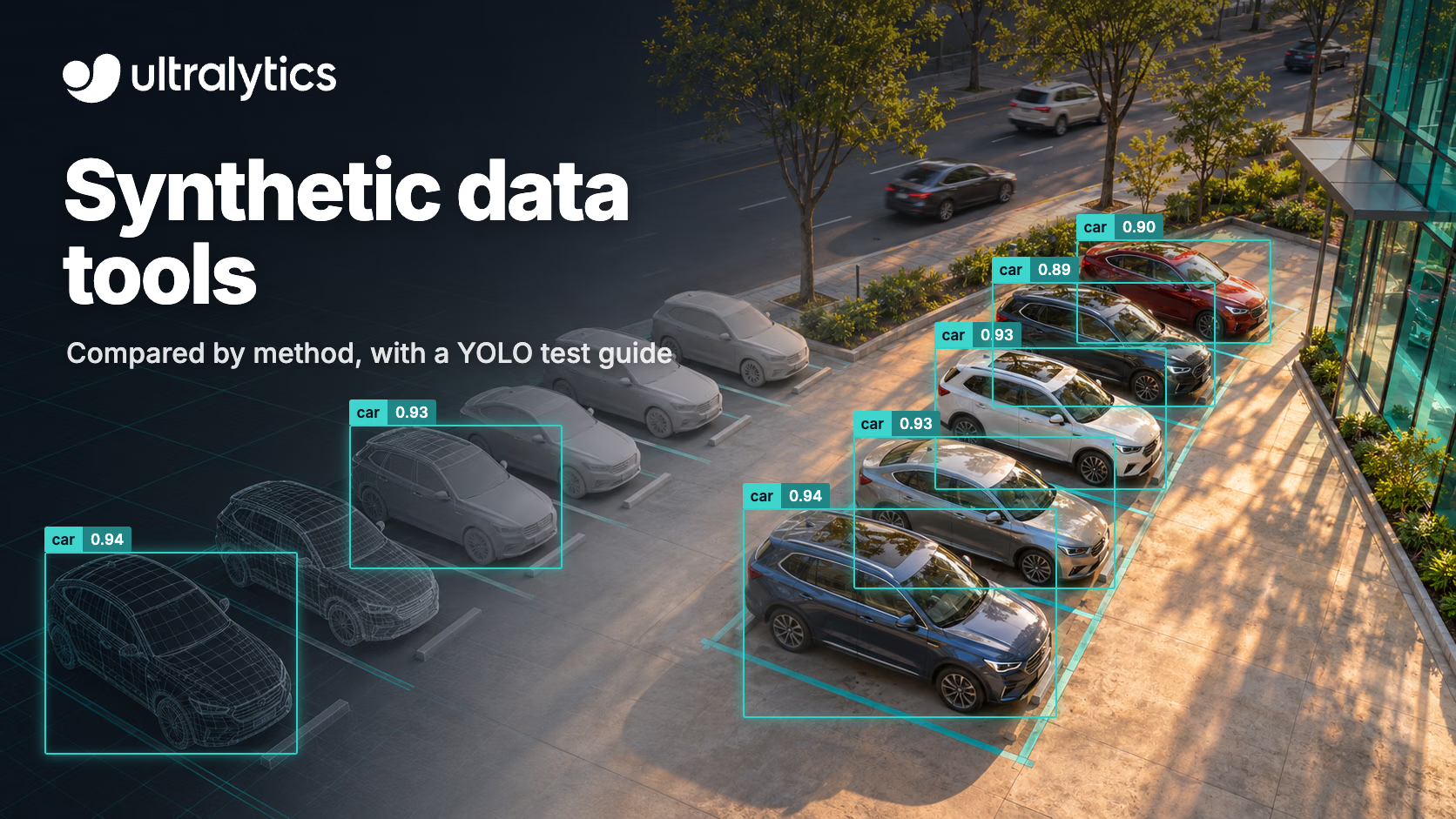
The best synthetic data tool for computer vision depends on what your real dataset is missing. 3D simulation tools such as NVIDIA Isaac Sim with Omniverse Replicator and BlenderProc render new scenes with labels included. Generative tools such as NVIDIA Cosmos and the Generate Similar Images feature in Ultralytics Platform add variation to images you already have. Augmentation libraries such as Albumentations transform your real images during training.
Whichever you choose, judge it on real images the model has never seen. In an Ultralytics and NVIDIA test on industrial defect datasets, adding generated defects raised Ultralytics YOLO26x mAP75 by 0.11 to 0.32 on the DAGM classes, but by only 0.008 on Real-IAD (test details). The benefit of synthetic data varies by dataset and by how it was generated.
This guide compares the main tools by method, explains which gap each one fills, and shows how to test synthetic data with Ultralytics YOLO26 before you commit to it. If you are new to the topic, start with what synthetic data is and how it is used.
Three ways to make synthetic training data#
This guide groups synthetic data generation tools into three practical methods. They solve different problems, so compare tools within a method first.
| Method | What it does | Labels | Best for |
|---|---|---|---|
| 3D simulation and rendering | Builds scenes from 3D assets, randomizes them, and renders images | Generated with the image (boxes, masks, depth and more) | Objects, places or sensors you can model in 3D; robotics; rare or dangerous situations |
| Generative image models | Creates new images from an image, a prompt or simulation inputs | Not always: generated images need new labels, or source labels checked against the result | Adding visual variety (lighting, backgrounds, weather) and rare appearances |
| Augmentation | Transforms real images during training (flips, color, mosaic, copy-paste) | Your existing labels are transformed with the image | Getting more out of the images you already have |
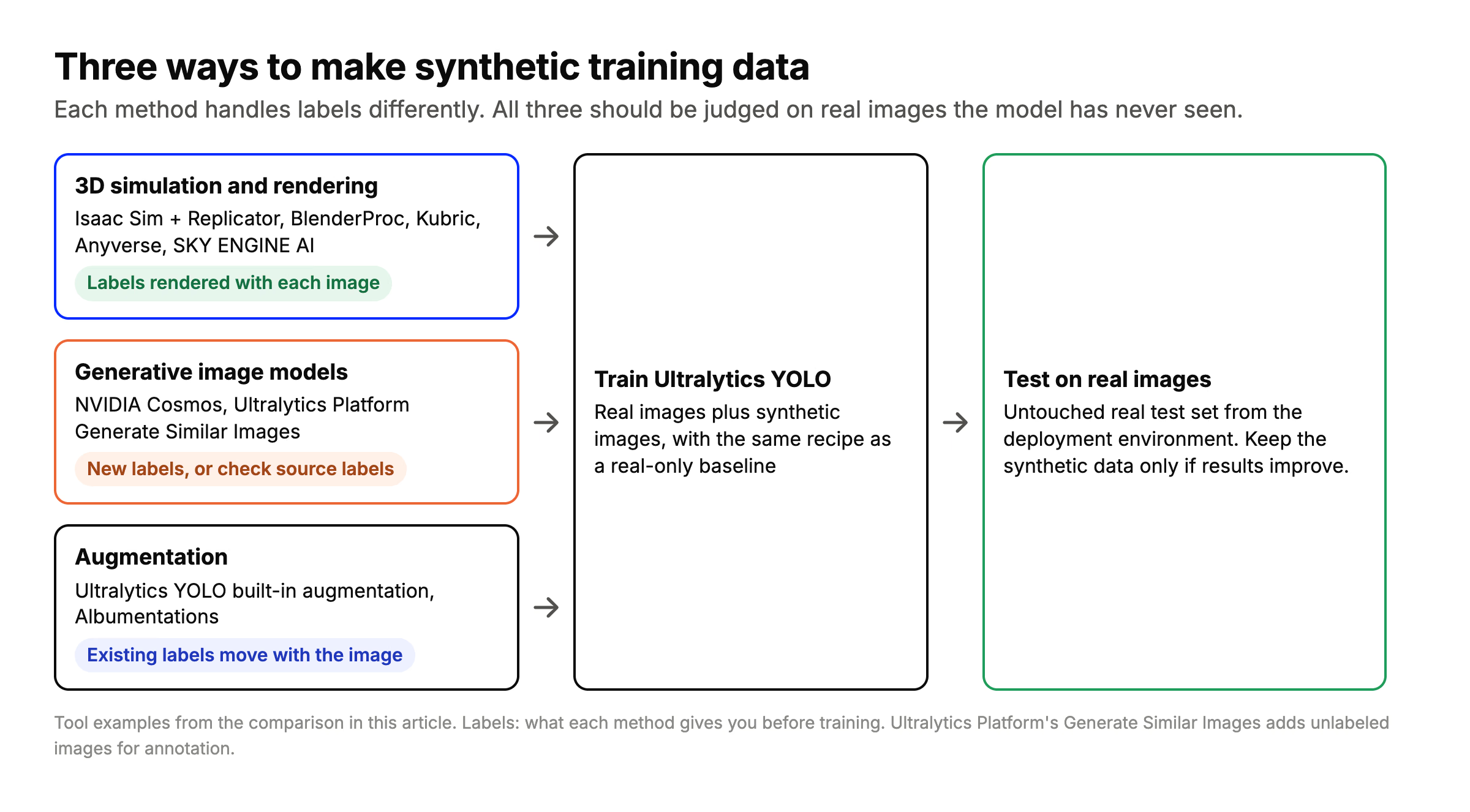
Each method handles labels differently, and all three should be judged on real images the model has never seen.
Synthetic data and data augmentation overlap: both add training examples you did not collect. The practical difference is where the new images come from. Augmentation reshapes what you already have, while simulation and generative models can show the model things that are not in your dataset at all.
Synthetic data tools compared#
Tools are listed alphabetically, and each row was checked against the tool's own website or repository in November 2026.
| Tool | Method | Labels included | How you run it | Best fit |
|---|---|---|---|---|
| Albumentations | Augmentation | Yes, your labels move with the image | Python library. AlbumentationsX is AGPL-3.0 or commercial; the original MIT version is no longer maintained | More variety from images you already have |
| Anyverse | Physics-based simulation | Yes, sensor-specific outputs | Cloud platform | Driving, in-cabin monitoring and defense; RGB-IR, NIR, lidar, radar and thermal |
| BlenderProc | 3D rendering in Blender | Yes: depth, normals, segmentation, COCO and BOP annotations | Open source (GPL-3.0), self-hosted | Object pose, robotics and research with your own 3D assets |
| Duality AI Falcon | Digital twin simulation (Unreal Engine based editor) | Check formats with the vendor | Cloud workflow with a Python API and ROS/ROS 2 support | Aerial, counter-UAS and off-road autonomy |
| Kubric | 3D rendering and physics (Blender, PyBullet) | Yes: instance masks, depth, optical flow | Open source (Apache-2.0), self-hosted; targets Blender 2.93 | Research and multi-object video |
| NVIDIA Cosmos | Generative world models conditioned on depth, segmentation or edge maps | Not guaranteed: check source labels against the generated objects and fix or regenerate where needed | Self-hosted on NVIDIA GPUs; Cosmos 3 code and models use the OpenMDW-1.1 license, and older releases use different licenses | Making simulated or real scenes look more varied and realistic |
| NVIDIA Isaac Sim and Omniverse Replicator | 3D simulation on OpenUSD scenes | Yes: boxes, segmentation, depth and normals from Replicator annotators | Self-hosted; repository code is Apache 2.0, while Omniverse Kit and other NVIDIA components have separate license terms | Robotics, warehouses and industrial scenes |
| Parallel Domain | Reconstruction from real drive or flight logs, plus sensor simulation | Check formats with the vendor | API into existing CI pipelines | Automotive, drones, robotics, trucking and defense; camera, lidar and radar |
| Rendered.ai | Physics-based simulation platform | Yes: images are labeled at creation, in the annotation format you choose | Platform as a service from $5,000 per month, plus managed services | Earth observation and non-visible sensors: SAR, infrared, multispectral, X-ray |
| SKY ENGINE AI | Ray-traced synthetic data cloud | Yes: boxes, semantic masks, 3D keypoints, depth and normal maps | Cloud | In-cabin, robotics, manufacturing, medical imaging and drones |
| Ultralytics Platform (Generate Similar Images) | Generative image variation from one of your images | No. Images are added unlabeled, then annotated in Platform | In the browser; hosted models are free, paid provider models bill your own API key | More variety around a real image, inside the same labeling and training workflow |
| Unity Perception | 3D simulation in Unity | Yes, through labelers (SOLO output, convertible to COCO) | Discontinued and no longer supported by Unity | Existing Unity projects only |
Ultralytics Platform is not a 3D simulation tool. Generate Similar Images describes new scenes inspired by your image and generates one image for each, with Ultralytics Image 4B (default) or Ultralytics Image 6B. The new images share the source's subjects and style, but they arrive without labels, so you annotate them before training. If you need pixel-perfect labels for objects you can model in 3D, a simulation tool is the better choice.
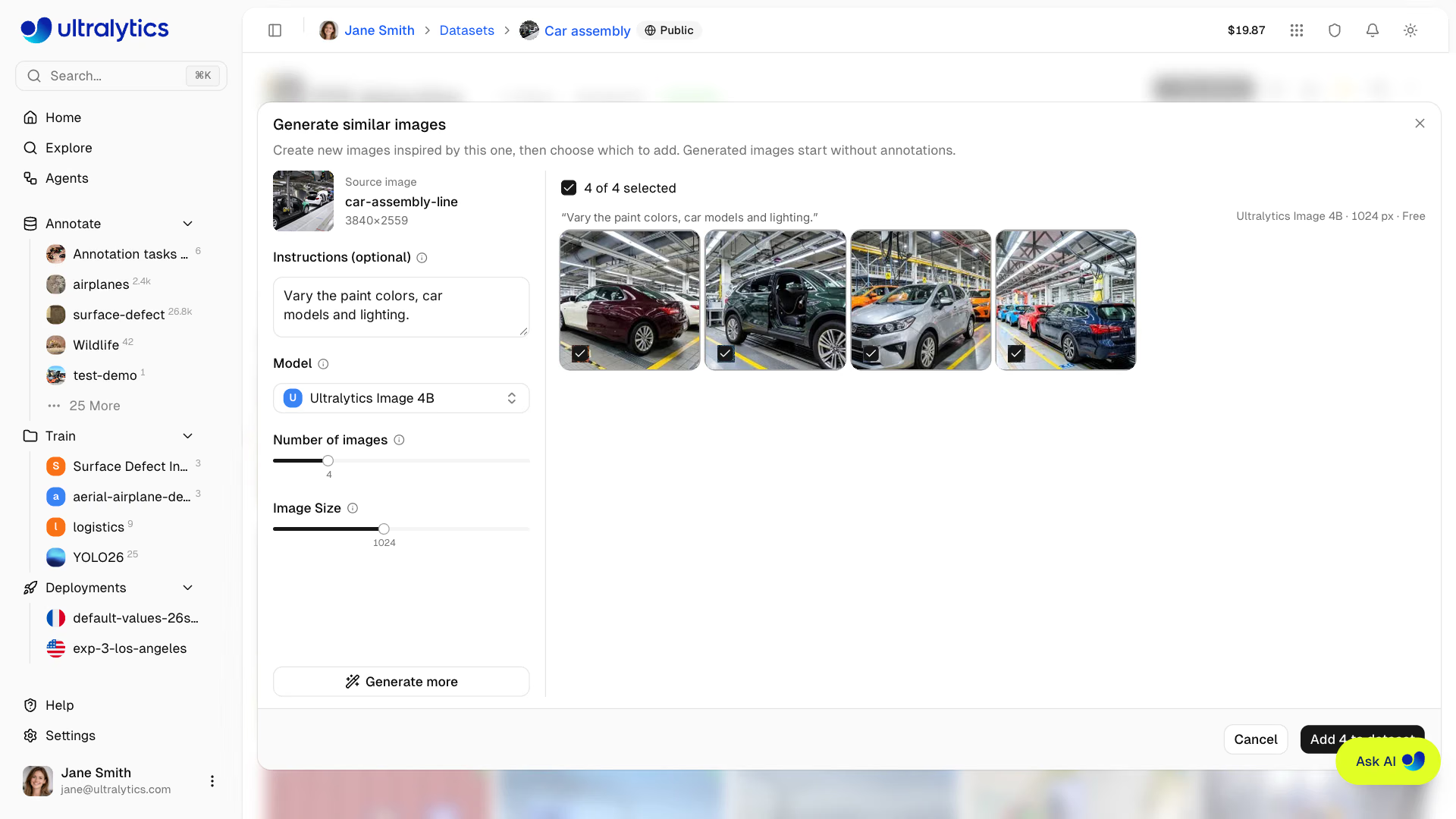
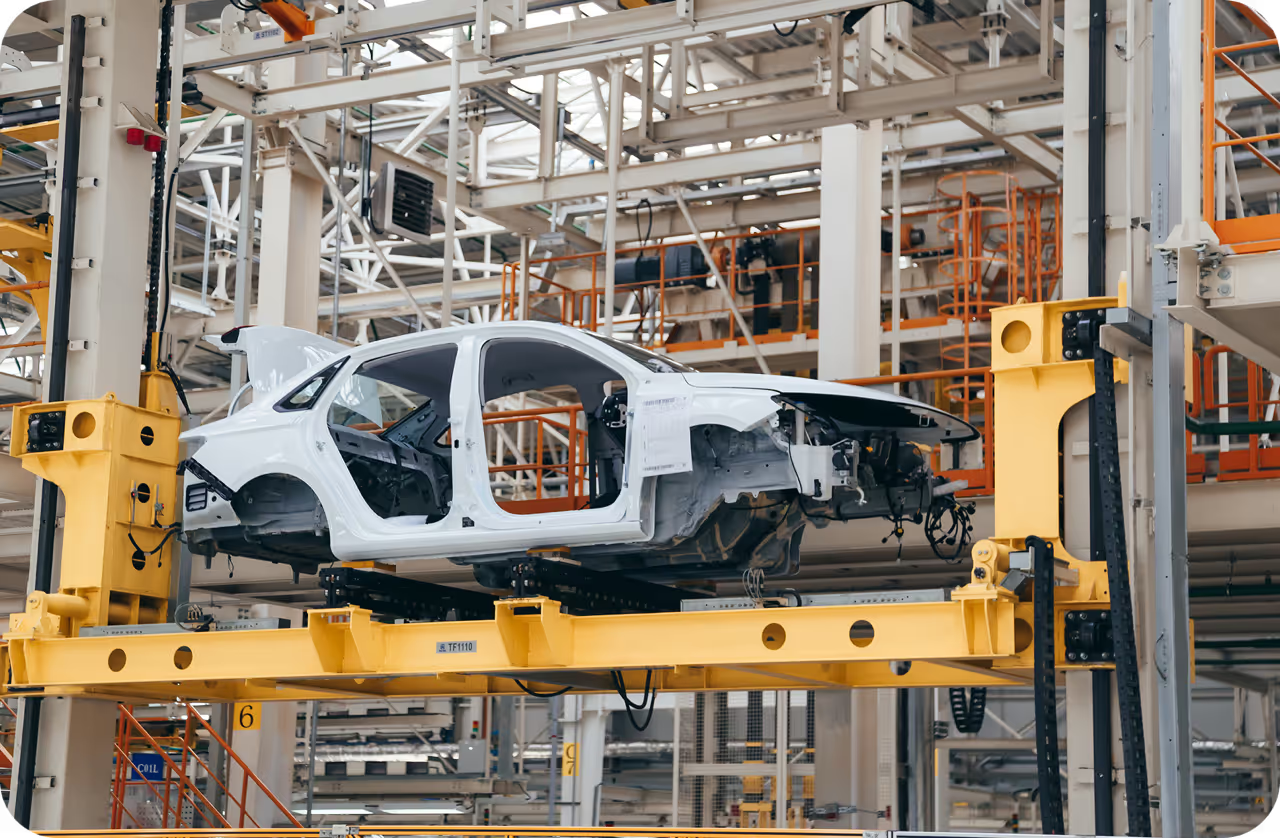
Illustrative composite of Generate Similar Images in Ultralytics Platform, showing four real outputs generated with the free Ultralytics Image 4B model. Source photo: 001 Car factory assembly line - Opel factory in Gliwice, Poland, Marek Ślusarczyk (Tupungato), CC BY 3.0. AI-generated adaptations shown.
How to choose a synthetic data tool#
Start from the gap in your data, not from the tool. These are the most common gaps and the tools that fit them.
Rare defects and anomalies#
Real examples of rare defect types can be hard to collect. Two approaches worth testing:
- Generate defects on real images. In the Ultralytics and NVIDIA test, NVIDIA Cosmos Data Factory generated defect images that were labeled automatically and added to real training images. The published report says recall improved on every dataset in its synthetic-data test. The Cosmos generation step is currently a sample and demo, not a shipped integration.
- Copy-paste augmentation. For segmentation or OBB training with polygon labels, turn on
copy_pasteto copy objects within or between images, which raises how often a rare class appears. It is off by default.
See computer vision in manufacturing for where defect detection fits in a production line.
Robots, warehouses and pick-and-place#
If you can model the objects and the space in 3D, simulation produces labels with every image and lets you vary poses, lighting and clutter across renders, known as domain randomization. Consider NVIDIA Isaac Sim with Omniverse Replicator for robotics simulation on NVIDIA hardware, and BlenderProc for scripted rendering from 3D models you already have. Read more about computer vision in robotics.
Driving, drones and multi-sensor systems#
For camera, lidar and radar simulation, or closed-loop testing, consider platforms built for multi-sensor autonomy. Parallel Domain builds reconstructions from real drive and flight logs. Anyverse simulates sensor-specific outputs for driving, in-cabin and defense. Duality AI Falcon focuses on aerial and off-road autonomy.
Satellite, SAR and other non-visible sensors#
Rendered.ai lists SAR, infrared, thermal, multispectral, hyperspectral and X-ray simulation. Anyverse lists near-infrared and thermal outputs.
A small dataset that needs more variety#
Start with augmentation that reflects conditions the model will really see, because it keeps your labels. For detection training, Ultralytics YOLO turns on mosaic, color changes, scaling, translation and horizontal flips by default, and you can add your own Albumentations transforms. If augmentation doesn't cover the conditions you can't photograph, such as other lighting, backgrounds or viewpoints, test generative variation or simulation, depending on the scene and how you will label it.
How to test whether synthetic data helps#
Synthetic data only earns its place if the model does better on real images. Run the same experiment twice and change only the training images:
- Hold out real test images. Keep a test set of real images from the environment where the model will run, and never add synthetic images to it.
- Train a baseline on real images only.
- Train again on real plus synthetic images, with the same model, epochs, optimizer and seed.
- Pick the recipe on real validation images. If you try several amounts of synthetic data, compare them on real validation images. Then score only the baseline and your chosen recipe on the untouched real test set. Look at mAP50-95 and recall, and at mAP75 if box precision matters.
With Ultralytics YOLO, the training split can list several folders, so real and synthetic images stay separate on disk. Create real.yaml the same way, with train set to images/train_real only. Keep near-duplicate images and images from the same scene in the same split, and generate synthetic images only from training images:
# real_plus_synthetic.yaml
path: datasets/defects
train: [images/train_real, images/train_synthetic] # real + synthetic training images
val: images/val_real # real images only
test: images/test_real # real images only, never seen in training
names:
  0: scratch
  1: dent
from ultralytics import YOLO
runs = {}
for name, data in [("real only", "real.yaml"), ("real + synthetic", "real_plus_synthetic.yaml")]:
model = YOLO("yolo26n.pt")
model.train( # same recipe for both runs
data=data, epochs=100, imgsz=640, batch=16,
optimizer="AdamW", lr0=0.001, seed=0,
)
runs[name] = model.trainer.best # path to the best weights
for name, weights in runs.items():
metrics = YOLO(weights).val(data="real_plus_synthetic.yaml", split="test") # same real test set
print(f"{name}: mAP50-95 {metrics.box.map:.3f}, mAP75 {metrics.box.map75:.3f}")This compares the same training recipe with and without synthetic images, scored on the same real test images. With equal epochs, the larger dataset gets more training steps, so repeat with a few seeds before trusting a small difference. See the Train and Val docs for every setting, and model evaluation insights for reading the results.
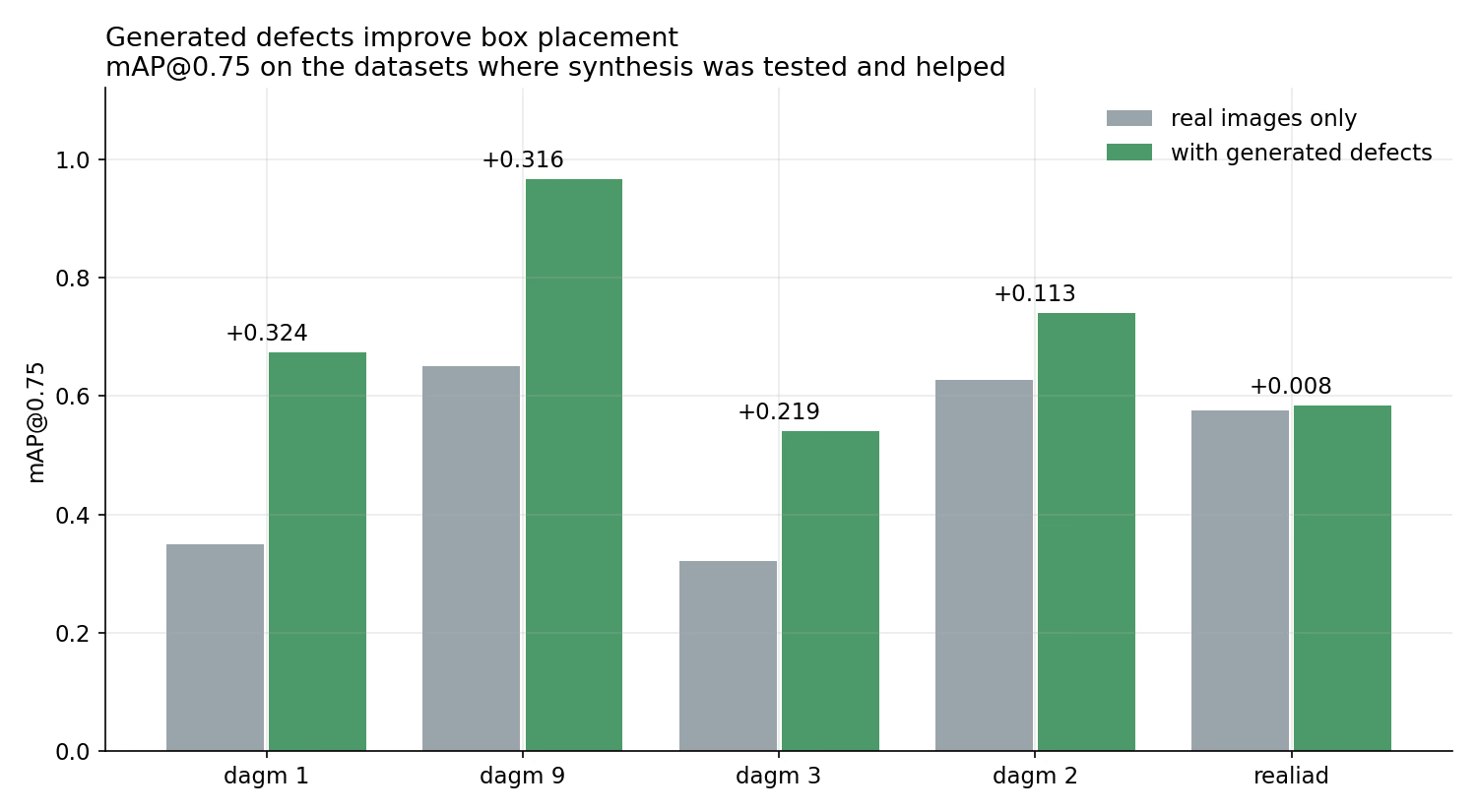
mAP75 with real images only vs. with generated defects, on the datasets where synthesis was tested and helped, from the Ultralytics and NVIDIA test.
What Ultralytics has measured#
- Generated defects (Ultralytics and NVIDIA test). On industrial inspection datasets with polygon labels, Ultralytics YOLO26x trained on real images plus defects generated by NVIDIA Cosmos Data Factory was compared with the same model trained on real images only. mAP75 rose by 0.11 to 0.32 on the DAGM classes; on DAGM class 9, for example, it went from 0.650 to 0.966. On Real-IAD the gain was 0.008. Both models used the same recipe and the same held-out test set (full results).
- Synthetic depth data. The YOLO26 depth models are pretrained on a mix of about 2.19 million images that includes synthetic datasets such as Hypersim, which provides dense depth ground truth from rendered scenes, with invalid pixels such as windows and sky masked out. The synthetic data complements noisier real-world sensor data rather than replacing it.
- Generated images in an open dataset. Ultralytics Construction-PPE combines human-collected and generated images: 1,000 images and 12 classes, released under CC BY 4.0. It has no separate test split, and its documentation recommends evaluating on independent images from your own deployment environment.
How much synthetic data to add#
There is no universal ratio, so treat it as a setting to test. In the Ultralytics and NVIDIA test, synthetic images were capped at either 25% or 100% of the real training images, which is one synthetic image for every four real ones, or one for one. Of 11,448 generated images, only 1,481 were kept. Start small, choose the ratio on real validation images, and keep the untouched real test set for the final comparison.
Where Ultralytics fits#
Ultralytics doesn't sell a 3D simulation engine. It covers the steps around synthetic data:
- Train and compare. Ultralytics YOLO trains on any mix of real and synthetic images in YOLO format, on your own hardware or on cloud GPUs with Ultralytics Platform.
- Add variation to real images. Generate Similar Images in Ultralytics Platform creates up to 16 variations of an image per batch, with optional instructions such as "change the lighting" or "add rain".
- Label what you generate. Smart annotation in Ultralytics Platform uses SAM 3.1, YOLO and YOLOE to label new images, including in batches across a whole dataset.
- Augment by default. Ultralytics YOLO training includes built-in augmentation and supports custom Albumentations transforms.
Frequently asked questions
BlenderProc (GPL-3.0) and Kubric (Apache-2.0) are open-source tools that generate labeled images from 3D scenes in Blender. NVIDIA Isaac Sim with Omniverse Replicator is another option for robotics; its Omniverse dependencies have separate licensing terms. For variety without 3D assets, augmentation is free and built into Ultralytics YOLO training.
Keep real data for evaluation in every case. For training, compare real-only, synthetic-only and mixed datasets before deciding whether synthetic images can replace any real examples. In the Ultralytics and NVIDIA defect test, the gain from generated defects ranged from large on the DAGM classes to marginal on Real-IAD, so measure it on your own data.
Test it. The Ultralytics and NVIDIA test capped synthetic images at 25% or 100% of the real training images. Start with a small share, choose the ratio on real validation images, and keep a separate real test set for the final check.
It depends on the method. 3D simulation tools generate labels with each image. Augmentation transforms your existing labels. Generative tools need a label check even when they start from an existing scene, because objects can change shape or move. Generate Similar Images in Ultralytics Platform adds unlabeled images that you annotate before training.
Unity has discontinued the Perception package and no longer supports it, according to its GitHub repository. In August 2023, Calcalist reported that Datagen, a synthetic data company, was on the verge of closure after laying off nearly all of its remaining staff. If you are choosing a tool today, check that it is still maintained.
They overlap but aren't the same. Augmentation transforms images you already have, such as flipping, recoloring or combining them. Synthetic data creates new images, by rendering 3D scenes or with generative models. You can combine them: augmentation for everyday variation, and synthetic data to fill specific gaps.
Written by
Comments
Ask a question, share your results, or help someone else.