How to use Ultralytics YOLO11 for image classification
Learn how the new Ultralytics YOLO11 model improves image classification, offering better accuracy for tasks in agriculture, retail, and wildlife monitoring.

Let’s say a robot is looking at two cats, one black and one white, and it needs to figure out which is which. To do so, it can use image classification, a computer vision task that helps identify and categorize objects or scenes in an image. In fact, thanks to recent advancements in artificial intelligence (AI), image classification can be used in a wide variety of applications ranging from animal monitoring to manufacturing and agriculture with crop disease detection.
One of the latest advancements in image classification is the Ultralytics YOLO11 model. Launched at Ultralytics' annual hybrid event, YOLO Vision 2024 (YV24), YOLO11 is designed to tackle a wide variety of vision AI tasks, including image classification, with ease and precision.
In this article, we’ll explore the fundamentals of image classification, discuss real-world applications, and show you how you can use YOLO11 for image classification through the Ultralytics Python package. We’ll also take a look at how you can try out YOLO11’s capabilities on the Ultralytics HUB in a few easy steps. Let’s get started!
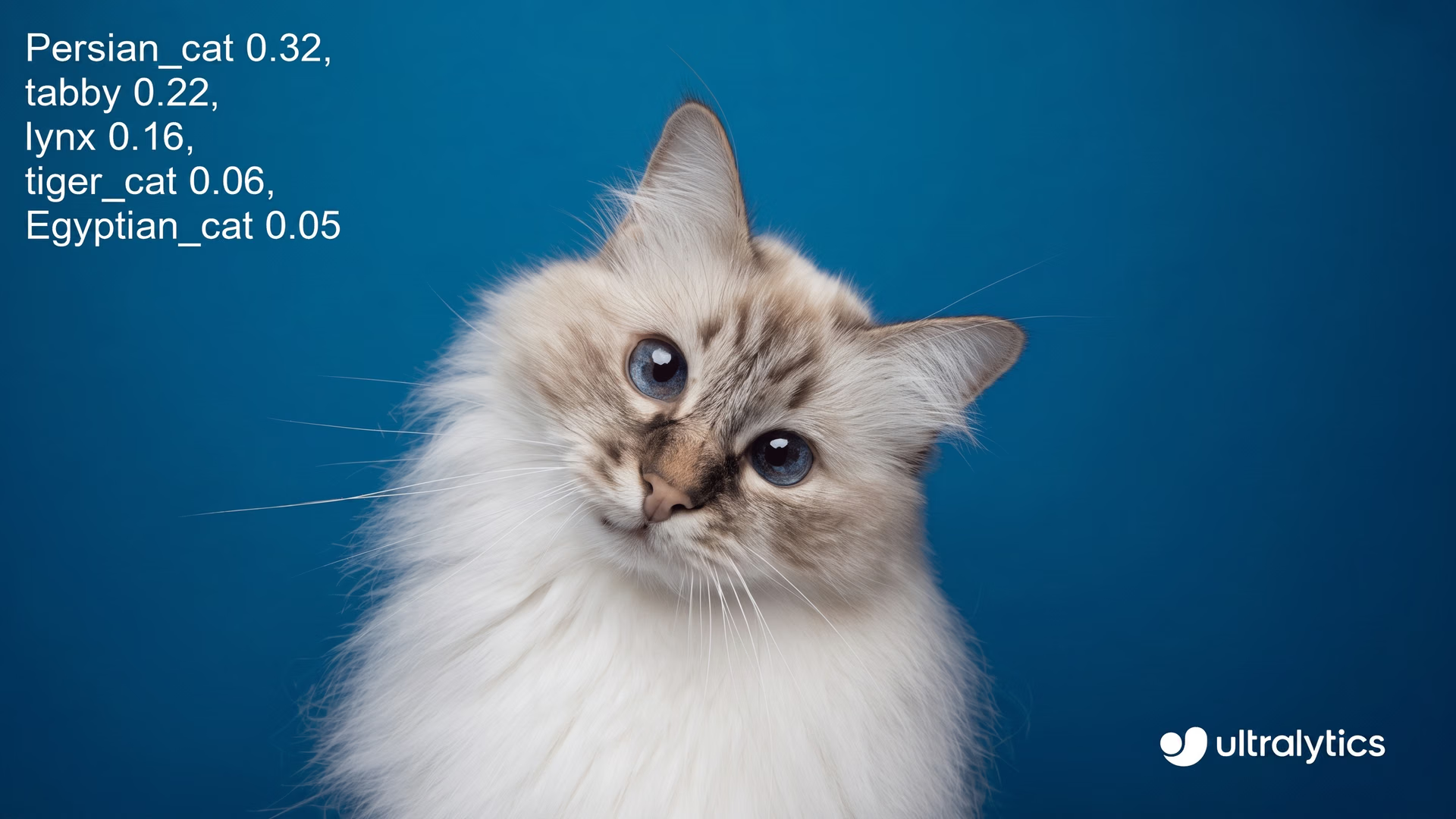
Fig 1. An example of using Ultralytics YOLO11 to classify a Persian cat.
What is image classification?#
Image classification works by assigning a label or tag to an image based on patterns learned from previously labeled images. By carefully analyzing the pixels of an image, a computer vision model can find the best match for the image. Reliable models like Ultralytics YOLO11 can handle this process seamlessly. YOLO11’s model architecture makes it possible to process images or video frames almost instantly, making it ideal for applications needing fast, accurate image classification.
To truly understand the scope of image classification, it helps to distinguish it from other tasks like object detection. While image classification labels an entire image, object detection identifies and locates each object within the image.
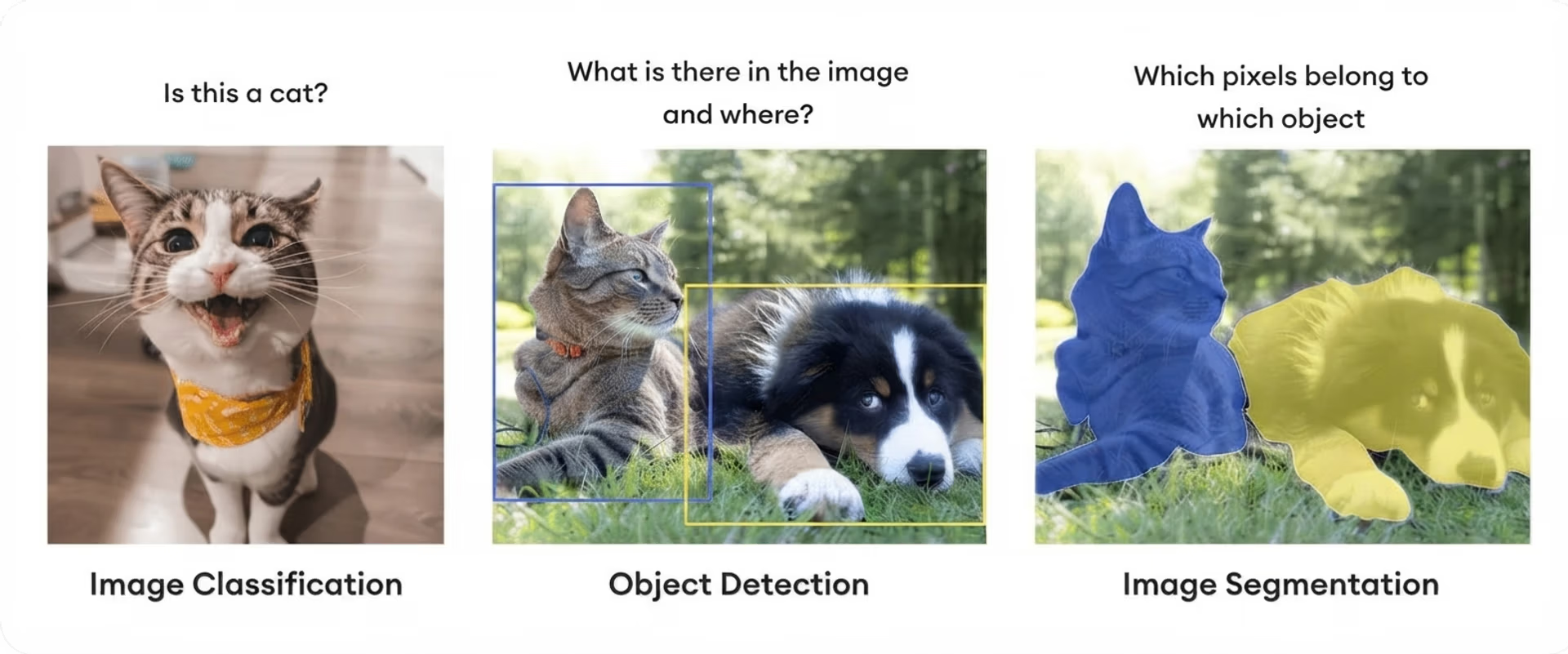
Fig 2. A comparison of image classification, object detection, and image segmentation.
Let’s consider an image of a giraffe. In image classification, the model might label the whole image simply as a giraffe based on its overall content. However, with object detection, the model doesn’t stop at identifying the giraffe; it also places a bounding box around the giraffe, pinpointing its exact location within the image.
Now, imagine the giraffe standing near a tree in a savanna with other animals. An image classification model might label the entire scene as a savanna or just wildlife. However, with object detection, the model would identify each element individually, recognizing the giraffe, the tree, and the other animals, each with their own bounding boxes.
Ultralytics YOLO11 image classification applications#
The accuracy and performance of the Ultralytics YOLO11 model for image classification makes it useful across a wide range of industries. Let’s explore some of the key applications of YOLO11 in image classification.
Ultralytics YOLO11 image classification in agriculture#
Image classification can help streamline many functions in the agriculture and farming industry. Specifically, using image classification models like YOLO11, farmers can constantly monitor the health of their crops, detect serious diseases, and identify any pest infestations with high accuracy.
Here’s a look at how this works:
- Image capture: Internet of Things (IoT) devices like cameras and drones can be deployed to capture real-time images of crops from various angles and locations across the fields.
- Processing: Depending on available resources and connectivity, images can be processed on-site through edge computing or uploaded to the cloud for more intensive analysis.
- Image classification with YOLO11: The YOLO11 model can analyze these images to classify various crop conditions. Common classes might include healthy, diseased, pest-infested, or nutrient-deficient, helping pinpoint specific issues affecting different areas of the field.
- Insight generation: Based on the classifications, Ultralytics YOLO11 provides insights on crop health indicators, helping farmers detect early signs of disease, identify pest hotspots, or spot nutrient deficiencies.
- Informed decision-making: With these insights, farmers can make targeted decisions on irrigation, fertilization, and pest control, applying resources only where they’re needed most.
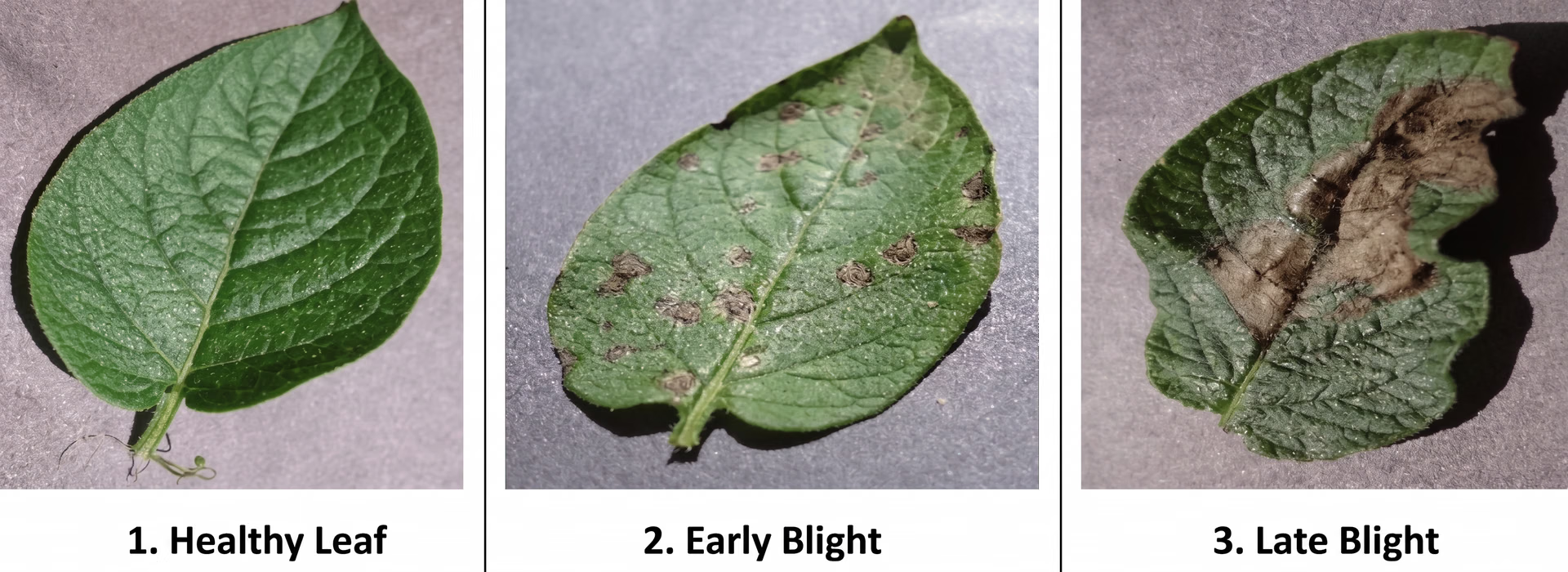
Fig 3. An example of different classes of leaves from healthy to infected.
Ultralytics YOLO11 image classification in retail#
Image classification can significantly improve the retail shopping experience, making it more personalized and user-friendly. Retailers can use custom-trained computer vision models to recognize products in their inventory and integrate this capability into their mobile apps or websites. Customers can then search for products simply by uploading a photo, making shopping faster and more convenient.
Once a customer uploads an image to a visual search system, several things happen behind the scenes before the search results show up.
First, object detection can be used to pick out the main items in the image, like identifying a piece of clothing or a piece of furniture and separating it from the background. Next, image classification can be used to further categorize each item, recognizing whether it is a jacket, shirt, sofa, or table.
With this information, the system can pull up similar products available for purchase, which is especially helpful for finding unique or trendy items that are hard to describe with words alone. The same technology can also help streamline other retail tasks, like inventory management, by automatically recognizing and categorizing items.

Fig 4. An image classification based visual search platform in action.
Wildlife monitoring with Ultralytics YOLO11 image classification#
Traditionally, monitoring animals in the wild is a tedious task involving many people manually sorting and analyzing thousands of photos. With computer vision modes like Ultralytics YOLO11, researchers can automatically monitor animals at a faster rate. Cameras can be placed in natural habitats to take photos. The vision AI model can then be used to analyze these photos and classify the animals within them (if any). Such a system can help researchers study and track animal populations, their migration patterns, etc.
Another way AI and computer vision models like Ultralytics YOLO11 can help in this field is by streamlining the process of classifying endangered species. By identifying potential species or breed categories an animal may belong to, these models can provide essential data for researchers. For example, the University of Tasmania (UTAS) developed an image classification-based system to monitor different Tasmanian wildlife. The predictions from the models can then help scientists and researchers keep an eye on animal activity and behavior, which may signal threats like poaching or habitat loss.
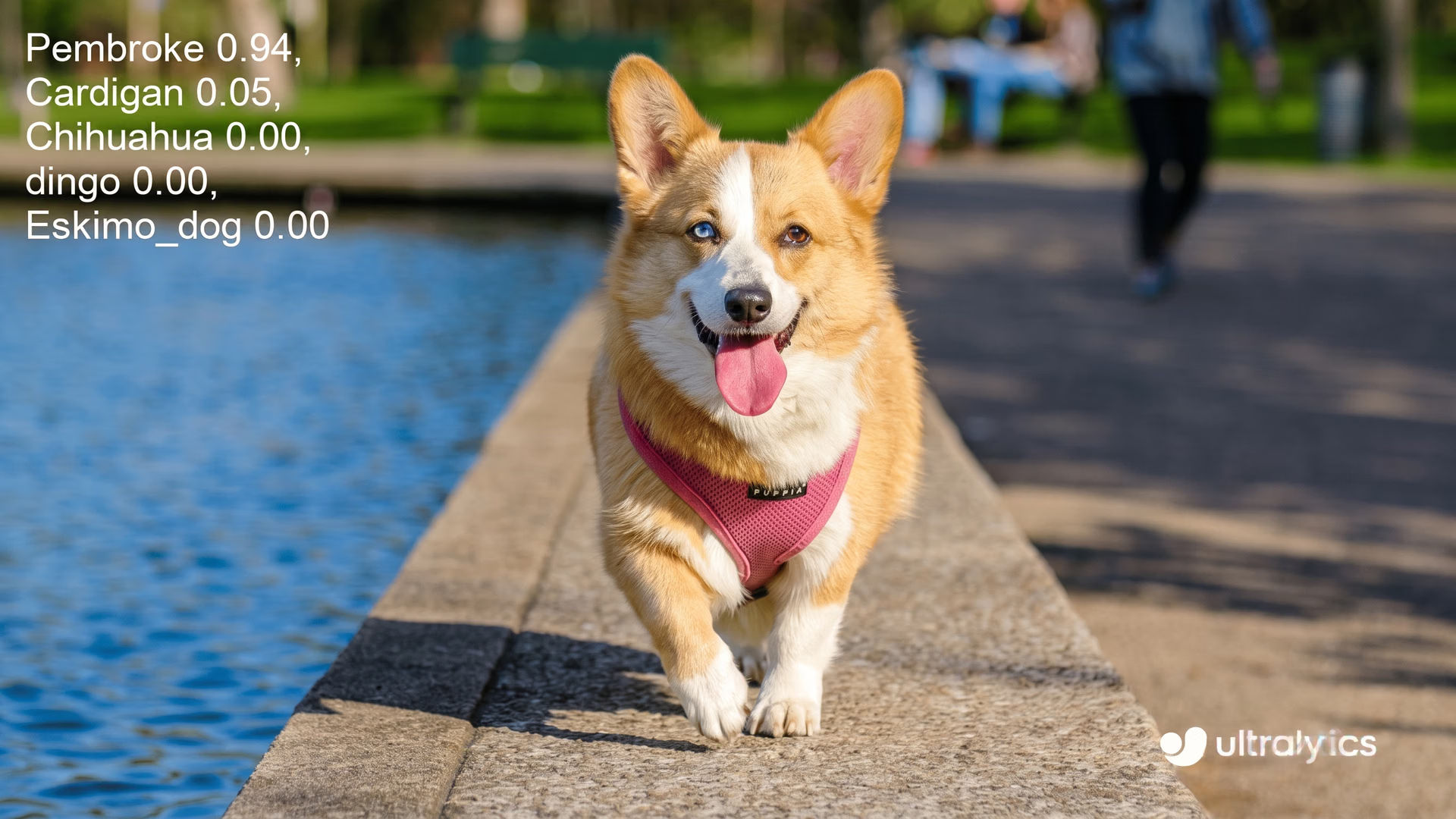
Fig 5. Ultralytics YOLO11 predicting the possible breeds that a dog might belong to.
Trying out image classification with the Ultralytics YOLO11 model#
Now that we’ve discussed what image classification is and explored some of its applications, let’s take a look at how you can try out image classification with the new YOLO11 model. There are two easy ways to get started: using the Ultralytics Python package or through Ultralytics HUB. We’ll walk through both options.
Running inferences using Ultralytics YOLO11#
To get started with the Ultralytics Python package, simply install it using pip, conda, or Docker. If you run into any issues, check out our Common Issues Guide for helpful troubleshooting tips.
Once the package is installed, you can use the following code to load a variant of the Ultralytics YOLO11 image classification model and run an inference on an image. Running an inference means using a trained model to make predictions on new, unseen data. You can give it a try with an image of your choice!
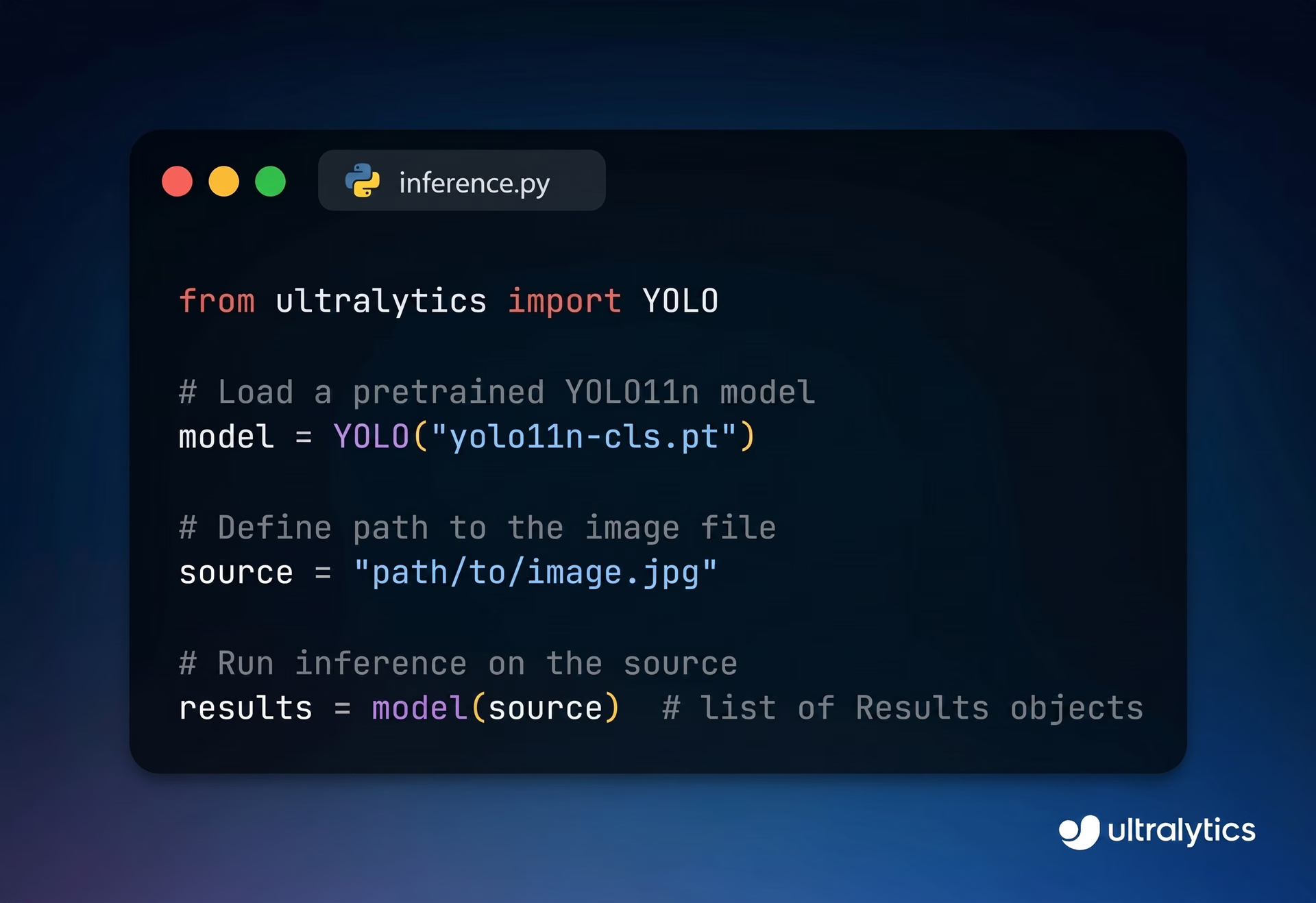
Fig 6. Running inferences using the Ultralytics YOLO11 model.
Training a custom Ultralytics YOLO11 classification model#
You can also use the same Python package to train a custom Ultralytics YOLO11 classification model. Custom training makes it possible for you to fine-tune a YOLO11 model for your specific needs. For example, if you’re developing an app to classify different cat breeds, you can custom-train a YOLO11 model just for that purpose.
The code below shows how to load and train a Ultralytics YOLO11 image classification model. It allows you to transfer pre-trained weights, using knowledge from an existing model to boost the performance of your own model. You can specify a dataset, like the "fashion-mnist" dataset, which is a well-known set of grayscale images of clothing items (shirts, pants, shoes, etc.). Training the model on this dataset teaches it to recognize different clothing categories. You can swap out "fashion-mnist" for any dataset that fits your project, such as cat breeds or types of plants.
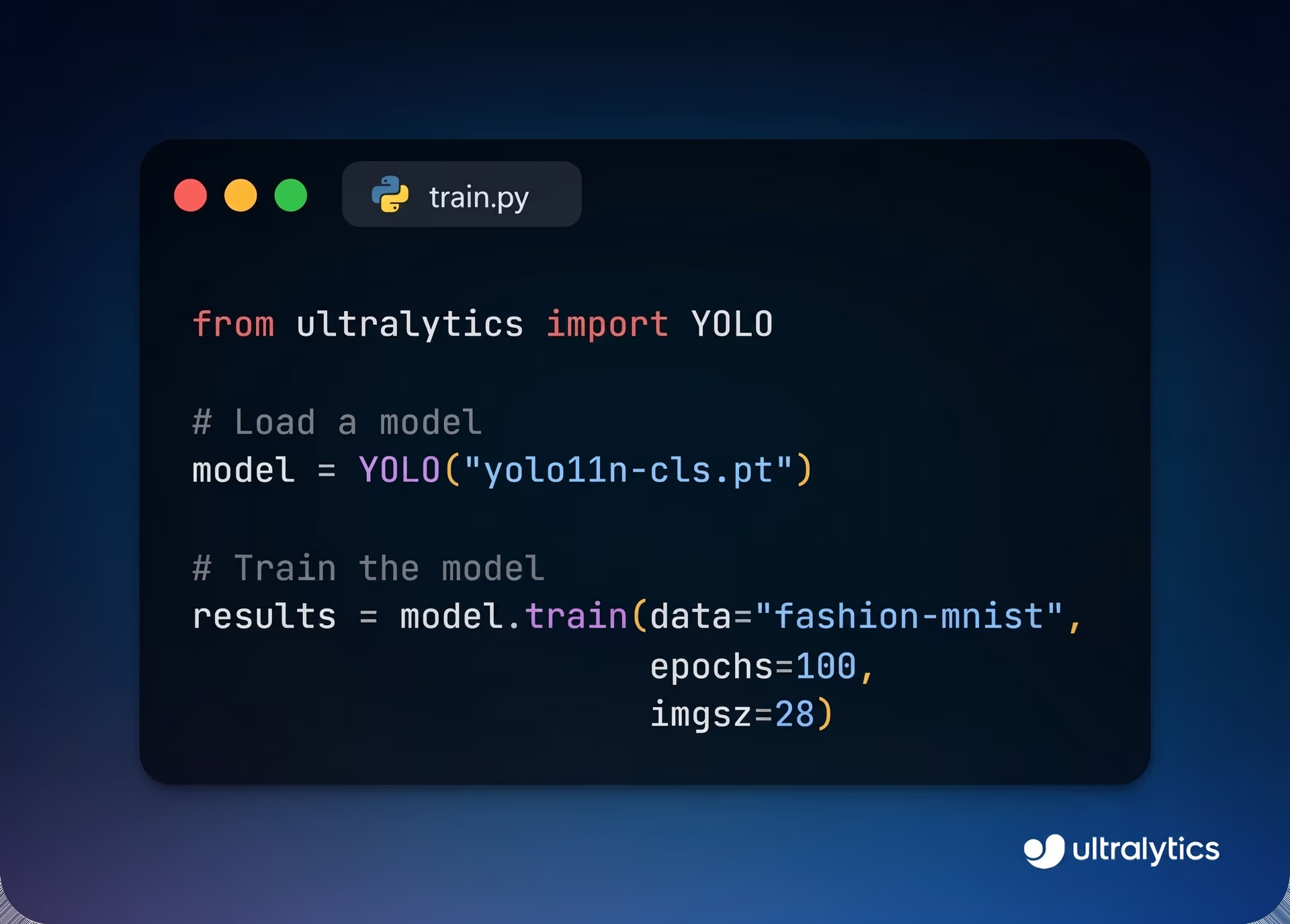
Fig 7. Custom-training a Ultralytics YOLO11 model for image classification.
Try out YOLO11 on Ultralytics HUB#
Although using the Ultralytics package is straightforward, it does require some knowledge of Python. If you’re looking for a more beginner-friendly option, you can use the Ultralytics HUB, a platform designed to make training and deploying different YOLO models simple and accessible. To get started, you’ll need to create an account.
Once you’re signed in, navigate to the ‘Models’ section and select the Ultralytics YOLO11 model for image classification. You’ll see a range of model sizes available: nano, small, medium, large, and extra-large. After choosing a model, you can upload an image in the ‘Preview’ section, where the predictions will appear on the left side of the page once the image is processed.
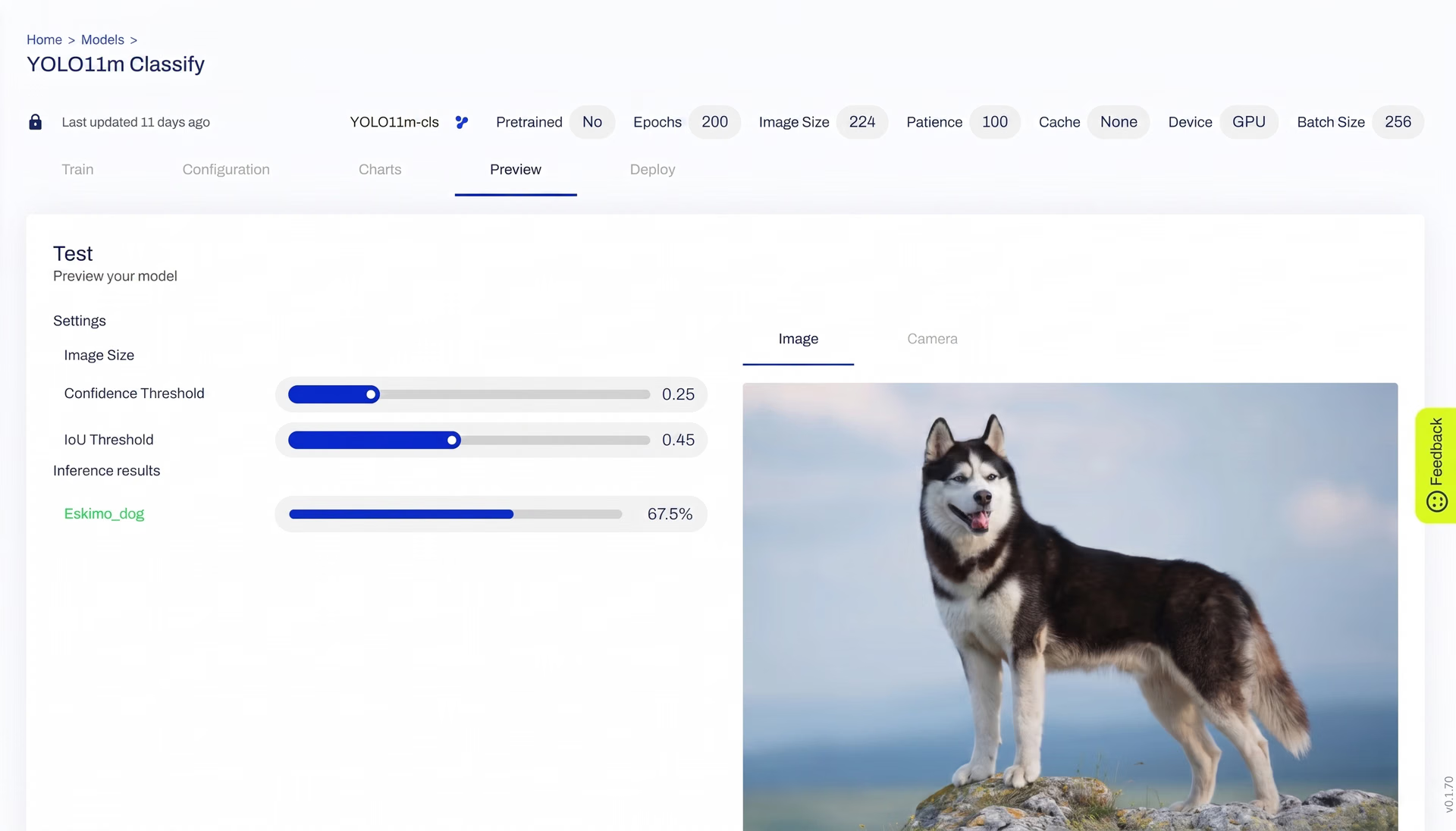
Fig 8. Using Ultralytics HUB to run an inference.
Key takeaways#
YOLO11 offers powerful image classification capabilities that open up new possibilities across various industries. From improving crop monitoring in agriculture and enhancing product searches in retail to supporting wildlife conservation, YOLO11’s speed and accuracy make it ideal for diverse applications. With options for custom training through the Ultralytics Python package or a user-friendly, no-code setup on Ultralytics HUB, users can easily incorporate YOLO11 into their workflows. As more industries embrace AI solutions, YOLO11 offers a flexible, high-performance tool that supports innovation and practical advancements.
To explore more, visit our GitHub repository, and engage with our community. Explore AI applications in self-driving cars and healthcare on our solutions pages. 🚀








