Running Ultralytics YOLO models on Intel's AI PC with OpenVINO
Highlights from Intel's Ultralytics YOLO Vision 2024 talk on running YOLO11 in real time on Intel Core Ultra 200V AI PCs with OpenVINO optimization.
 Abirami Vina8 min read
Listen to this article

YOLO Vision 2024 (YV24), Ultralytics' annual hybrid event, brought together AI enthusiasts, developers, and experts from around the world to explore the latest innovations in computer vision. YV24 featured key players in the AI industry presenting their latest innovations. Among them was Intel, which presented a keynote on its new AI PC and Intel OpenVINO’s integration with Ultralytics YOLO models like Ultralytics YOLO11.
The talk was led by Adrian Boguszewski, a Software Evangelist who co-authored the LandCover.ai dataset and educates developers about Intel’s OpenVINO toolkit, and Dmitriy Pastushenkov, an AI PC Evangelist with over 20 years of experience in industrial automation and AI. During the event, Adrian said, "This is a great event today, not only because Ultralytics delivered a new YOLO version, but also because we are able to present this new model running on our new hardware, as well as a new version of OpenVINO."
In this article, we’ll take a look at the key highlights from Intel’s talk at YV24, covering Intel's AI PC, the Intel Core Ultra 200V Series, and how they integrate with Ultralytics YOLO models using the OpenVINO toolkit.
AI technologies in 2024#
Dmitriy opened the keynote by explaining the key differences between traditional AI and generative AI. The focus was on how these technologies and their use cases are evolving in 2024. Traditional AI techniques like computer vision and natural language processing have been essential for tasks like pose estimation, object detection, and voice recognition. Generative AI, however, represents a newer wave of AI technology that involves applications such as chatbots, text-to-image generation, code writing, and even text-to-video.

Fig 1. Adrian and Dmitriy from Intel, on stage at YV24, discussing AI use cases.
Dmitriy pointed out the difference in scale between the two. He explained that while traditional AI models consist of millions of parameters, generative AI models operate on a much larger scale. Generative AI models often involve billions or even trillions of parameters, making them far more computationally demanding.
The Intel AI PC: A new AI hardware frontier#
Dmitriy introduced the Intel AI PC as a new hardware solution designed to address the growing challenges of running both traditional and generative AI models efficiently. The Intel AI PC is a powerful and energy-efficient machine. It is capable of running a wide range of AI models locally, without the need for cloud-based processing.
Local processing helps keep sensitive data private. When AI models can operate without an internet connection, this helps address industry ethical concerns about privacy and security.
The driving force behind the Intel AI PC is the Intel Core Ultra 200V Series processor. This processor incorporates three key components: the Central Processing Unit (CPU), Graphics Processing Unit (GPU), and Neural Processing Unit (NPU). Each plays a specific role in handling different types of AI workloads. The CPU is ideal for smaller, low-latency tasks that require quick responses, while the GPU is optimized for high-throughput operations like running AI models. The NPU, designed for power efficiency, is well-suited for long-running tasks like real-time object detection with models like YOLO11.
It was highlighted that the CPU can deliver up to 5 TOPS (trillions of operations per second), the GPU up to 67 TOPS, and the NPU provides an energy-efficient way to run AI tasks continuously without draining system resources.
Intel’s AI advancements: Intel Core Ultra 200V series#
The Intel Core Ultra 200V Series processor integrates all three AI engines - NPU, CPU, and GPU - into a single small chip. Its design is well suited to compact devices like notebooks.
The processor also includes built-in RAM, cutting down the need for separate graphics cards. This helps reduce power usage and keeps the device compact. Dmitriy also emphasized the processor's flexibility. Users can decide whether to run AI models on the CPU, GPU, or NPU, depending on the task. For example, object detection with YOLO11 models can run on any of these engines, while more complex tasks, like text-to-image generation, can use both the GPU and NPU at the same time for better performance.
During the presentation, Dmitriy pulled the chip out of his pocket, giving everyone a clear sense of just how small it really is - despite its ability to handle such advanced AI tasks. It was a fun and memorable way to show how Intel is bringing powerful AI capabilities to more portable and practical devices.
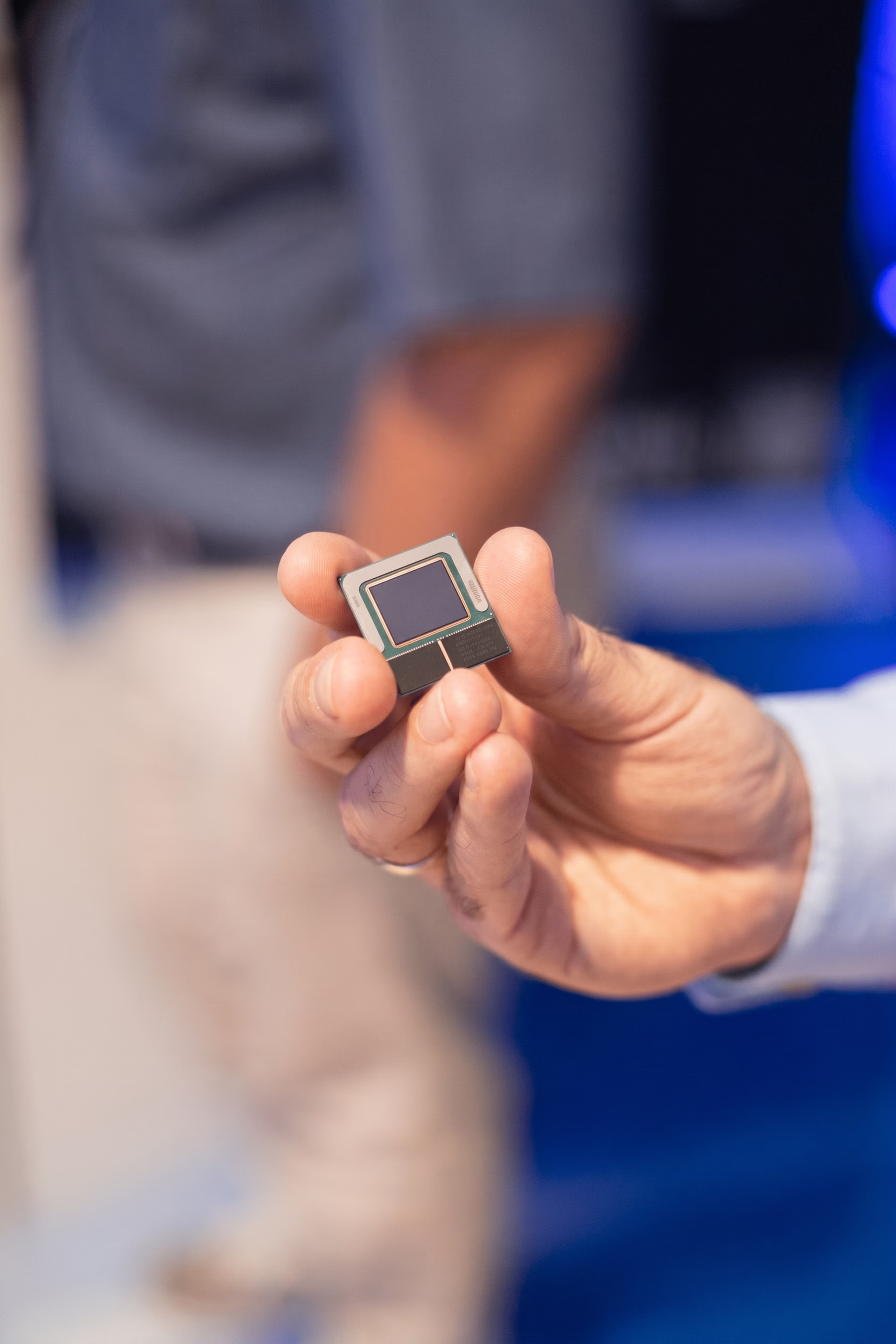
Fig 2. The Intel Core Ultra 200V processor can fit in a pocket.
Optimizing AI models with Intel OpenVINO#
Having showcased Intel's latest hardware, Dmitriy then switched gears to Intel's software stack for AI. He introduced OpenVINO, Intel’s open-source framework designed to optimize and deploy AI models efficiently across different devices. OpenVINO goes beyond visual tasks, extending its support to AI models used for natural language processing, audio processing, transformers, and more.
OpenVINO is compatible with popular frameworks like PyTorch, TensorFlow, and ONNX, and developers can easily incorporate it into their workflows. One key feature he brought attention to was quantization. Quantization compresses model weights to reduce their size so that large models can run smoothly on local devices without needing the cloud. OpenVINO works across multiple frameworks, running on CPU, GPU, NPU, FPGA, or even ARM devices, and supports Windows, Linux, and macOS. Dmitriy also walked the audience through how easy it is to get started with OpenVINO.
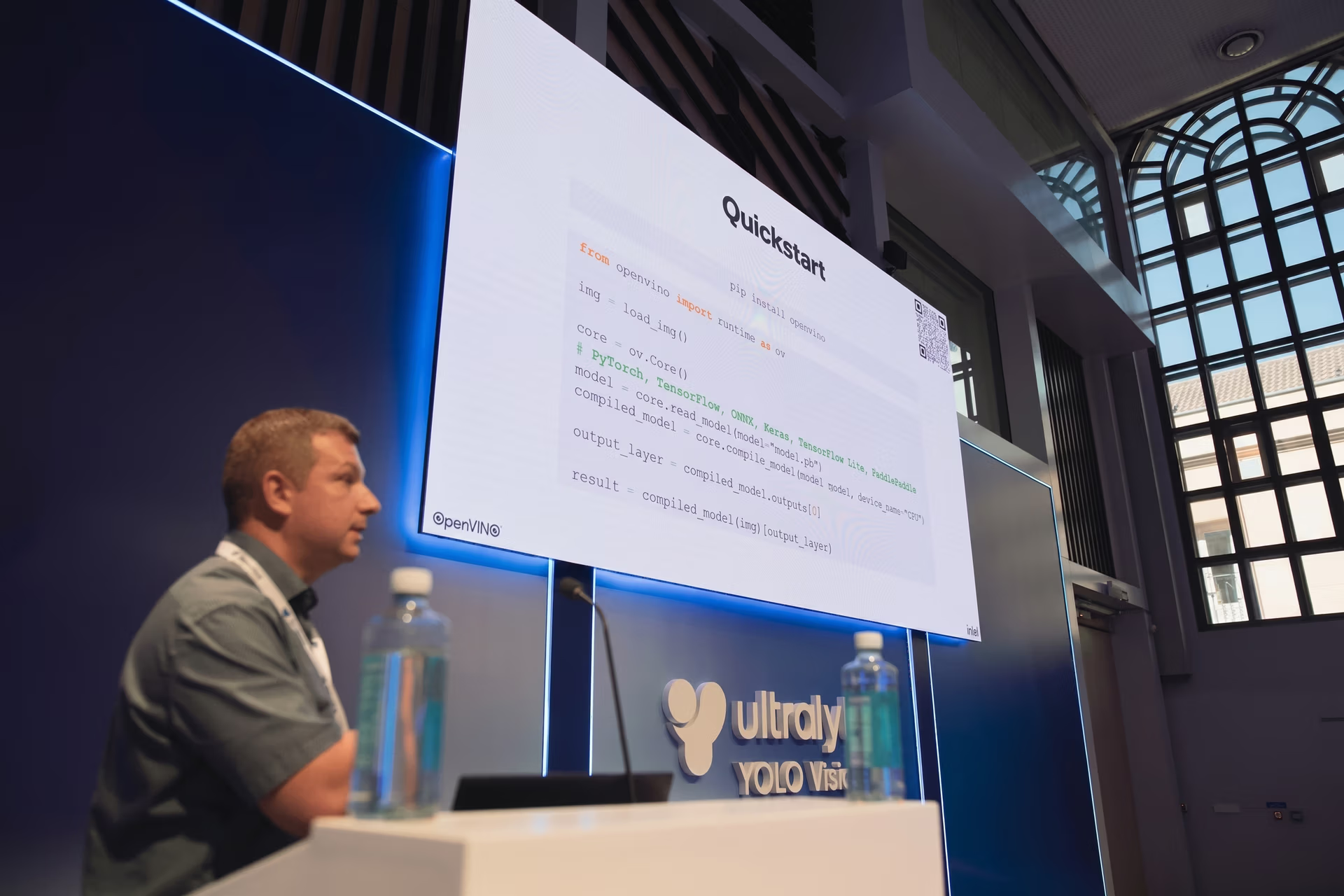
Fig 3. Dmitriy walking through how to get started with OpenVINO.
Integrating Ultralytics with Intel OpenVINO#
In the second part of the talk, the mic was passed to Adrian, who explained the integration between Ultralytics YOLO models and Intel’s OpenVINO toolkit, simplifying the process of YOLO model deployment. He provided a step-by-step explanation of how exporting a YOLO model using the Ultralytics Python package to the OpenVINO format is quick and straightforward. This integration makes it much easier for developers to optimize their models for Intel hardware and get the most out of both platforms.
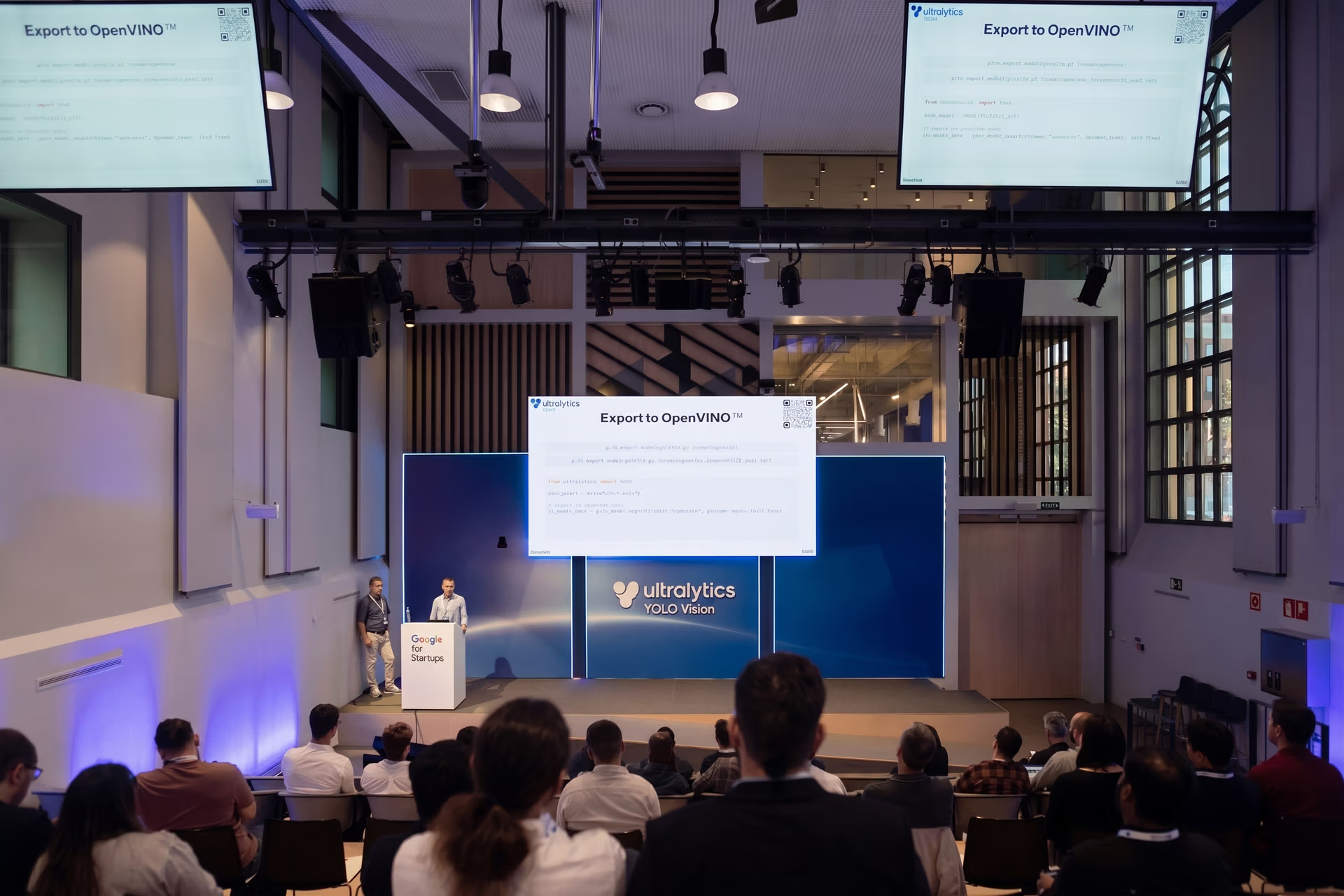
Fig 4. Adrian explaining how Ultralytics makes it easy to export your model to OpenVINO format.
Adrian demonstrated that once an Ultralytics YOLO model is trained, users can export it using a few simple command-line flags. For example, users can specify whether they want to export the model as a floating-point version for maximum precision or as a quantized version for better speed and efficiency. He also highlighted how developers can manage this process directly through code, using options like INT8 quantization to enhance performance without sacrificing too much accuracy.
Real-time AI demos on the Intel AI PC#
Putting all this theory into practice, the Intel team presented a real-time demo of object detection by running YOLO11 on the Intel AI PC. Adrian showcased how the system handled the model across different processors, achieving 36 frames per second (FPS) on the CPU with a floating-point model, over 100 FPS on the integrated GPU, and 70 FPS with the INT8 quantized version. The demo showed how efficiently the Intel AI PC can handle complex AI tasks.
He also pointed out that the system can run models in parallel, using the CPU, GPU, and NPU together for tasks where all the data or video frames are available upfront. This is useful when processing heavy loads like videos. The system can split the workload across different processors, making it faster and more efficient.
To wrap up, Adrian mentioned that users could try out demos at home, including solutions like people counting and intelligent queue management. He then showed a bonus demo where users could enter prompts to generate dream-like images in real time on the GPU. It demonstrated the versatility of the Intel AI PC for both traditional AI tasks and creative, generative AI projects.
Real-time object detection with Intel OpenVINO#
At the event, Intel had a booth where they displayed a real-time object detection demo using Ultralytics YOLO11, running on their Intel AI PC. Attendees got to see the model in action, optimized with OpenVINO, and deployed on the Intel Core Ultra 200V processor.

Fig 5. Attendees had a chance to see a real-time demo at the Intel OpenVINO booth.
At the Intel booth, Dmitriy shared, "This is my first time at YOLO Vision, and I’m happy to be in Madrid. We’re presenting the YOLO11 model from Ultralytics, running on the Intel Core Ultra 200V processor. It shows excellent performance, and we use OpenVINO to optimize and deploy the model. It was very easy to collaborate with Ultralytics and run the model on the latest Intel hardware, utilizing the CPU, GPU, and NPU." The booth also had some fun giveaways, such as t-shirts and notebooks for attendees to take home.
Key takeaways#
Intel's tech talk at YV24, featuring the Intel Core Ultra 200V Series processors, showcased how the OpenVINO toolkit optimizes AI models like Ultralytics YOLO11. This integration enables users to run YOLO models directly on their devices, delivering great performance for computer vision tasks like object detection. The key benefit is that users don’t need to rely on cloud services.
Developers and AI enthusiasts can run and fine-tune YOLO models, fully utilizing hardware like CPUs, GPUs, and NPUs for real-time applications. Intel OpenVINO toolkit, in combination with Ultralytics YOLO models, opens up new possibilities for bringing advanced AI capabilities straight to personal devices, making it a strong option for developers building AI applications across various industries.
Visit our GitHub repository to explore our contributions and engage with our community. See how we’re using AI to make an impact in industries like manufacturing and healthcare.
Written by
Content Creator · Ultralytics
Comments
Ask a question, share your results, or help someone else.