Using Albumentations augmentations to diversify your data
Learn how to use Albumentations for augmentations when custom training Ultralytics YOLO11 to improve model performance with diverse training data.

When building a computer vision solution, collecting a diverse set of images for training vision AI models can be a crucial part of the process. It often requires a lot of time and money, and sometimes, the images collected still aren't varied enough for the models to learn effectively.
For example, computer vision models like Ultralytics YOLO11 can be custom-trained on image datasets for various computer vision tasks related to different applications. Diverse data is key because it helps the model generalize better, allowing it to recognize objects and patterns in a wide range of real-world scenarios.
If you're struggling with a lack of diverse data, image data augmentation techniques can be a great solution. Methods like rotating, flipping, and adjusting brightness can help increase the variety of your dataset, improving the model's ability to handle a broader range of conditions.
That's why Ultralytics supports an integration for image data augmentation. Using Albumentations, a popular tool that offers a collection of transformations, you can create diverse visual data. This integration simplifies the process of training YOLO11 by automatically augmenting training images, leading to improved model performance.
In this article, we will explore how you can use the Albumentations integration, its benefits, and its impact on model training.
What is Albumentations?#
Computer vision models can learn from a broad set of high-quality images to recognize objects in different environments. Collecting large datasets from real-world sources can be slow, costly, and inefficient. To streamline this task, you can use image data augmentation to create new variations of existing images, helping models learn from different scenarios without gathering more data.
Specifically, you can leverage Albumentations, an open-source library introduced for efficient image data augmentation in 2018. It supports a variety of operations, from simple geometric changes like rotations and flips to more complex adjustments such as brightness, contrast, and noise addition.
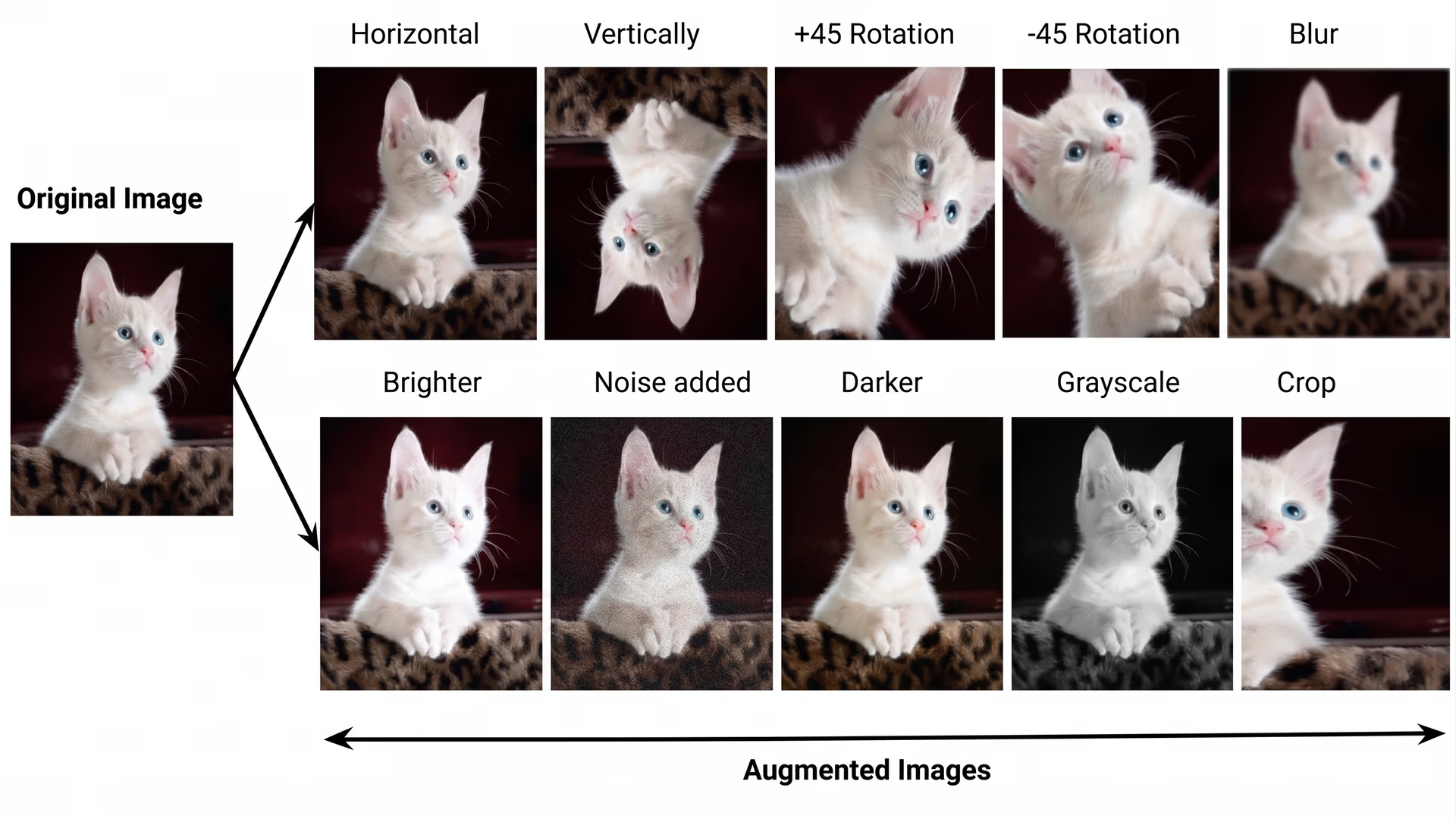
Fig 1. Examples of different types of image data augmentations.
Key features of Albumentations#
Albumentations is known for its high performance, meaning it can process images quickly and efficiently. Built on optimized libraries like OpenCV and NumPy, it handles large datasets with minimal processing time, making it ideal for fast data augmentation during model training.
Here are some other key features of Albumentations:
- Wide range of transformations: Albumentations provides over 70 types of augmentations. These variations help models learn to detect objects despite changes in lighting, angles, or backgrounds.
- Optimized for speed: It uses advanced optimization techniques like SIMD (Single Instruction, Multiple Data), which processes multiple data points at once to speed up image augmentation and handle large datasets efficiently.
- Three levels of augmentations: It enhances data in three ways. For instance, pixel-level augmentations adjust brightness and color without altering objects. Meanwhile, spatial-level augmentations modify object positioning while preserving key details, and mixing-level augmentations blend parts of different images to create new samples.
Why should you use the Albumentations integration?#
You might be wondering: there are many ways to apply augmentations to a dataset, and you could even create your own using tools like OpenCV. So, why choose an integration that supports a library like Albumentations?
Manually creating augmentations with tools like OpenCV can take a lot of time and requires some expertise. It can also be tricky to fine-tune the transformations to get the best results. The Albumentations integration makes this process easier. It offers many ready-to-use transformations that can save you time and effort when preparing your dataset.
Another reason to choose the Albumentations integration is that it works smoothly with the Ultralytics model training pipeline. It makes it much easier to custom-train YOLO11, as the augmentations are automatically applied during training. It simplifies the process, so you can focus more on improving your model rather than handling data preparation.
Getting started with the Albumentations integration#
Interestingly, using the Albumentations integrations to train Ultralytics YOLO11 is more straightforward than it might seem. Once the right libraries are set up, the integration automatically applies image data augmentations during training. It helps the model learn from different image variations using the same dataset.
Next, let’s walk through how to install and use the Albumentations integration when custom-training Ultralytics YOLO11.
Installing the Ultralytics Python package and Albumentations#
Before applying augmentations, both the Ultralytics Python package and Albumentations need to be installed. The integration has been built so that both libraries work together seamlessly by default, so you don’t need to worry about complex configurations.
The entire installation process can be completed in just a couple of minutes with a single pip command, which is a package management tool for installing Python libraries, as shown in the image below.
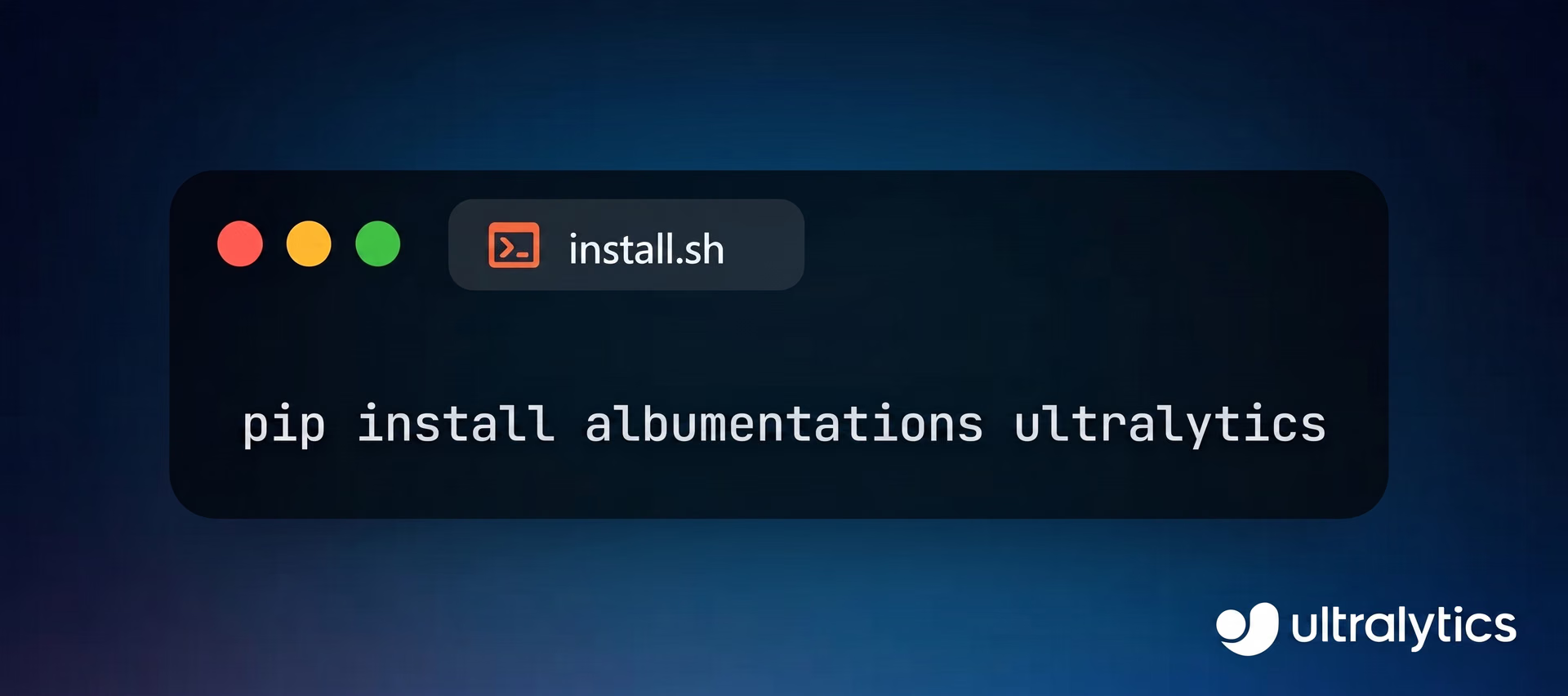
Fig 2. Installing Ultralytics and Albumentations.
Once Albumentations is installed, the Ultralytics model training mode automatically applies image augmentations during training. If Albumentations is not installed, these augmentations will not be applied. For more details, you can refer to the official Ultralytics documentation.
Training Ultralytics YOLO11 with the help of the Albumentations integration#
Let’s get a better understanding of what’s happening under the hood of the Albumentations integration.
Here’s a closer look at the augmentations being applied during Ultralytics YOLO11 training:
- Blur: This transformation adds a slight blur to an image. It helps the model detect objects even when they are out of focus.
- Median blur: It reduces random noise while preserving object edges in an image. This makes it easier for the model to detect objects in complex environments.
- Grayscale: By converting an image to black and white, this augmentation can help the model focus on shapes and textures instead of colors.
- CLAHE (Contrast limited adaptive histogram equalization): This augmentation boosts the contrast in images, particularly in areas that are too dark or difficult to see, such as in low-light or hazy conditions. This makes objects in those areas clearer and easier for the model to identify.
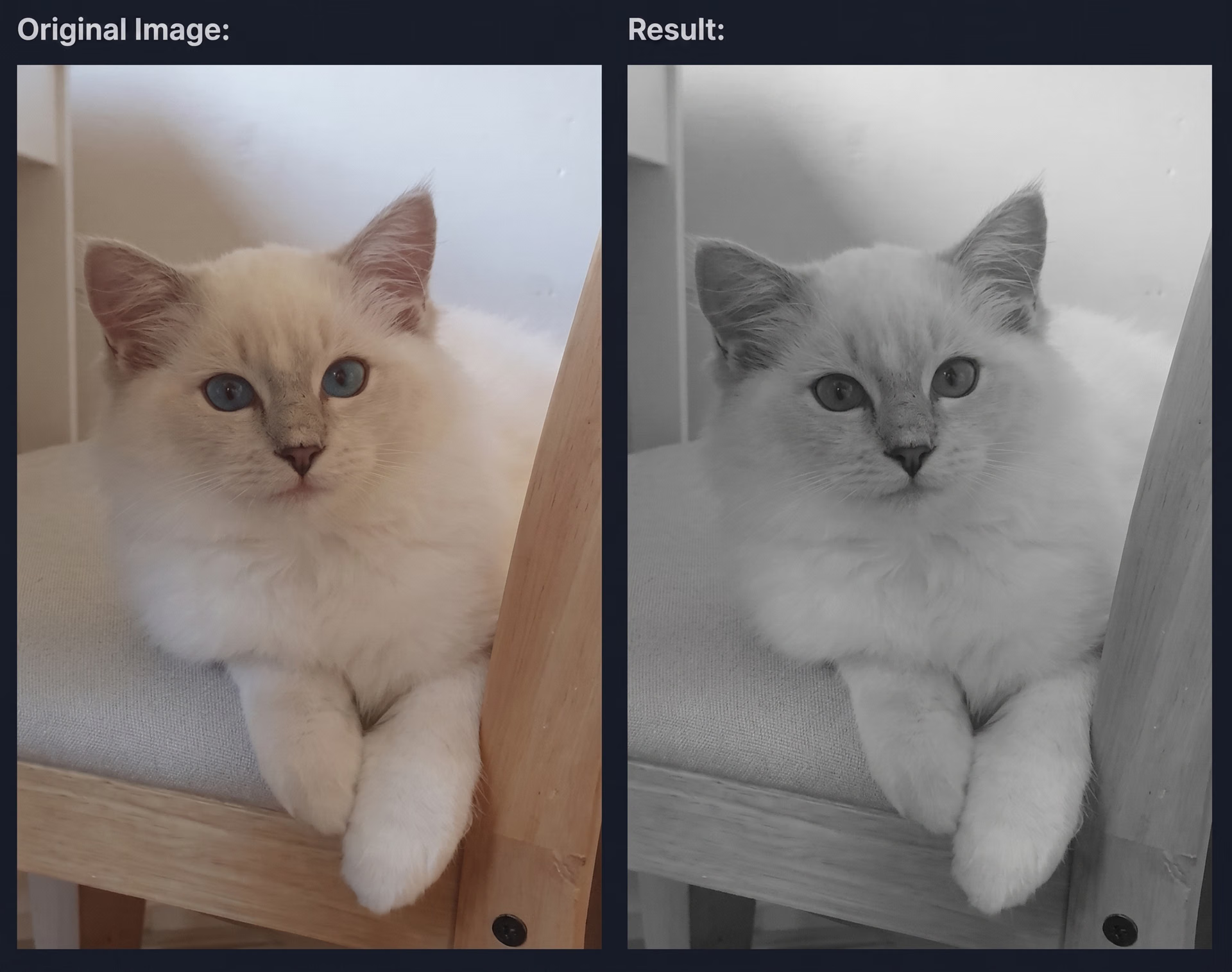
Fig 3. An example of a grayscale augmentation applied to an image of a cat.
Applications of Ultralytics YOLO11 and the Albumentations integration#
If you are custom-training Ultralytics YOLO11 for a specific application, the Albumentations integration can help enhance the model’s performance by adapting to various conditions. Let’s discuss some real-world applications and the challenges this integration can solve.
Improving medical imaging#
Vision AI in healthcare is helping doctors analyze medical images more accurately to assist with diagnoses and improve patient care. In fact, around a fifth of healthcare organizations are already using AI solutions.
However, creating these computer vision solutions comes with its own set of challenges. Medical scans can vary widely between hospitals, influenced by factors like different equipment, settings, and even technicians' experience. Variations in brightness, contrast, and exposure can affect the consistency and accuracy of vision AI models, making it difficult for them to perform reliably across different environments.
This is where the integration of tools like Albumentations becomes essential. By generating multiple augmented versions of the same scan, Albumentations enables the model to learn from a variety of image qualities. This helps the model become more robust, allowing it to detect diseases accurately across both high and low-quality images.
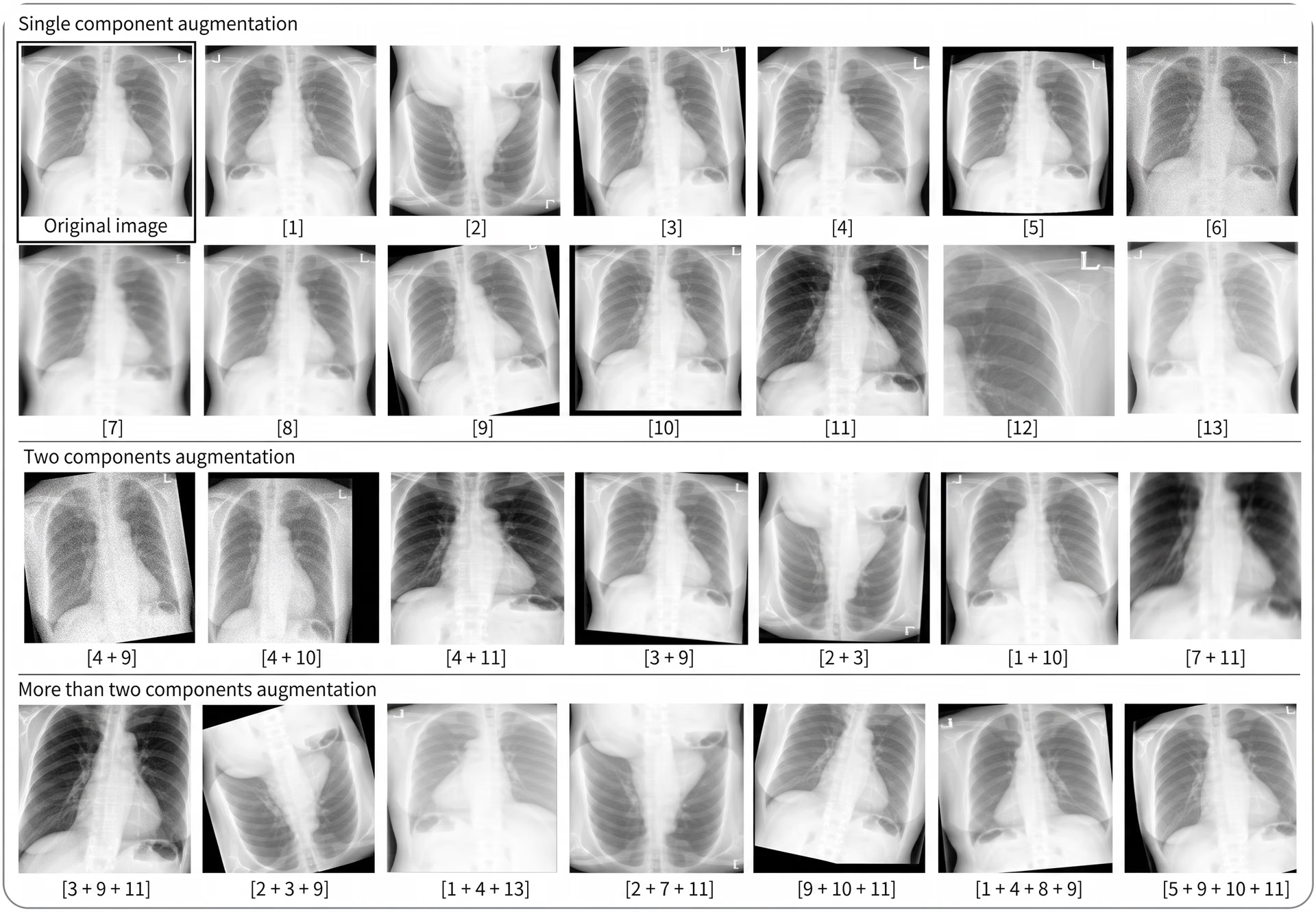
Fig 4. Augmented X-ray images.
Enhancing security and surveillance#
Another interesting application of vision AI is in security and surveillance. Real-time object detection can help security teams identify potential threats quickly.
A primary concern related to this application is that security cameras capture footage under various lighting conditions throughout the day, and these conditions can dramatically affect how a model understands such images. Factors like low-light environments, glare, or poor visibility can make it difficult for computer vision models to detect objects or recognize potential threats consistently.
The Albumentations integration helps by applying transformations to mimic different lighting conditions. This lets the model learn to detect objects in both bright and low-light environments, making it more reliable and improving response times in challenging conditions.
Redefining retail workflows and customer experience#
A spill in a supermarket aisle, a dog running through a store, or a child knocking over a product display are just a few examples of everyday events that can be edge cases for vision AI in retail environments. Computer vision is increasingly used to improve the customer experience by tracking shopper behavior, monitoring foot traffic, and identifying products on shelves. However, these real-world situations can be difficult for AI systems to understand and accurately process.
While not every scenario can be represented in a computer vision dataset, the Albumentations integration helps by augmenting data to cover many possible situations, such as unexpected lighting, unusual angles, or obstructions. This helps computer vision models adapt to various conditions, improving their ability to handle edge cases and make accurate predictions in dynamic retail environments.
Key takeaways#
Collecting diverse real-world data for model training can be complicated, but Albumentations makes it easier by creating image variations that help models adapt to different conditions.
The Albumentations integration supported by Ultralytics simplifies the process of applying these augmentations while custom-training YOLO11. This results in better dataset quality, which benefits a wide range of industries by producing more accurate and reliable vision AI models.
Join our community and explore our GitHub repository to learn more about AI, and check out our licensing options to kickstart your vision AI projects. Interested in innovations like AI in manufacturing or computer vision in self-driving? Visit our solutions pages to discover more.








