Small object detection with image tiling in Ultralytics YOLO, from Python to Rust
See when image tiling helps YOLO detect small objects, compare its costs, and run built-in tiled inference in Python or Rust without SAHI.
 Onuralp Sezer14 min read
Listen to this article
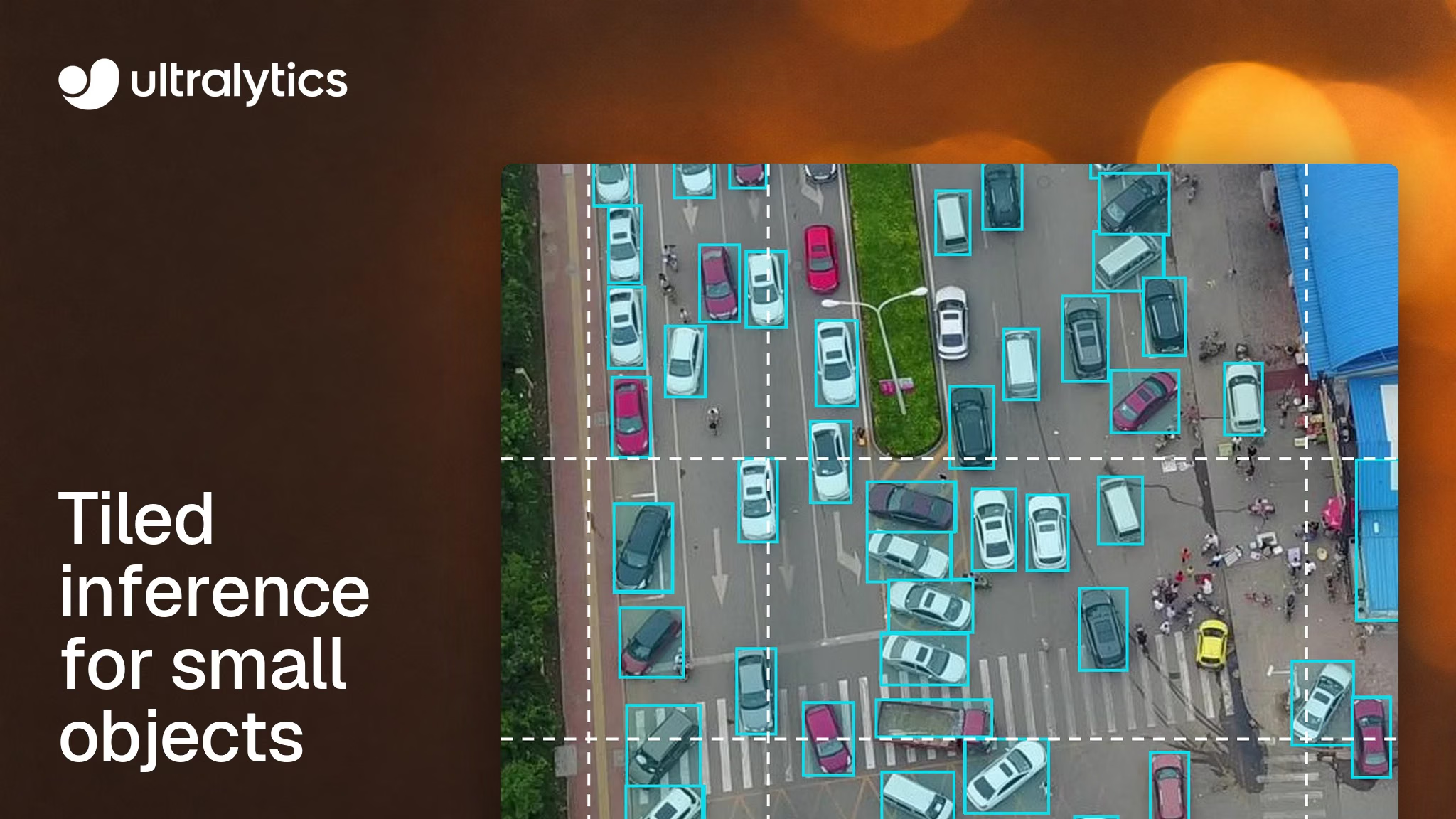
Why does a detector that works fine on ordinary photos miss most of the people in a drone frame? Often because it never sees them at full size. At the default imgsz=640, Ultralytics YOLO shrinks a 1920 x 1080 frame three times before the model looks at it, so a pedestrian 15 pixels tall ends up about 5 pixels tall.
Image tiling can preserve that small-object detail by running the model on overlapping windows of the full-resolution image and merging the results. On one VisDrone frame in our docs, it took Ultralytics YOLO26s from 35 detections to 161. The price is more work per frame: eight tile inputs instead of one image for that frame.
Tiling is now built in on both sides of a deployment. The Python package has had a tile argument since Ultralytics 8.4.204 on November 6, and the Rust crate added a --tile flag in Ultralytics Inference 0.0.57 on November 9. This guide covers when tiling recovers small objects, what it costs, and how to run it in each.
Resizing is what hides small objects#
Small object detection is hard for a simple reason: an object only has the pixels it has. An object detection model learns shapes from a handful of pixels per object, and when the whole frame is shrunk to 640 pixels on its longest side, distant people, vehicles and defects drop below what the network can separate from texture and noise.
You see this most in aerial imagery, satellite image analysis, wide-angle traffic and security cameras, and high-resolution inspection photos. VisDrone is a widely used public aerial benchmark: its docs describe objects that are often only a few dozen pixels in frame, in dense, heavily occluded groups.
Tiling keeps those pixels. With tile set to the model's input size, the model sees several windows at native resolution instead of one pass over a shrunken frame. The idea is the one the SAHI paper calls slicing-aided hyper inference, which its authors evaluated on the VisDrone and xView aerial datasets.
In the High Resolution Tiling guide, YOLO26s on a 1920 x 1080 VisDrone frame at the default confidence threshold returns 35 detections on the whole image at imgsz=640, and 161 with tile=640, including distant pedestrians, cyclists and cars. The guide shows both images side by side. Those are prediction counts, not a scored evaluation. The same weights produced both counts; tiling also changed the context each window saw.
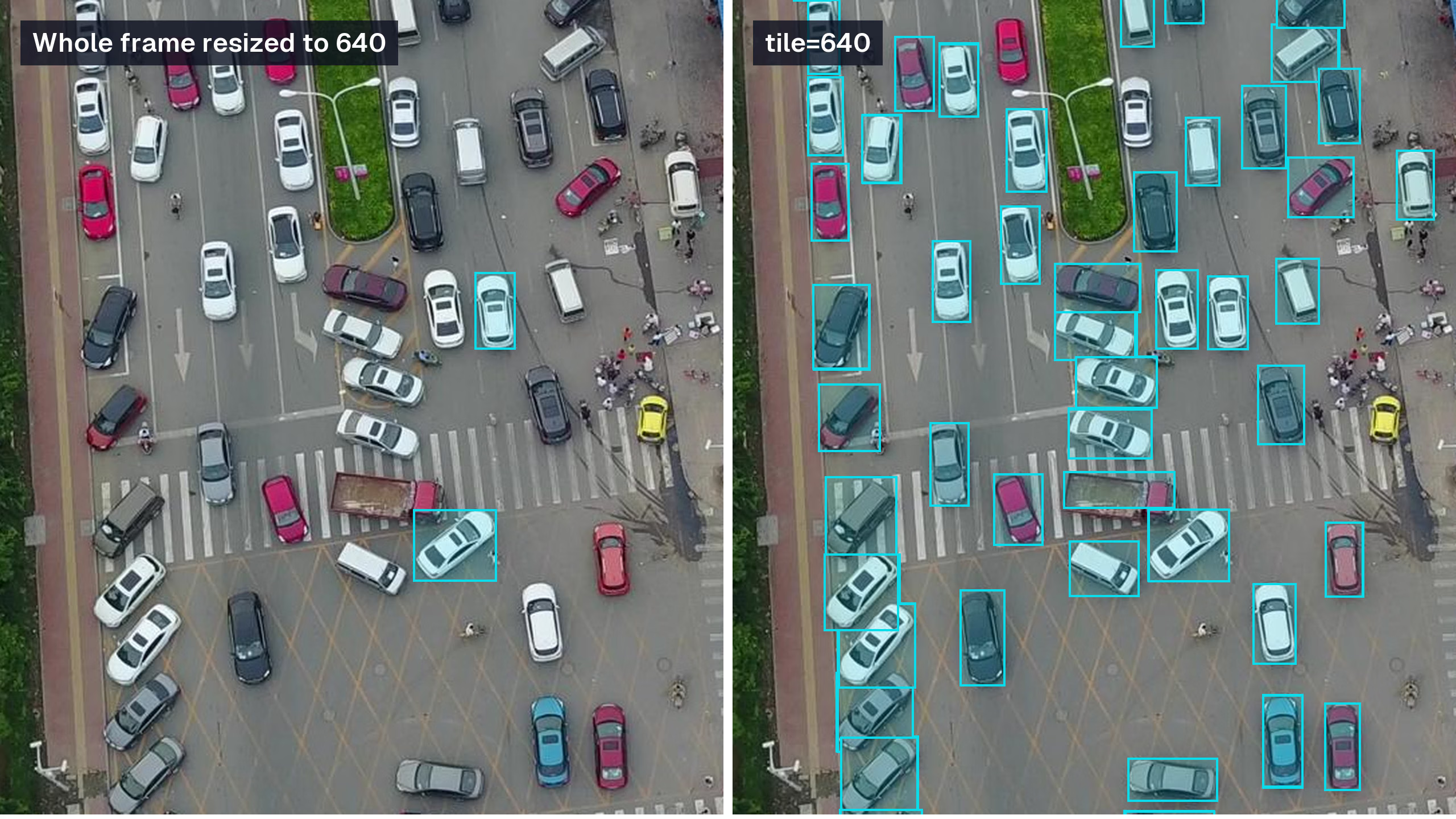
A second 1920 x 1080 VisDrone validation frame, YOLO26s at the default confidence: 8 detections on the whole frame at imgsz=640, 128 with tile=640. Crop of the road shown, boxes without class labels.
Tiling adds one model input per window#
The guide defines the windowing precisely. Windows overlap by a base 20%, and the last row and column align to the image boundary, so edge windows can overlap more. An image smaller than the window gets a single full-image window.
That makes the cost easy to predict. A 1920 x 1080 frame at tile=640 runs eight windows, four across and two down. A 3840 x 2160 frame at tile=1280 also runs eight. Applying the same 20% rule to a 3840 x 2160 frame at tile=640 gives eight columns and four rows, 32 windows, so halving the window size on a 4K frame quadruples the tile inputs.
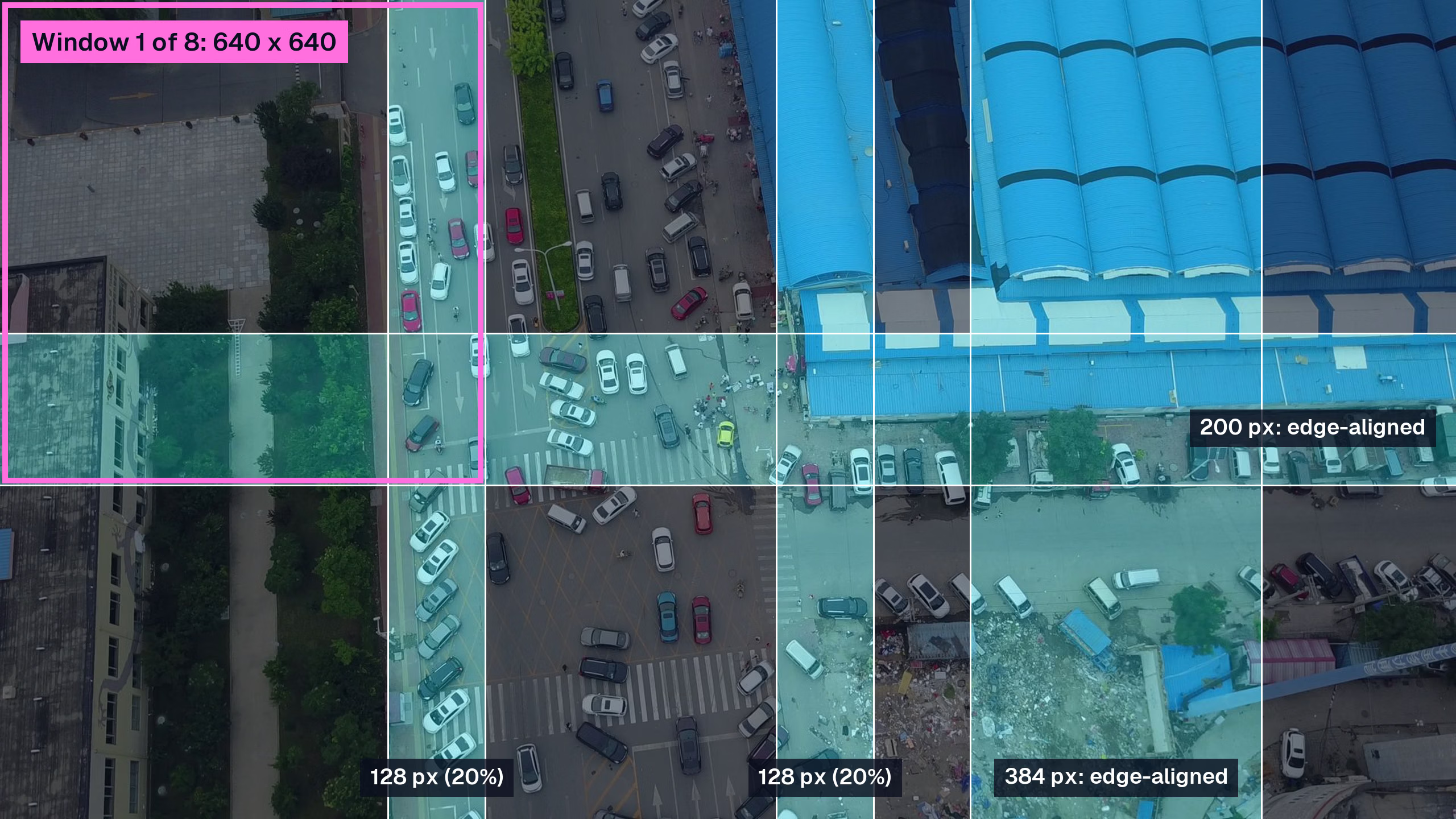
The eight windows tile=640 uses on a 1920 x 1080 frame: columns start at x = 0, 512, 1024 and 1280, rows at y = 0 and 440. Shaded bands are seen by more than one window.
Batching changes how those inputs reach the model. In Python, batch sets how many windows run through the model together in one inference call, and the Rust crate does the same with --batch on a dynamic-batch export. Batching can improve throughput, but measure latency on your hardware; our guide to batch inference with Ultralytics YOLO explains why.
Here is how tiling compares with the other ways to give small objects more pixels:
| Approach | Model inputs for a 1920 x 1080 frame | What the model sees | Best when |
|---|---|---|---|
Whole image, imgsz=640 | 1 | Frame shrunk 3x | Objects stay clearly visible after resizing |
Whole image, imgsz=1280 | 1, at roughly 4x the compute of 640 | Frame shrunk 1.5x | Memory and latency allow a larger input |
tile=True with imgsz=640 | 8 | Native-resolution 640-pixel windows | Images several times larger than the model input |
tile=400 with imgsz=640 | More than 8 | Windows enlarged to 640 | Objects only a few pixels wide even at native resolution |
Each tile is a normal-sized model input, so tiling handles very large images without raising imgsz. Source-sized outputs such as masks and depth maps still need memory proportional to the original image, and max_det limits how many instance masks are kept.
When tiling helps, and when it hurts#
Tiling helps when objects are small relative to the frame and the frame is much larger than the model input. Drone and satellite imagery, overhead traffic, crowds, retail shelves photographed wide, and visual inspection images of whole boards or panels all fit.
It hurts when objects are large. A window only sees part of a truck that fills half the frame, and the guide is plain about it: objects larger than the overlap can still be split because no window sees them whole, and merging does not join separate fragments. It also removes global context, which matters most for classification and depth, where tile outputs may not agree across the image.
Smaller windows bring one more trade-off. Enlarging a 400-pixel window to 640 helps with objects only a few pixels wide, but it also enlarges background clutter, which can turn into false positives. Compare two or three tile sizes on your own validation set and watch precision as well as recall.
How tiles merge back into one result#
Each window produces its own predictions in window coordinates. Tiling maps them back to the source image and returns one Results object per original image, so downstream code that reads result.boxes works unchanged.
Overlap means an object near a seam can be detected twice. For detection, duplicates are suppressed with non-maximum suppression using your iou, agnostic_nms and max_det settings, so our guide to tuning the NMS IoU threshold applies directly to tiled output. A box cut by a window edge is dropped when another window sees the object clear of its edges and a kept box covers it, so the seam keeps the more complete prediction. A cut box with no better match is kept.
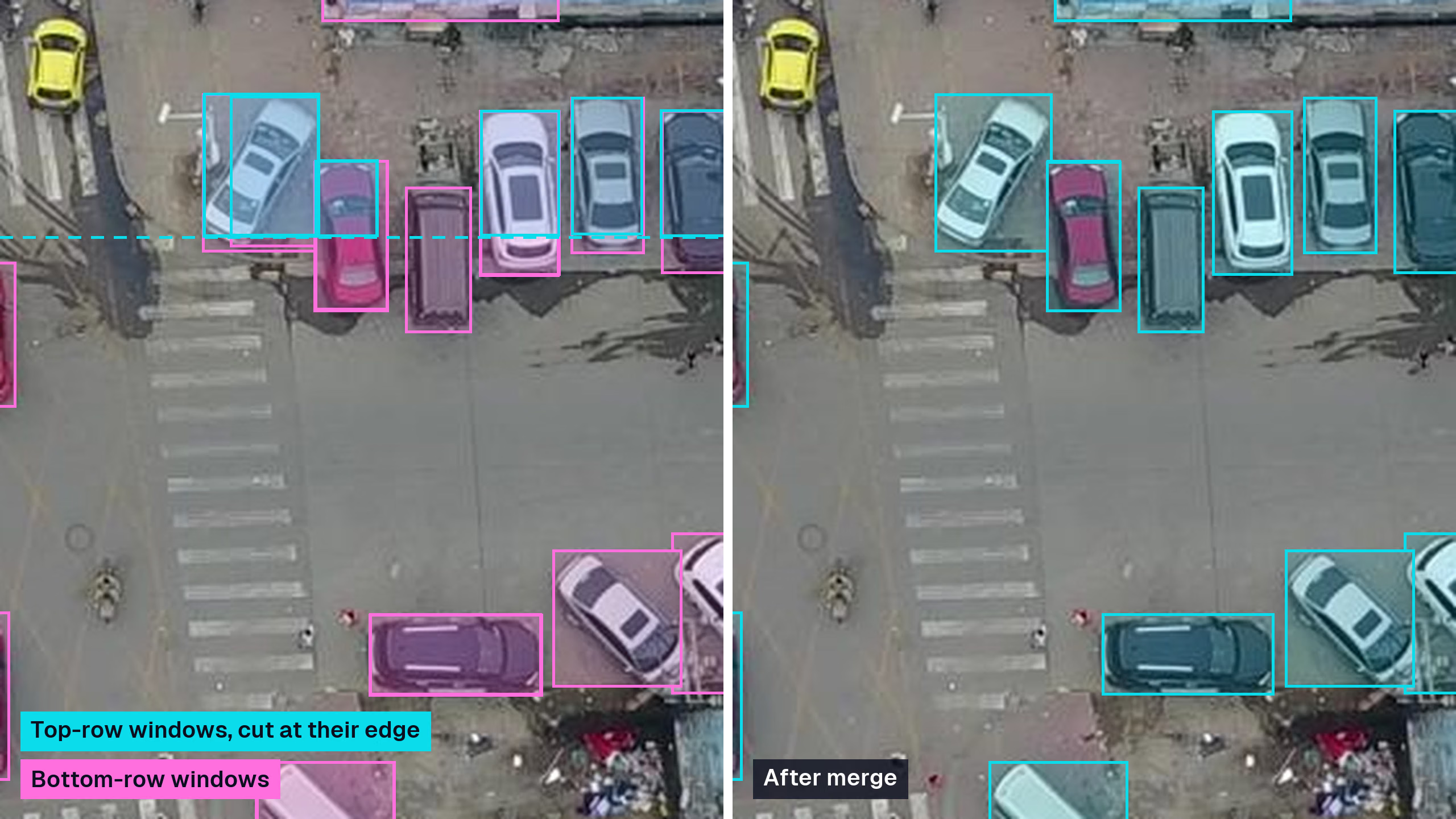
An illustration of seam handling at y = 640 in the same frame. Cyan boxes are cut by the top-row windows' bottom edge, magenta boxes come from the bottom-row windows, and the right panel shows the more complete box kept for each car after merging.
Every Ultralytics YOLO task merges in its own way:
- Detect, segment, pose and OBB restore boxes, masks, keypoints or rotated boxes to source coordinates and apply box selection, with rotated NMS for OBB.
- Semantic segmentation stitches class maps, choosing the most central tile where windows overlap.
- Depth blends overlapping depth maps with weights that increase toward each tile's center.
- Classify averages tile probabilities.
The Python pipeline also tiles YOLO-World, YOLOE, RT-DETR and FastSAM prediction. SAM keeps its own crop pipeline and doesn't accept tile.
Tiled inference in Python with the tile argument#
Tiling needs Ultralytics 8.4.204 or later and no extra package. In predict mode, pass tile=True to use imgsz as the window size, or an integer to set the window size separately:
from ultralytics import YOLO

model = YOLO("yolo26s.pt")

# Baseline: one pass over the frame shrunk to 640 pixels
full = model.predict("intersection.jpg", imgsz=640)

# Tiled: 640-pixel windows at native resolution, 8 windows per batch
tiled = model.predict("intersection.jpg", imgsz=640, tile=640, batch=8)

print(len(full[0].boxes), len(tiled[0].boxes))
The same argument works from the CLI with yolo predict model=yolo26s.pt source=large-image.tif tile=640 imgsz=640 batch=8. For video, pass stream=True to keep memory bounded. In track mode, the tracker runs once per frame on the merged predictions.
Tiling isn't only for prediction. When your images are much larger than imgsz, train and validate with the same setting:
- Train on tiles with
model.train(data="aerial.yaml", tile=True, imgsz=640). Labels are clipped to each window, instances with less than 10% of their original box area left are removed, and empty windows stay in as negative examples. - Validate on merged results with
model.val(data="aerial.yaml", tile=True, imgsz=640). Predictions are merged before they are scored against the original annotations, so mAP reflects what you'll deploy. - Cache large sources with
cache="ram", since training shuffles tiles and would otherwise decode the same large image many times. - Compare against a whole-image baseline on the same validation split before you keep the tiled model. For more ways to lift scores on tiny objects, see our small-object mAP checklist.
Training on tiles shows the model objects at the scale it will see during tiled prediction. Our drone detection dataset guide walks through this full train, tile and evaluate loop on 4K frames.
Exported models tile too. Tiling runs in the Python prediction pipeline, so a model exported to ONNX or TensorRT keeps its normal input graph, and YOLO("yolo26s.onnx").predict(source, tile=640) works as usual, including fixed export batch sizes and the last partial batch.
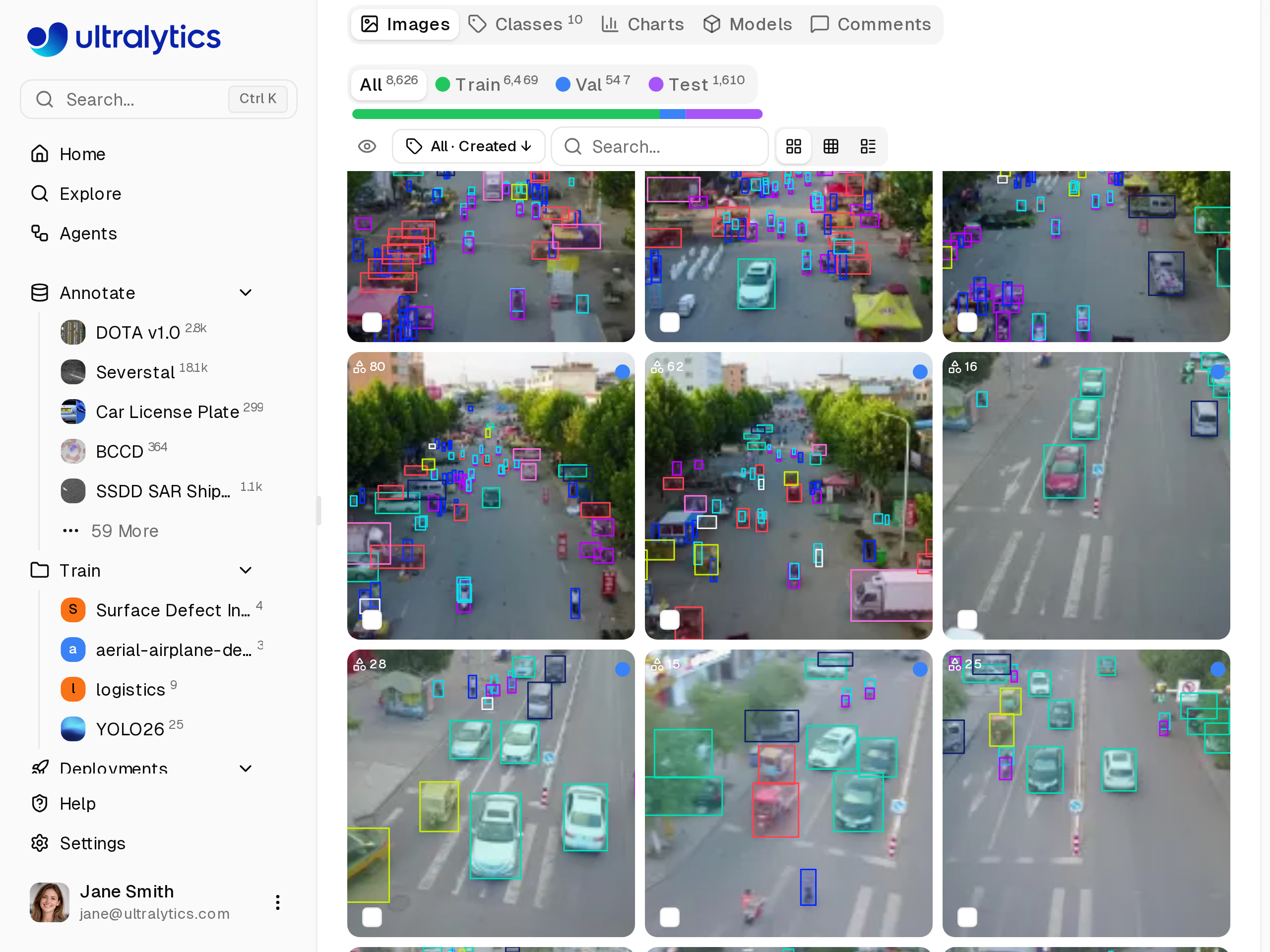
The VisDrone dataset in Ultralytics Platform, a ready-made benchmark for testing tile sizes before your own data is labeled.
To try tile sizes on public data first, start from the VisDrone dataset on Ultralytics Platform. To track a tiled run alongside your baseline, copy the Local Training command from the Platform training dialog, set project to your baseline's Platform project, and add tile=True to stream the tiled run's metrics there.
Tiled inference in Rust with the new --tile flag#
Ultralytics Inference is our Rust crate and CLI for running exported ONNX models through ONNX Runtime and OpenVINO IR models natively, with no Python runtime at inference time. It targets servers, containers and edge devices on CPU, CUDA, TensorRT, CoreML, OpenVINO and other execution providers. Version 0.0.57 brings the same tiling approach as Python: a base 20% window overlap, results mapped back to the source image, duplicates removed per class.
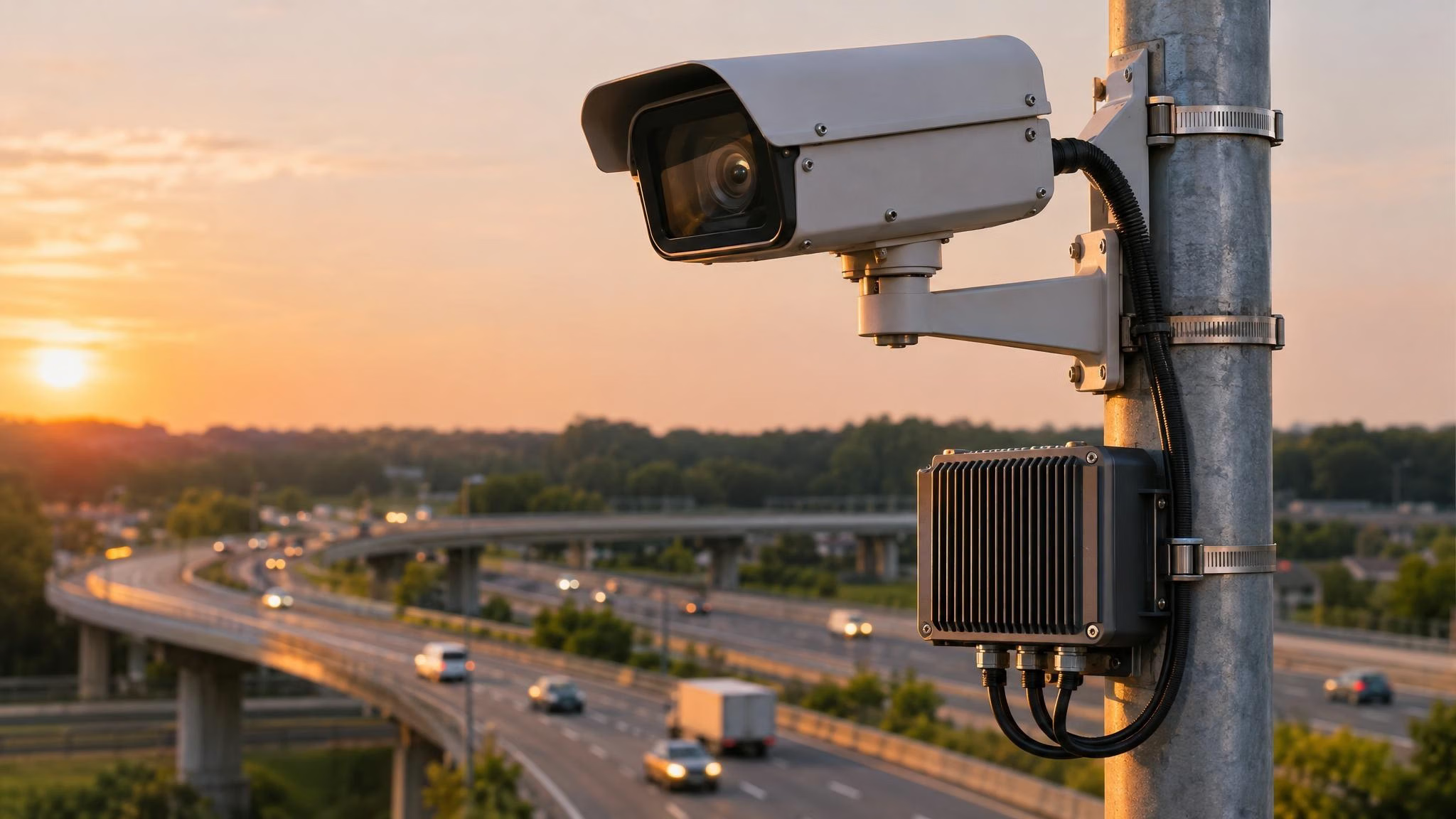
Illustrative. A roadside camera with an edge computer, the kind of Python-free deployment the Rust crate targets.
The team checked tiled output against Ultralytics Python on ONNX Runtime CPU, OpenVINO CPU, GPU and NPU, CUDA and TensorRT, for images, video and webcam. Detection, segmentation, semantic segmentation, depth, classification, pose and OBB models are all supported.
From the CLI, add --tile with a window size, or pass it bare to use --imgsz. Exporting the model is a one-time Python step; inference itself needs only the Rust binary:
# One-time export in Python: a dynamic-batch ONNX model so several windows run per call
pip install -U "ultralytics[export-base]>=8.4.204"
yolo export model=yolo26s.pt format=onnx dynamic=True

# Install the Rust CLI
cargo install ultralytics-inference

# Tiled inference on a large image: 640-pixel windows, 8 per batch
ultralytics-inference predict --model yolo26s.onnx --source aerial.jpg --tile 640 --batch 8
As a library, set tiling once in InferenceConfig and every predict call is tiled. with_tile(0) uses the inference size:
use ultralytics_inference::{InferenceConfig, YOLOModel};

fn main() -> Result<(), Box<dyn std::error::Error>> {
    let config = InferenceConfig::new().with_tile(640);
    let mut model = YOLOModel::load_with_config("yolo26s.onnx", config)?;
    let results = model.predict("aerial.jpg")?;
    if let Some(ref boxes) = results[0].boxes {
        println!("{} detections", boxes.len());
    }
    Ok(())
}
Duplicate boxes across windows are removed with per-class NMS at the configured --iou, which defaults to 0.5 as of the same release, matching Ultralytics prediction defaults. Tiling stays off by default, because every window is another model input. Enable it where detail matters, measure inference latency on the target device, and pick the execution provider that fits it; our ONNX vs TensorRT comparison helps on NVIDIA hardware, and the NVIDIA Jetson guide covers on-device setup.
SAHI users can switch to the built-in tile argument#
If you already slice images with the SAHI library, the built-in argument does the same job inside Ultralytics, without a second package or a separate results format. Our SAHI integration guide is now deprecated in favor of tile.
Moving a SAHI script over is mostly a change of arguments:
| SAHI | Built-in tiling |
|---|---|
AutoDetectionModel.from_pretrained(model_type="ultralytics", ...) | YOLO("yolo26s.pt") |
get_sliced_prediction(image, model, slice_height=256, slice_width=256, ...) | model.predict(image, tile=256) |
overlap_height_ratio, overlap_width_ratio | Fixed base 20% overlap, edge windows aligned to the image boundary |
SAHI PredictionResult | Standard Ultralytics Results |
Windows are square, and overlap and merging follow the rules described above rather than SAHI's configurable postprocessing, so expect similar rather than identical boxes. Re-check your thresholds on a validation set after switching.
The practical difference is integration. tile plugs into Ultralytics training, validation, prediction and tracking with the same argument, returns standard Results objects, and has a matching option in the Rust crate, so a tile size you validated in a notebook carries over to a Rust binary on the edge.
Who should turn tiling on#
Turn tiling on if you run Ultralytics YOLO on images several times larger than the model input and your validation shows missed small objects: drone and satellite teams, traffic and security integrators with wide-angle cameras, and inspection teams photographing whole boards, panels or shelves. Rust users get the same tiling approach on edge hardware without a Python runtime.
Leave it off when objects are large relative to the frame, when a larger imgsz already recovers them in one pass, or when the latency budget can't absorb several tile inputs per frame. In every case, compare tiled and whole-image results on the same validation split at the same confidence threshold, looking at recall, false positives and latency, and keep tiling only where its gain is worth the extra work.
Ultralytics Platform keeps that comparison in one place: label your own high-resolution images or start from VisDrone, train a whole-image baseline on cloud GPUs, train another baseline at a larger imgsz, and log a tiled run from your own machine into the same project. The High Resolution Tiling guide details the tiling options, and the Ultralytics Inference docs cover the Rust deployment.
Both the Python package and the Rust crate are available under AGPL-3.0. If tiled detection is going into a closed-source product or an edge device you ship to customers, an Ultralytics Enterprise License permits commercial use of the covered Ultralytics software without AGPL-3.0 source-disclosure requirements, subject to its terms.
Frequently asked questions
Image tiling splits a large image into overlapping windows, runs the detector on each window, and merges the boxes back onto the original image. When the window matches the model input size, small objects keep pixels they would lose if the whole image were resized. In Ultralytics YOLO, the
tileargument does this with a base 20% overlap and returns one result per image.First check whether resizing is the problem: if objects shrink to a few pixels at
imgsz=640, test a largerimgszortile=True. Train with the same setting you'll predict with, so the model learns objects at their deployed scale, and validate per size and class. Tiling suits images several times larger than the model input.It adds one model input per window: a 1920 x 1080 frame at
tile=640produces eight tile inputs instead of one image. Running several tiles in one batched call, withbatchin Python or--batchwith a dynamic-batch export in Rust, can improve throughput. Measure latency on your target hardware.No. Since Ultralytics 8.4.204, the built-in
tileargument handles sliced inference without an extra package, and it also tiles training, validation and tracking. The SAHI guide in our docs is deprecated in favor oftile.Yes. In Python, exported models keep their normal input graph and you pass
tiletopredictas usual. In Rust, Ultralytics Inference 0.0.57 adds--tileto the CLI andwith_tiletoInferenceConfig, checked against Python on ONNX Runtime CPU, OpenVINO, CUDA and TensorRT.Start with
tile=True, which usesimgszas the window size. Use a smaller window, such astile=400withimgsz=640, when objects are only a few pixels wide even at native resolution, and a larger one when objects risk being cut at seams. Compare a few sizes on your validation set, watching both recall and false positives.
Written by
Senior Machine Learning Engineer · Ultralytics
Comments
Ask a question, share your results, or help someone else.