License YOLO
Ultralytics YOLO

AI in self-driving cars

Explore how computer vision in autonomous vehicles enables real-time perception and decision-making, improving safety and the overall driving experience.

Mostafa Ibrahim8 min read

Listen to this article
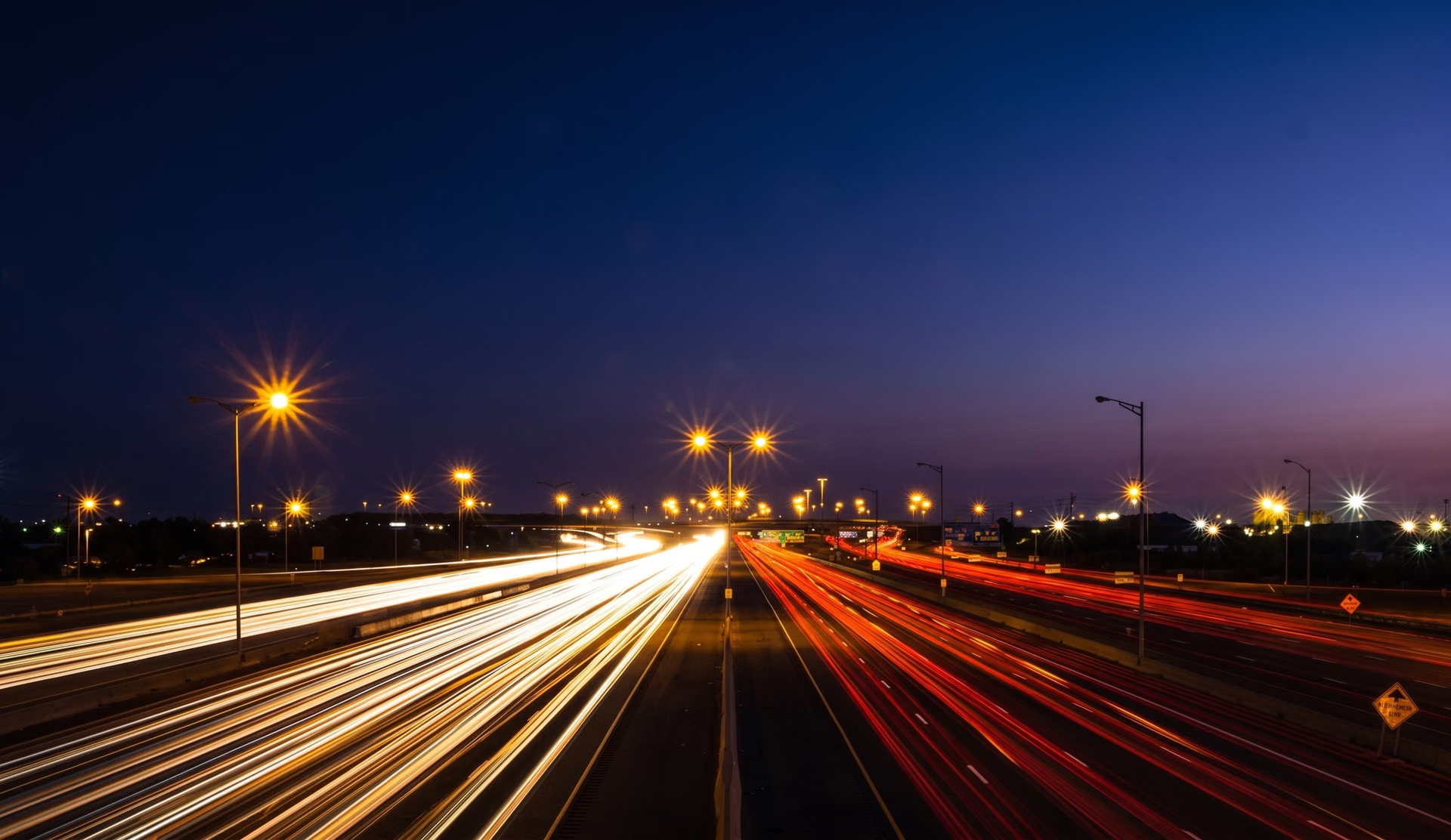
Computer vision detecting objects and road signs in a self-driving car

Self-driving cars are no longer just a futuristic idea; they’re becoming a reality, driven by advancements in artificial intelligence (AI) for autonomous driving. These vehicles depend heavily on advanced AI systems, particularly computer vision, to understand and interpret the world around them. This technology enables them to identify objects, recognize road signs, and safely navigate complex environments in real time.

With the global autonomous car market valued at over 27 billion U.S. dollars in 2021—and expected to grow to nearly 62 billion by 2026—it’s clear that AI for autonomous driving is shaping the future of transportation. In this article, we’ll take a closer look at how computer vision is applied in self-driving cars, covering key applications like pedestrian detection, traffic sign recognition, and lane-keeping systems, showcasing how these innovations are transforming the future of driving.

The role of AI in self-driving cars#

AI can greatly assist self-driving cars to understand their surroundings and make real-time decisions. Let’s explore how AI, among its many applications, assists with pedestrian detection and traffic sign recognition, two key elements that enhance the reliability of autonomous driving.

AI for pedestrian detection#

Driving entails constant concentration and awareness of what's happening around you while at the wheel. AI in self-driving cars can help with many aspects of the everyday use of our cars. For instance, AI can play an important role in keeping pedestrians safe by spotting them and predicting their movements. According to the "Study of Pedestrian Detection in Self-Driving Cars," this process starts with the car’s cameras, positioned all around the vehicle to capture a full view of the surroundings, including roads, sidewalks, and crosswalks. These cameras are constantly taking in visual data, which helps the car "see" pedestrians, even in busy or challenging situations.

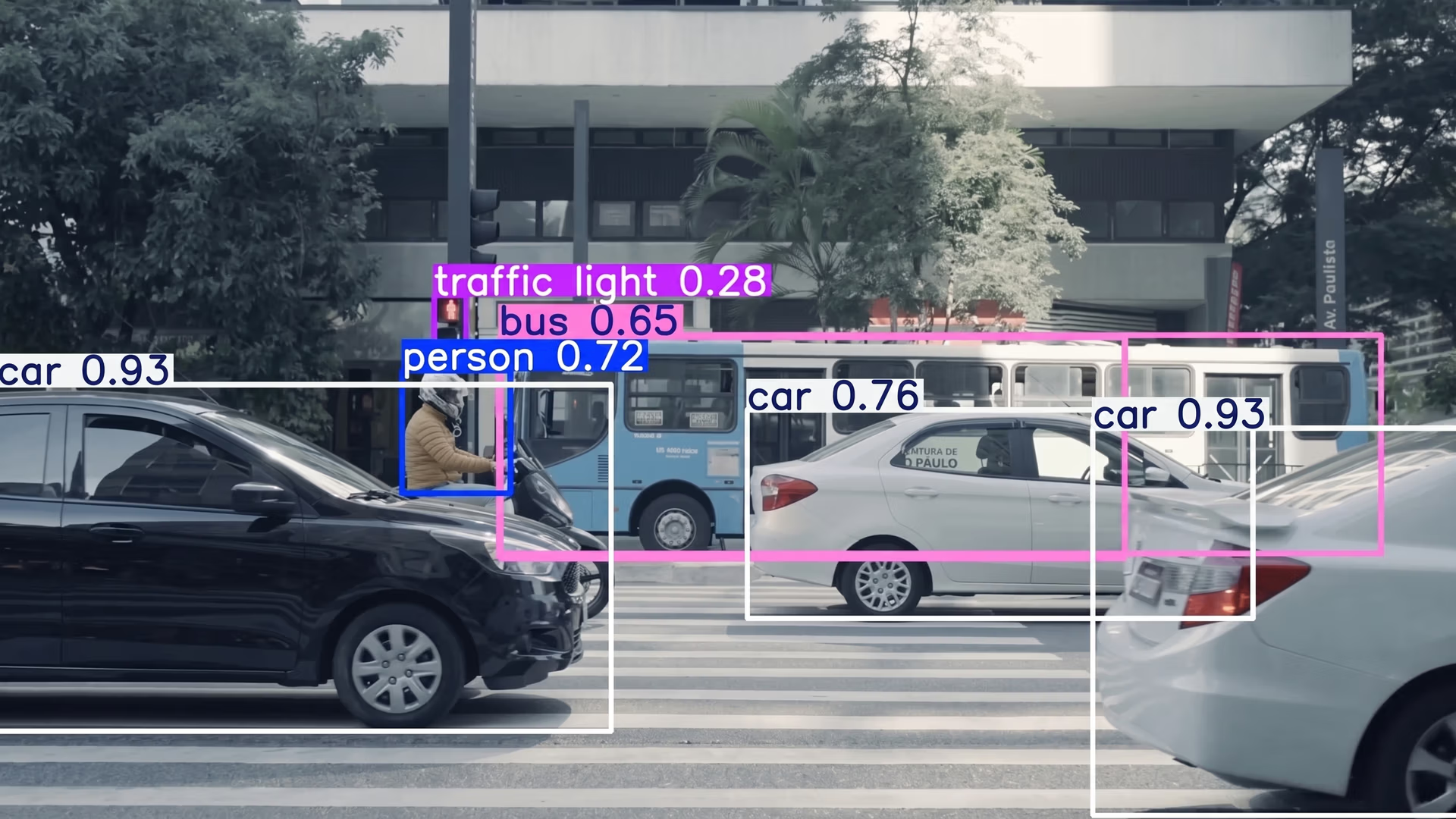
The visual data collected can then be processed using computer vision models such as Ultralytics YOLOv8. To do so, the first step is using object detection which entails identifying the location of potential objects, such as pedestrians, vehicles, and traffic signs, within the image. Once detected, the AI model moves to the next step, which is classification—determining what each detected object actually is. The models are trained on vast datasets, enabling them to recognize pedestrians in various poses, lighting conditions, and environments, even when they are partially obscured or in motion.

While some computer vision models excel at detection and classification, others focus on tasks like predicting the movement of detected pedestrians. In these systems, once an object is classified as a pedestrian, the AI model goes a step further by predicting their next movement. For example, if someone is standing at the edge of a crosswalk, the car can anticipate whether they might step into the road. This predictive ability is crucial for the vehicle to react in real time by slowing down, stopping, or changing direction to avoid any potential danger. To make these decisions even smarter, AI systems can combine the visual data from the cameras with inputs from other sensors like LiDAR, giving the car a more complete understanding of its surroundings.
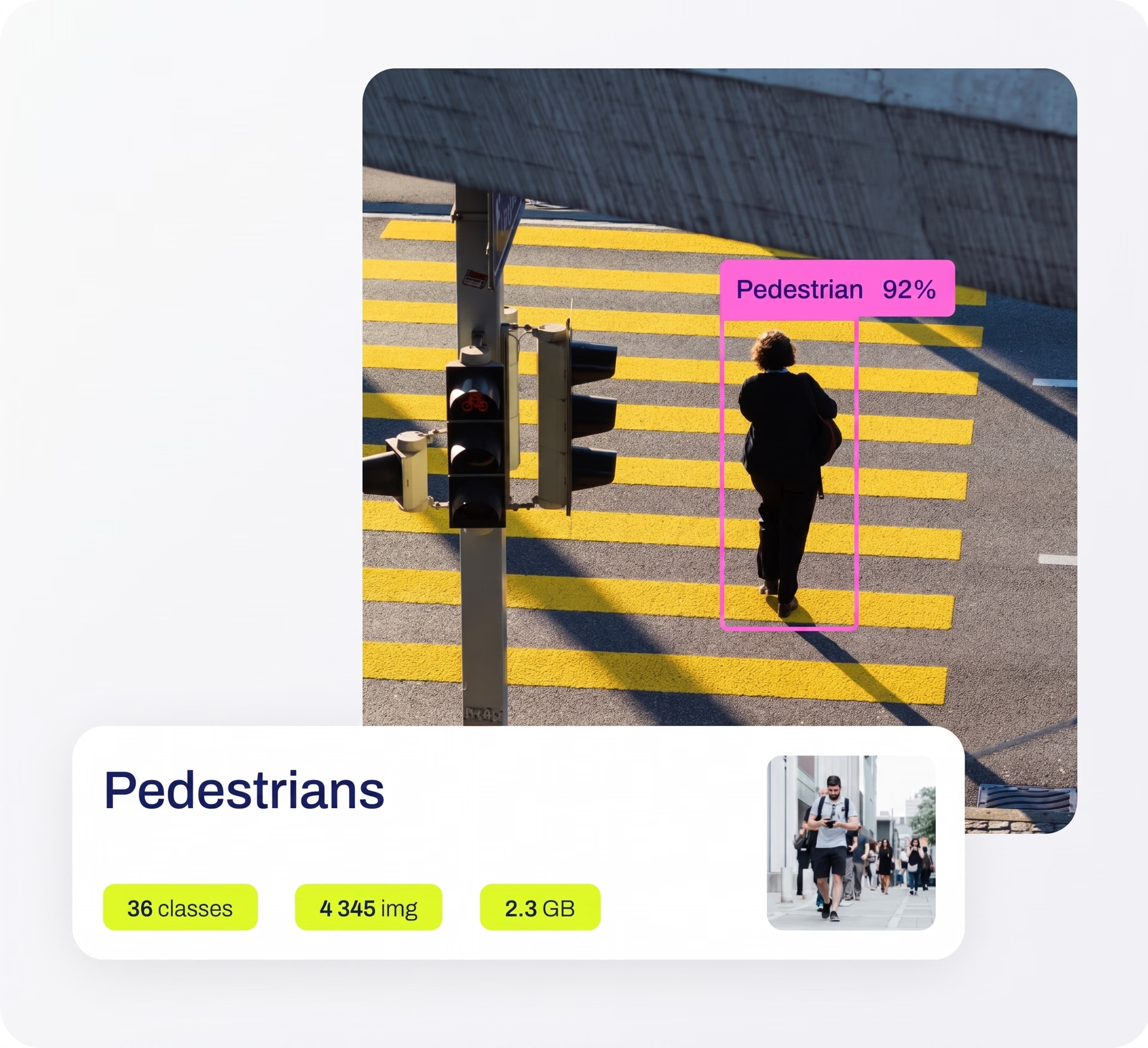
Ultralytics YOLOv8 detecting a pedestrian

Fig 1. Ultralytics YOLOv8 detecting a pedestrian.

AI for traffic sign recognition#

Traffic sign recognition (TSR) is another important part of self-driving cars. It helps the vehicle recognize and respond to road signs in real time, like stop signs, speed limits, and directions. This ensures the car follows traffic rules, avoids accidents, and allows passengers to enjoy a smooth and safe ride.

At the core of TSR are deep learning algorithms that use the car’s cameras to identify signs. These systems need to work in different conditions like rain, low light, or when the sign is viewed from an angle. Older methods rely on techniques like analyzing the shape and color of signs, but they may often fail in complex situations, such as poor weather.

In one research paper, the authors describe using the YOLOv8 model to identify areas of images where traffic signs are located. The model was trained on a dataset that includes images of traffic signs under various conditions, such as different angles, lighting, and distances. Once the YOLOv8 model detects the regions containing traffic signs, it classifies them. These capabilities could assist autonomous vehicles in understanding road conditions by identifying important traffic signs in real time, potentially contributing to safer driving decisions. Public datasets such as TT100K make it possible to train similar traffic sign detectors.
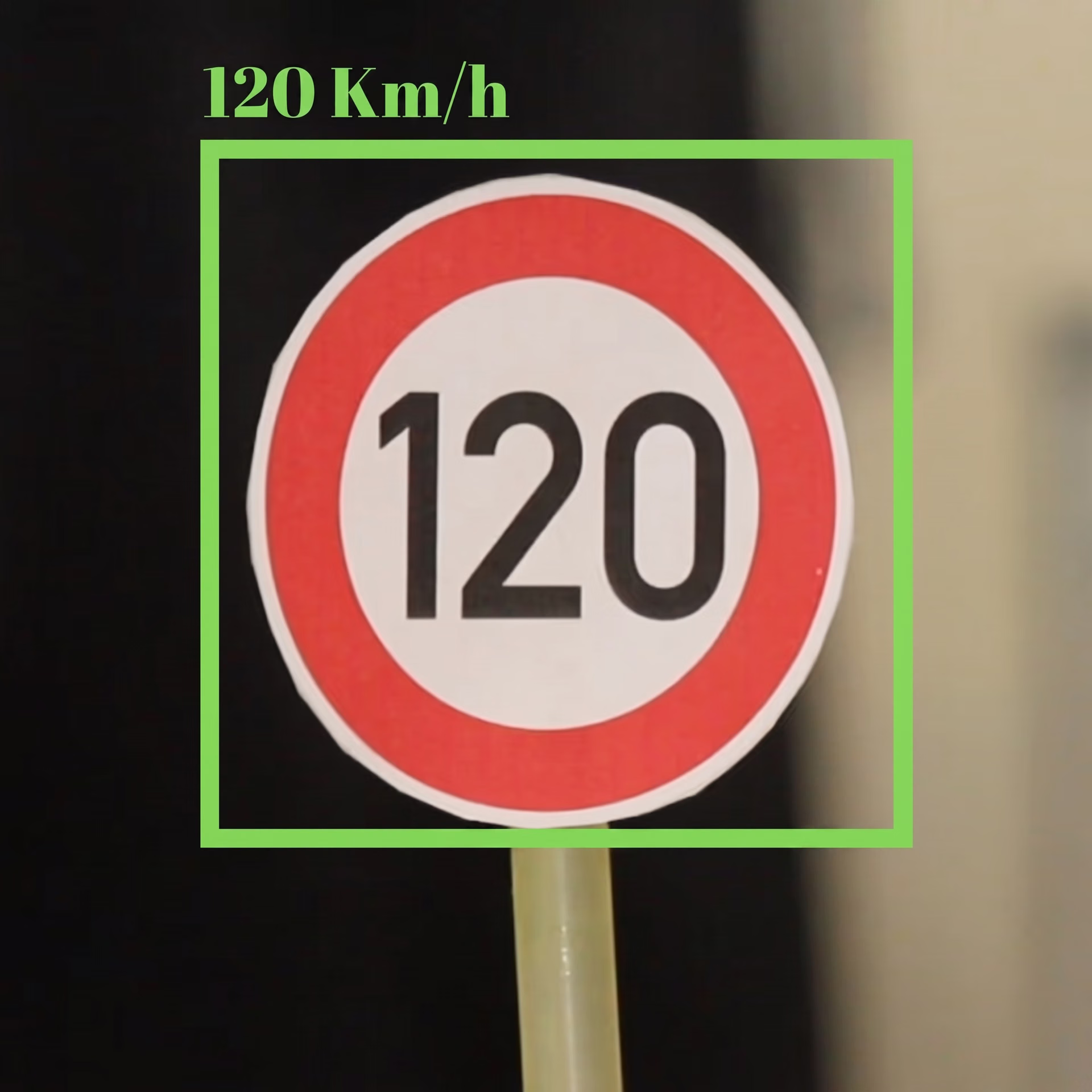
Computer vision model detecting and classifying a traffic sign for autonomous vehicles

Fig 2. Computer vision model accurately detecting and classifying a traffic sign, enabling safe navigation for autonomous vehicles. (Source: computervision.zone)

Benefits of AI in self-driving cars#

AI is progressively changing how self-driving cars work, making them safer and more efficient. With smart algorithms and the ability to process data quickly, these cars can spot hazards, make better driving decisions, and even reduce their impact on the environment. Here are some of the main benefits AI brings to self-driving cars.

Improved safety#

AI is capable of enhancing safety in self-driving cars by enabling real-time detection and response to hazards. According to a report by the National Highway Traffic Safety Administration (NHTSA), 94% of serious crashes are due to human error. AI has the potential to reduce such incidents by reacting faster than human drivers, potentially lowering accident rates as autonomous systems become more advanced.

Smoother traffic flow and fuel efficiency#

AI in autonomous vehicle object detection not only helps with safety but also improves traffic flow. Using AI, these vehicles can adjust their speed, maintain optimal distance, and reduce the need for sudden braking or accelerating, all of which help minimize traffic congestion. AI algorithms also optimize fuel efficiency by ensuring that cars follow the most efficient routes, avoid unnecessary stops, and manage fuel consumption better than human drivers. As a result, AI not only improves the driving experience but also contributes to reducing emissions and fuel costs.

The future of self-driving cars#

The future of self-driving cars revolves around achieving Level 5 autonomy, which means fully autonomous driving without the need for human intervention, regardless of the environment or situation. To understand where the technology is heading, it’s important to break down the five levels of autonomous driving as defined by the Society of Automotive Engineers (SAE):

  • Level 0: No automation. The human driver is fully in control.
  • Level 1: Driver assistance. Basic systems like cruise control assist with driving but require human oversight.
  • Level 2: Partial automation. The vehicle can control both steering and acceleration, but the driver must remain engaged and ready to take over.
  • Level 3: Conditional automation. The vehicle can manage most driving tasks, but human intervention is required in complex situations.
  • Level 4: High automation. The car can drive itself in most environments and conditions, though a driver may still be necessary in extreme conditions.
  • Level 5: Full automation. The vehicle is fully autonomous and can operate under all conditions without any human input.

Currently, most commercially available vehicles operate at Level 2 autonomy, where the car can assist with steering and speed control but still requires the driver to remain engaged. Mercedes-Benz is one of the first companies to achieve Level 3 autonomy, which under specific conditions allows drivers to take their hands off the steering wheel, eyes off the road — and take in their surroundings.

However, reaching Level 5 autonomy—where vehicles can navigate all terrains, from busy urban centers to remote rural roads, without maps or human intervention—presents significant challenges. These challenges include developing advanced AI that can make real-time decisions in unpredictable environments, handling complex weather conditions, and ensuring safety across all driving scenarios.

Key takeaways#

AI is key to making self-driving cars a reality. It helps these vehicles detect objects, recognize traffic signs, stay in their lanes, and, with computer vision models like YOLOv8, assist in managing traffic and optimizing parking management, making driving safer and smoother. Technologies like YOLO and CNNs are allowing cars to make smart decisions on the road. Right now, most self-driving cars work at Level 2, where they assist with driving but still need human attention, and Level 3 autonomy is being tested, allowing for limited hands-off driving.

The big challenge ahead is reaching Level 5 autonomy, where cars can drive themselves in any condition without human help. This will take more work to handle unexpected events and create systems that can make real-time decisions in all situations. As AI improves, fully self-driving cars are getting closer, promising safer roads and a more comfortable driving experience.

Curious about AI? Explore our GitHub repository to see our projects and connect with our growing community. From healthcare to self-driving, explore how we're applying vision AI across industries.

Written by

Mostafa Ibrahim
Mostafa Ibrahim

Software Engineer & Technical Writer · Freelance

Mostafa Ibrahim is a software engineer and technical writer who creates technical content for AI and SaaS companies, covering machine learning, data engineering, and cloud infrastructure. He has published well over 100 technical articles and has written for companies including Weights & Biases, HarperDB, SuperTokens, and Civo. He is also a contributing author for Ultralytics, where he writes about Ultralytics YOLO and Vision AI.

Comments

Ask a question, share your results, or help someone else.
Similar articles

YOLO TensorRT INT8: why entropy calibration beat max for Ultralytics YOLO26

YOLO TensorRT INT8: why entropy calibration beat max for Ultralytics YOLO26

Ultralytics 8.4.217 switches TensorRT 11 INT8 calibration to entropy, recovering up to 29.76 pose and 20.10 box mAP50-95 points with 128 images.
Learn more
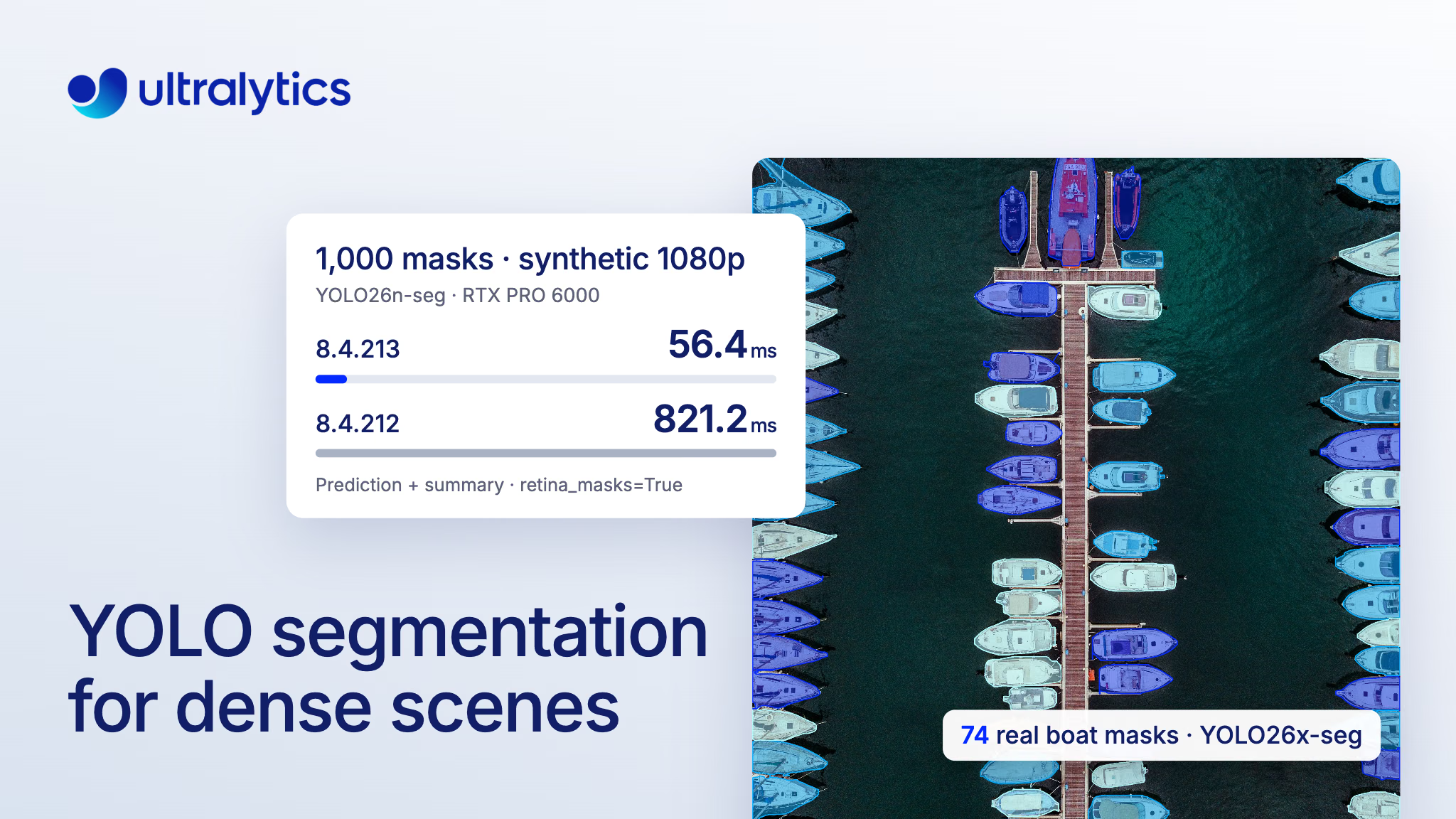
Top-down view of a marina dock with YOLO26x-seg instance masks over 74 boats, beside a card comparing 1,000-mask prediction time on a synthetic 1080p image: 56.4 ms in Ultralytics 8.4.213 and 821.2 ms in 8.4.212

Ultralytics YOLO segmentation in dense scenes: 1,000 masks

In Ultralytics 8.4.213, YOLO26n-seg predicts and summarizes 1,000 masks on a synthetic 1080p image in 56.4 ms on an RTX PRO 6000, down from 821.2 ms.
Learn more
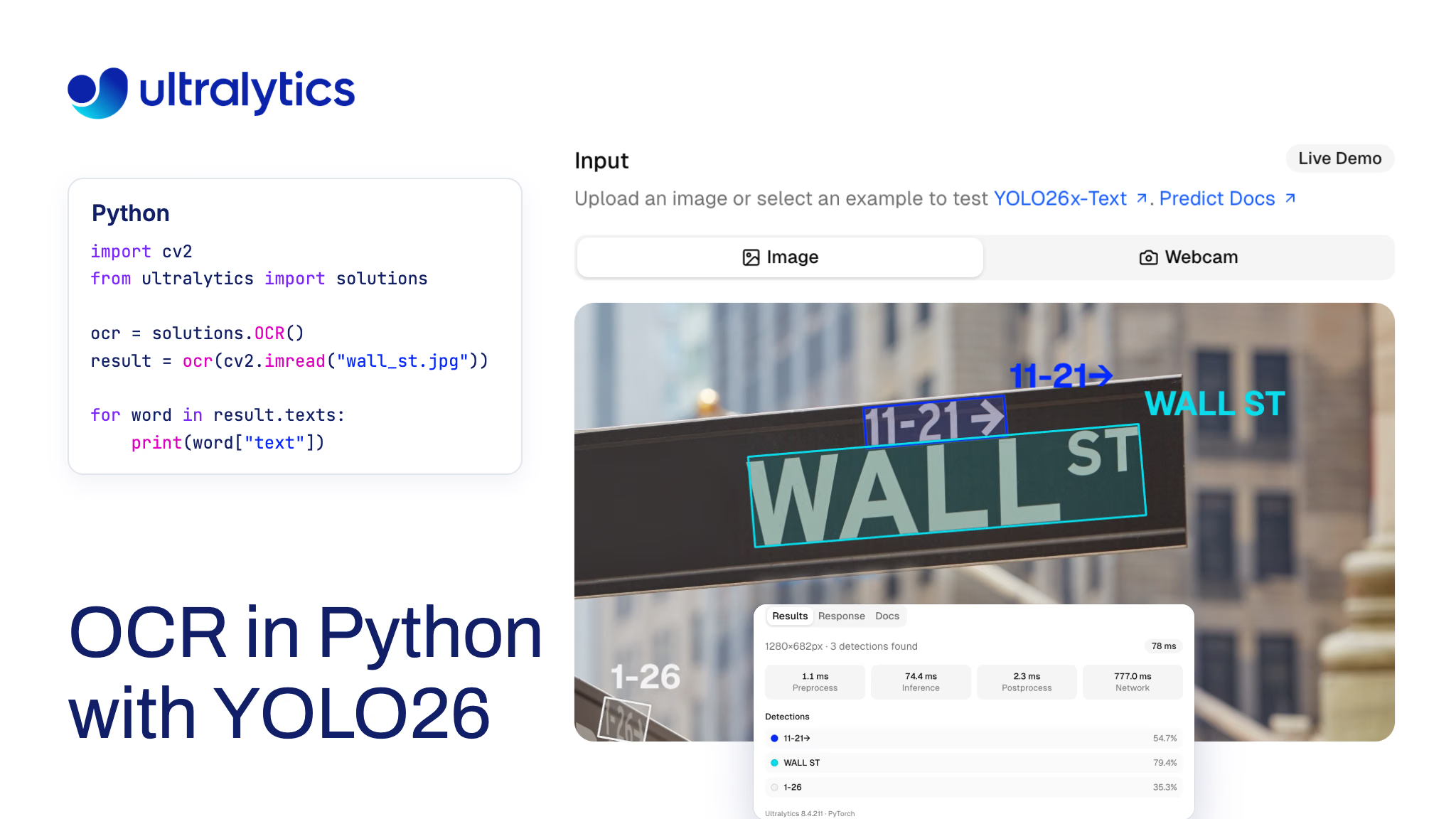
The live Ultralytics YOLO26 OCR demo reading a Wall St street sign, with the words 11-21, WALL ST and 1-26 outlined and listed with their confidence scores, next to the Python code that runs it

OCR in Python with Ultralytics YOLO26: read documents, photos and PDFs at any angle

Read text in images and PDF pages at any rotation with Ultralytics YOLO26-Text and PP-OCRv6 in a few lines of Python, on CPU or GPU, with optional TensorRT.
Learn more
Two overlapping amber glass panes in warm light, like two overlapping bounding boxes

How to tune the NMS IoU threshold in Ultralytics YOLO

Tune the NMS IoU threshold in Ultralytics YOLO: why prediction now defaults to 0.5, when to change iou vs. conf, and when to skip NMS with YOLO26.
Learn more
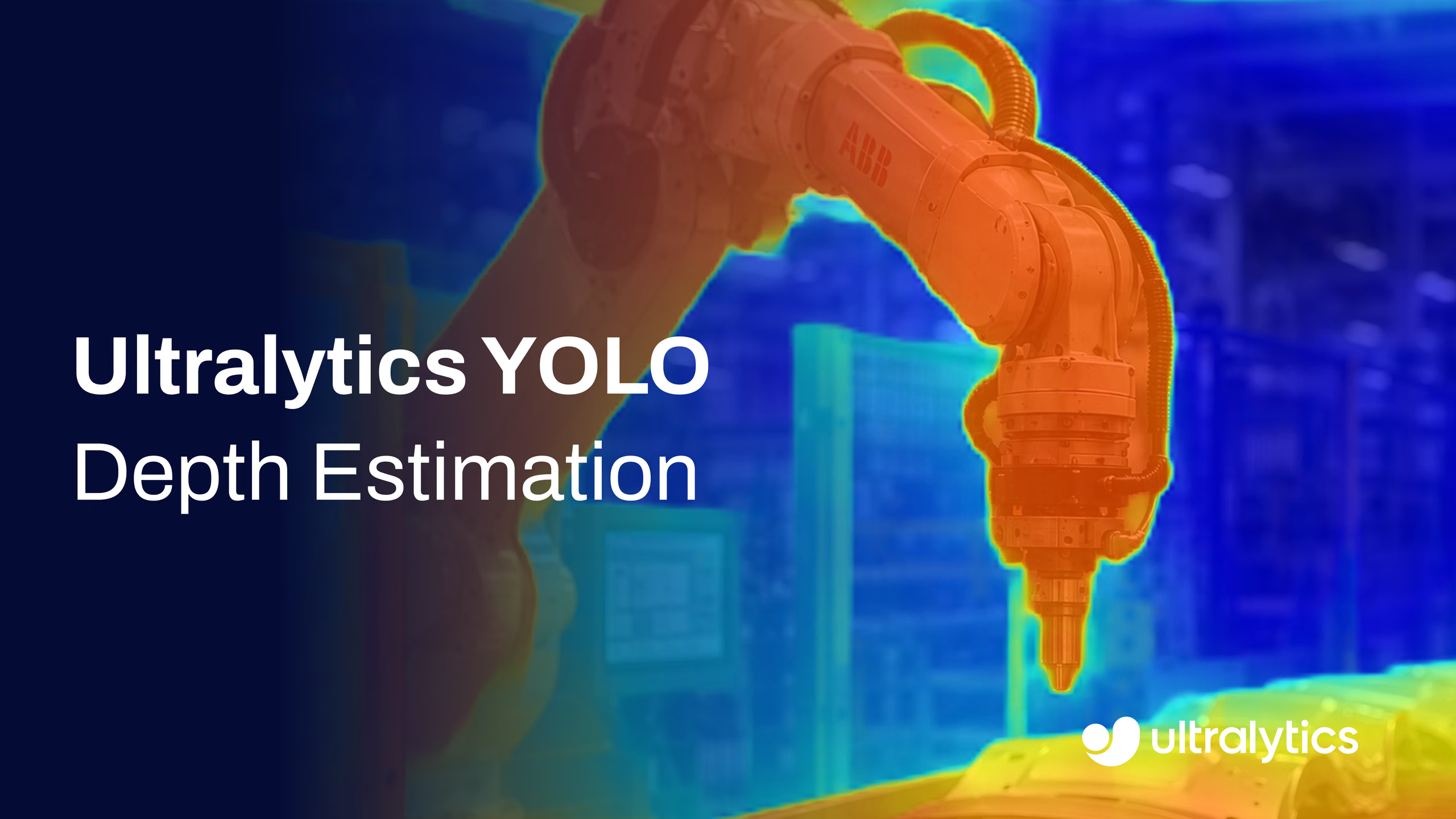
Ultralytics YOLO26 now supports monocular depth estimation

Ultralytics YOLO26 now supports monocular depth estimation

Learn how the new depth estimation task in Ultralytics YOLO26 predicts per-pixel, metric-scale depth from a single RGB image, no stereo rig or LiDAR required.
Learn more
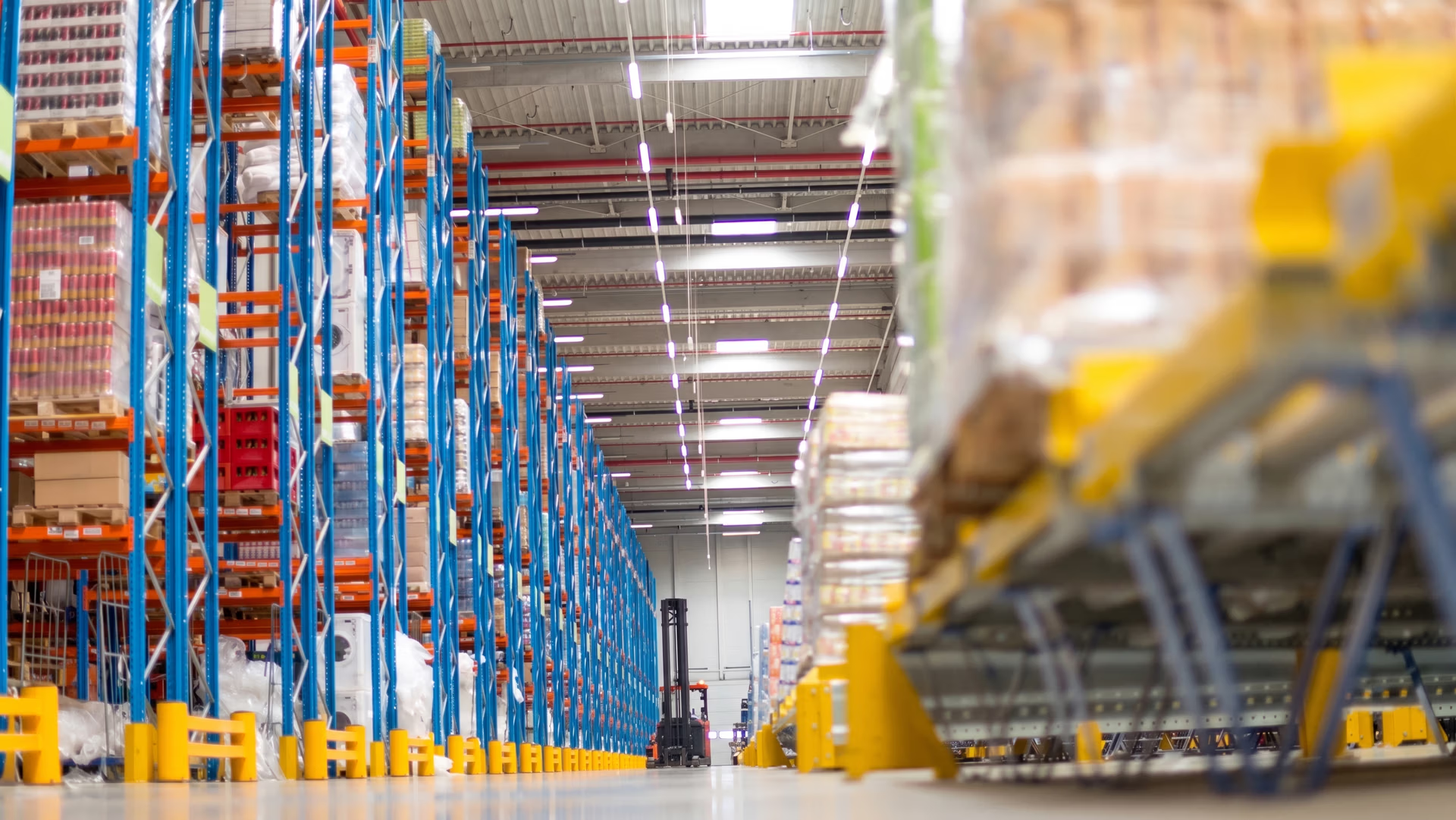
Detecting unsafe pallet stacking in a warehouse with Ultralytics YOLO26

Detecting unsafe pallet stacking with Ultralytics YOLO26

Learn how Ultralytics YOLO26 detects unsafe pallet stacking in warehouses, from stack height violations to leaning loads, to improve safety and operations.
Learn more
Planogram compliance detection on a retail shelf with Ultralytics YOLO26

Using Ultralytics YOLO26 for planogram compliance detection

Learn how to build a planogram compliance system using vision AI models like Ultralytics YOLO26 to detect misplaced products and automate retail shelf checks.
Learn more
Comparing Ultralytics YOLO26, YOLO11, and YOLOv8 models

Ultralytics YOLO26 vs YOLO11 vs YOLOv8: Which one should you use?

Compare Ultralytics YOLO26, YOLO11, and YOLOv8 on speed, accuracy, and deployment efficiency to choose the right YOLO model for your computer vision project.
Learn more
Comparing Ultralytics YOLO26 to other YOLO models for pose estimation

Ultralytics YOLO26 vs. other Ultralytics YOLO models for pose estimation

See how Ultralytics YOLO26-pose improves on earlier YOLO pose models with better non-human keypoint support, faster convergence, and occlusion handling.
Learn more
Building smart products with Ultralytics YOLO26 and vision AI

Building smart products with Ultralytics YOLO26 and vision AI

Learn how building smart products with YOLO26 and vision AI enables real-time detection, intelligent automation, and scalable, responsive product experiences.
Learn more
Choosing the right edge device for a computer vision project

Picking the right edge device for your computer vision project

See how to choose the right edge device for your computer vision project based on performance, power efficiency, and deployment requirements.
Learn more
Tips for deploying Ultralytics YOLO26 efficiently on edge and cloud

Top 5 tips for deploying YOLO26 efficiently on edge and cloud

Learn 5 practical tips for deploying Ultralytics YOLO26 efficiently on edge and cloud, from choosing a deployment option and export format to quantization.
Learn more
Custom-trained YOLO26 instance segmentation results

How to custom-train Ultralytics YOLO26 for instance segmentation

Learn how to custom train Ultralytics YOLO26 for instance segmentation, where the model identifies and separates each individual object using pixel-level masks.
Learn more
Ultralytics YOLO analyzing security camera footage for threat detection

A look at using Ultralytics YOLO models for AI threat detection

See how Ultralytics YOLO models power AI threat detection to uncover risks early, strengthen security awareness, and enable proactive prevention.
Learn more
Ultralytics YOLO26 detecting traffic incidents on a road

Automating traffic incident management with Ultralytics YOLO26

Discover how Ultralytics YOLO models can transform traffic incident management by enabling early detection, faster response, and safer roadway operations.
Learn more
Ultralytics YOLO26 deployed to production on real hardware

Exploring why Ultralytics YOLO26 is easier to ship to production!

See how Ultralytics YOLO26 bridges research and production with NMS-free end-to-end inference, edge-first CPU speed, and simpler export and integration.
Learn more
Ultralytics YOLO26 training innovations: ProgLoss, STAL, and MuSGD

How Ultralytics YOLO26 trains smarter with ProgLoss, STAL, and MuSGD

Learn how Ultralytics YOLO26 trains more reliably using Progressive Loss Balancing, Small-Target-Aware Label Assignment, and the MuSGD optimizer.
Learn more
Ultralytics YOLO26's faster, edge-first design for computer vision

The impact of Ultralytics YOLO26’s faster, edge-first design

See how Ultralytics YOLO26 is faster on the edge and why that matters for next-generation computer vision applications that demand low latency and efficiency.
Learn more
Ultralytics YOLO26 running NMS-free object detection

Why Ultralytics YOLO26 removes NMS and how that changes deployment

Discover how Ultralytics YOLO26 enables true end-to-end, NMS-free inference and why removing post-processing simplifies export and edge deployment.
Learn more
An example of using Ultralytics YOLO26 for object detection

Ultralytics YOLO26: The new standard for edge-first vision AI

Learn how Ultralytics YOLO26 sets a new standard for edge-first vision AI with end-to-end NMS-free inference, up to 43% faster CPU inference, and simpler deployment.
Learn more
Optimizing YOLO models across CPUs, GPUs, and edge chips

How at Ultralytics we make YOLO models faster on your favorite chip

How chips, memory, and clocks shape YOLO speed, and how quantization, operator fusion, and pruning make models fast on CPUs, GPUs, and edge devices.
Learn more
Ultralytics YOLO11 detecting small objects in aerial imagery

Exploring small object detection with Ultralytics YOLO11

Discover how Ultralytics YOLO11 delivers fast and accurate small object detection across real-world applications like surveillance and robotics.
Learn more
Pose estimation analyzing a runner's technique with YOLO11

Using pose estimation to perfect your running technique

Learn how pose estimation with Ultralytics YOLO models tracks joints, stride and posture from video to analyze running form and reduce injury risk.
Learn more
Using Ultralytics YOLO11 to detect surface cracks from slab leaks

Using Ultralytics YOLO models for slab leak detection

Explore how computer vision models like Ultralytics YOLO11 can help with slab leak detection by spotting moisture, heat patterns, and surface cracks early.
Learn more
Tracking golf balls with Ultralytics YOLO models

Tracking golf balls using Ultralytics YOLO models

Learn how Ultralytics YOLO models and computer vision track golf balls in real time, enabling instant feedback, shot stats, and better practice.
Learn more
Vehicle re-identification with Ultralytics YOLO models

Enhancing vehicle re-identification with Ultralytics YOLO models

Learn how vehicle re-identification matches cars across cameras, and how Ultralytics YOLO models support it with fast detection, tracking, and BoT-SORT ReID.
Learn more
Collision prediction with Ultralytics YOLO models

Improving collision prediction with Ultralytics YOLO models

Learn how insights from Ultralytics YOLO models help collision prediction systems make safer, quicker decisions in dynamic environments.
Learn more
Sorting laundry efficiently using Ultralytics YOLO models

How to sort laundry efficiently using Ultralytics YOLO models

Learn how to sort laundry efficiently using Ultralytics YOLO models, which can analyze garments, colors, and care symbols to automate smarter laundry sorting.
Learn more
Ball trajectory prediction using vision AI

Enhancing ball trajectory prediction using vision AI

Learn how vision AI improves ball trajectory prediction and enables real-time insights for sports, robotics, and other smart applications.
Learn more
Computer vision detecting vehicles in nighttime traffic

Traffic video detection at nighttime: A look at why accuracy is key

From poor visibility to glare, learn what makes nighttime traffic video detection accuracy a challenge, and how computer vision improves safety and flow.
Learn more

Let's build the future of AI together!

Begin your journey with the future of machine learning