The evolution of object detection and Ultralytics' YOLO models
Trace the evolution of object detection from template matching, Haar cascades, and HOG to R-CNN and YOLO, and see how Ultralytics YOLO11 improves on YOLOv8.
 Abirami Vina8 min read
Listen to this article

Computer vision is a subfield of artificial intelligence (AI) that focuses on teaching machines to see and understand images and videos, similar to how humans perceive the real world. While recognizing objects or identifying actions is second nature to humans, these tasks require specialized computer vision techniques when it comes to machines. For instance, one key task in computer vision is object detection, which involves identifying and locating objects within images or videos.
Since the 1960s, researchers have been working on improving how computers can detect objects. Early methods, like template matching, involved sliding a predefined template across an image to find matches. While innovative, these approaches struggled with changes in object size, orientation, and lighting. Today, we have advanced models like Ultralytics YOLO11 that can detect even small and partially hidden objects, known as occluded objects, with impressive accuracy.
As computer vision continues to evolve, it's important to look back at how these technologies have developed. In this article, we’ll explore the evolution of object detection and shine a light on the transformation of the YOLO (You Only Look Once) models.
The origins of computer vision#
Before diving into object detection, let’s take a look at how computer vision got started. The origins of computer vision trace back to the late 1950s and early 1960s when scientists began exploring how the brain processes visual information. In experiments with cats, researchers David Hubel and Torsten Wiesel discovered that the brain reacts to simple patterns like edges and lines. This formed the basis for the idea behind feature extraction - the concept that visual systems detect and recognize basic features in images, such as edges, before moving on to more complex patterns.
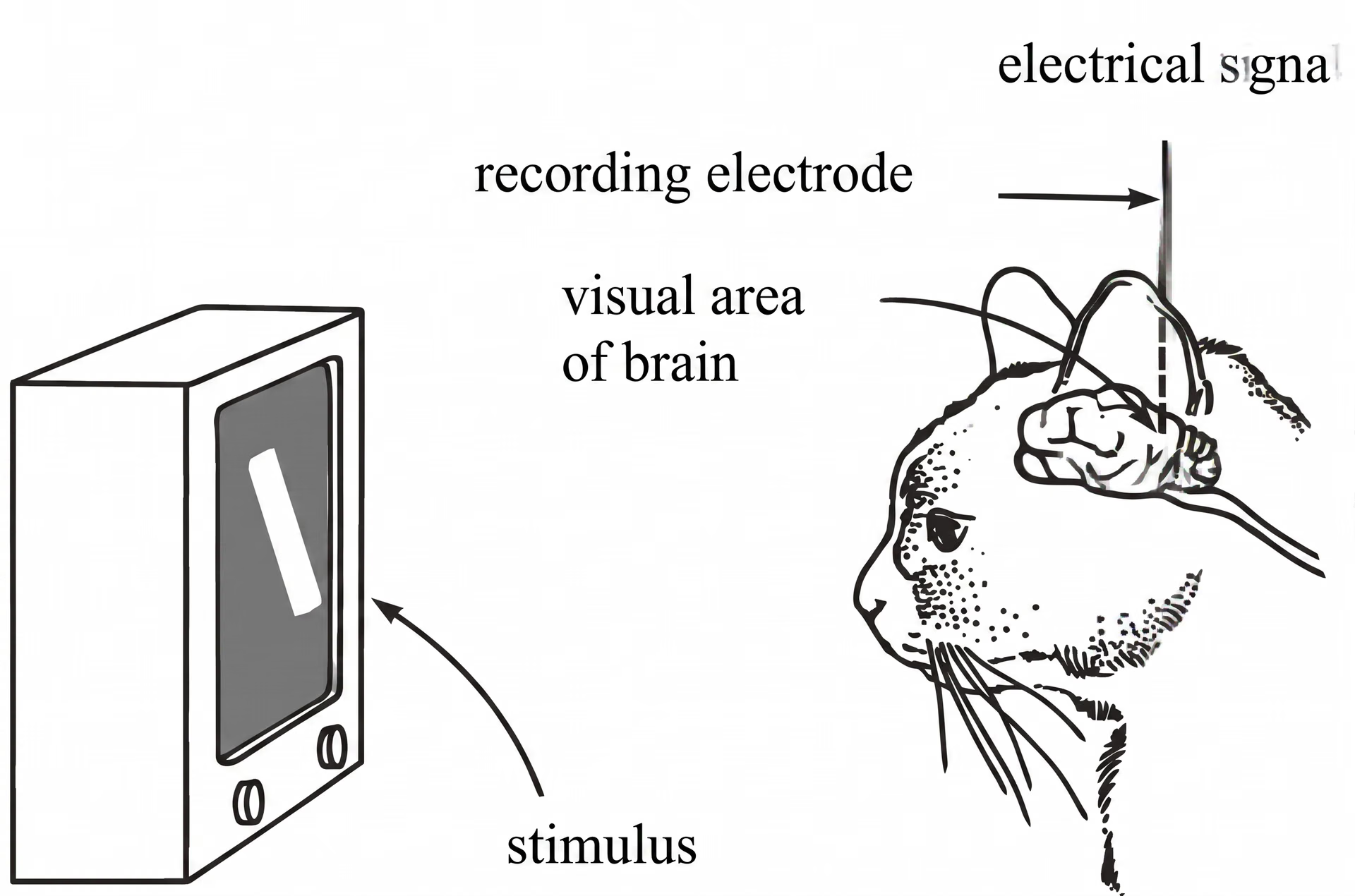
Fig 1. Learning how a cat’s brain reacts to light bars helped develop feature extraction in computer vision.
Around the same time, new technology emerged that could turn physical images into digital formats, sparking interest in how machines could process visual information. In 1966, the Massachusetts Institute of Technology's (MIT) Summer Vision Project pushed things further. While the project didn’t completely succeed, it aimed to create a system that could separate the foreground from the background in images. For many in the vision AI community, this project marks the official start of computer vision as a scientific field.
Understanding the history of object detection#
As computer vision advanced in the late 1990s and early 2000s, object detection methods shifted from basic techniques like template matching to more advanced approaches. One popular method was Haar Cascade, which became widely used for tasks like face detection. It worked by scanning images with a sliding window, checking for specific features like edges or textures in each section of the image, and then combining these features to detect objects like faces. Haar Cascade was much faster than previous methods.
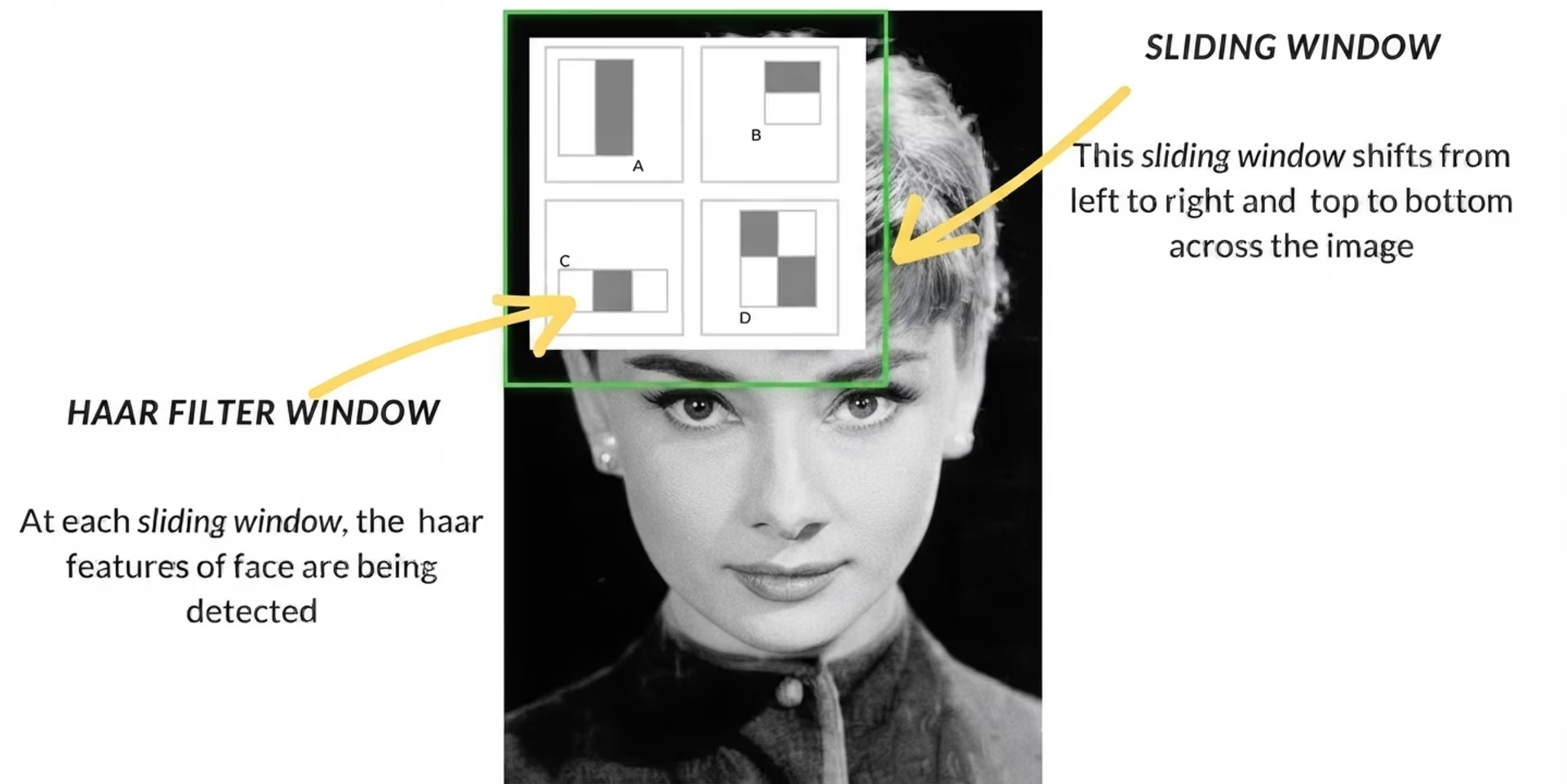
Fig 2. Using Haar Cascade for Face Detection.
Alongside these, methods like Histogram of Oriented Gradients (HOG) and Support Vector Machines (SVMs) were also introduced. HOG used the sliding window technique to analyze how light and shadows changed in small sections of an image, helping to identify objects based on their shapes. SVMs then classified these features to determine the object's identity. These methods improved accuracy but still struggled in real-world environments and were slower compared to today’s techniques.
The need for real-time object detection#
In the 2010s, the rise of deep learning and Convolutional Neural Networks (CNNs) brought a major shift in object detection. CNNs made it possible for computers to automatically learn important features from large amounts of data, which made detection much more accurate.
Early models like R-CNN (Region-based Convolutional Neural Networks) were a big improvement in precision, helping to identify objects more accurately than older methods.
However, these models were slow because they processed images in multiple stages, making them impractical for real-time applications in areas like self-driving cars or video surveillance.
With a focus on speeding things up, more efficient models were developed. Models like Fast R-CNN and Faster R-CNN helped by refining how regions of interest were chosen and cutting down the number of steps needed for detection. While this made object detection faster, it still wasn’t quick enough for many real-world applications that needed instant results. The growing demand for real-time detection pushed the development of even faster and more efficient solutions that could balance both speed and accuracy.

Fig 3. Comparing the Speeds of R-CNN, Fast R-CNN and Faster R-CNN.
YOLO (You Only Look Once) models: A major milestone#
YOLO is an object detection model that redefined computer vision by enabling real-time detection of multiple objects in images and videos, setting it apart from previous detection methods. Instead of analyzing each detected object individually, YOLO’s architecture treats object detection as a single task, predicting both the location and class of objects in one go using CNNs.
The model works by dividing an image into a grid, with each part responsible for detecting objects in its respective area. It makes multiple predictions for each section and filters out the less confident results, keeping only the most confident ones.
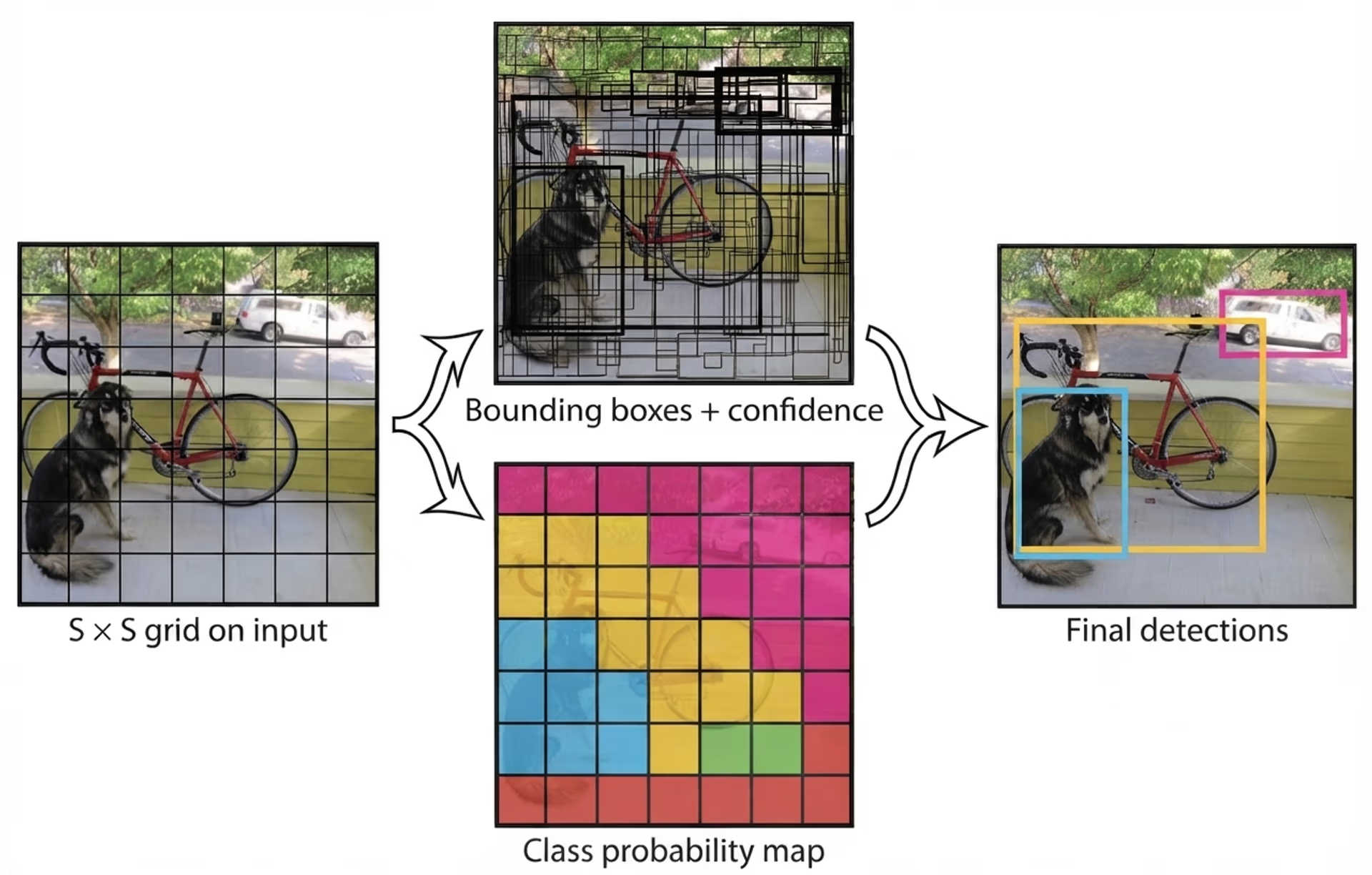
Fig 4. An Overview of How YOLO Works.
The introduction of YOLO to computer vision applications made object detection much faster and more efficient than earlier models. Because of its speed and accuracy, YOLO quickly became a popular choice for real-time solutions in industries like manufacturing, healthcare, and robotics.
Another important point to note is that since YOLO was open-source, developers and researchers were able to continually improve it, leading to even more advanced versions.
The path from YOLO to Ultralytics YOLO11#
YOLO models have steadily improved over time, building on each version’s advancements. Along with better performance, these improvements have made the models easier to use for people with different levels of technical experience.
For example, when Ultralytics YOLOv5 was introduced, deploying models became simpler with PyTorch, allowing a wider range of users to work with advanced AI. It brought together accuracy and usability, giving more people the ability to implement object detection without needing to be coding experts.
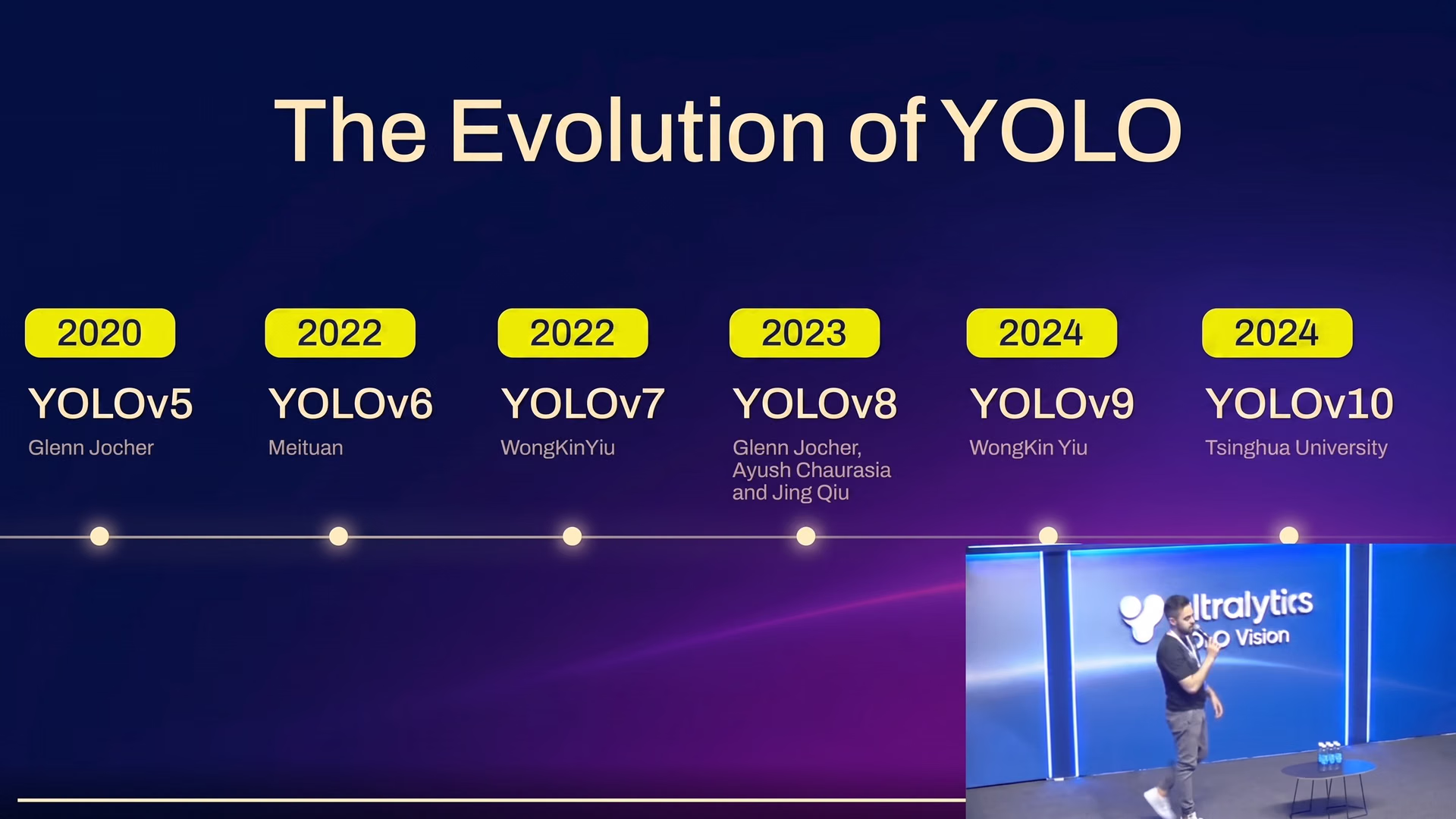
Fig 5. The Evolution of the YOLO models.
Ultralytics YOLOv8 continued this progress by adding support for tasks like instance segmentation and making the models more flexible. It became easier to use YOLO for both basic and more complex applications, making it useful across a range of scenarios.
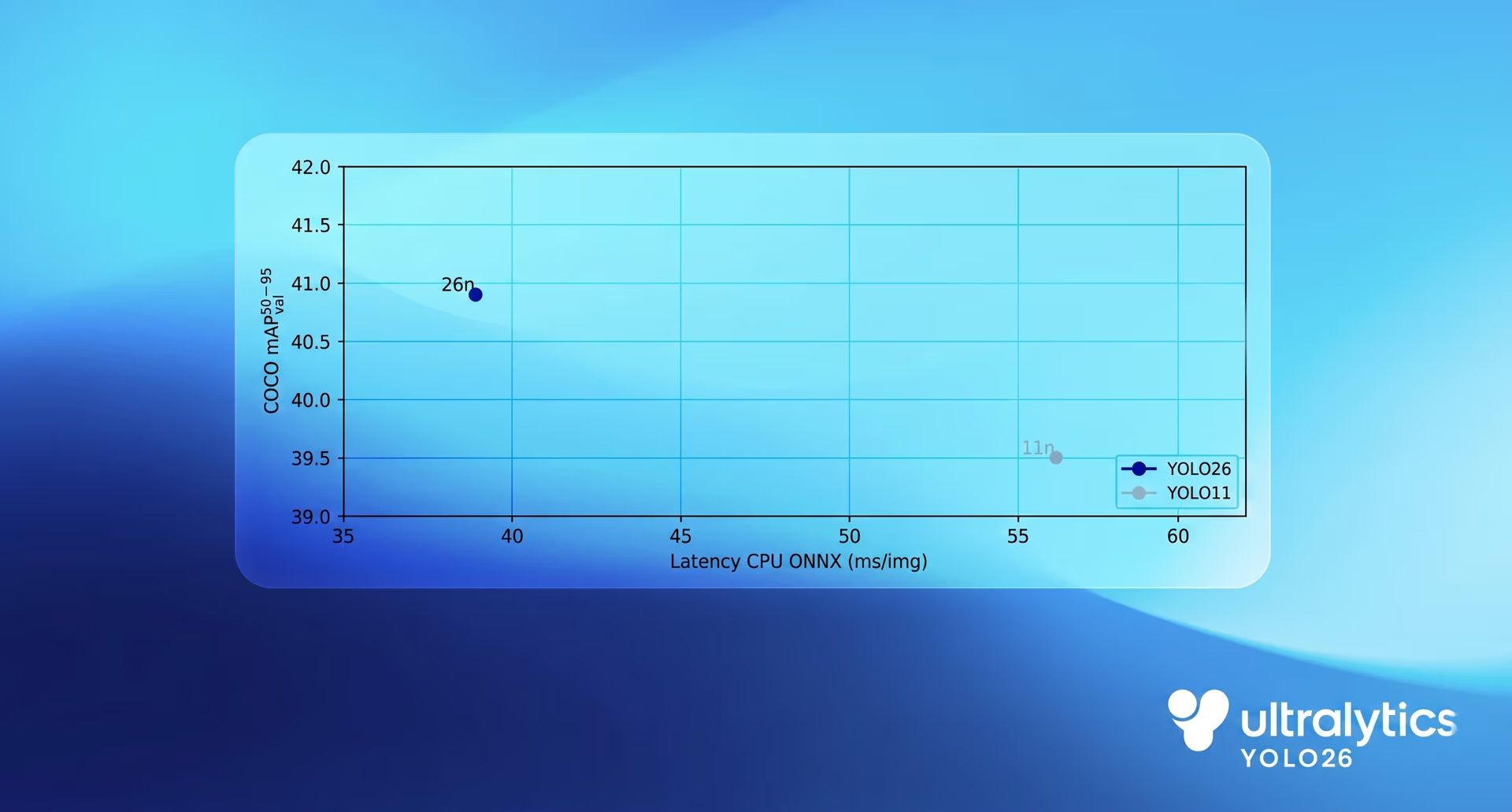
With Ultralytics YOLO11 (since succeeded by Ultralytics YOLO26), further optimizations have been made. By reducing the number of parameters while improving accuracy, it’s now more efficient for real-time tasks. Whether you're an experienced developer or new to AI, YOLO11 offers an advanced approach to object detection that is easily accessible.
Getting to know Ultralytics YOLO11: New features and improvements#
YOLO11, launched at Ultralytics’ annual hybrid event, YOLO Vision 2024 (YV24), supports the same computer vision tasks as YOLOv8, like object detection, instance segmentation, image classification, and pose estimation. So, users can easily switch to this new model without needing to adjust their workflows. Additionally, YOLO11’s upgraded architecture makes predictions even more precise. In fact, YOLO11m achieves a higher mean average precision (mAP) on the COCO dataset with 22% fewer parameters than YOLOv8m.
YOLO11 is also built to run efficiently on a range of platforms, from smartphones and other edge devices to more powerful cloud systems. This flexibility ensures smooth performance across different hardware setups for real-time applications. On top of that, YOLO11 is faster and more efficient, cutting down on computational costs and speeding up inference times. Whether you’re using the Ultralytics Python package or the no-code Ultralytics HUB (now Ultralytics Platform), it’s easy to integrate YOLO11 into your existing workflows.
The future of YOLO models and object detection#
The impact of advanced object detection on real-time applications and edge AI is already being felt across industries. As sectors like oil and gas, healthcare, and retail increasingly rely on AI, the demand for fast and precise object detection continues to rise. Ultralytics YOLO11 aims to answer this demand by enabling high-performance detection even on devices with limited computing power.
As edge AI grows, it’s likely that object detection models like Ultralytics YOLO11 will become even more essential for real-time decision-making in environments where speed and accuracy are critical. With ongoing improvements in design and adaptability, the future of object detection looks set to bring even more innovations across a variety of applications.
Key takeaways#
Object detection has come a long way, evolving from simple methods to the advanced deep-learning techniques we see today. YOLO models have been at the heart of this progress, delivering faster and more accurate real-time detection across different industries. Ultralytics YOLO11 builds on this legacy, improving efficiency, cutting down computational costs, and enhancing accuracy, making it a reliable choice for a variety of real-time applications. With ongoing advancements in AI and computer vision, the future of object detection appears bright, with room for even more improvements in speed, precision, and adaptability.
Curious about AI? Stay connected with our community to keep learning! Check out our GitHub repository to discover how we are using AI to create innovative solutions in industries like manufacturing and healthcare.
Written by
Content Creator · Ultralytics
Comments
Ask a question, share your results, or help someone else.